Let’s get started 🚀
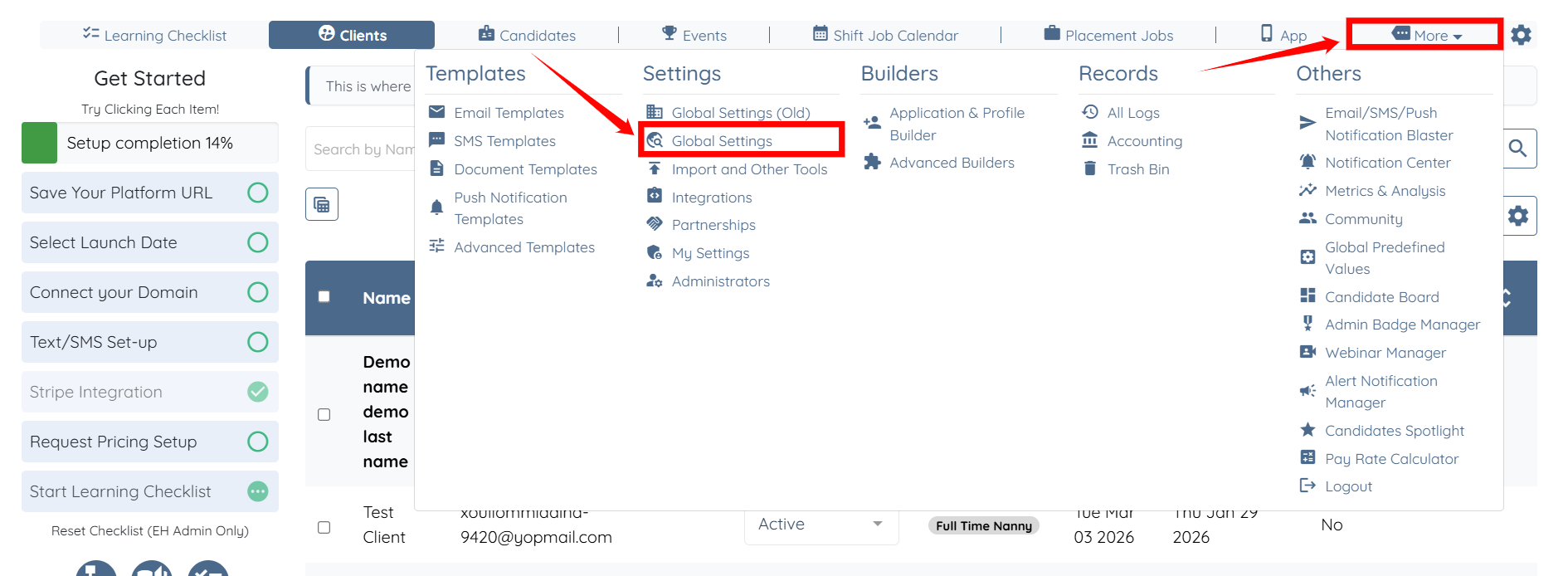
Step 1: Log in to your agent dashboard and click on More > Global Settings as shown in the screenshot below.
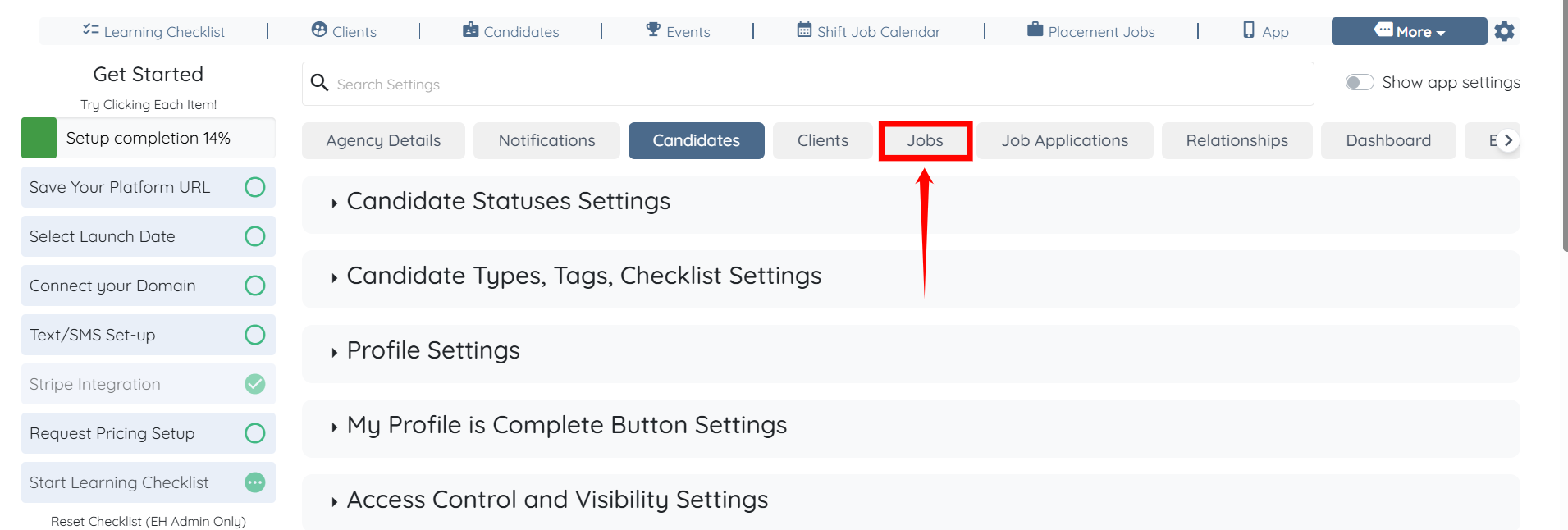
Step 2: Click the Jobs tab from the list of available tabs.
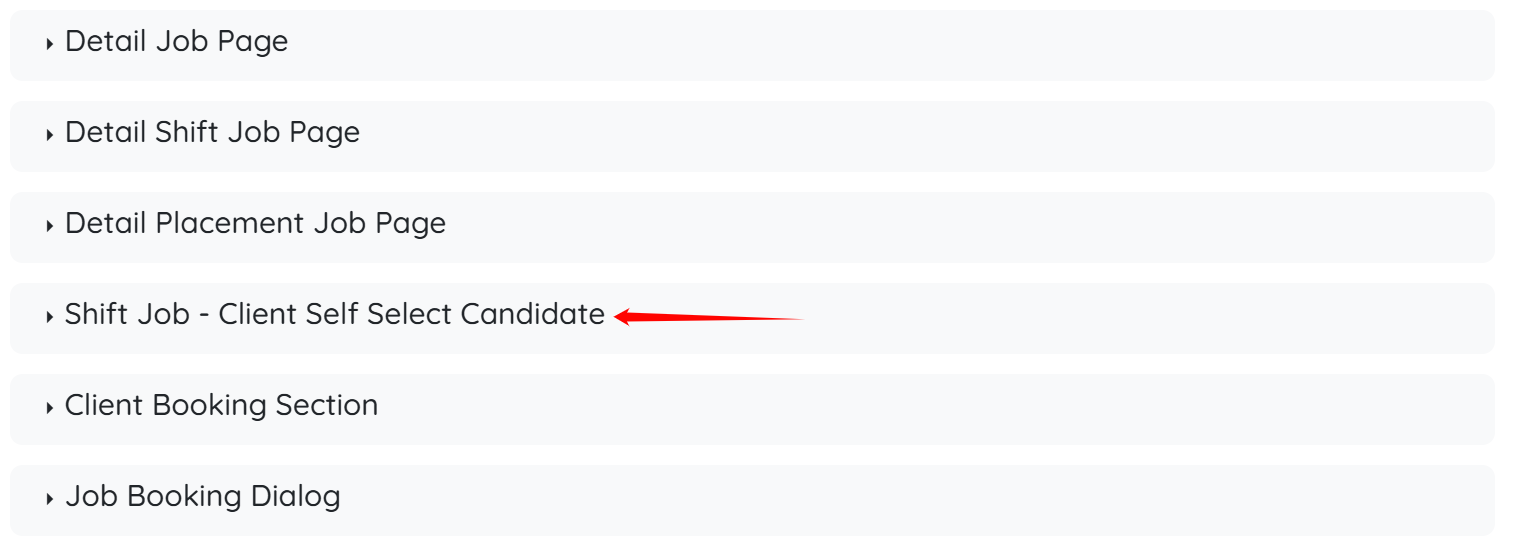
Step 3: Scroll down and click the Shift Job - Client Self Select Candidate option to view its details.
Step 4: Check the Client can self select candidate in Application Form checkbox. The settings will be saved automatically.


Clients will now be able to view all candidates who are available for the selected booking time.
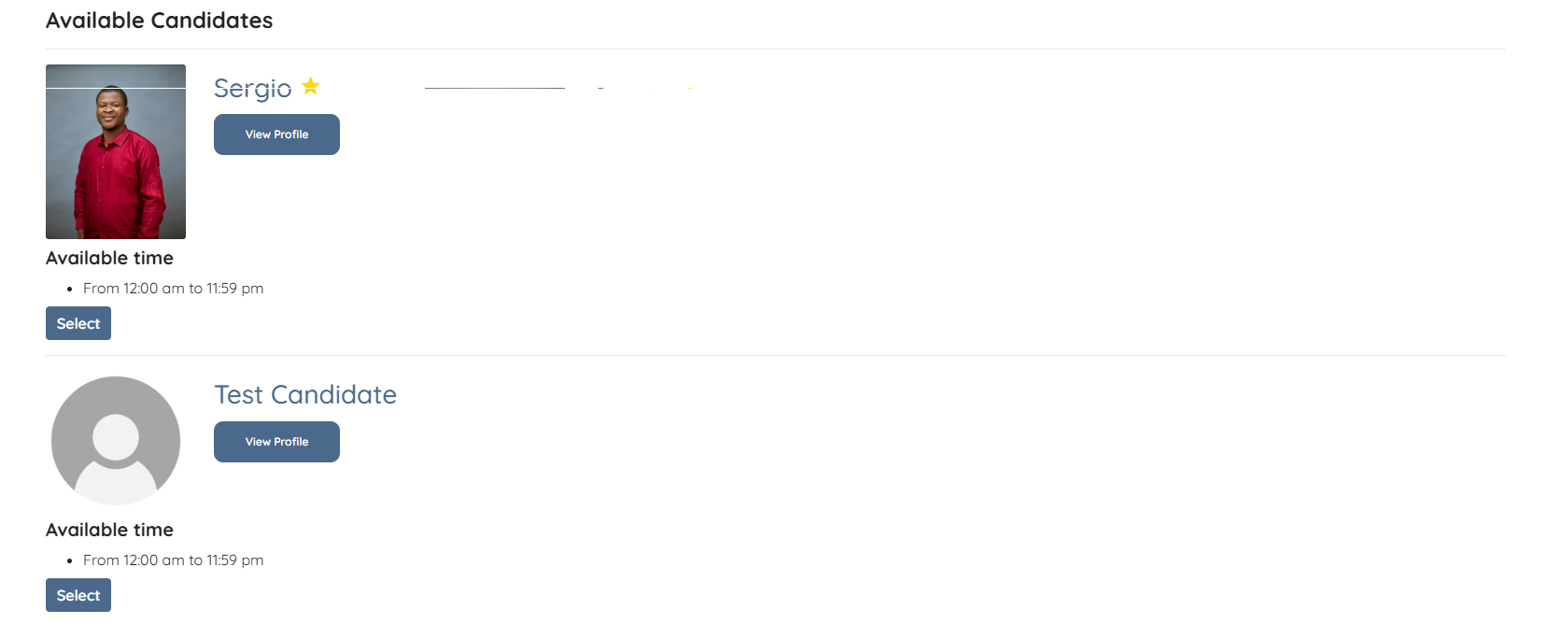
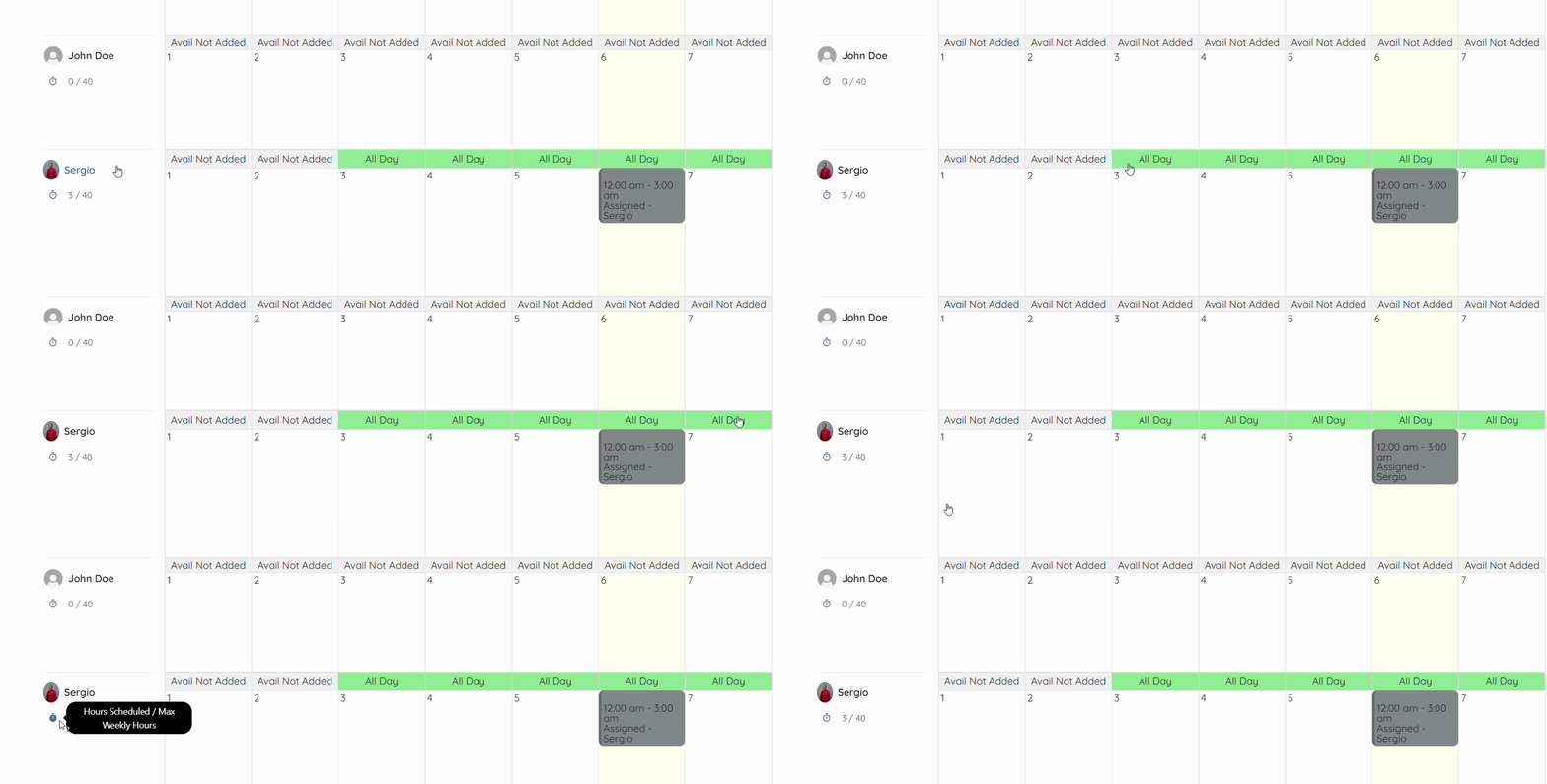
Clients can also check all the candidates, along with their availability and the total hours scheduled out of the maximum weekly hours they are allowed to work.
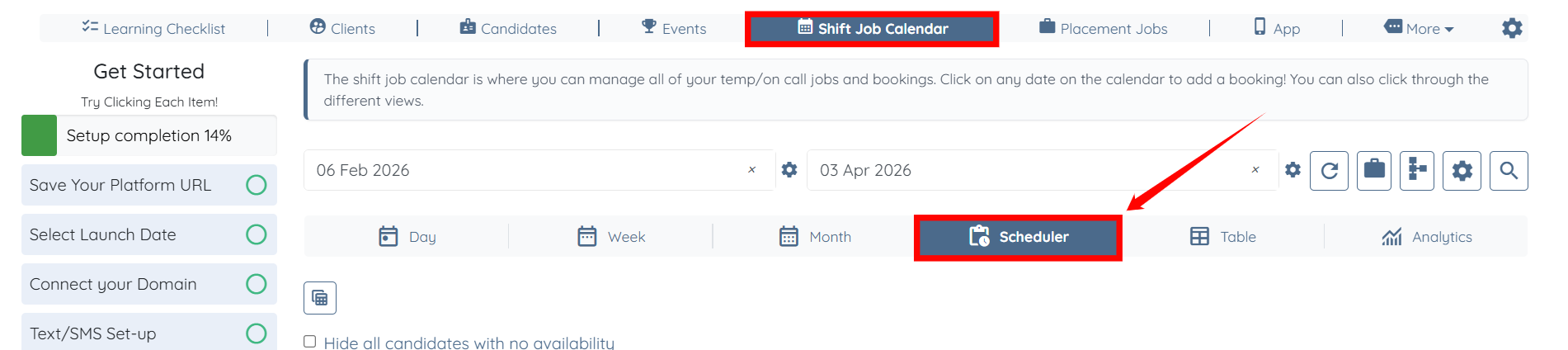
To check this, click the Scheduler tab in the Shift Job Calendar section.
For example, Sergio has added his availability for the dates 3 to 7 of the month, and he is booked for a one-shift job of 3 hours on the 6th of the month out of the maximum 40 weekly hours.