
Step 1:
Within a profile, you can click the gear icon next to the section title of the section you want to edit
OR
Go to More-> Profile Builder and click on the pencil icon of the section you want to edit.
Step 2:
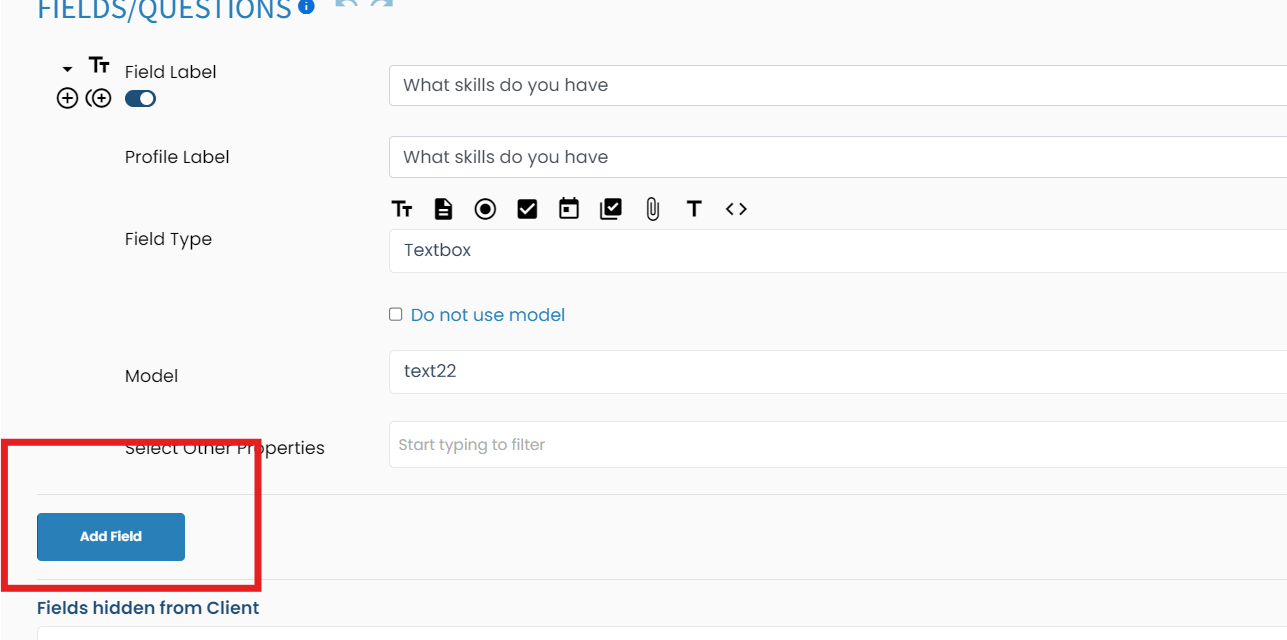
Click Add New field
Step 3:
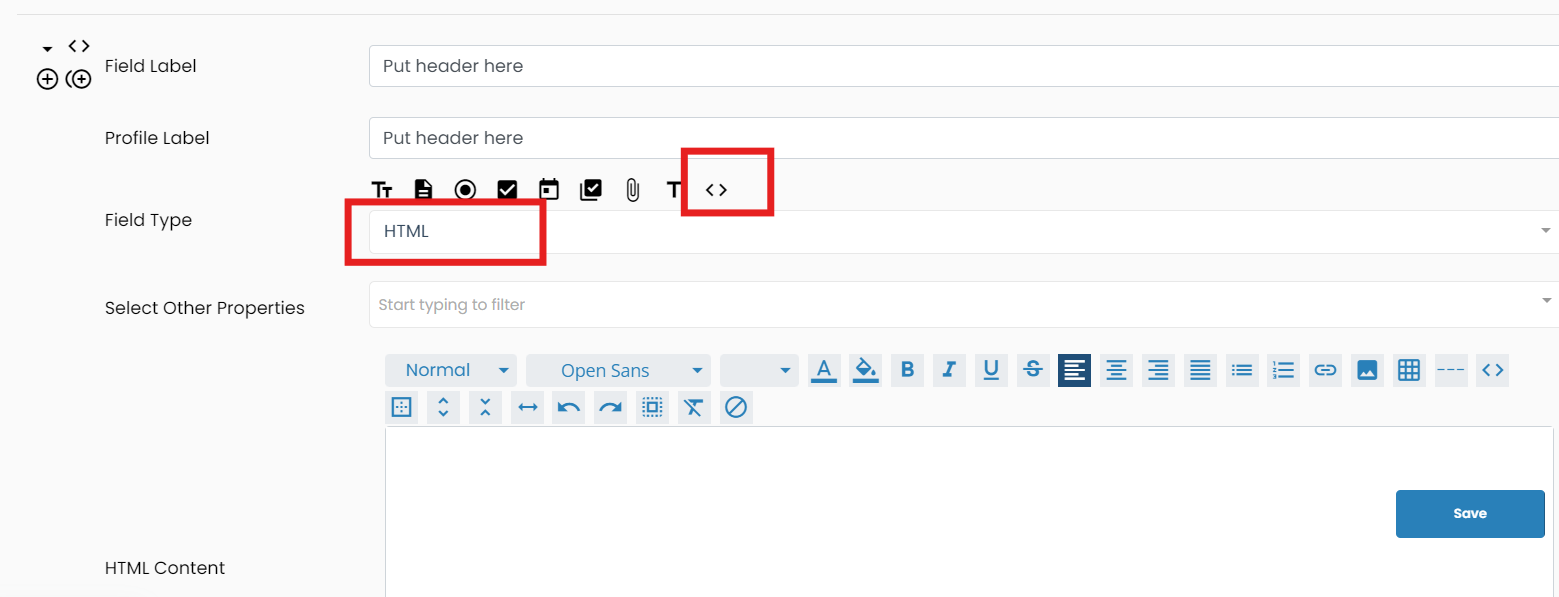
The field type is HTLM
Step 4:
Type in the text you want to appear.
Step 5
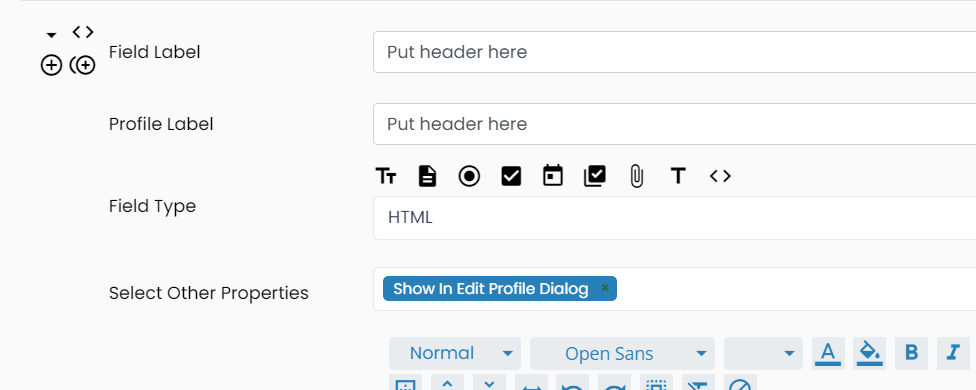
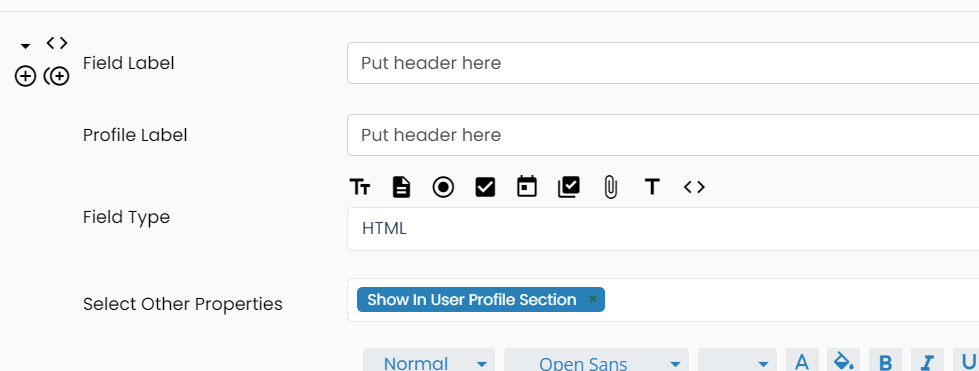
In Other Properties select Show in editor (This will allow it to show when they edit that section). Select Show in profile, if you want it to appear in their profile without selecting the pencil icon to edit.
Then click Save/Update at the bottom of the section
If this doesn't answer your questions you can always contact us by clicking here