
Step 1:
Go to MORE on the menu bar of the dashboard.
Step 2:
Go to GLOBAL Settings
Step 3:
Go to JOBS
Step 4:
Click on SHIFT JOB
Step 5:
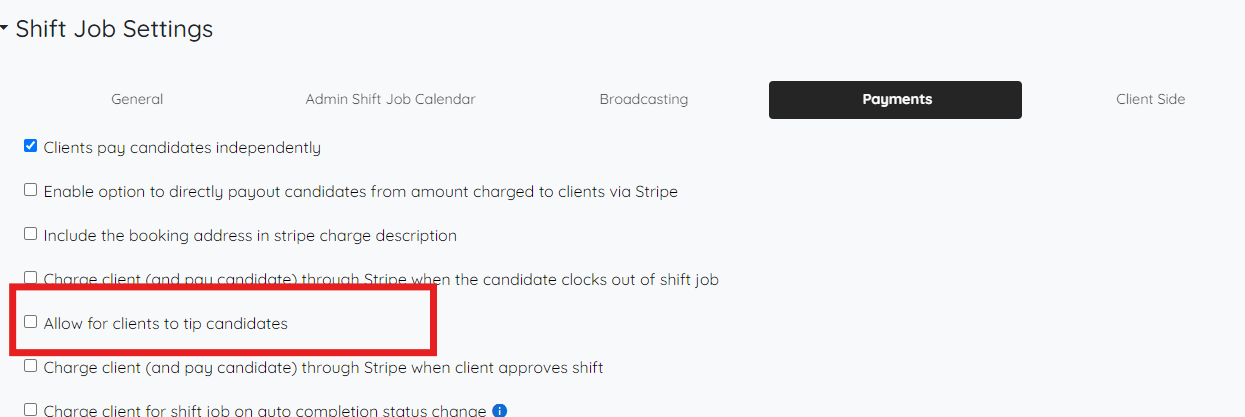
Click on Payments
Step 6
Make sure the setting is unchecked
If this video doesn't answer your questions you can always contact us by clicking here