Let’s get started 🚀
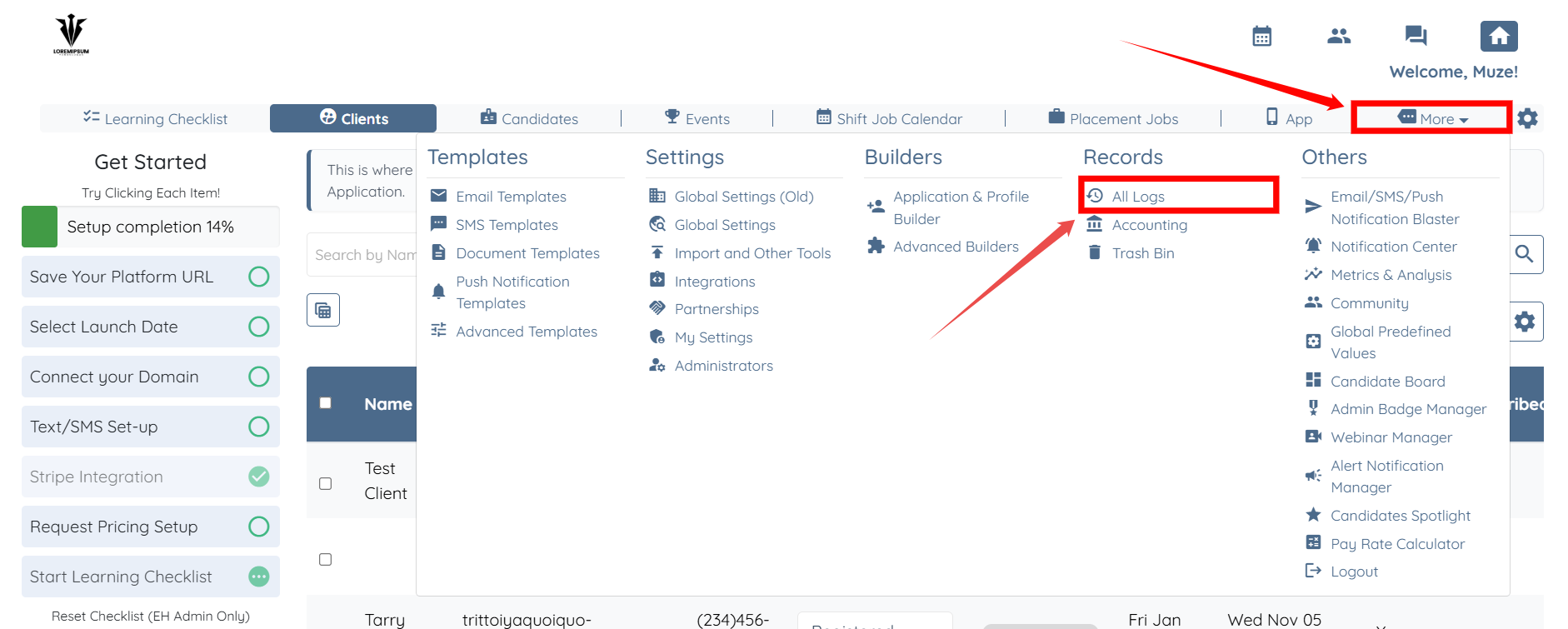
Step 1: On your agent dashboard, click More, then select All Logs, as shown in the screenshot below.
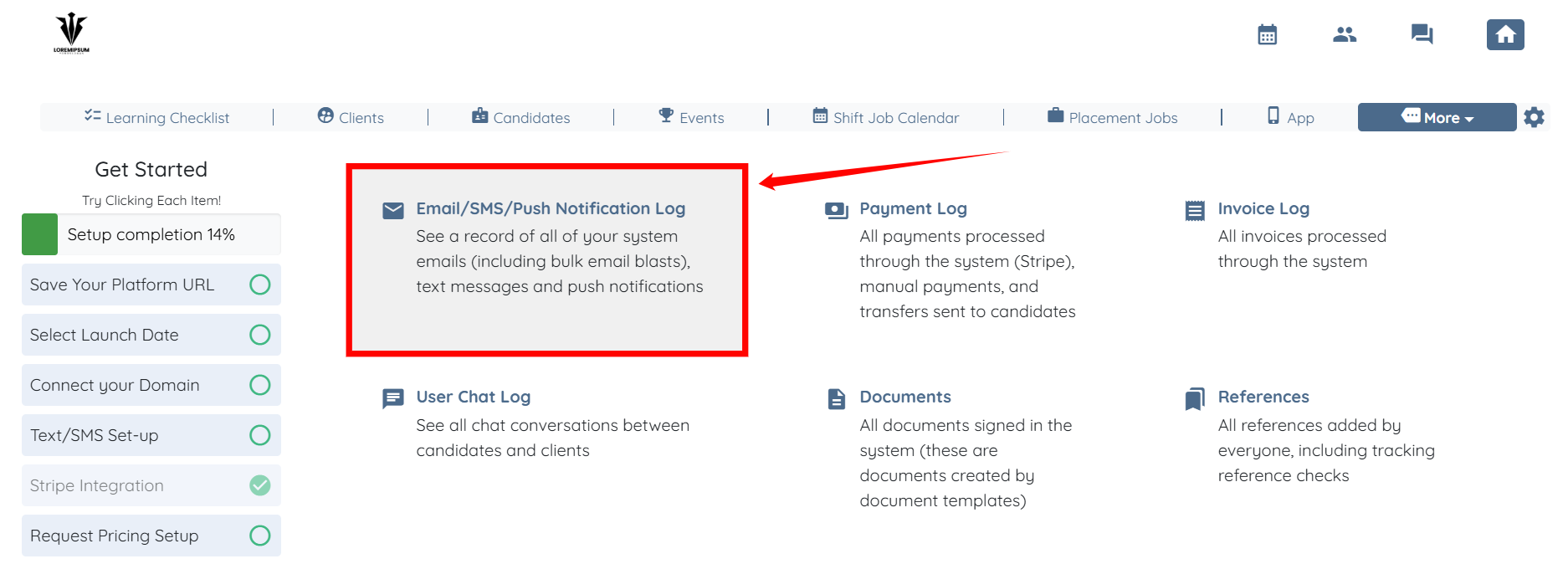
Step 2: Click the Email/SMS/Push Notification Log option.
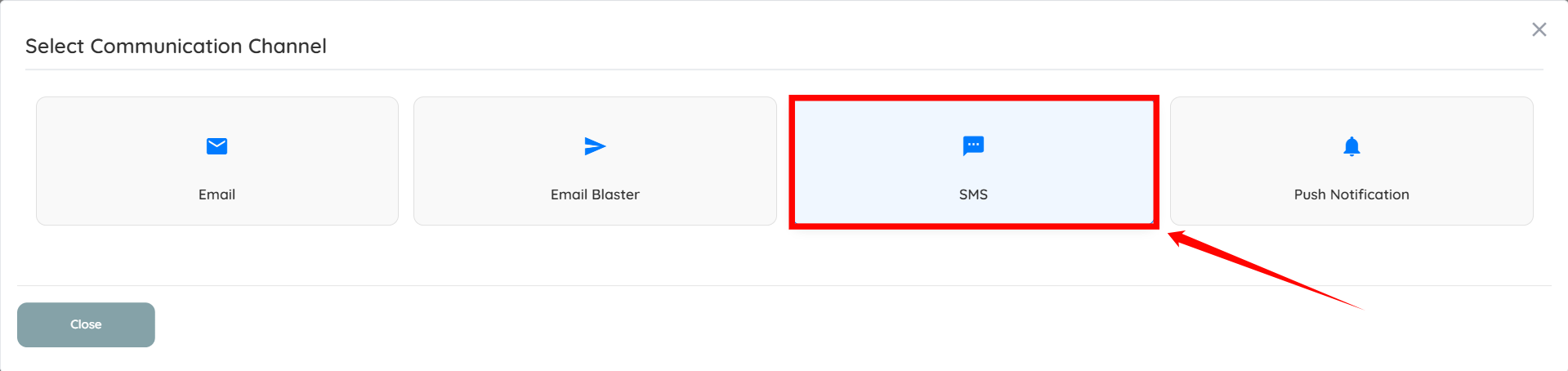
Step 3: Click the SMS option from the list of available options.
Step 4: You can use the date filters to view:
The total number of message segments sent
The total cost for the selected period
(Each segment costs $0.0145, so longer messages may result in higher costs.)
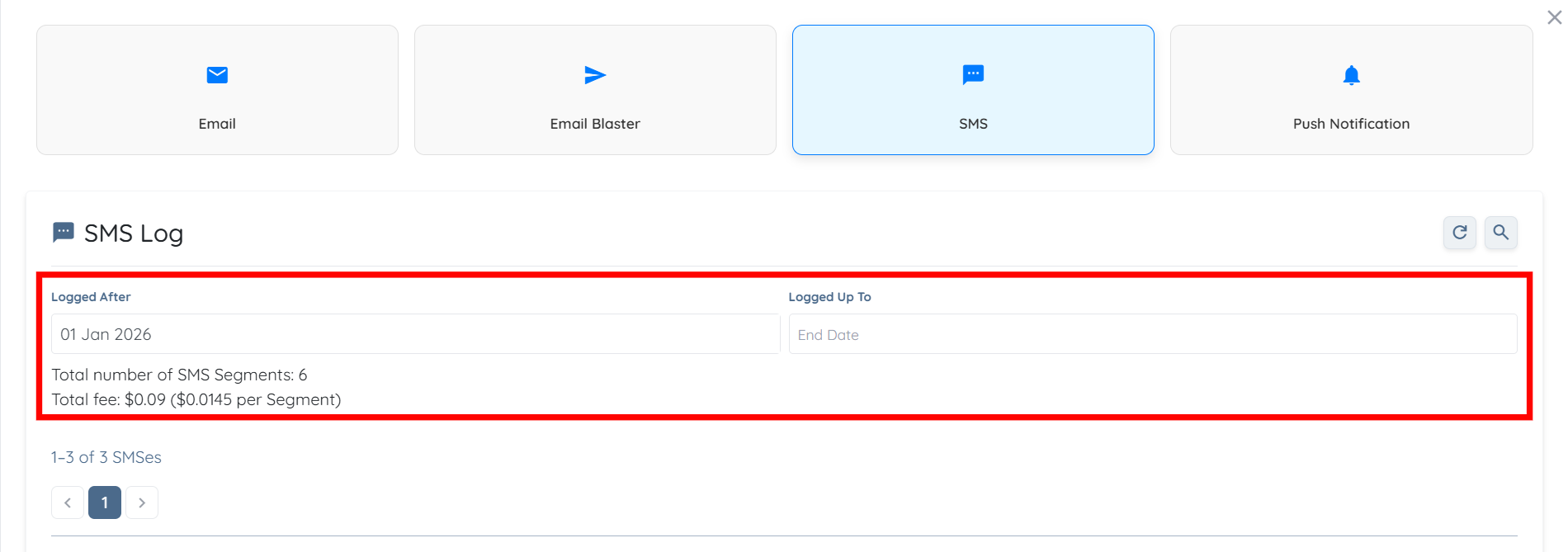
You can also view:
The total number of messages sent
Individual SMS message records
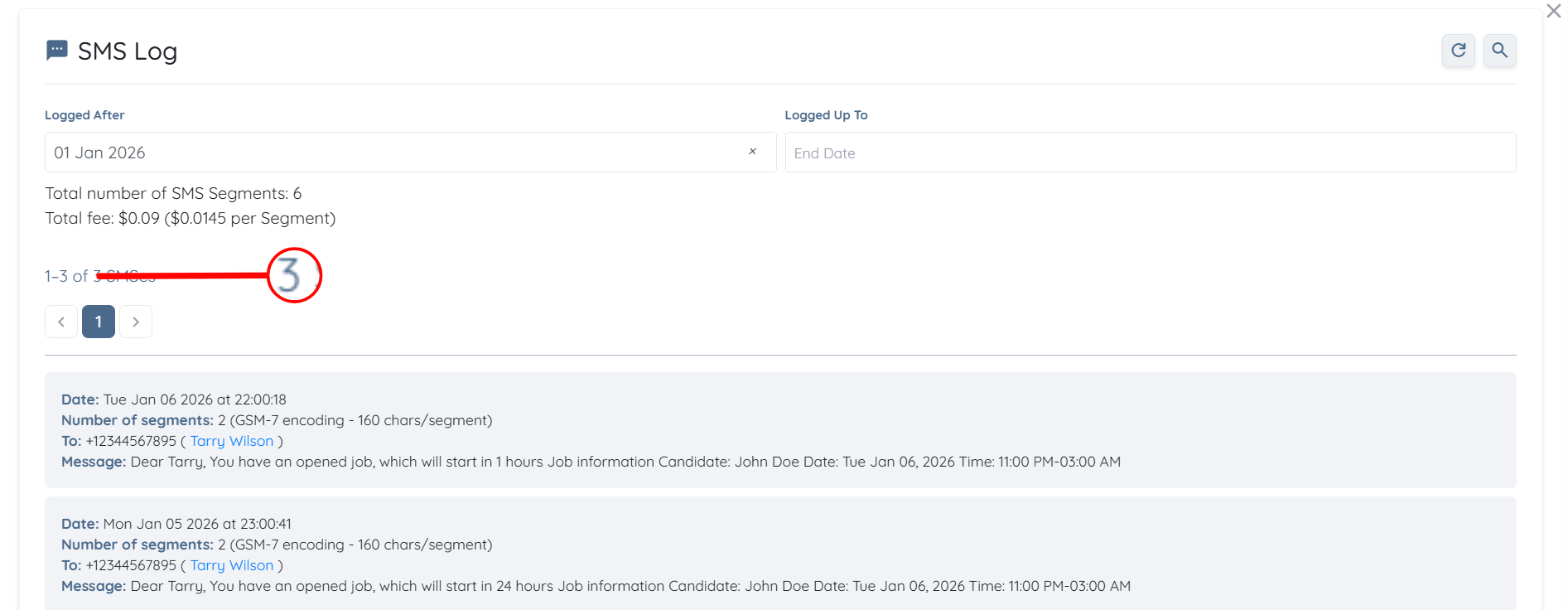
SMS messages are charged per segment, and every message has a cost, even if it contains only one character. A single SMS segment includes up to 160 characters of standard text. However, if your message contains special characters or emojis, the character limit per segment is reduced to 70 characters.
If a message exceeds the character limit for one segment, it is automatically split into multiple segments, and each segment is charged separately. When sending SMS messages to multiple recipients, each recipient’s message is charged individually based on the number of segments it contains.
The cost per segment is $0.0145.
For example:
Sending “Hello” to 10 recipients = 10 segments x $0.0145 = $0.145.
Sending a 200-character message (2 segments) to 3 recipients = 6 segments x $0.0145 = $0.087.

If this doesn't answer your questions you can always contact us by clicking here
