Auto Assign: If a candidate is requested, auto assign if available

This setting works if you have an auto-assign setting on. If a client requests a candidate it will auto assign them if available. If they are not it will auto assign/broadcast

Step 1:
Go to MORE -> Global Settings
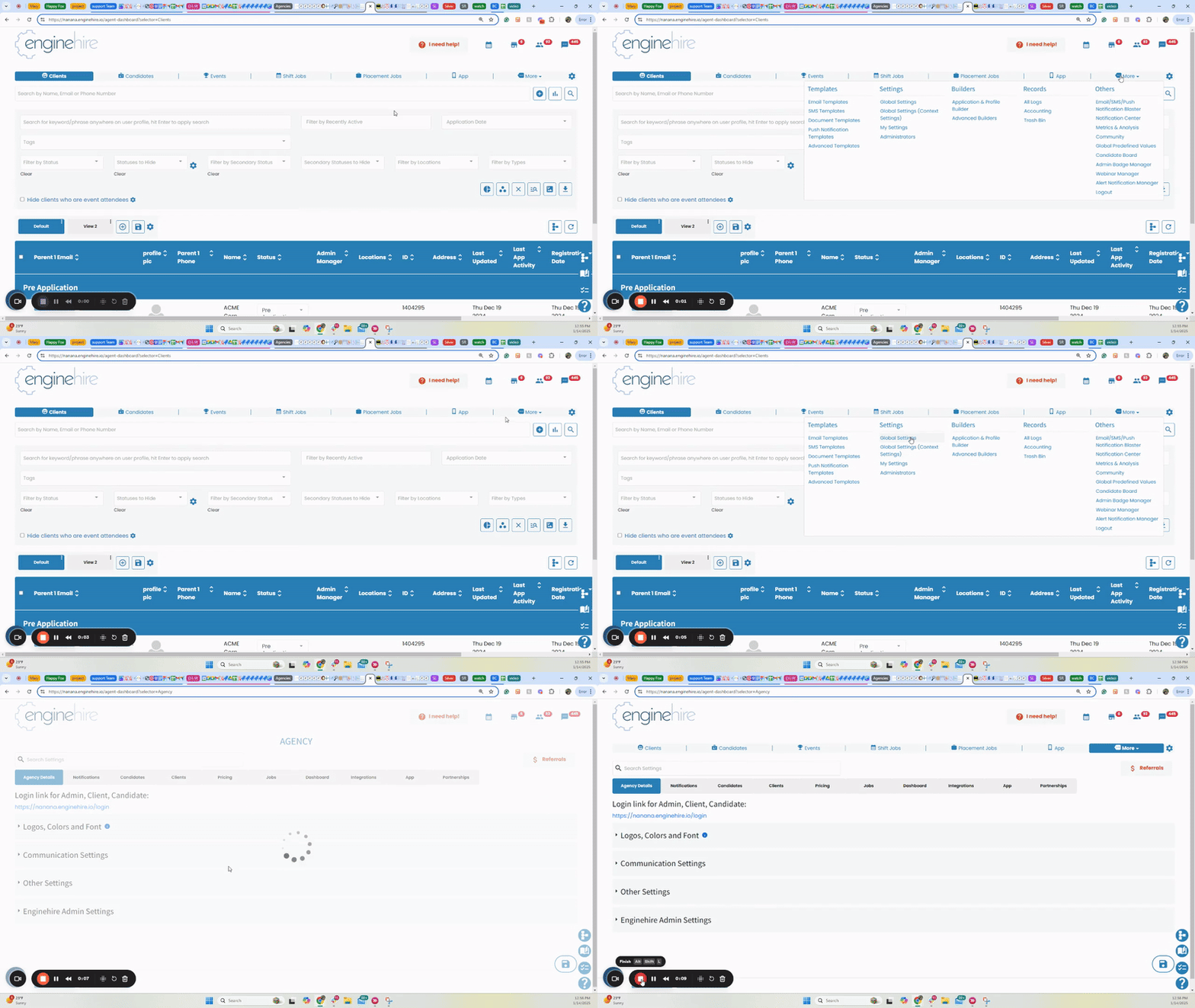
FindingNemo-14January2025-ezgif.com-video-to-gif-converter-Jan-22-2025-07-17-10-8812-PM


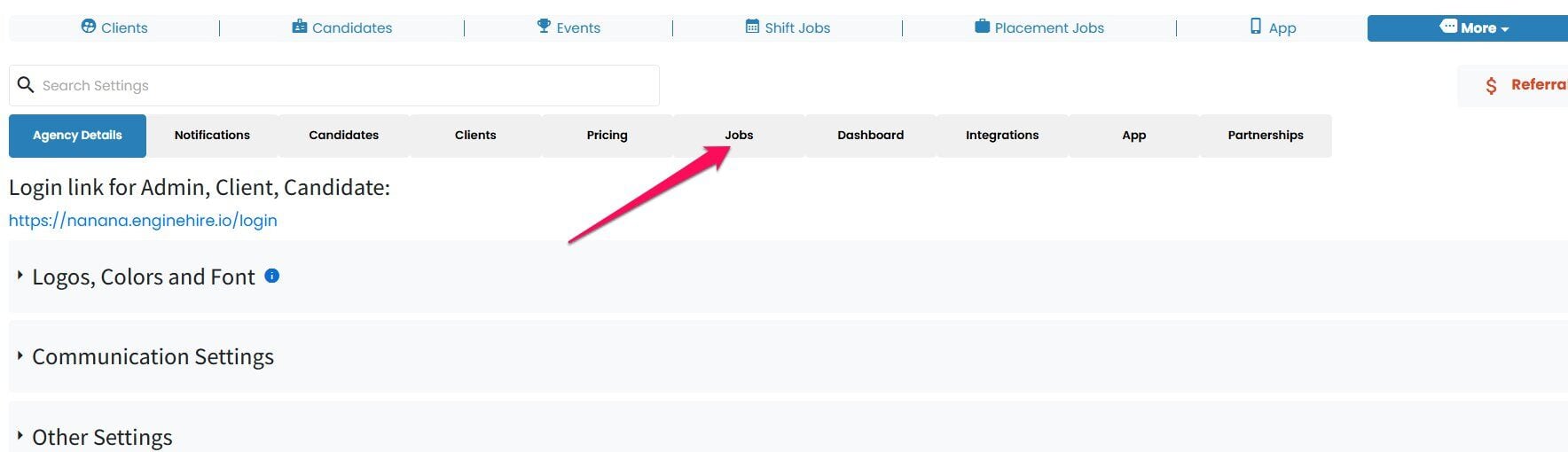
Step 2:
Go to Jobs


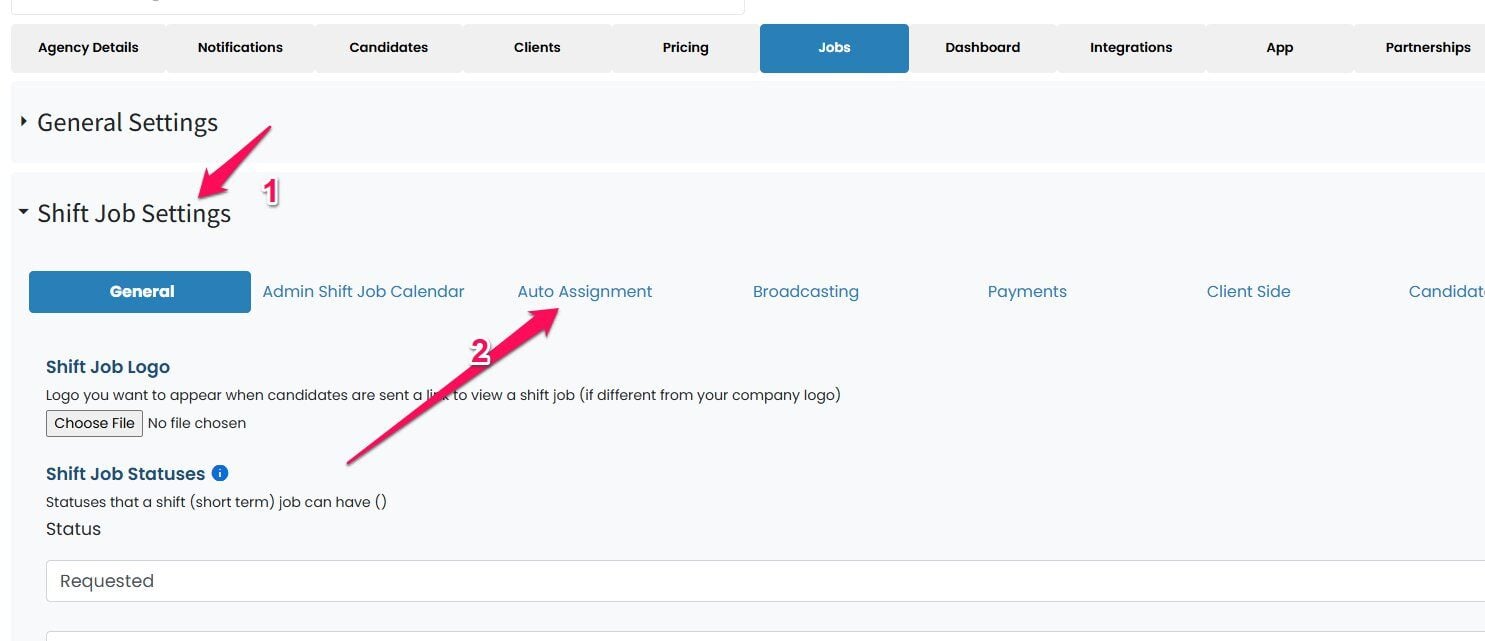
Step 3:
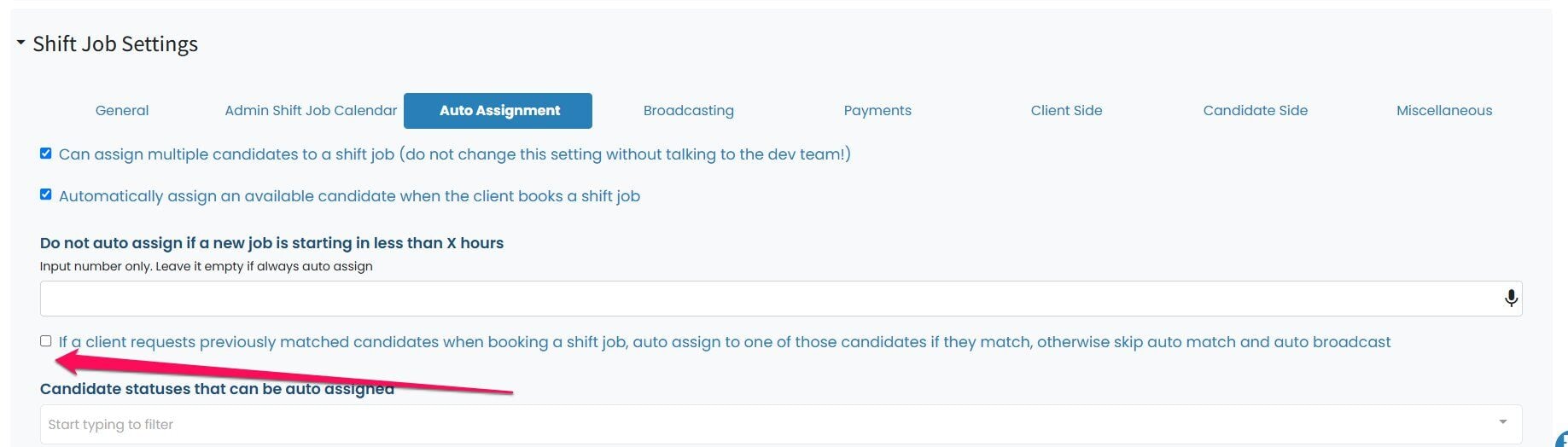
Go to Shift jobs->Auto Assignment


Step 4.
Make sure this setting is turned on
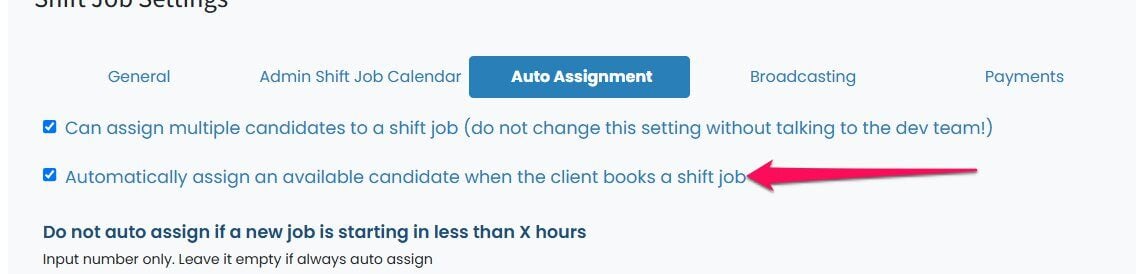


Step 5:
Scroll down and  you will see this setting and you can turn it on by selecting the check box.
If this video doesn't answer your questions you can always contact us by clicking here.

Did this answer your question?
๐Ÿ˜ž
๐Ÿ˜
๐Ÿ˜