
Let’s get started 🚀
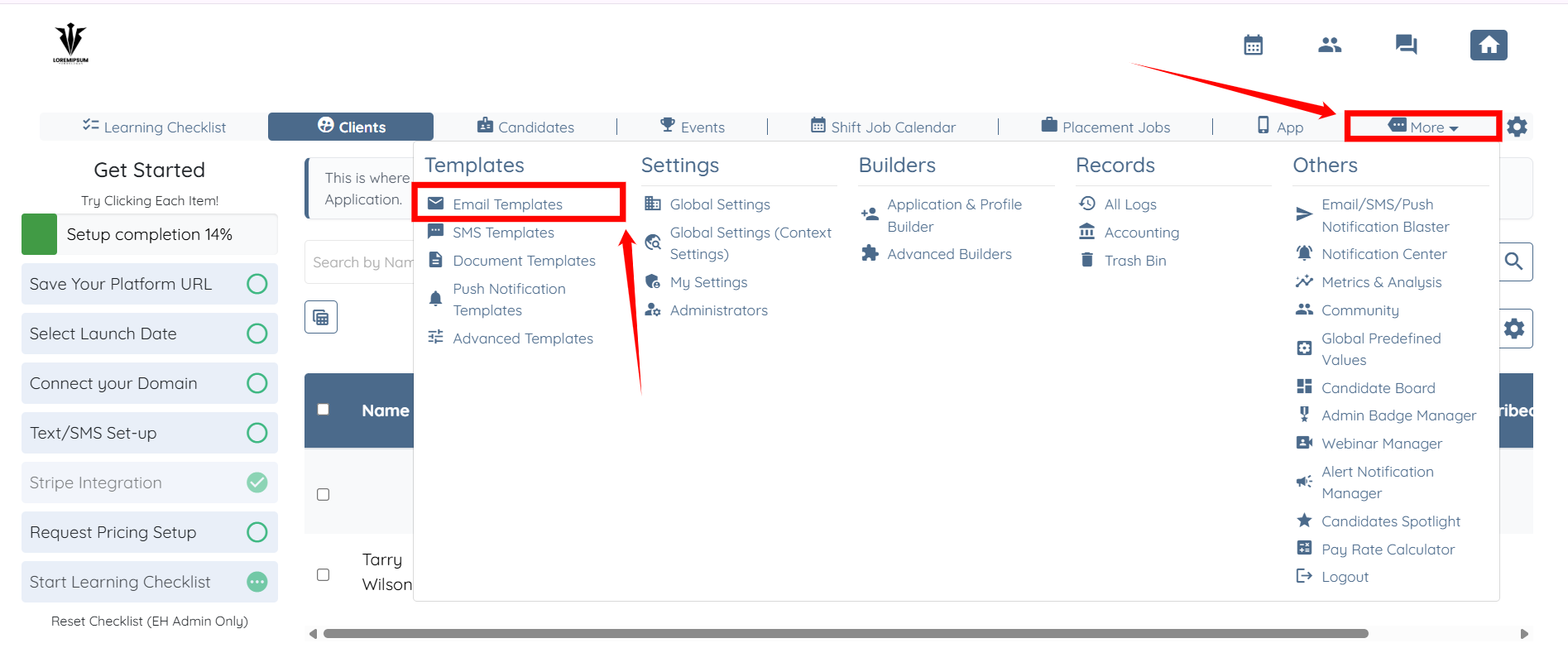
Step 1: Log in to your agent dashboard, then click More > Email Templates, as shown in the screenshot below.
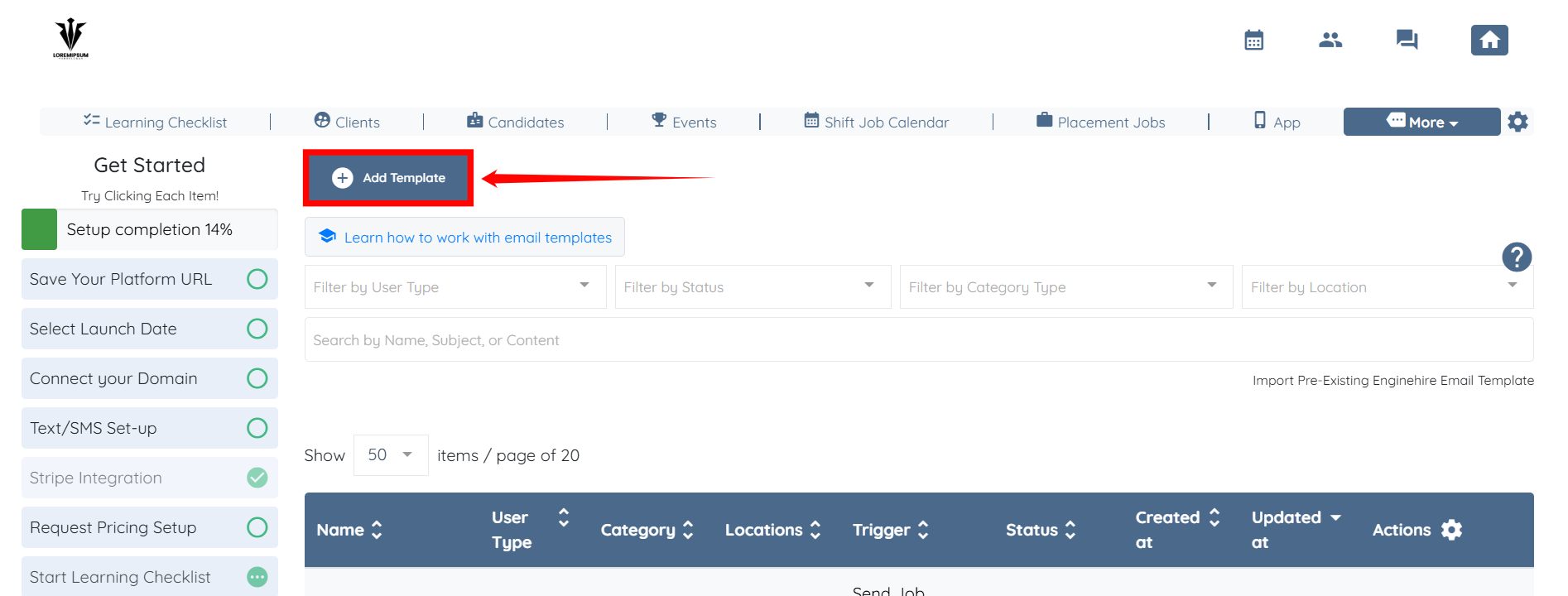
Step 2: Click the Add Template button to start adding an email template.
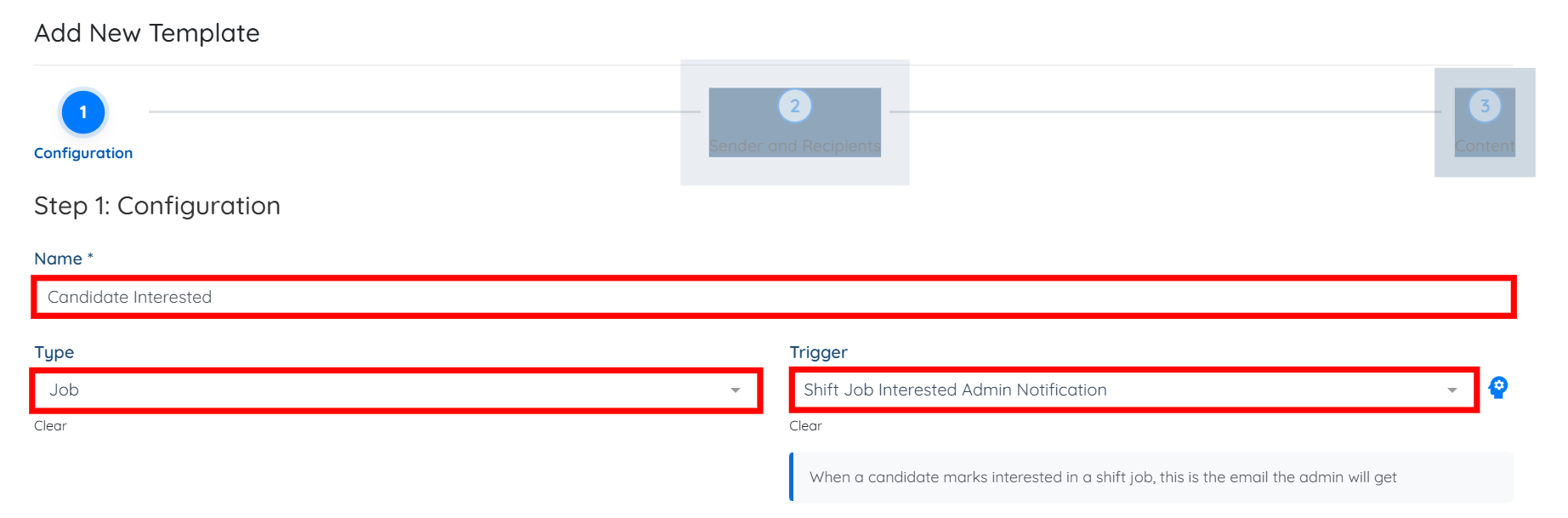
Step 3: Enter a name for the template, select Job as the Type, and then select the Shift Job Interested Admin Notification trigger.
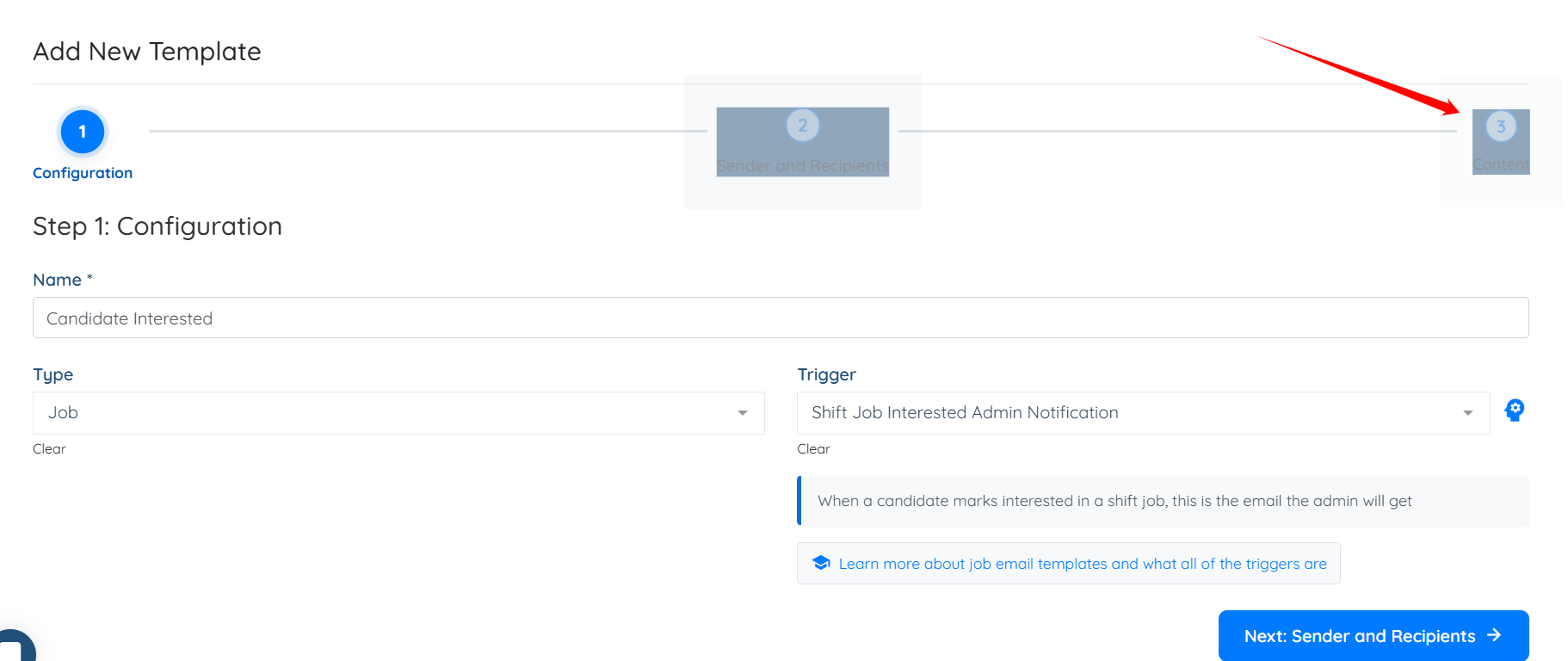
Step 4: Click the Content button to go directly to the template content.
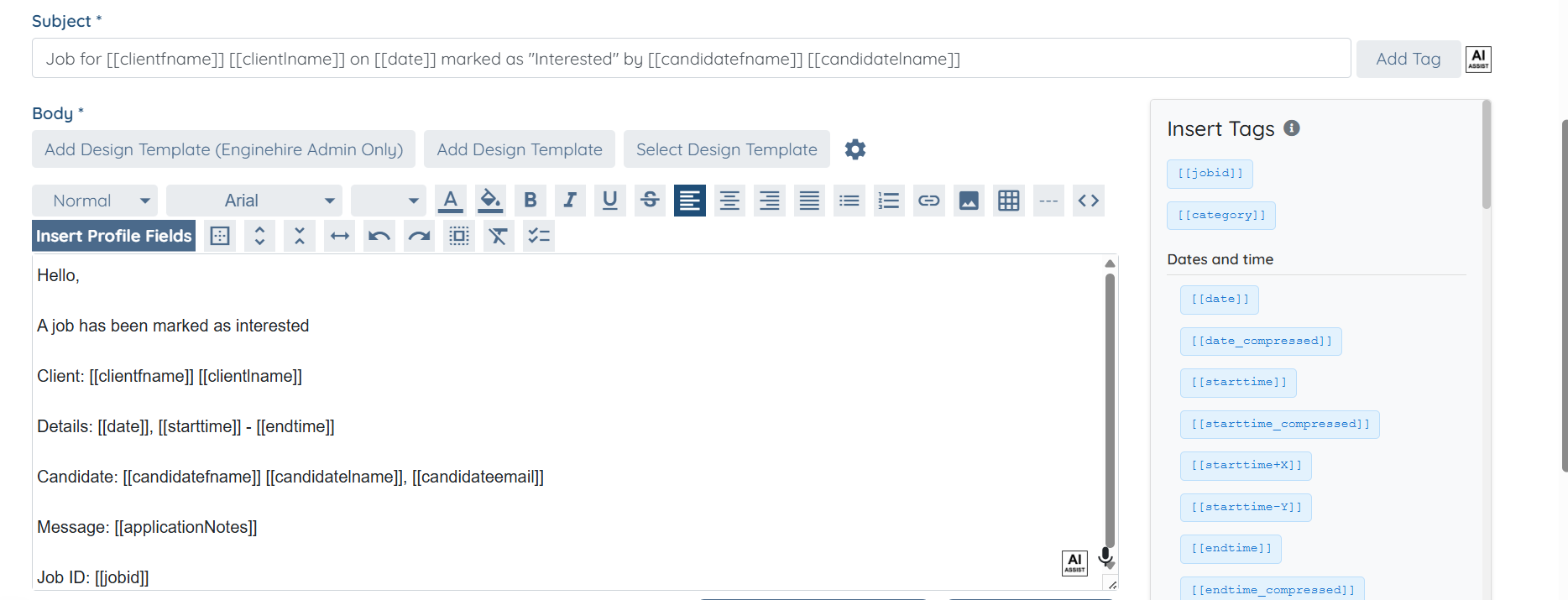
Step 5: When you select the trigger in Step 3, the system automatically populates the Subject and the email Body. You can modify them if you wish.
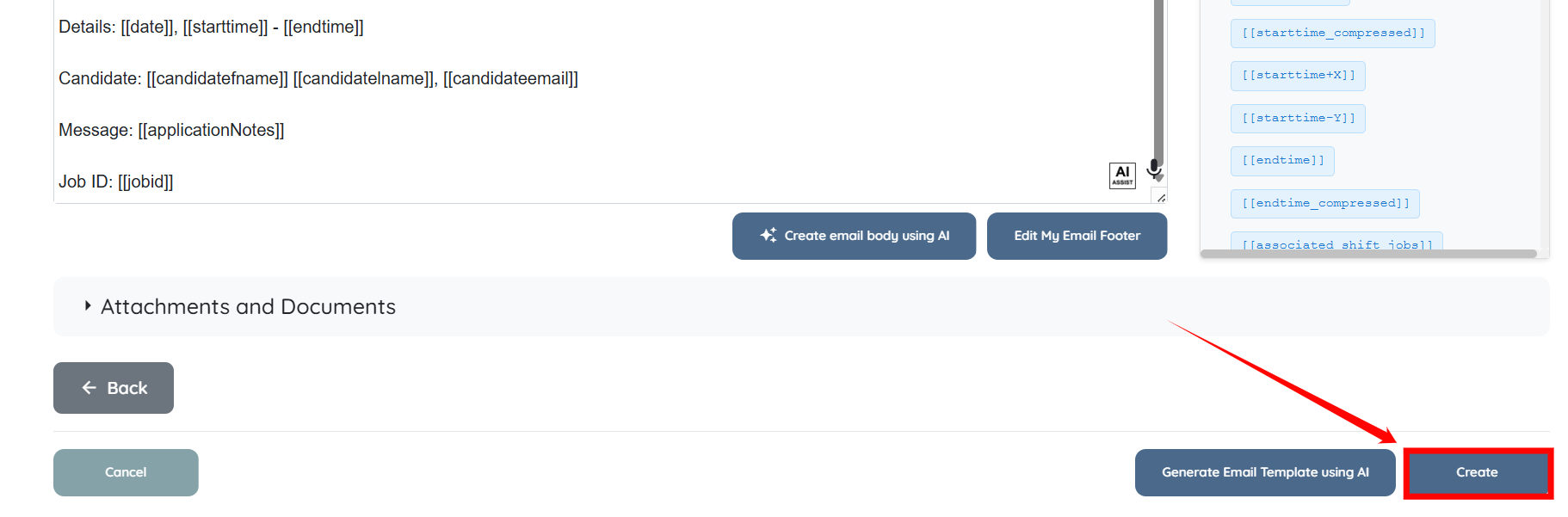
Step 6: Scroll down and click the Create button to proceed.
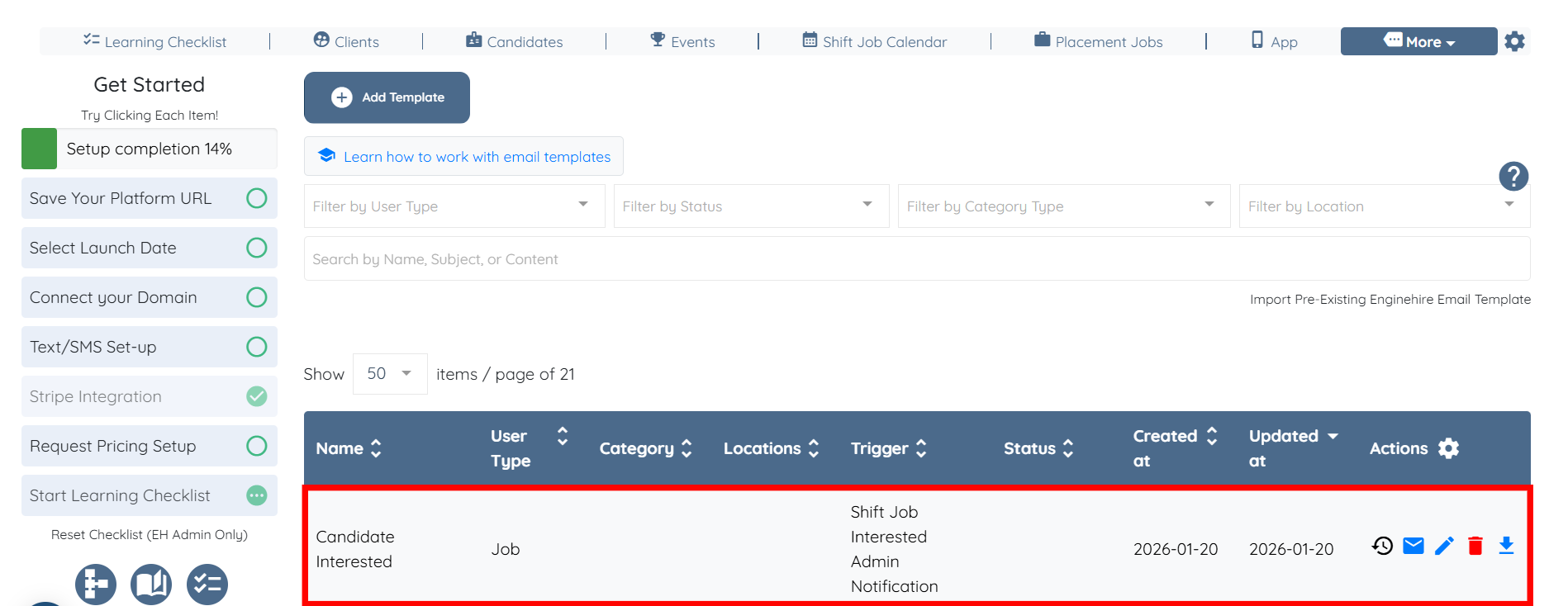
The system will successfully create the email template for admin notification when a candidate shows interest in a shift job.
If this doesn't answer your questions you can always contact us by clicking here