
Let’s get started 🚀
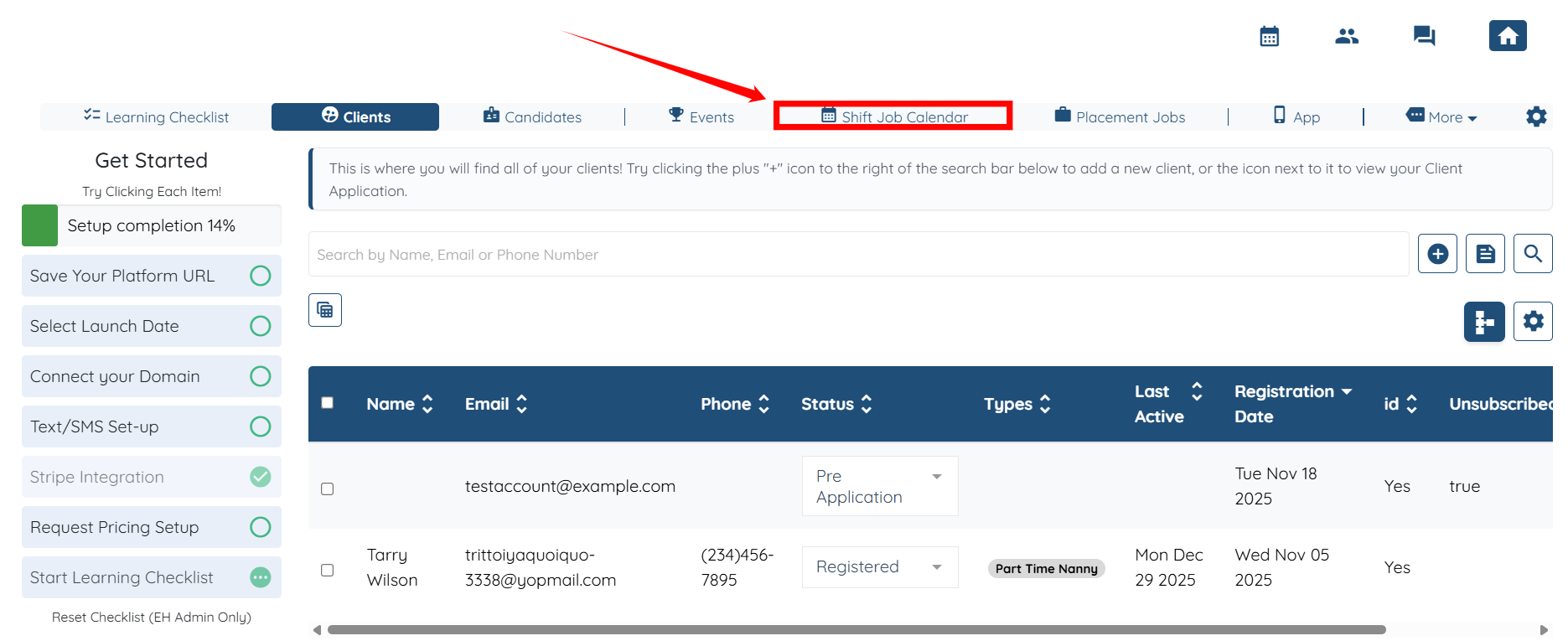
Step 1: Log in to your agent dashboard and click the Shift Job Calendar in the top navigation bar.
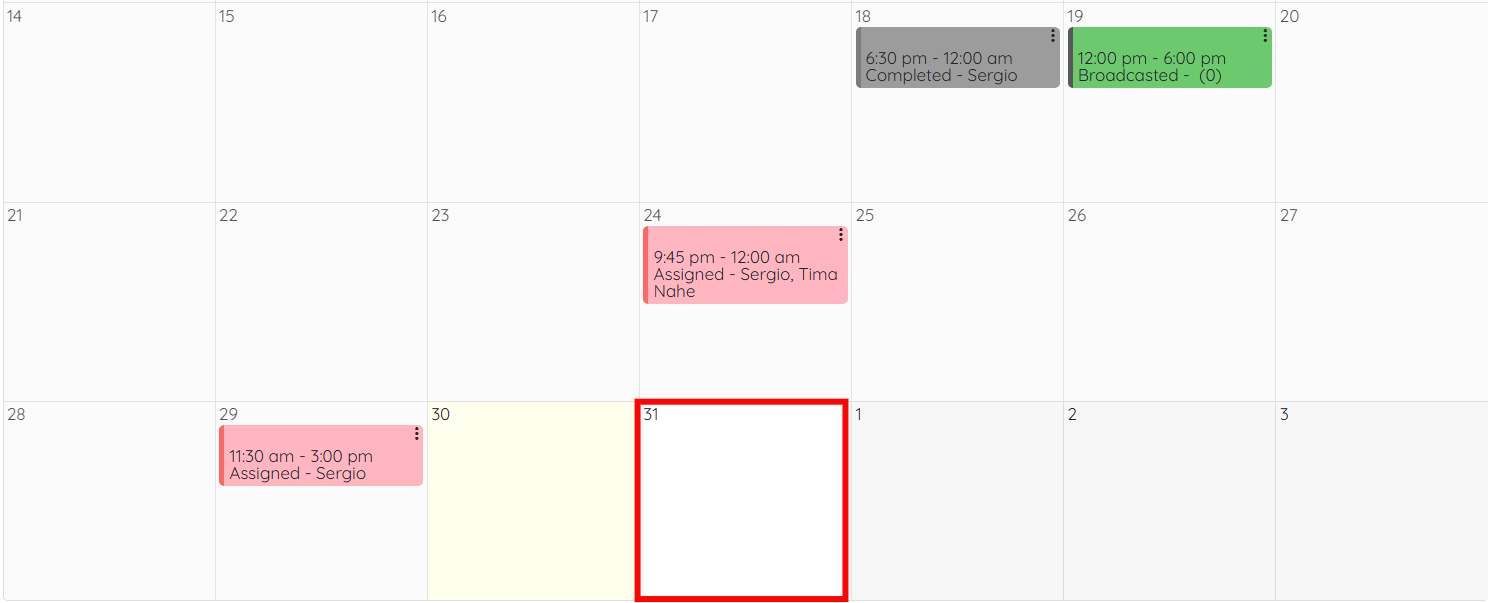
Step 2: Scroll down and click on any empty slot to open the booking form.
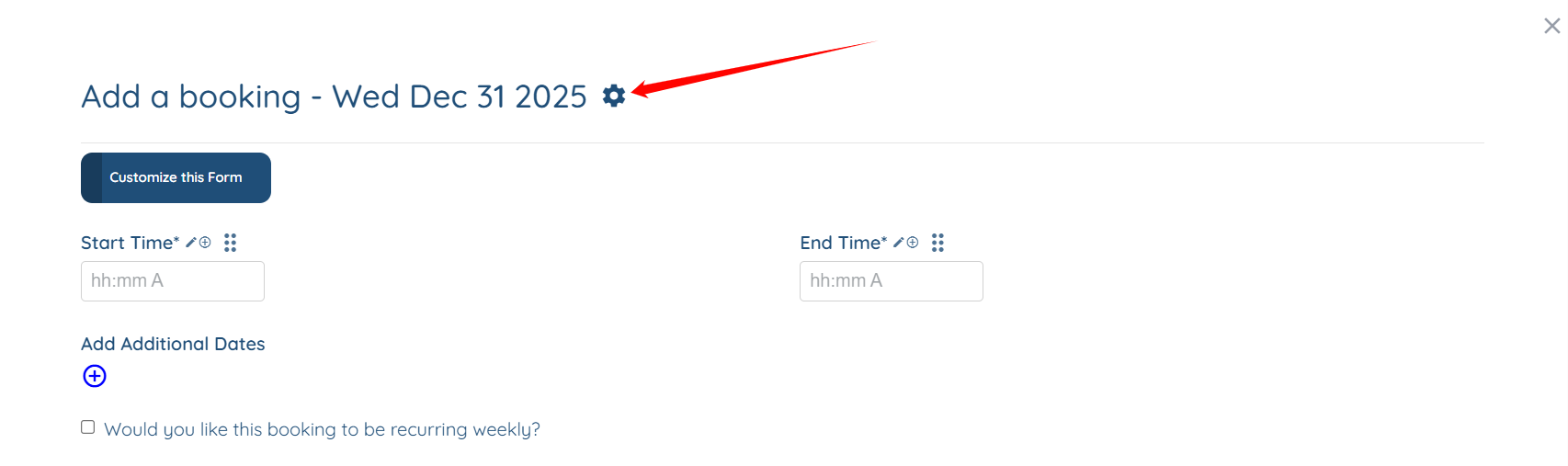
Step 3: Click on the Gear icon as shown in the screenshot below.
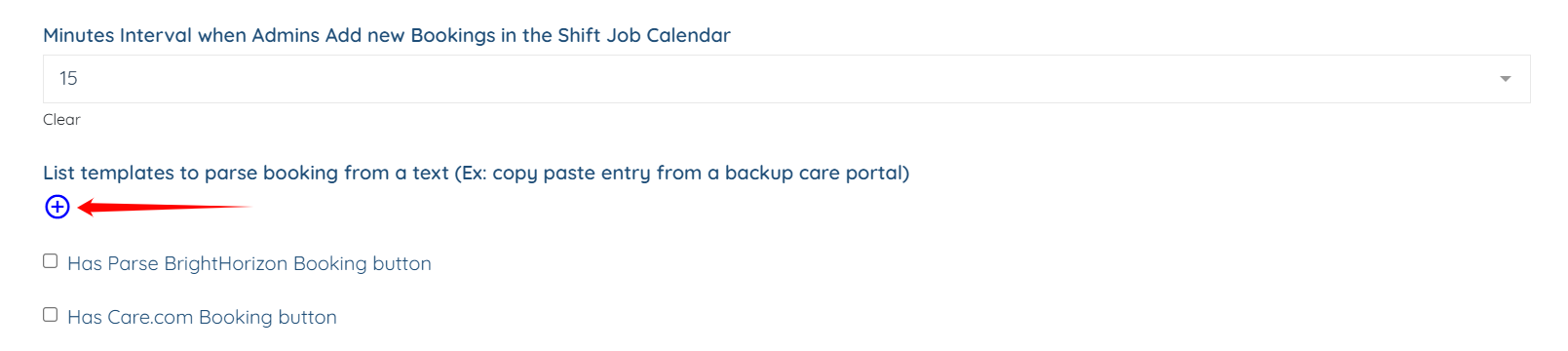
Step 4: Locate the “List templates to parse booking from a text” option and click the plus icon beneath it.
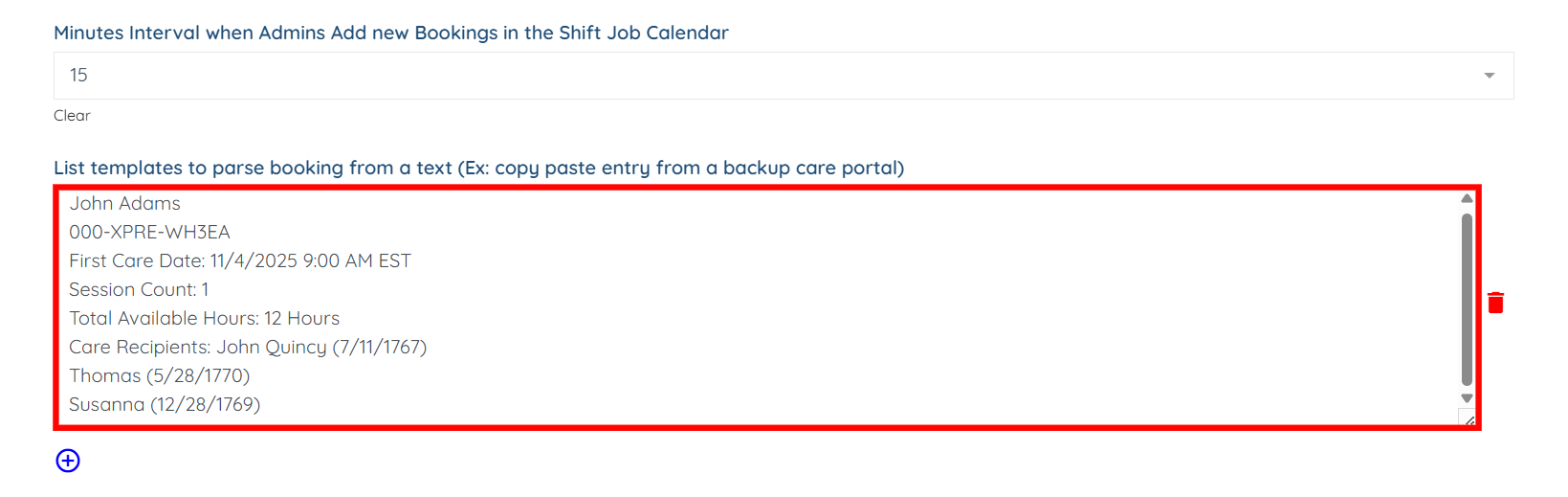
Step 5: Copy the information from the care provider portal (for example, Bright Horizons), and then paste that information into the List Templates to Parse Booking from a Text field.
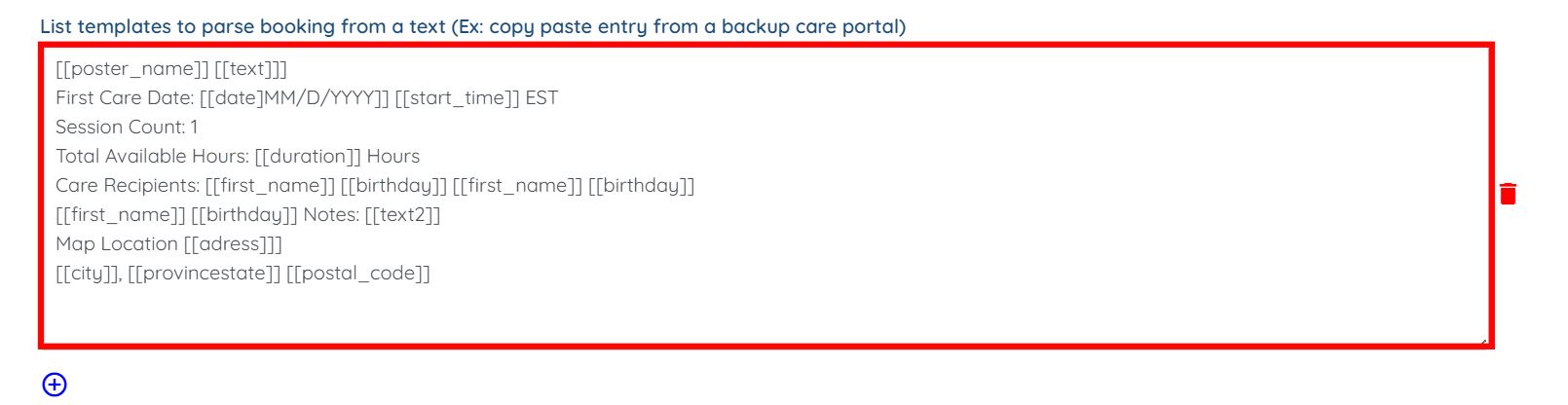
Step 6: Replace the Information with the field models where that information is kept.
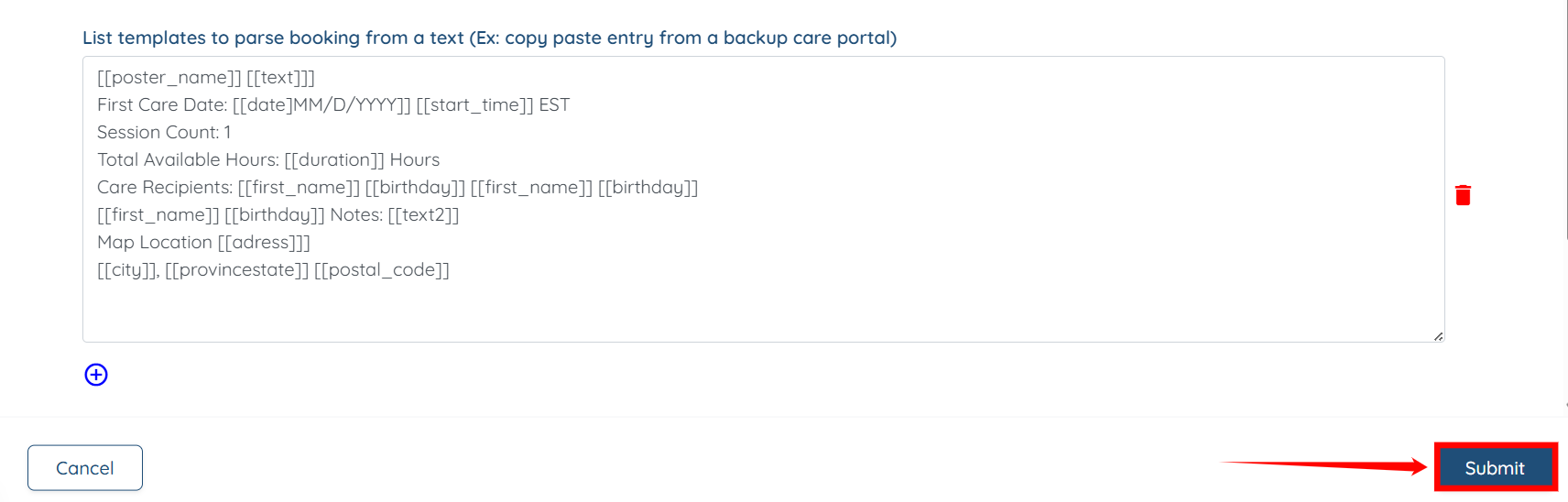
Step 7: Click the Submit button to continue.
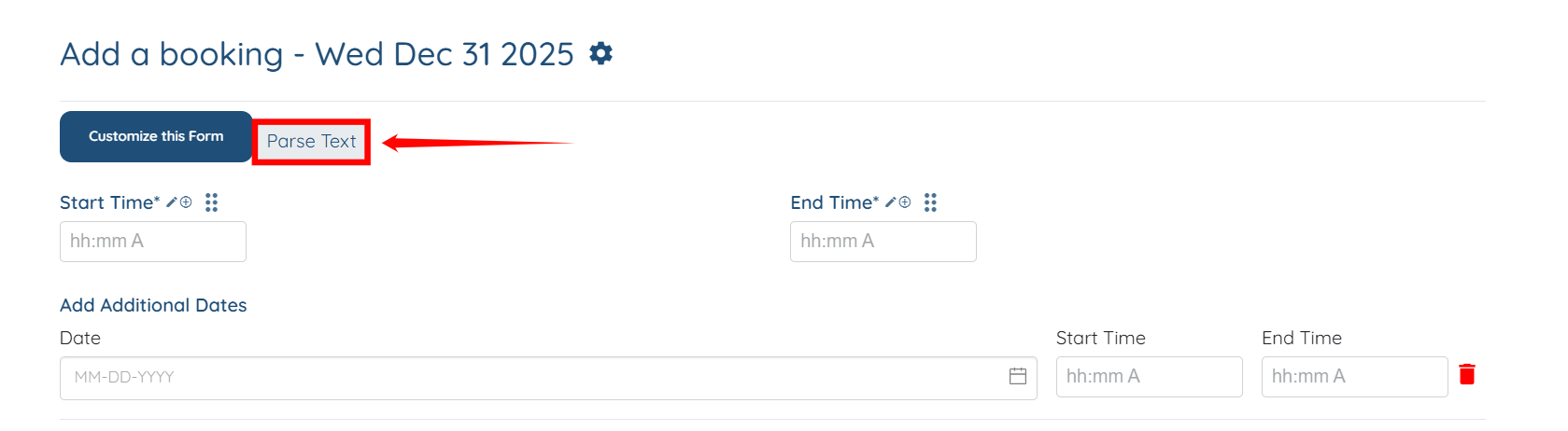
Step 8: You will see a Parse Text button appear; click on it.
Step 9: Copy the information from the Care Portal (formerly Bright Horizons) and paste it into the text field. Then, click the Submit button to continue.
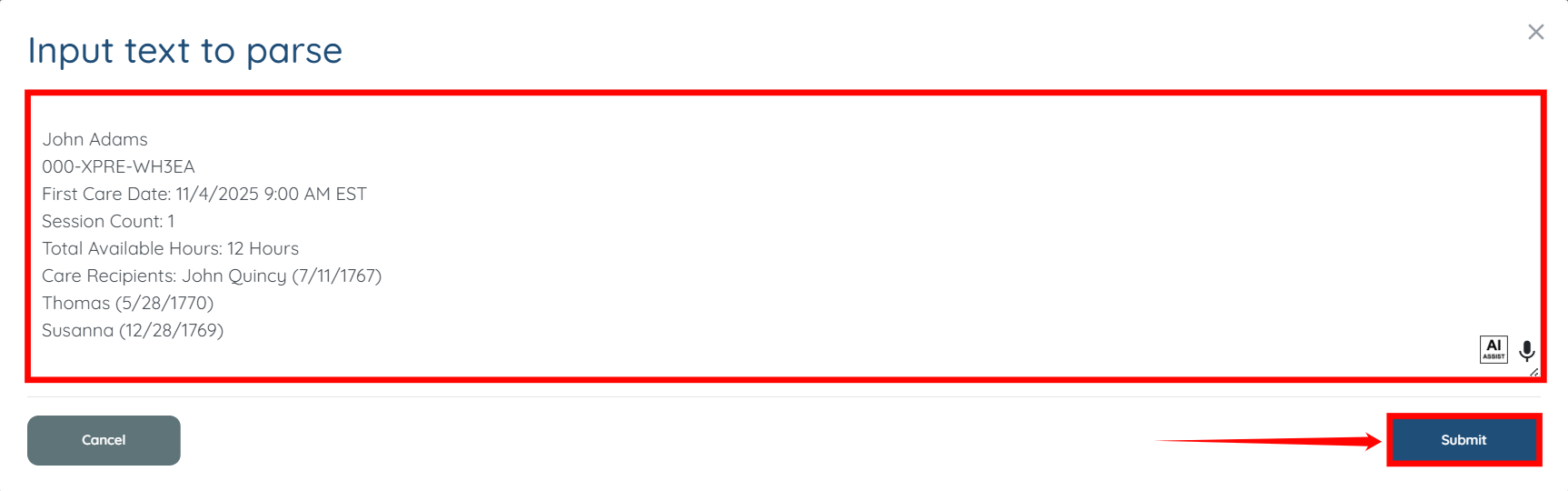
The information will now parse into the correct fields.