

Auto Broadcast settings control how and when broadcasts are sent. Broadcasts are limited to eligible candidates, including those who have not exceeded configured weekly working hour limits.
For details on configuring weekly working hour limits, see Prevent Candidates from Exceeding Weekly Working Hours.
For details on configuring weekly working hour limits, see Prevent Candidates from Exceeding Weekly Working Hours.
Let’s get started 🚀
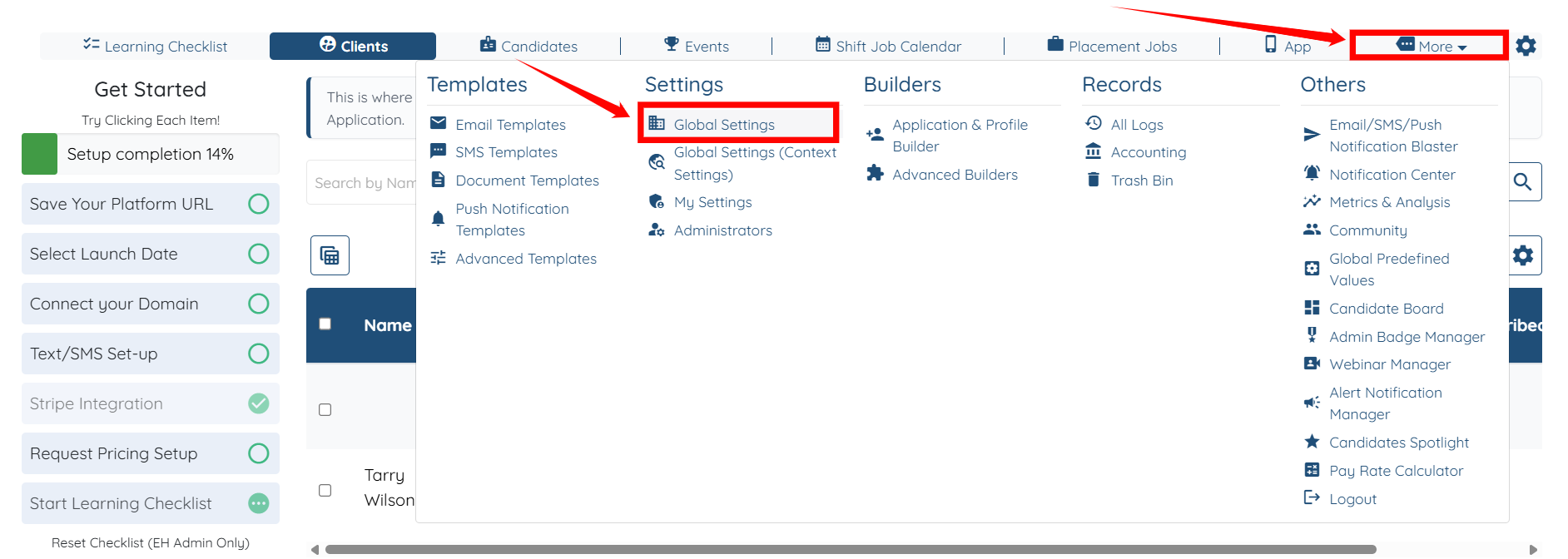
Step 1: Log in to your agent dashboard, click More > Global Settings as shown in the screenshot below.
Step 2: Click the Jobs tab from the list of all the available tabs.

Step 3: Click the Shift Job Settings option to expand its details.
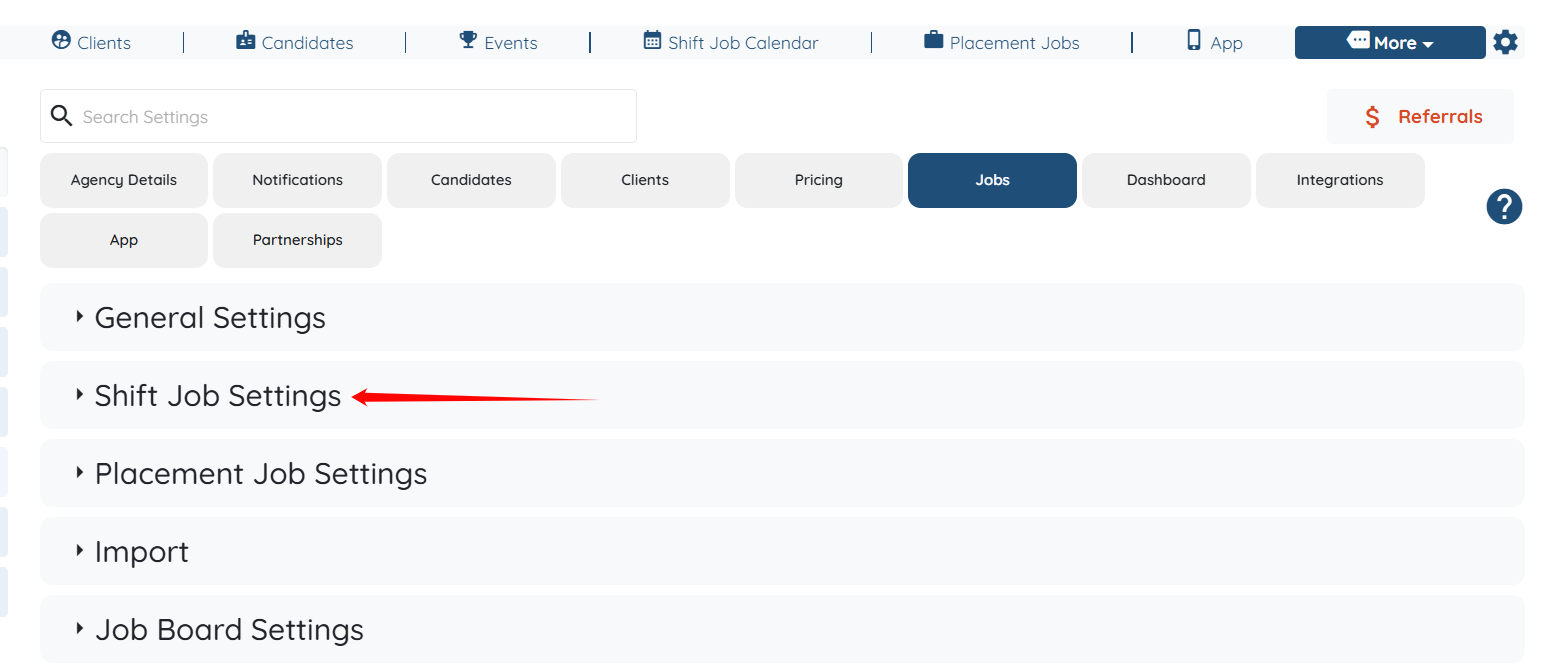
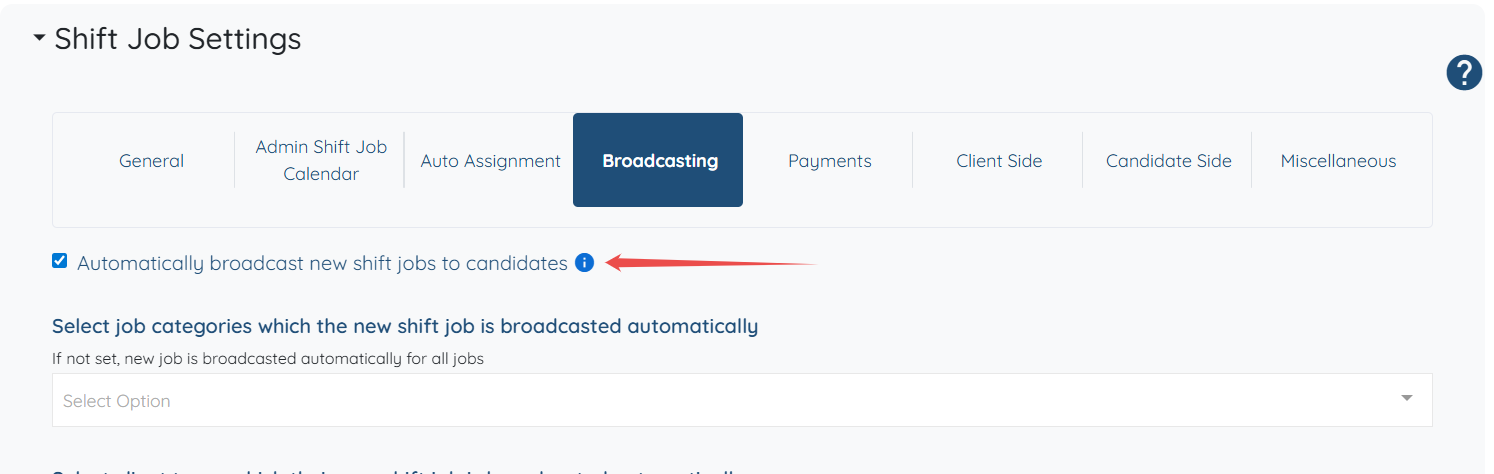
Step 4: Click the Broadcasting option under the Shift Job Settings.

Here, you can view all the Auto Broadcast settings and control how the system sends shift broadcasts to candidates.

You can also check the Automatically broadcast new shift jobs to candidates checkbox to view more options.
If this doesn't answer your questions you can always contact us by clicking here