
Let’s get started 🚀
Step 1: Log in to your agent dashboard and click Candidates in the top navigation bar.
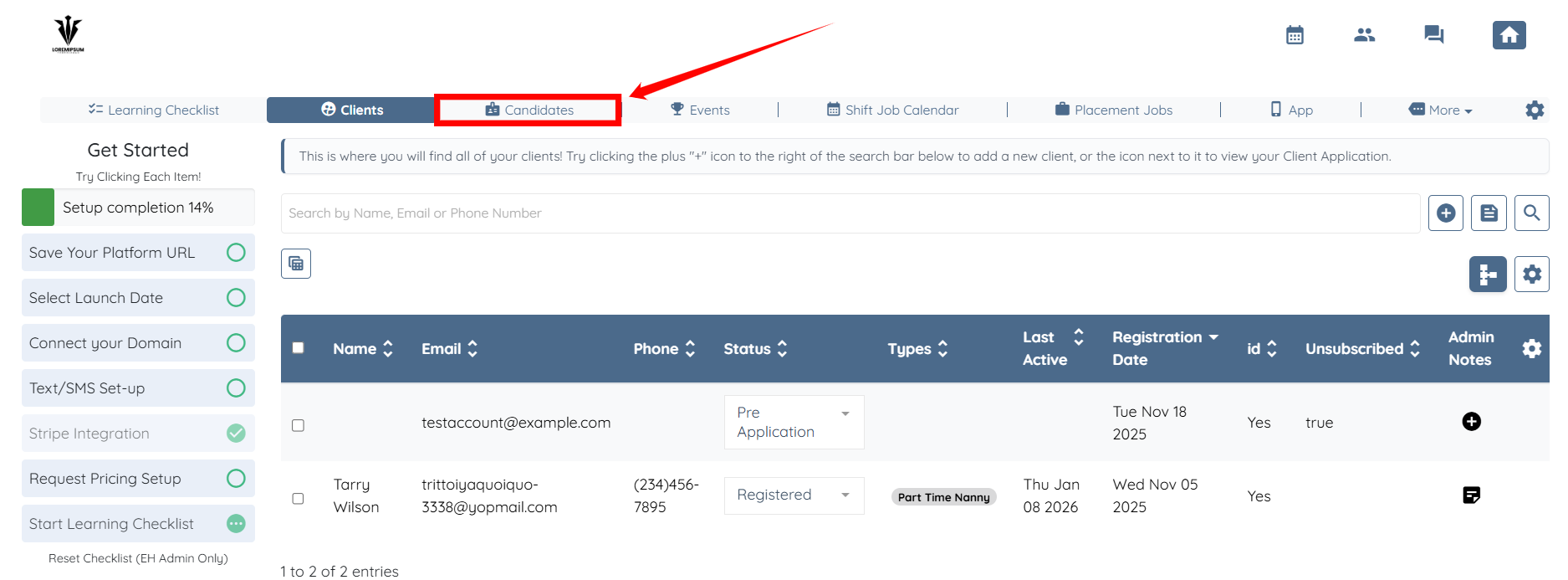
Step 2: Click on any of the candidates from the list.
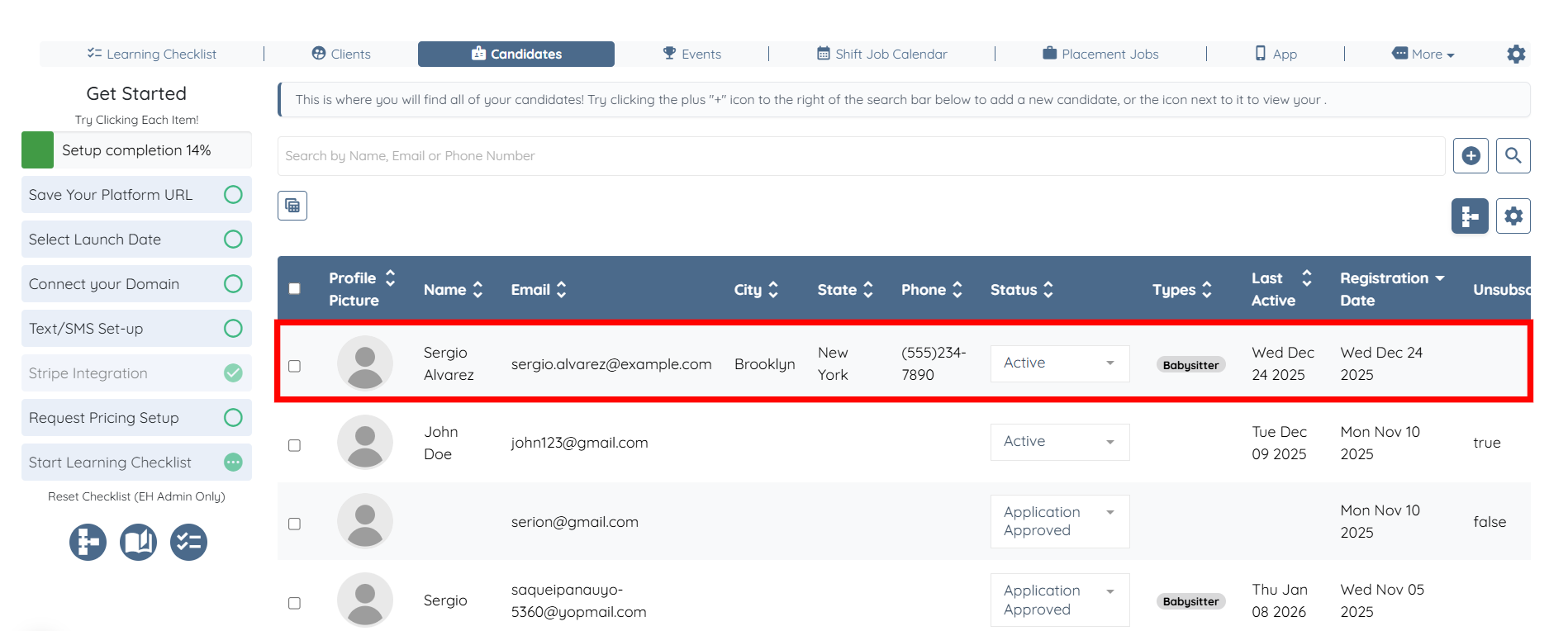
Step 3: Click the Profile tab to navigate to the candidate profile.
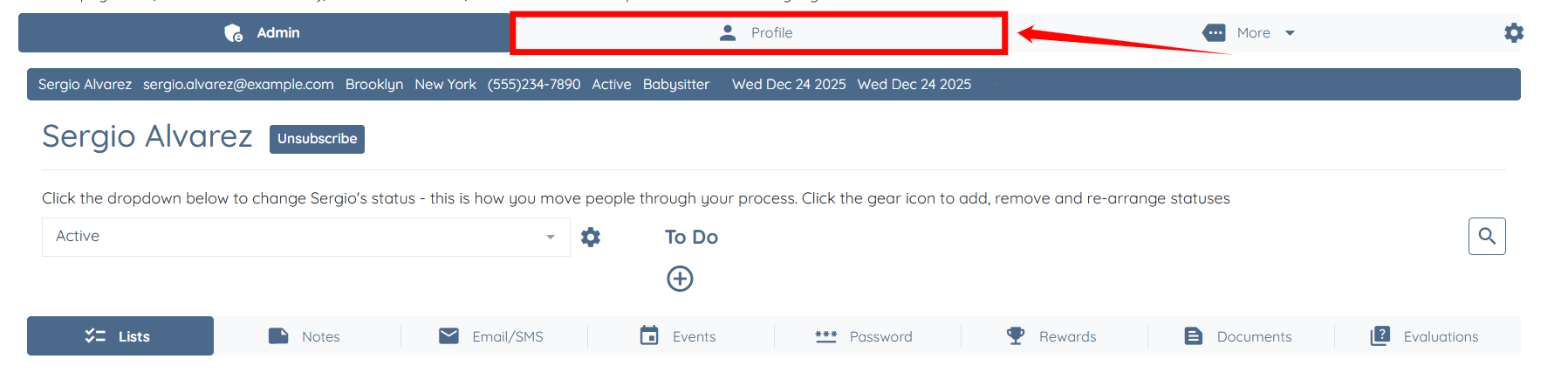
Step 4: Click the My Schedule tab.
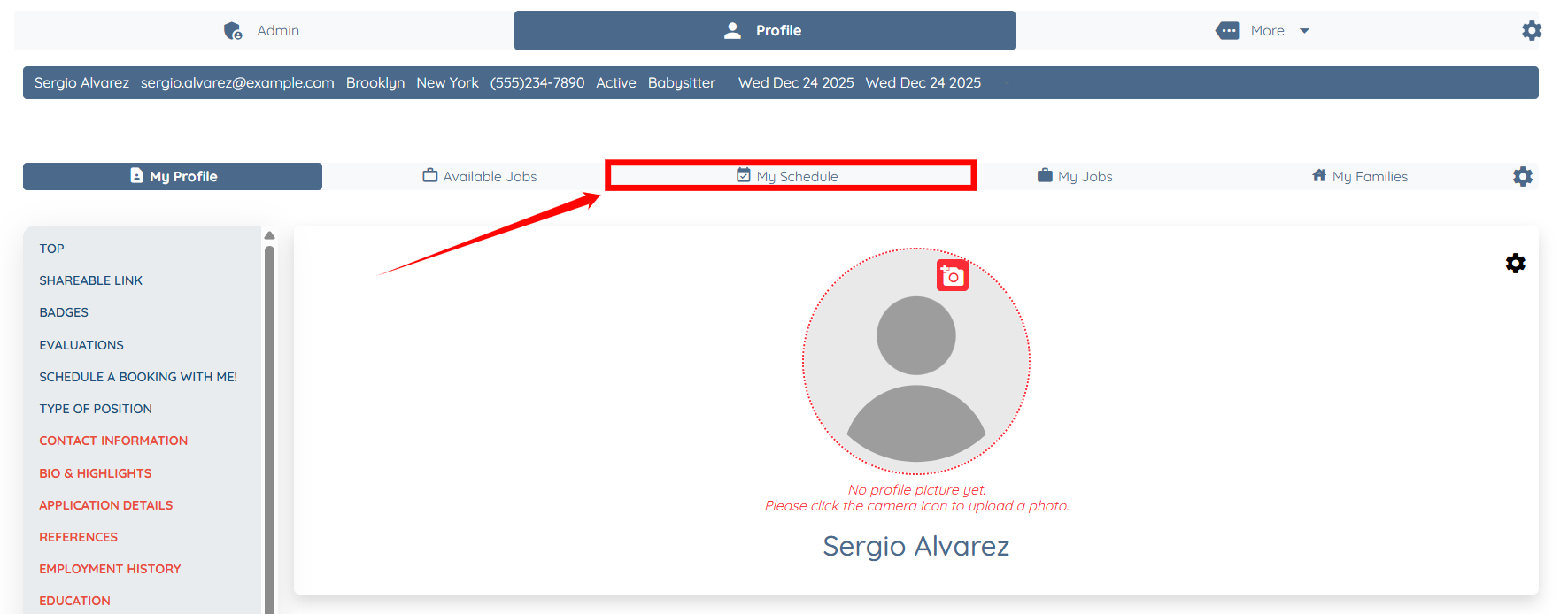
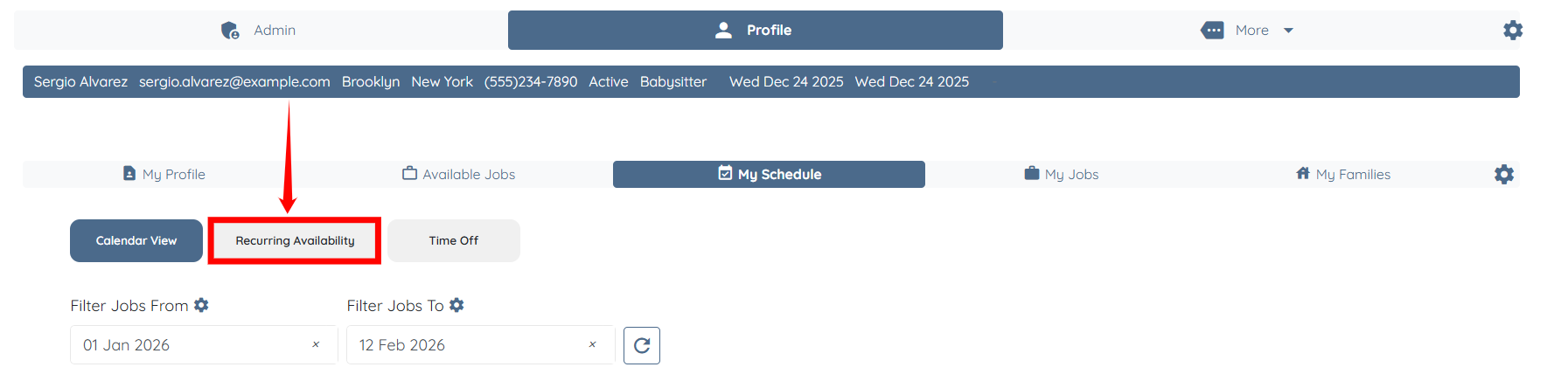
Step 5: Click the Recurring Availability option.
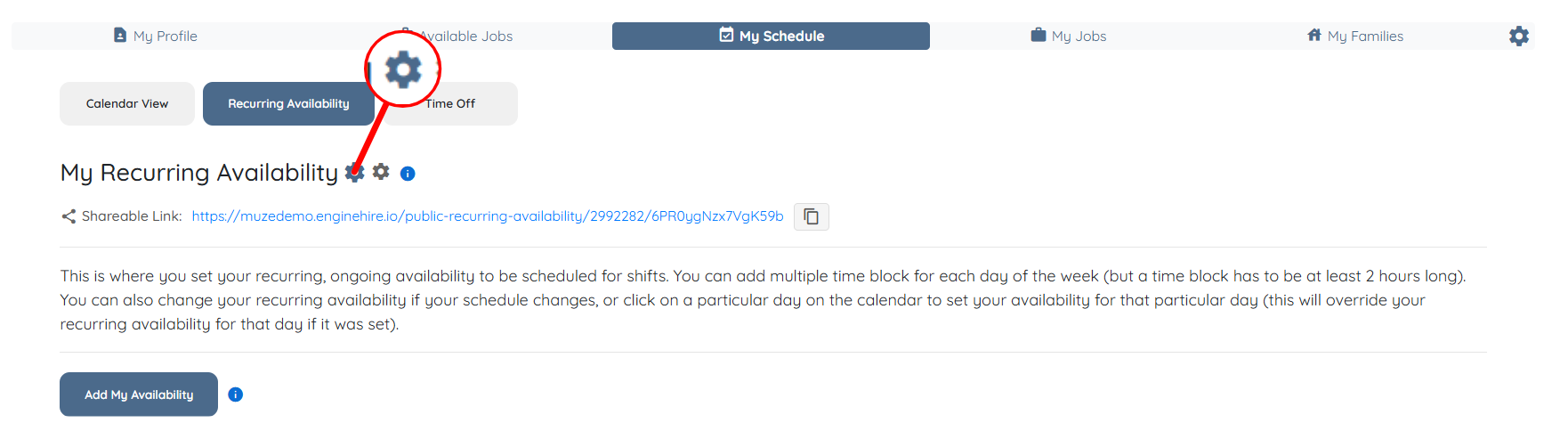
Step 6: Click the Gear icon as shown in the screenshot.
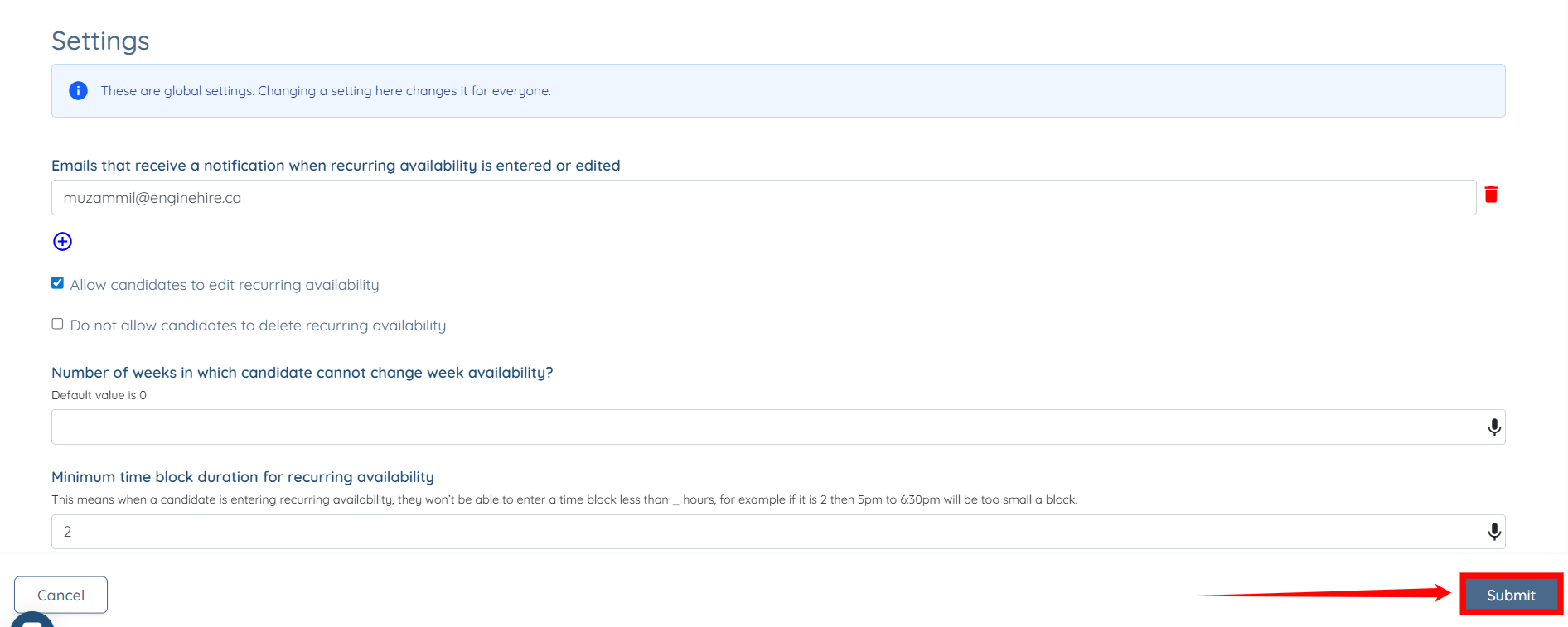
Step 7: Check the Allow candidates to edit recurring availability checkbox if you want the candidate to edit their recurring availability; otherwise, leave it unchecked.

Step 8: Click the Submit button to confirm the changes.
If this content doesn't answer your questions you can always contact us by clicking here