
The navigation and interface have changed since the video was created, but the explanation should still be useful!
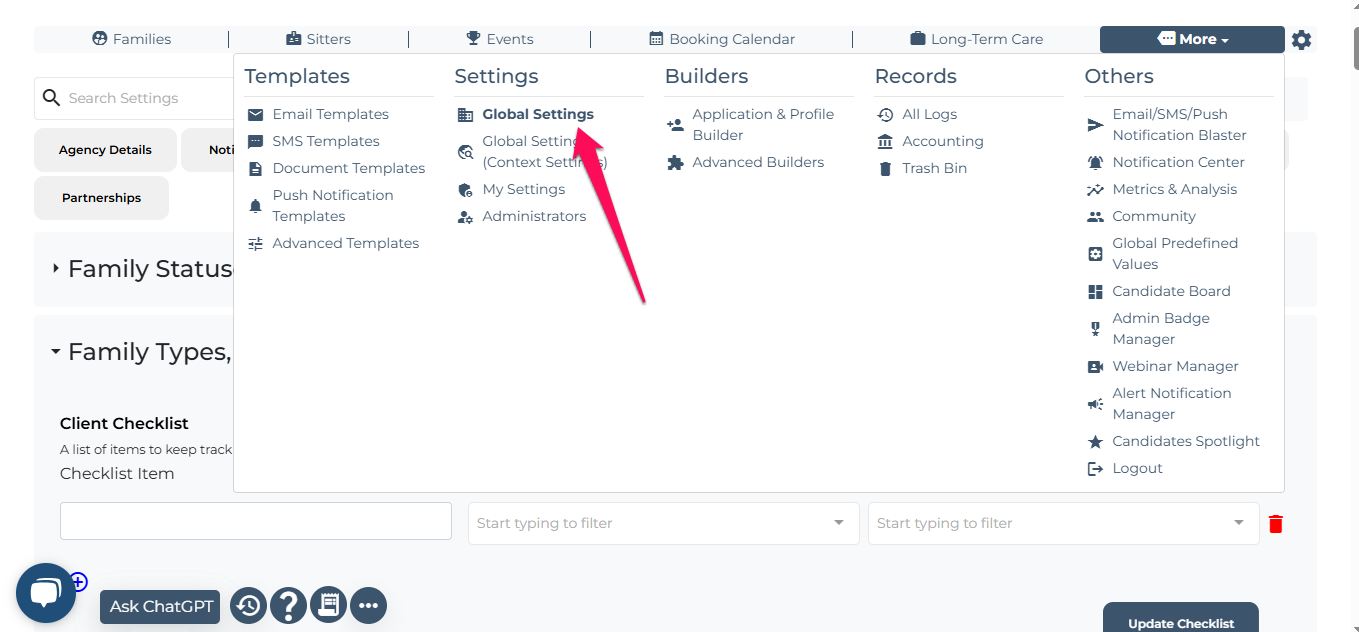
Go to More settings, then select Global Settings.
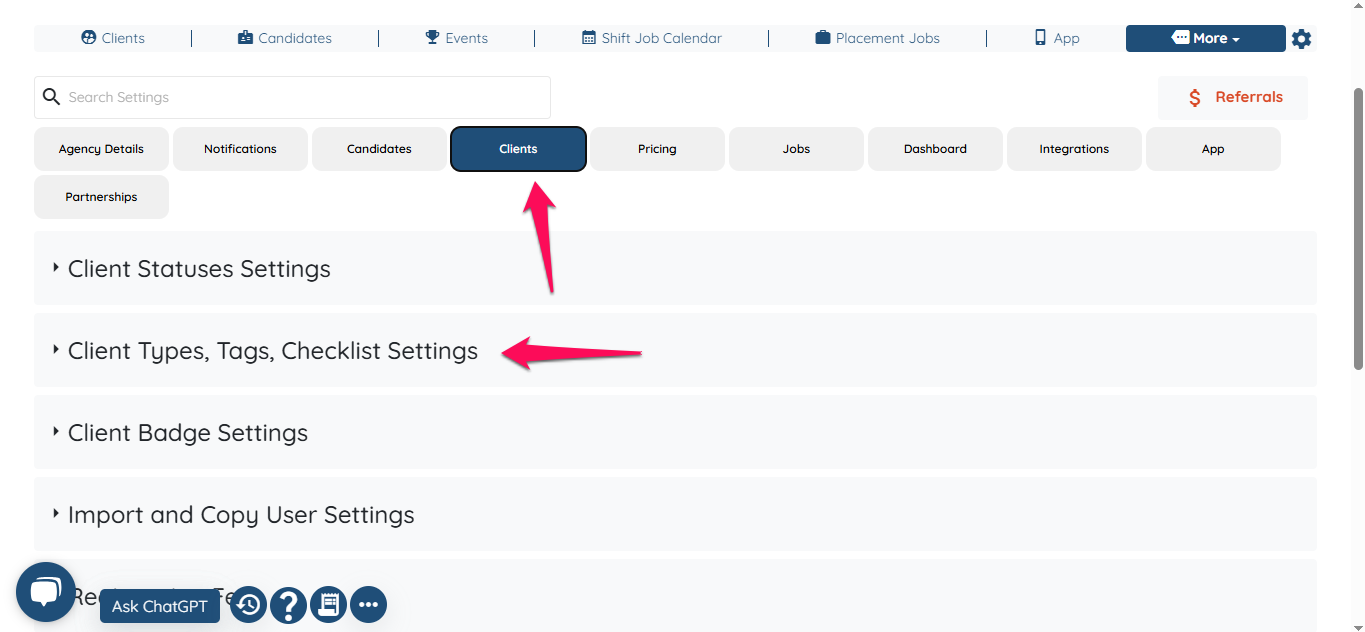
Click on Client, then select Client Types, Tags, and Checklist Settings
Scroll down to find the options Select Fields of Profile Header and Select Fields of Client Shift Job Profile (Show to Assignee). Edit these settings according to your preferences.
Once edited, Select Fields of Profile Header will display only the fields you have selected to the candidates who are not assigned to the job. On the other hand, Select Fields of Client Shift Job Profile (Show to Assignee) will display the selected fields to the candidates who have been assigned to the job.
If this video doesn't answer your questions you can always contact us by clicking here