
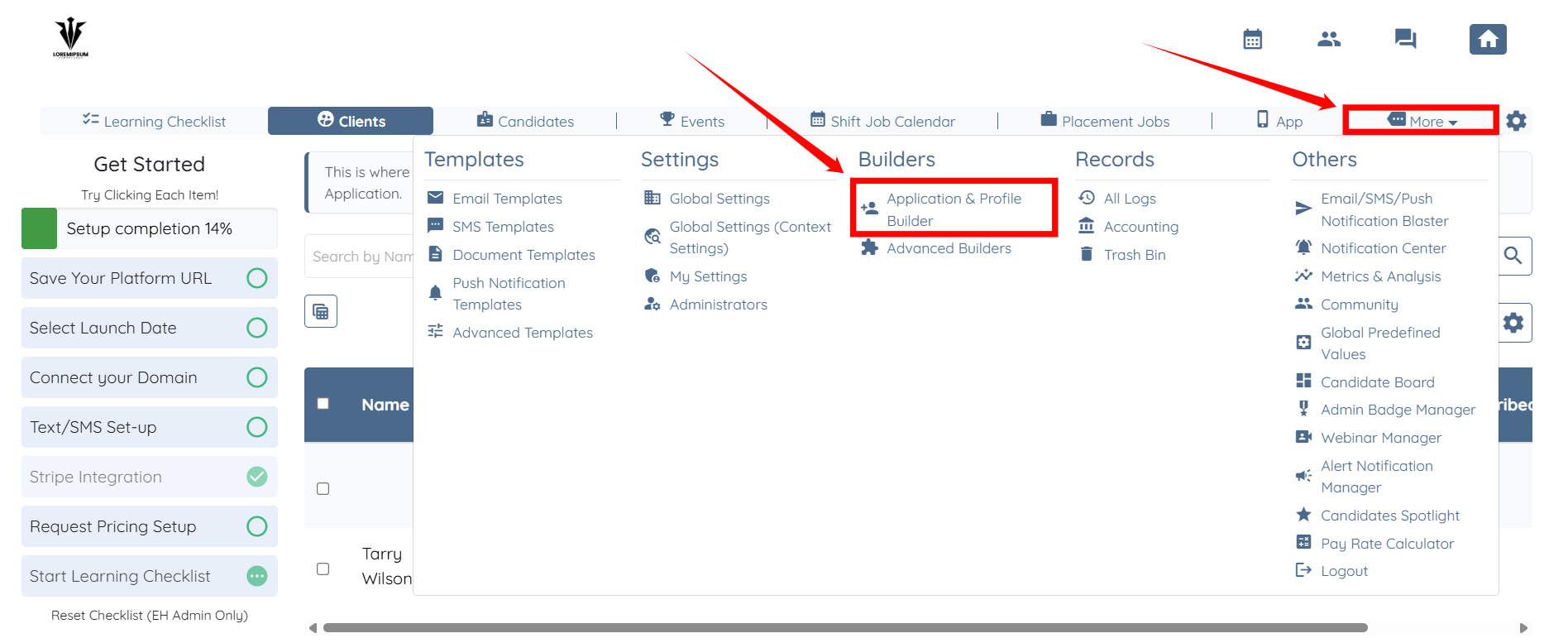
1. On your agent dashboard, click More, then select Application & Profile Builder.
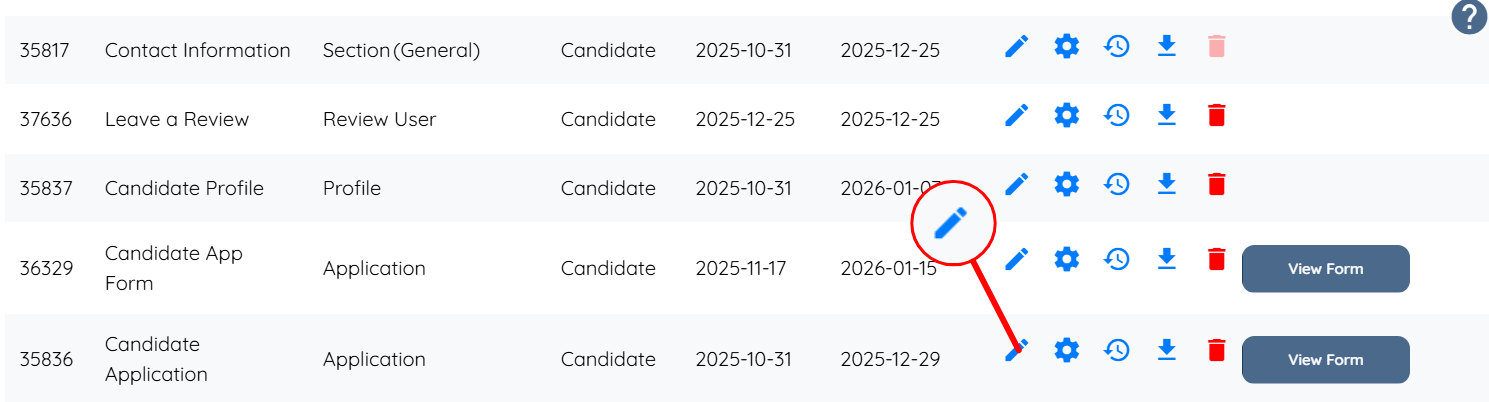
2. Locate the application for which you want to adjust the questions. Then, click the corresponding pencil icon associated with that application.
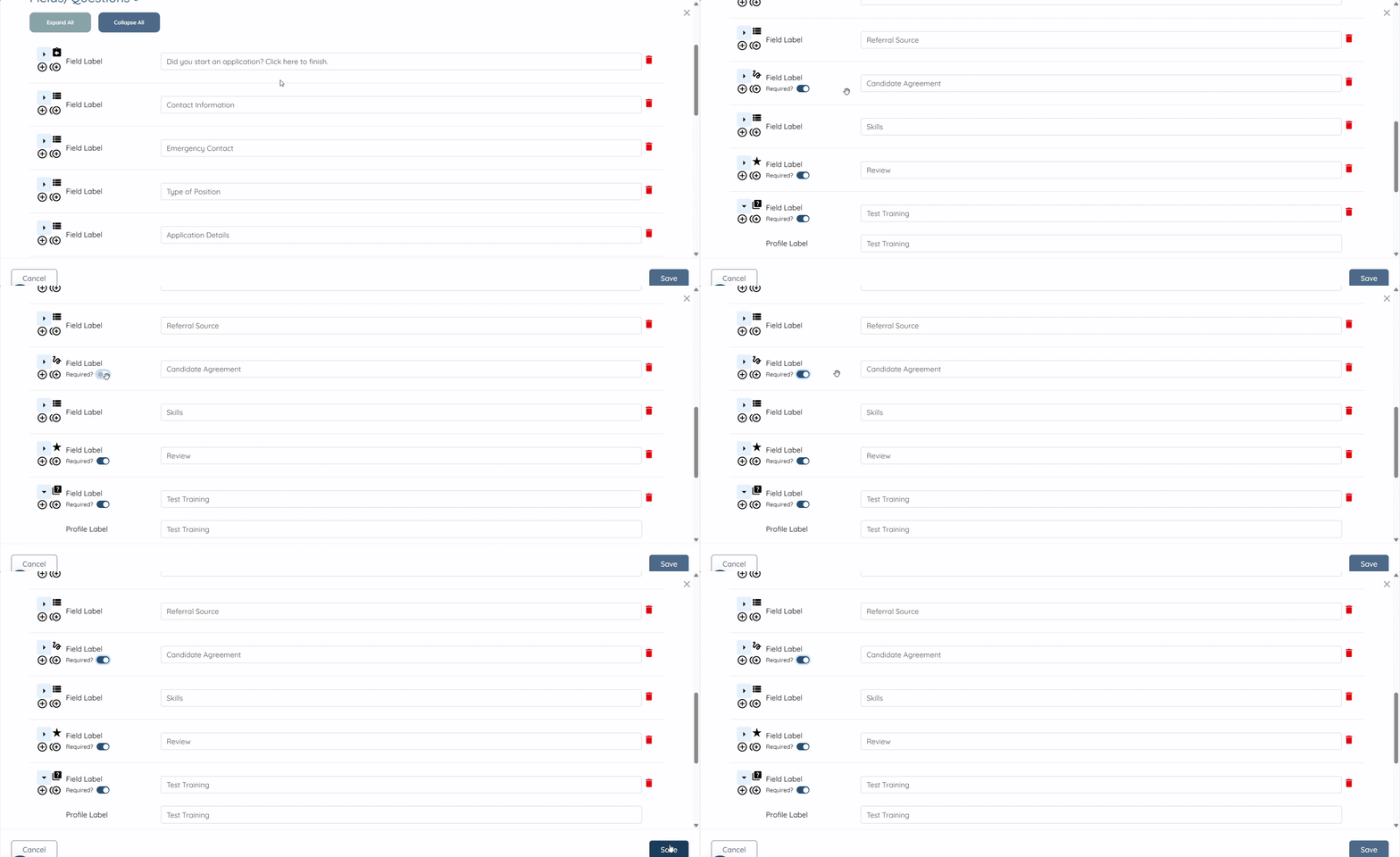
3. Find the question and select the Toggle to Blue to make a question required. Toggle to Grey to ensure the question is not required.
If this doesn't answer your questions you can always contact us by clicking here.