
Step 1:
Go to a client's profile that has the booking calendar appearing. Even though we are going to a client's profile, the setting will apply to all clients.
Step 2:
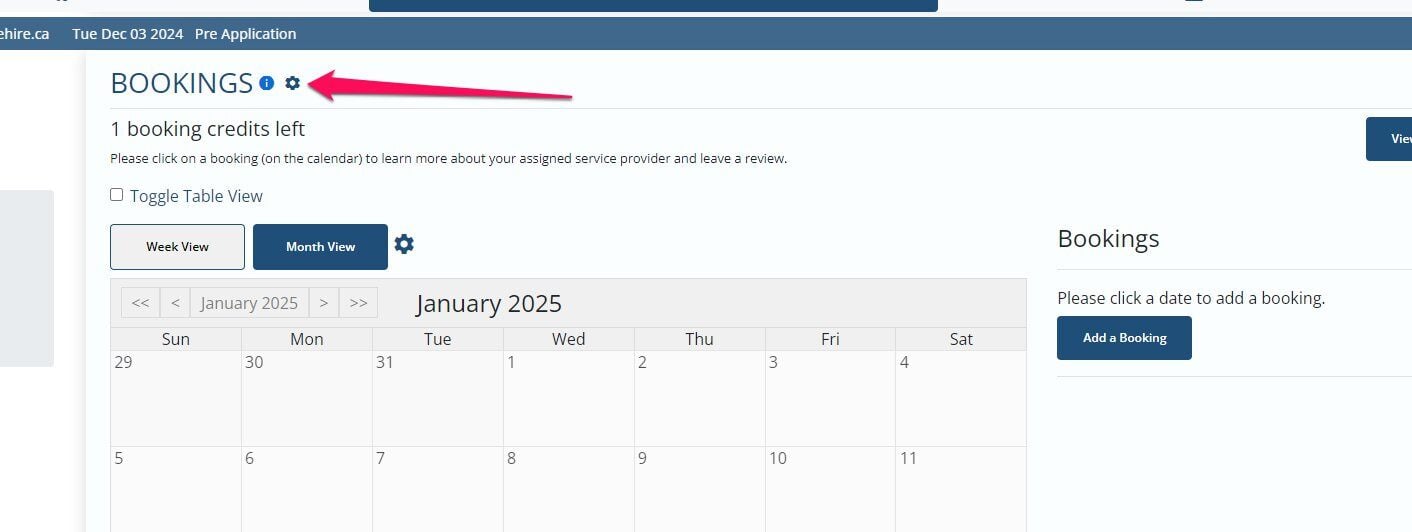
Click the gear icon on the booking section next to the title
Step 3:
Click Edit Settings

Step 4:
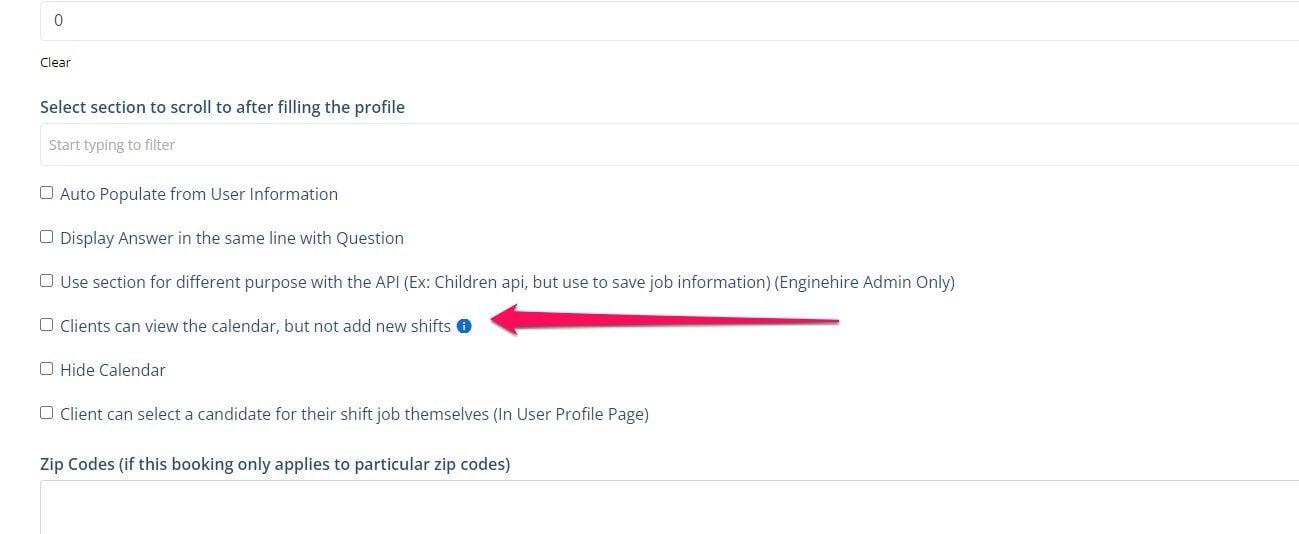
Scroll down and turn on this setting
Step 5:
click Save

If this video doesn't answer your questions you can always contact us by clicking here