
Step 1:
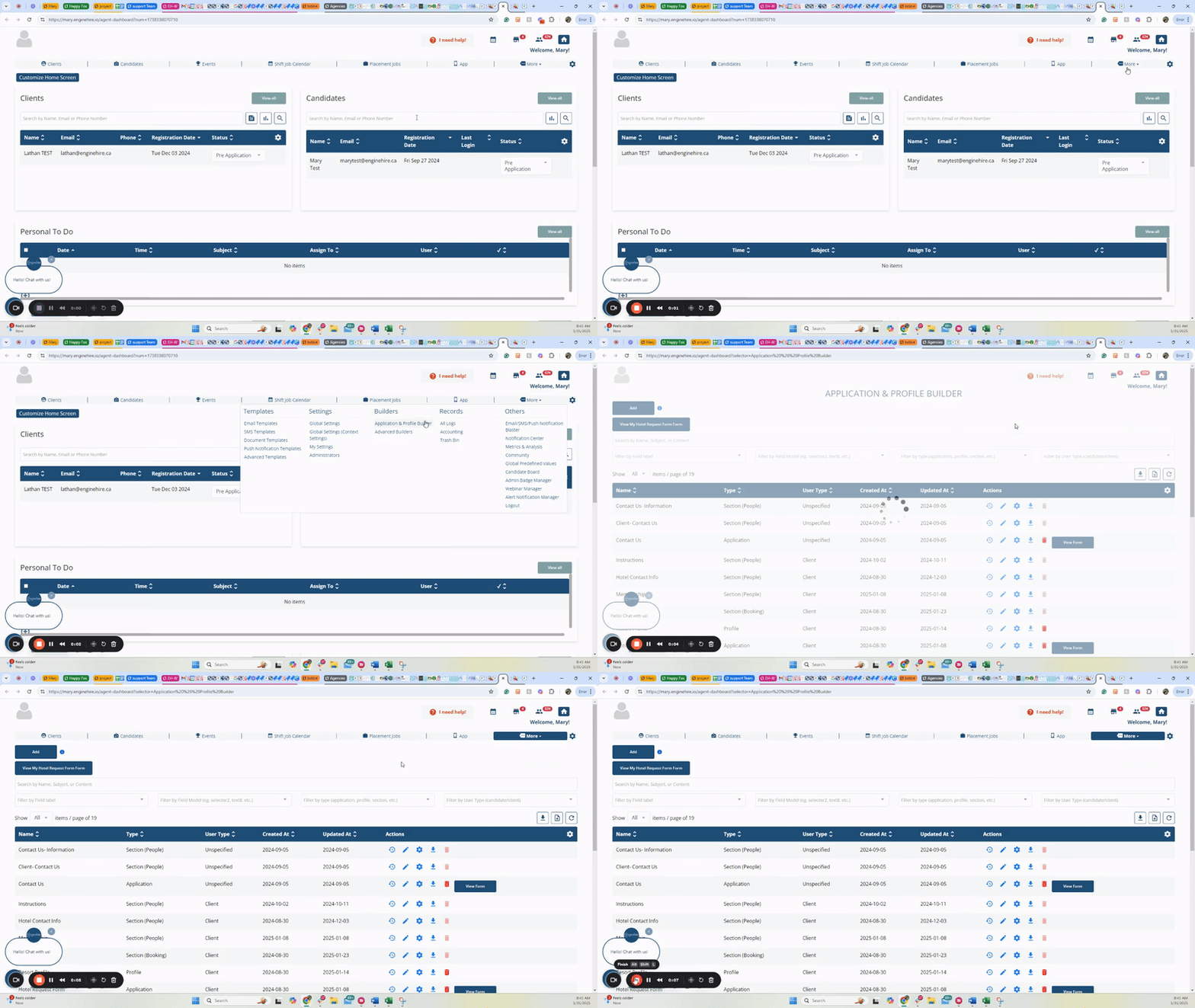
Go to your candidate or client application and make sure to be logged in as admin.
Not sure how to get to the application?
Go to MORE on the menu of your dashboard and select Application & Profile Builder
Step 2:
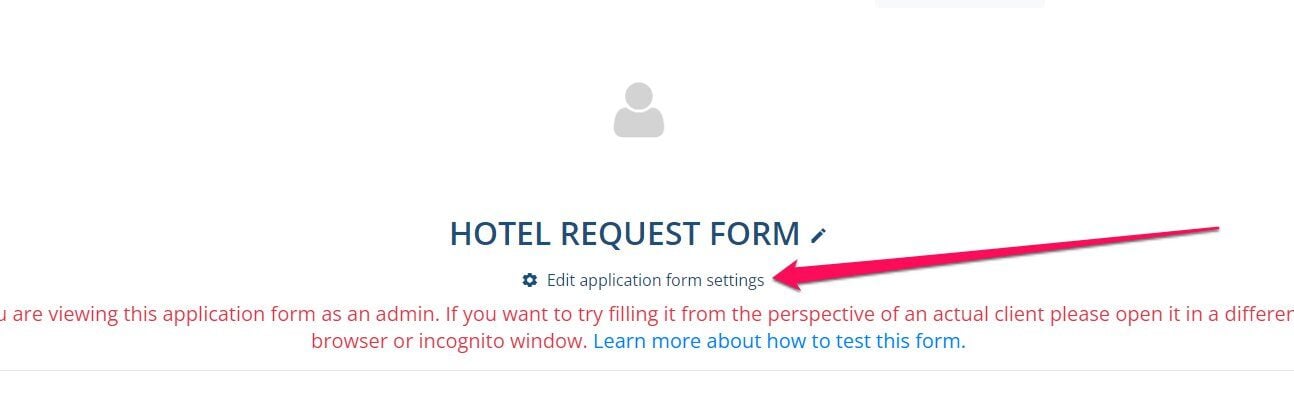
Click the Edit Application at the top
Step 3:
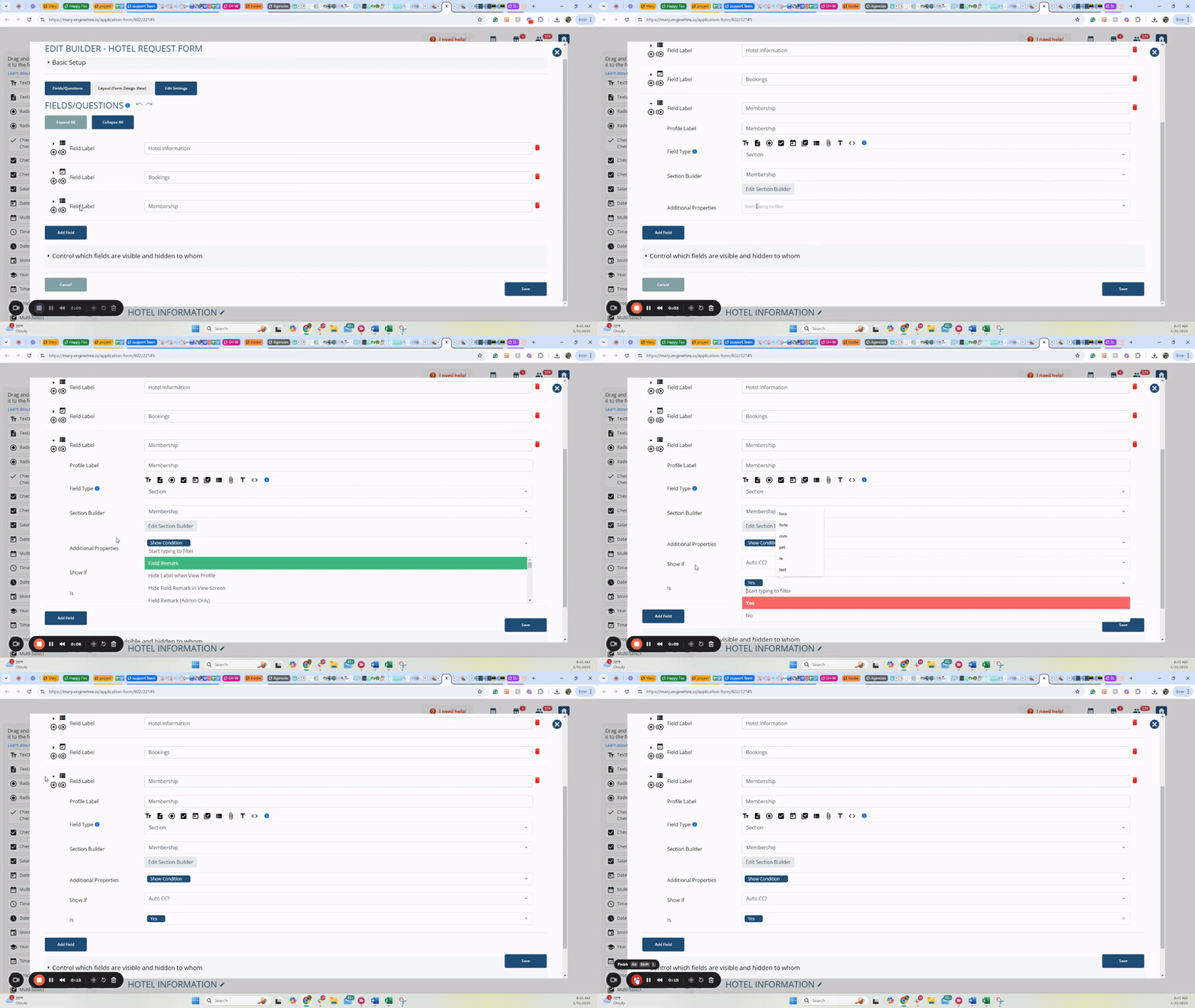
Go to the section you want to adjust to show based on how a candidate or client answers a question and expand. On the additional properties, select Show Condition. Select the question, then select the response they have to select for this section to appear.
If this video doesn't answer your questions you can always contact us by clicking here