
Issue:
When broadcasting a job or shift, candidates are not appearing in the search list despite meeting other criteria. This issue is typically caused by the candidate’s location not being properly mapped. When broadcasting a job, the system filters candidates based on a default proximity of 100 miles. If a candidate’s location is not mapped (i.e., missing latitude and longitude), they will be excluded from the search results.
Cause:
The system requires valid latitude and longitude data to determine the proximity of candidates to the job posting. If a candidate’s address is not correctly mapped to geographical coordinates, they will not be considered in the search for candidates within the designated 100-mile radius. This can happen due to incomplete or inaccurate address data.
Solution:
To resolve this issue, follow the steps below to ensure that the candidate’s location is properly mapped, allowing them to appear in job broadcasts.
Step-by-Step Fix:
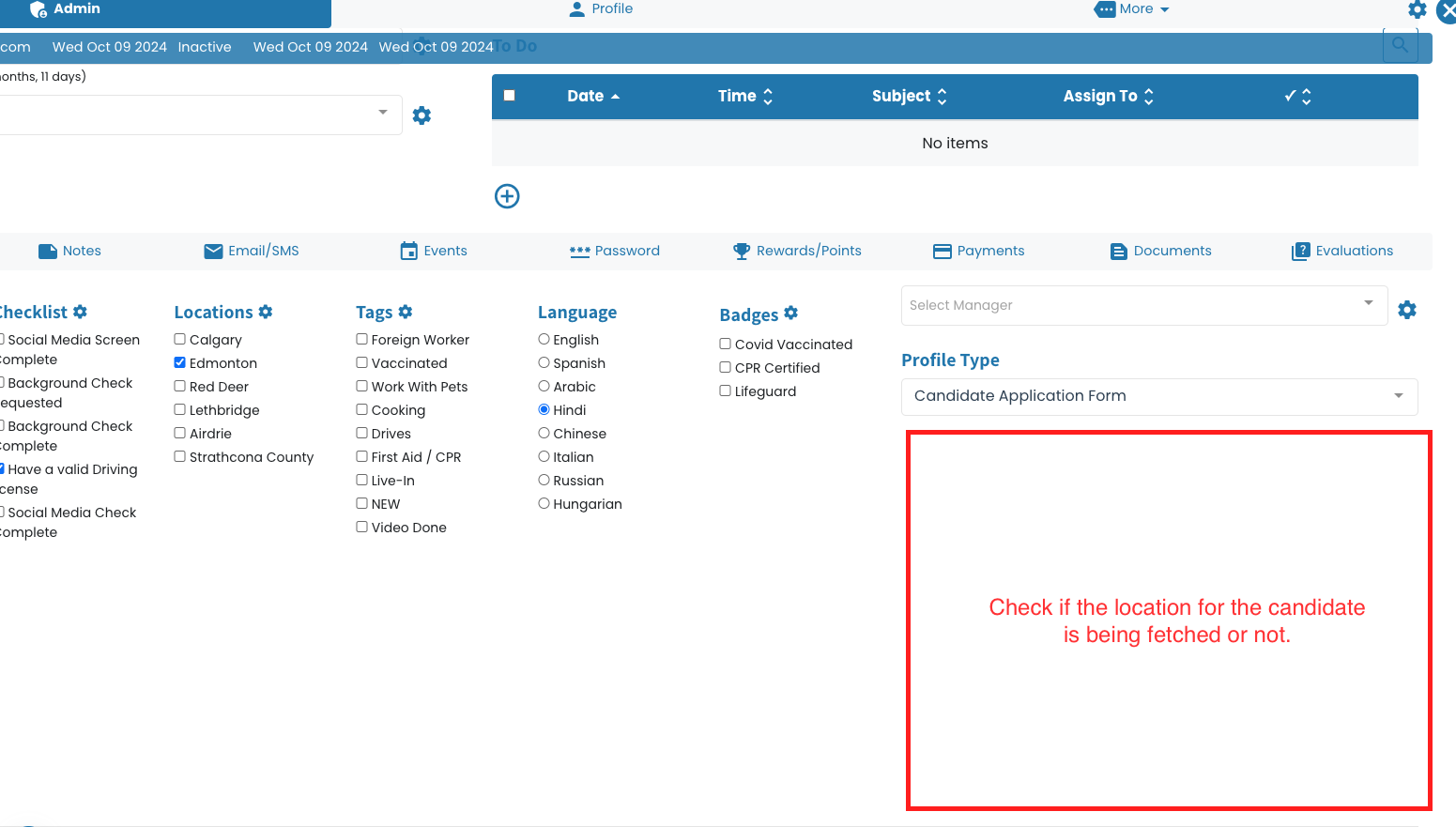
1. Check if the Candidate Has a Valid Address:
Before updating the address, check whether the candidate’s address is valid and fully entered in the system.
If the address is missing, incomplete, or invalid (e.g., lacks city, postal code, or country information), update the address details accordingly.
2. Edit the Candidate’s Address:
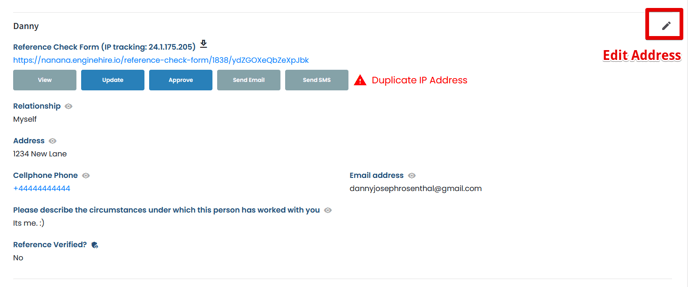
Go to the candidate’s record where the address needs updating.
Ensure the address is complete and accurate, including details like street, city, postal code, and country.
Save the changes after entering the correct address.
3. Check the Map:
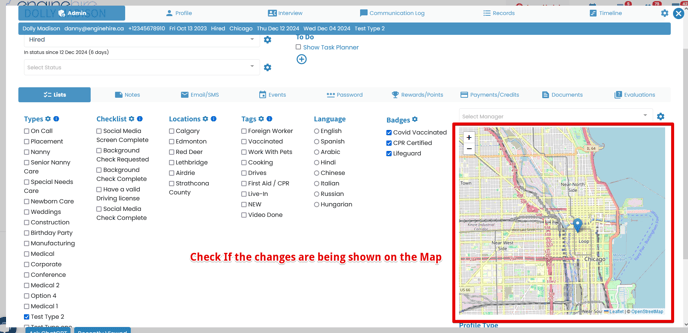
After saving the updated address, verify the candidate’s location on the map.
If the location does not display correctly or if the candidate does not appear on the map, this indicates that the system could not correctly compute their latitude and longitude.
At this point, the candidate will be excluded from the job search results due to the missing geographic data.
4. Tweak the Address:
If the map does not reflect the correct location, try making small variations to the address:
Add or remove specific address components: For example, if the apartment number or floor is missing, add it; if it's unnecessary, remove it.
Use abbreviations: For example, use "St" instead of "Street" or "Ave" instead of "Avenue."
Reorder address components: Sometimes changing the order of components, like putting the street name before the city, can help the system better interpret the location.
Adjust postal codes: Make sure the postal code is accurate and in the correct format.
5. Recheck and Save:
After making the adjustments, recheck the map to see if the candidate’s location now appears correctly.
Save the modified address after confirming that the map has updated to reflect the correct location.
Check that the latitude and longitude are now visible.
6. Repeat Until Correct:
If the system still does not generate the correct location after tweaking the address, repeat the process by making additional minor adjustments.
Continue adjusting small elements of the address, such as punctuation, spaces, and abbreviations, until the system computes the correct latitude and longitude.
7. Validate the Candidate’s Availability:
Once the candidate’s location is properly mapped, ensure they are now included in job broadcasts within the 100-mile radius of the posting.
You can verify this by searching for the candidate while broadcasting the job to confirm that they appear in the results.