
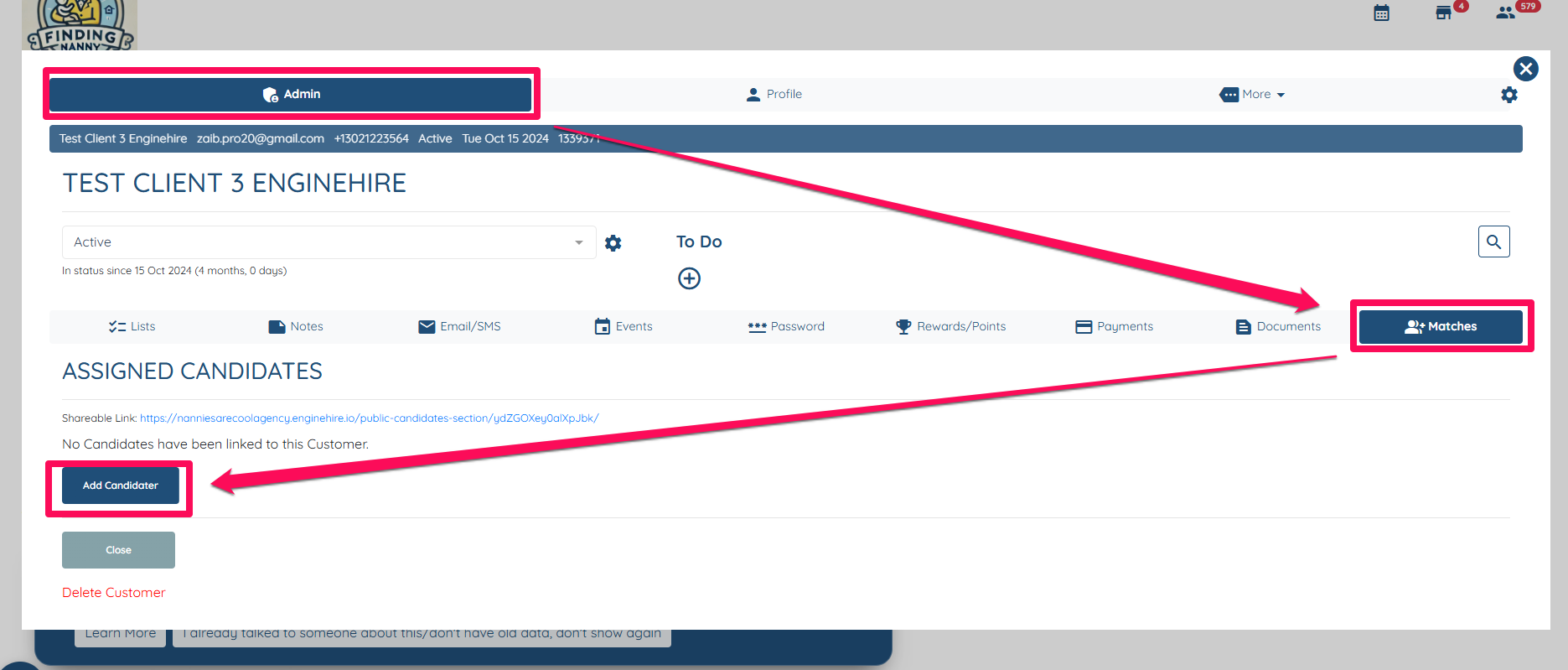
- Open a client profile, navigate to the Admin tab, click on "Matches," and then select "Add Candidate."
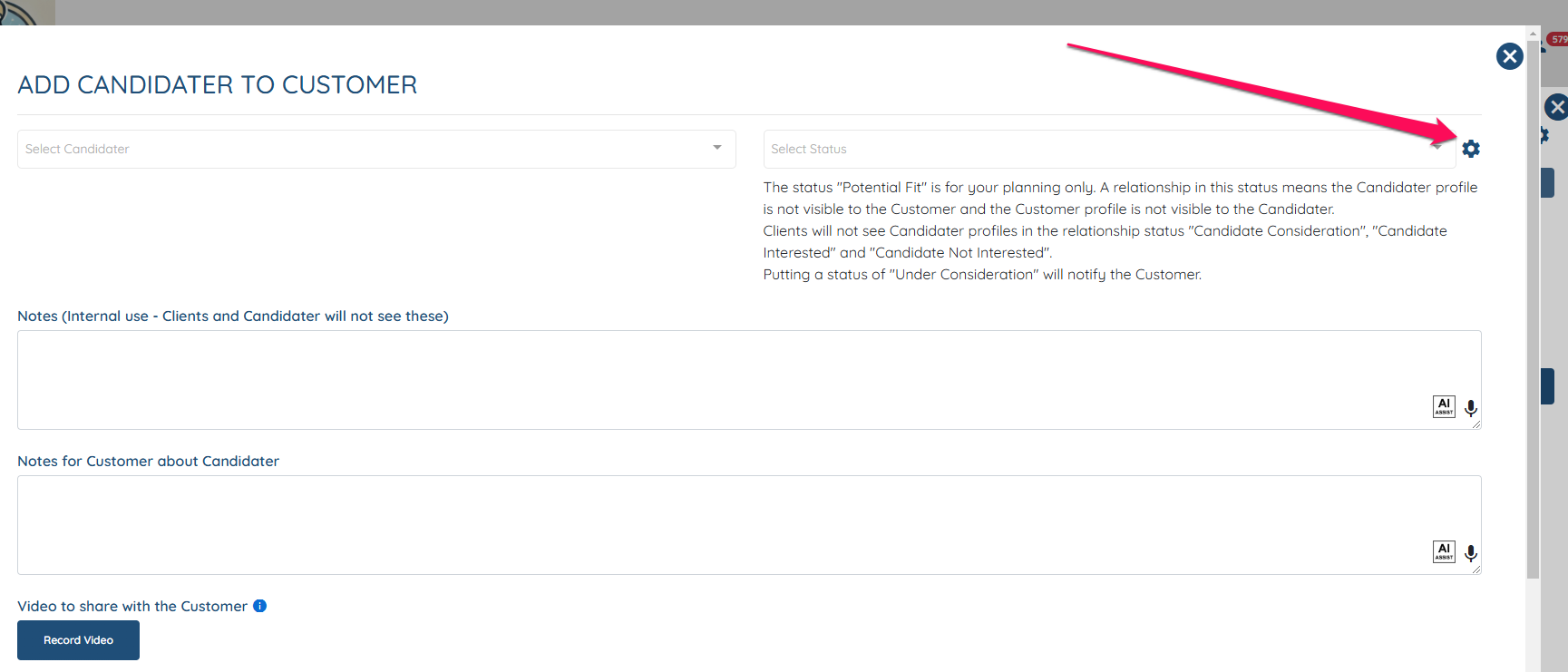
Click on the Gear icon for Relationship Statuses
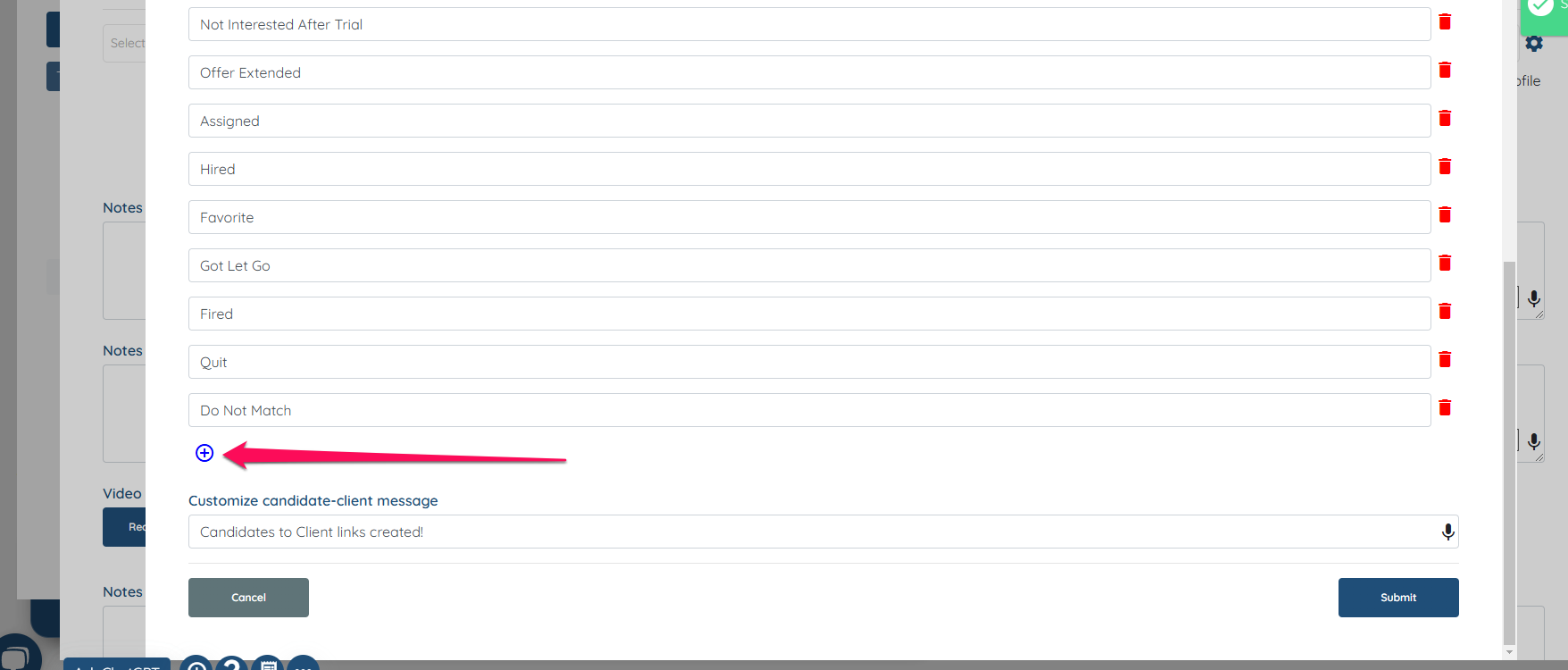
Scroll down and click on the "+" icon to add a new relationship status then hit Submit
If this doesn't answer your questions you can always contact us by clicking here.