
Step 1:
Go to any candidate profile. Even though we are going to a candidate profile, the setting will be applied to all candidates.
Step 2:
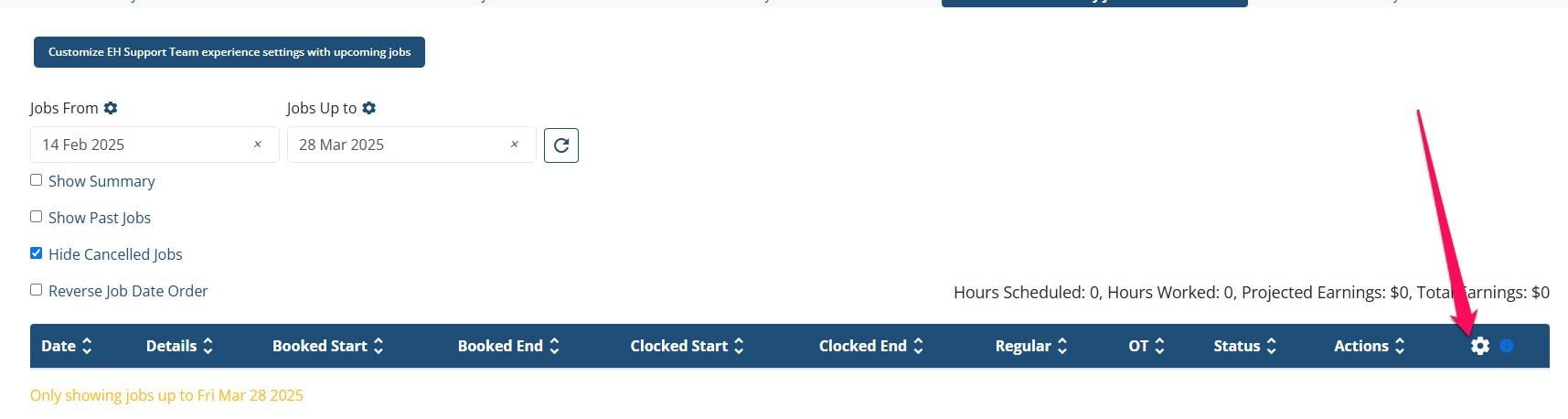
Go to My Jobs tab in their profile

Step 3:
Click gear icon
Step 4:
Click Reporting a problem. The checkbox will be checked if the setting is on. Then adjust the text in the "Text of the report problem button"

If this doesn't answer your questions you can always contact us by clicking here