
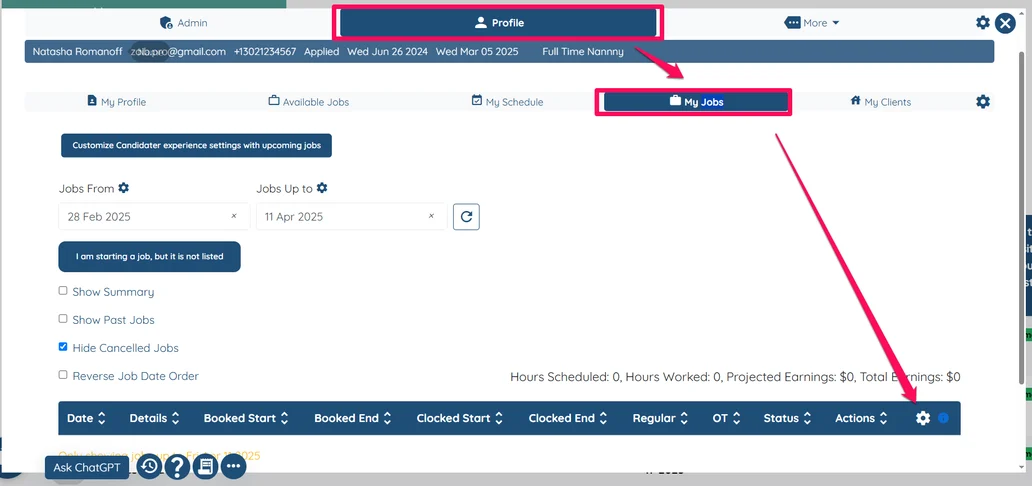
Open any candidate's profile.
Navigate to the Profile tab.
Go to the My Jobs tab.
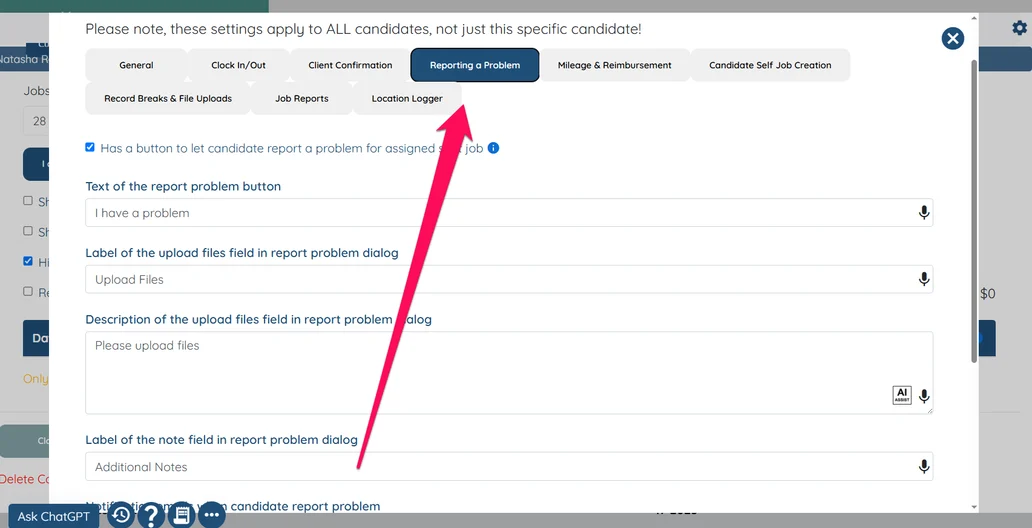
Click the gear icon in the table and select the Reporting a Problem tab.
If this video doesn't answer your questions you can always contact us by clicking here
Open any candidate's profile.
Navigate to the Profile tab.
Go to the My Jobs tab.
Click the gear icon in the table and select the Reporting a Problem tab.
If this video doesn't answer your questions you can always contact us by clicking here