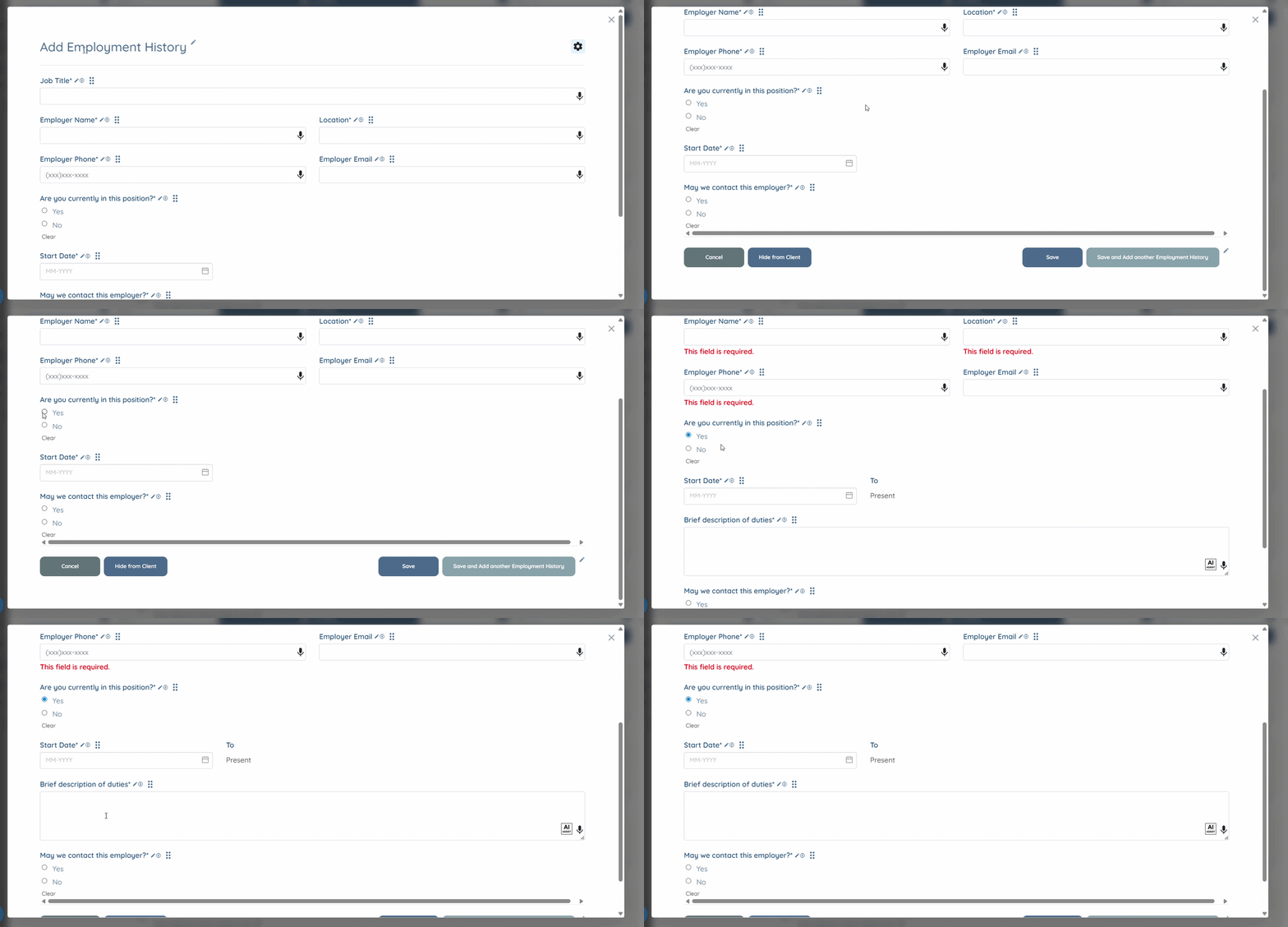
Let’s get started🚀
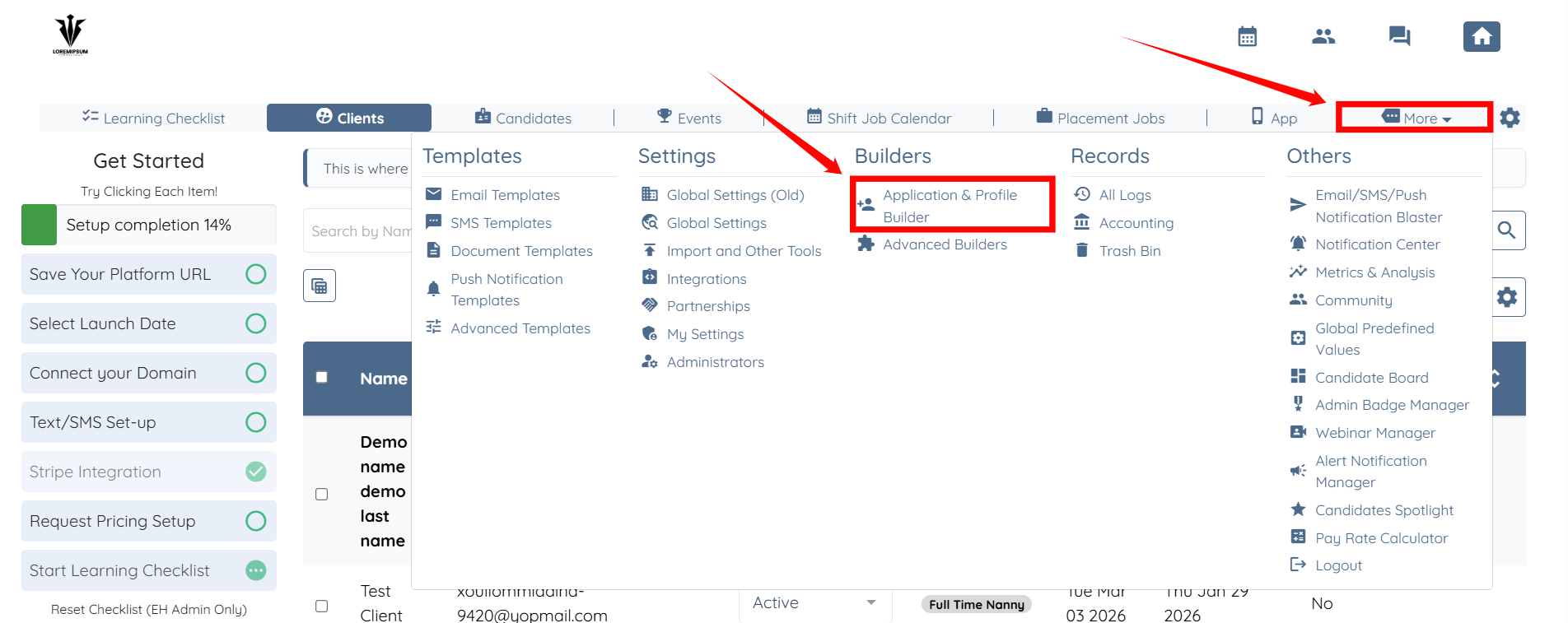
Step 1: Log in to your agent dashboard and click More > Application & Profile Builder as shown in the screenshot below.
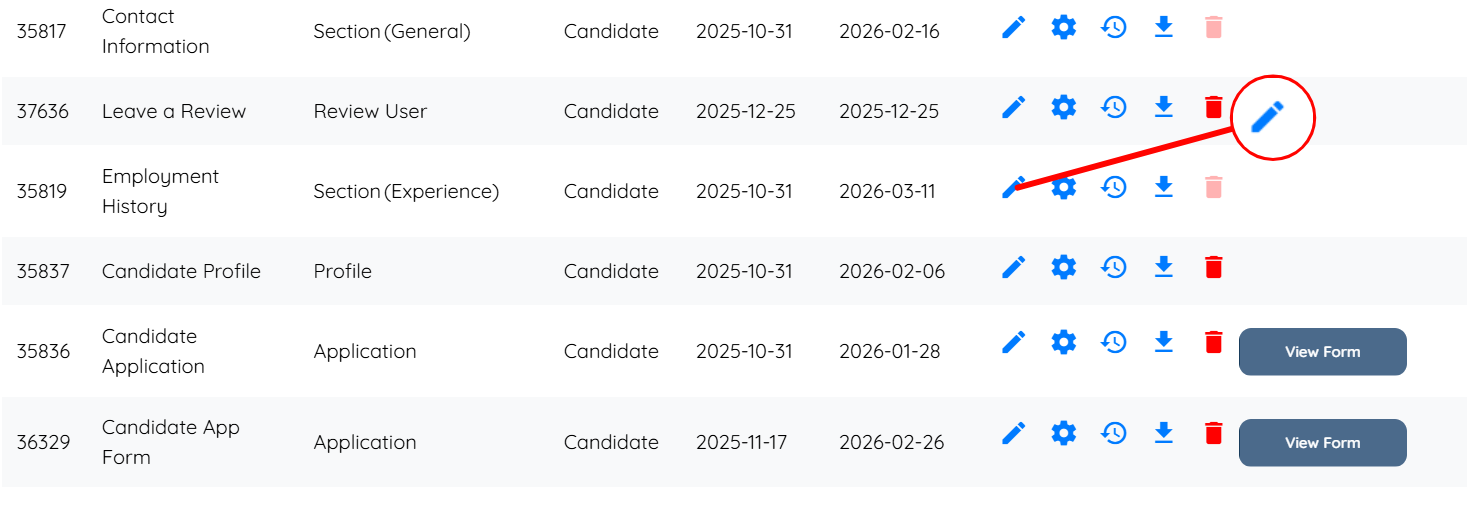
Step 2: Click the pencil icon corresponding to the section where you want to configure a show condition for a question.
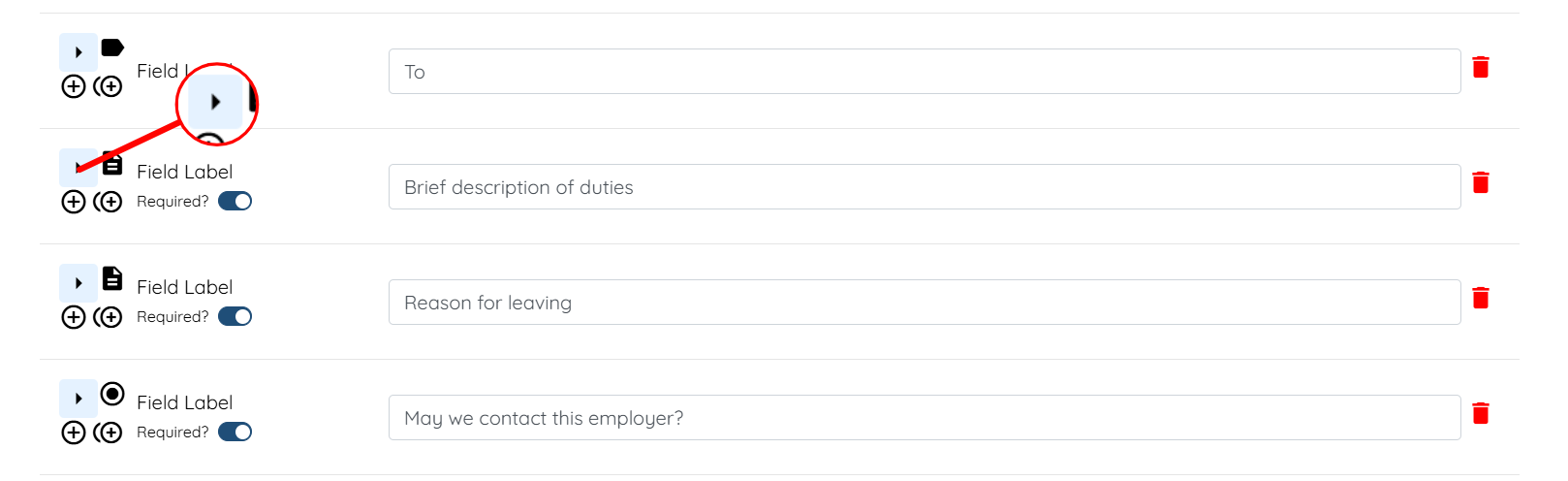
Step 3: Click the arrow button of the question to expand its details.
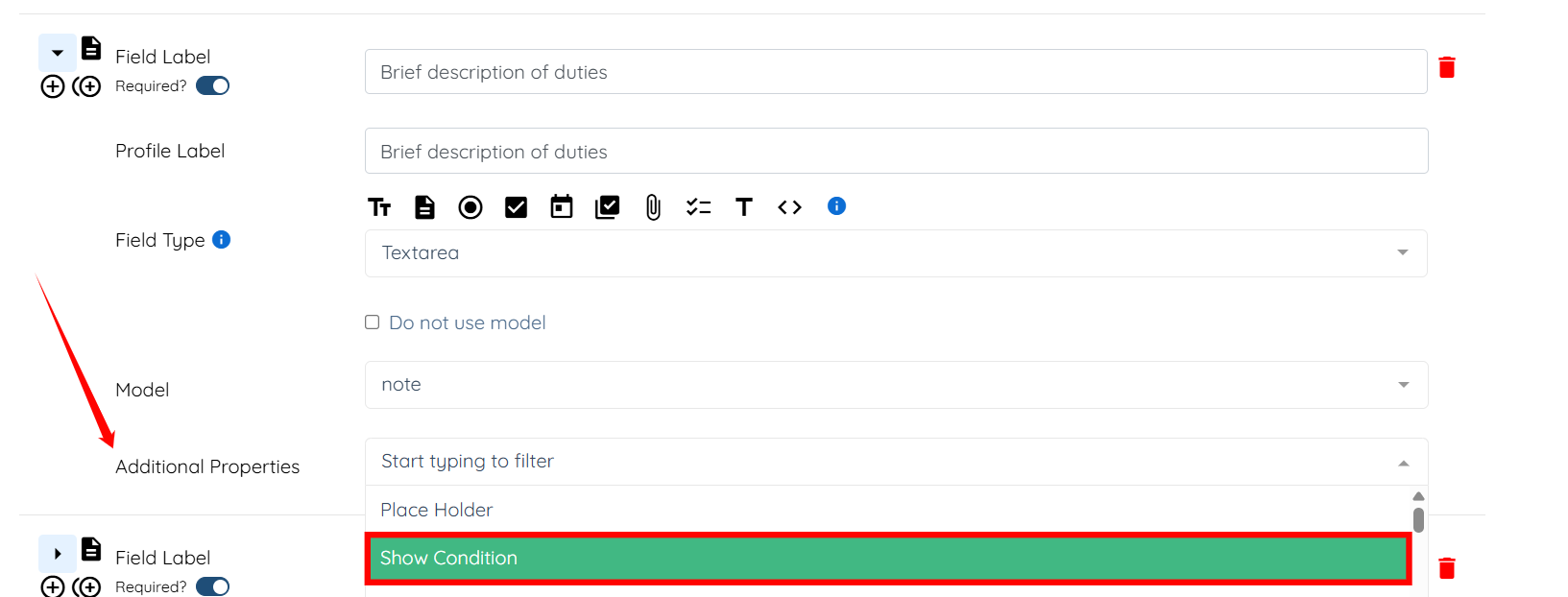
Step 4: Select the Show Condition option in the Additional Properties.
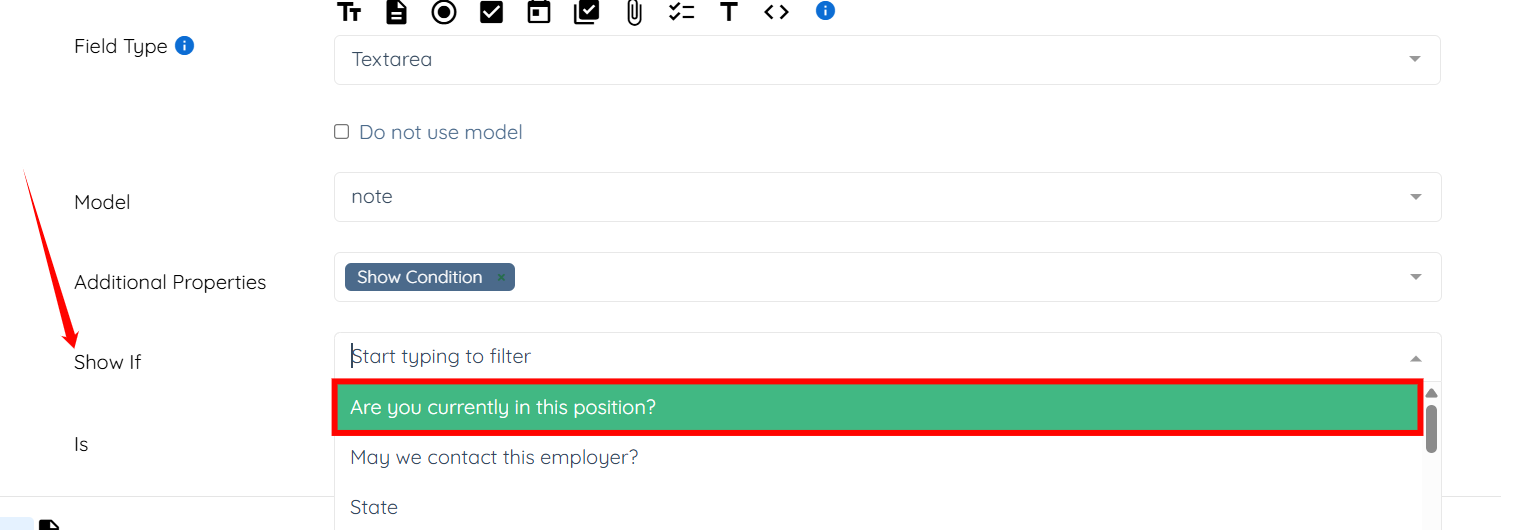
Step 5: In the Show If field, select the question or field based on which the current question should appear.
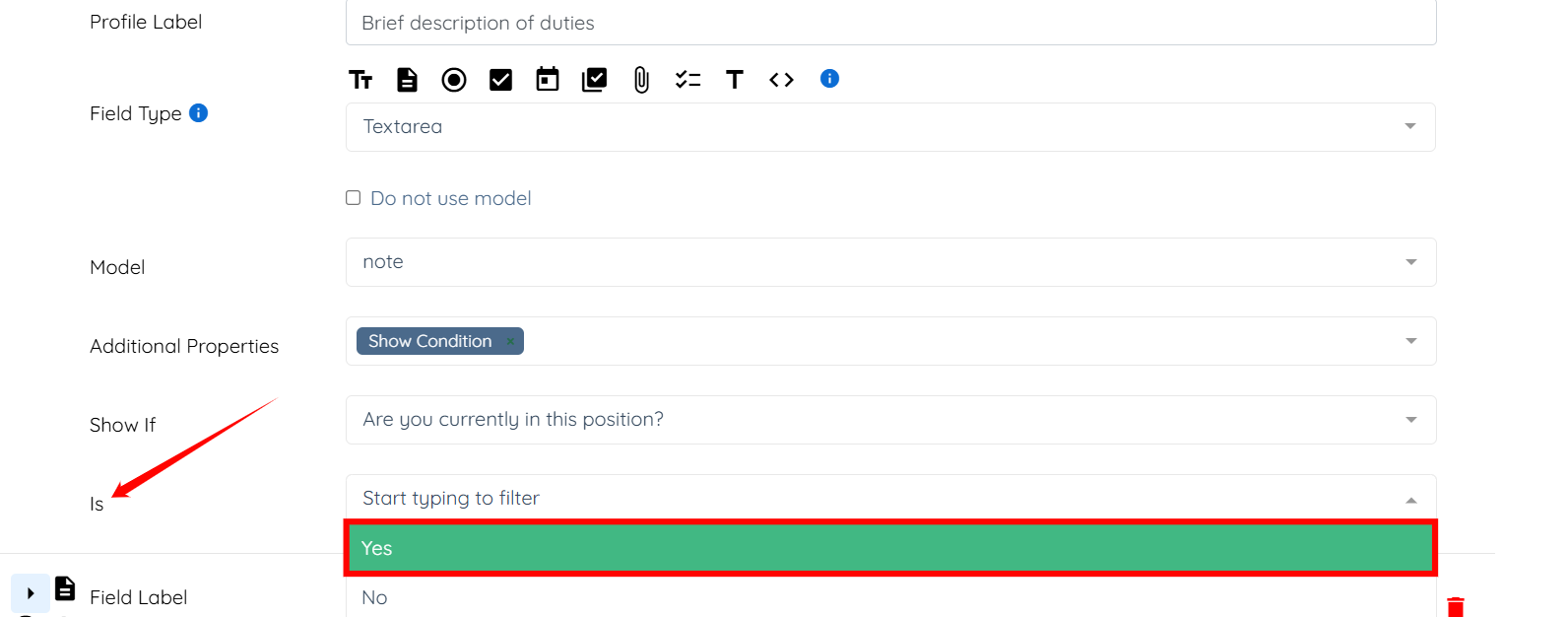
Step 6: Set the Is value to Yes, so the question will appear only when the selected field has the value Yes.
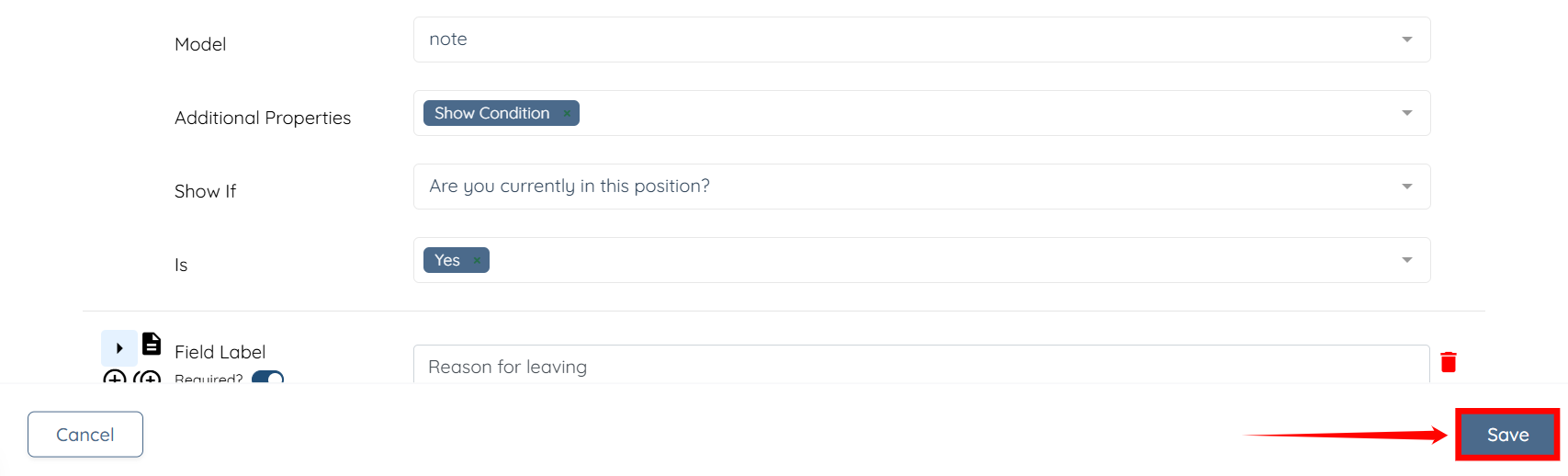
Step 7: Click the Save button to confirm the changes.
Now, when a candidate selects Yes as the answer to the Are you currently in this position? question, the Brief description of duties field will appear based on the configured show condition.