
Step 1:
Go to MORE-> GLOBAL SETTINGS
Step 2:
Go to PRICING

Step 3:
Click on Customize Price Labels

Step 4:
Go to the price you want to adjust the label and click on customize "rate" text based on a booking field

Step 5
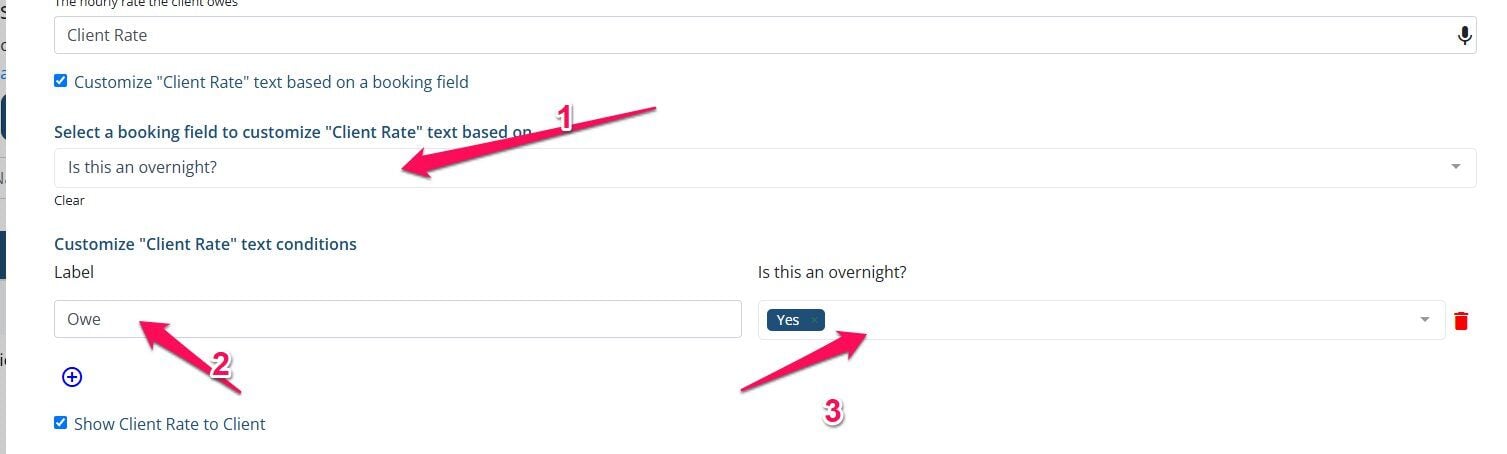
Select the booking field you want to have the text be based on. Then select the Plus icon, add the label and add the condition.
Example:
I selected "Is this an overnight" field
The label I want is OWE
If they select YES
If this video doesn't answer your questions you can always contact us by clicking here