
Go to shift job Calendar.

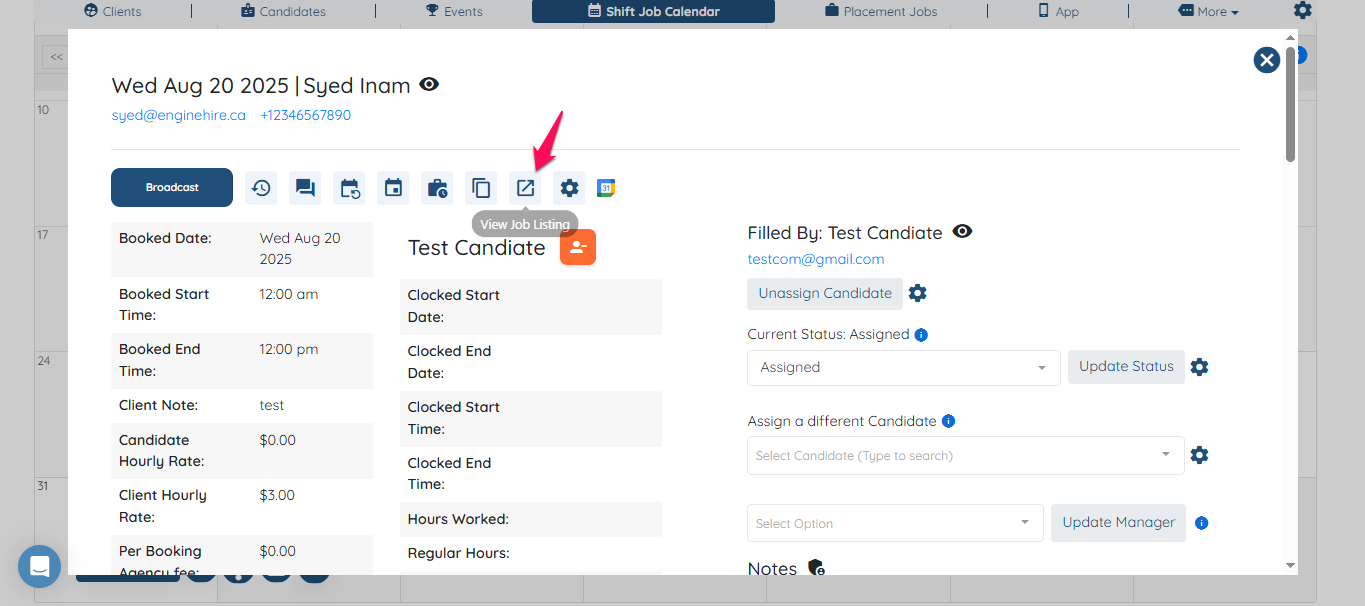
Click on any any job listing.

Click view job listing.
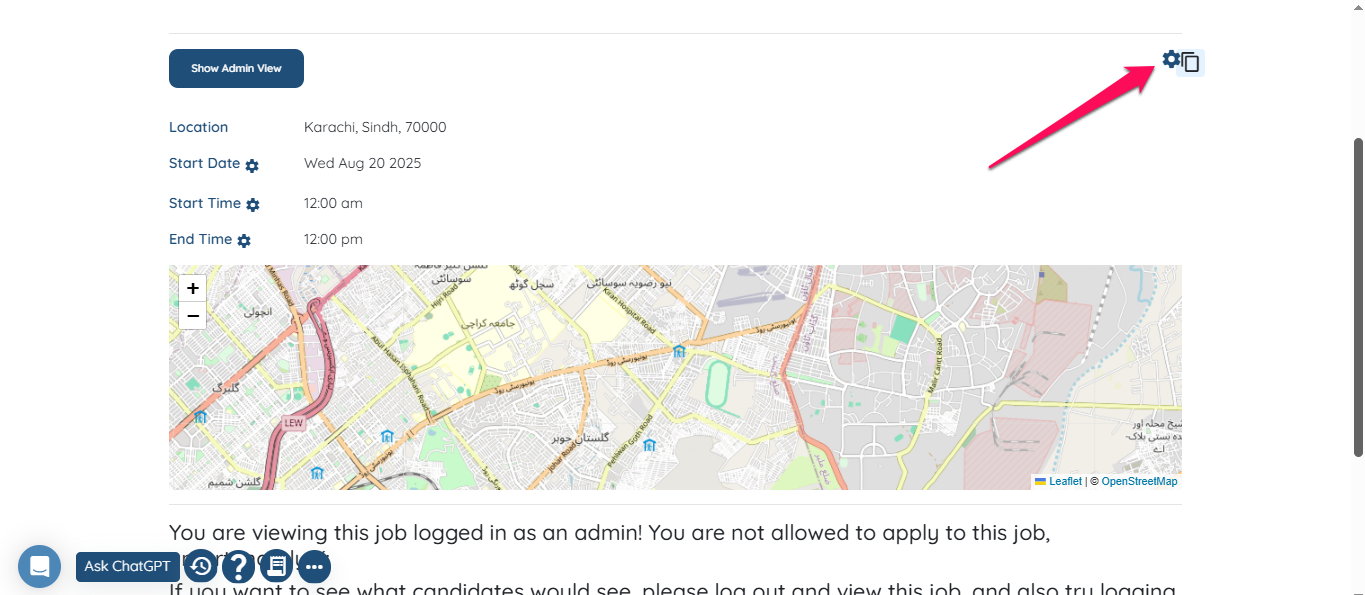
Click on gear icon.
Scroll down to the bottom where you see Shift job fields to show to candidate, Shift job fields to show to logged-in candidate and Shift job fields to show to assignee.
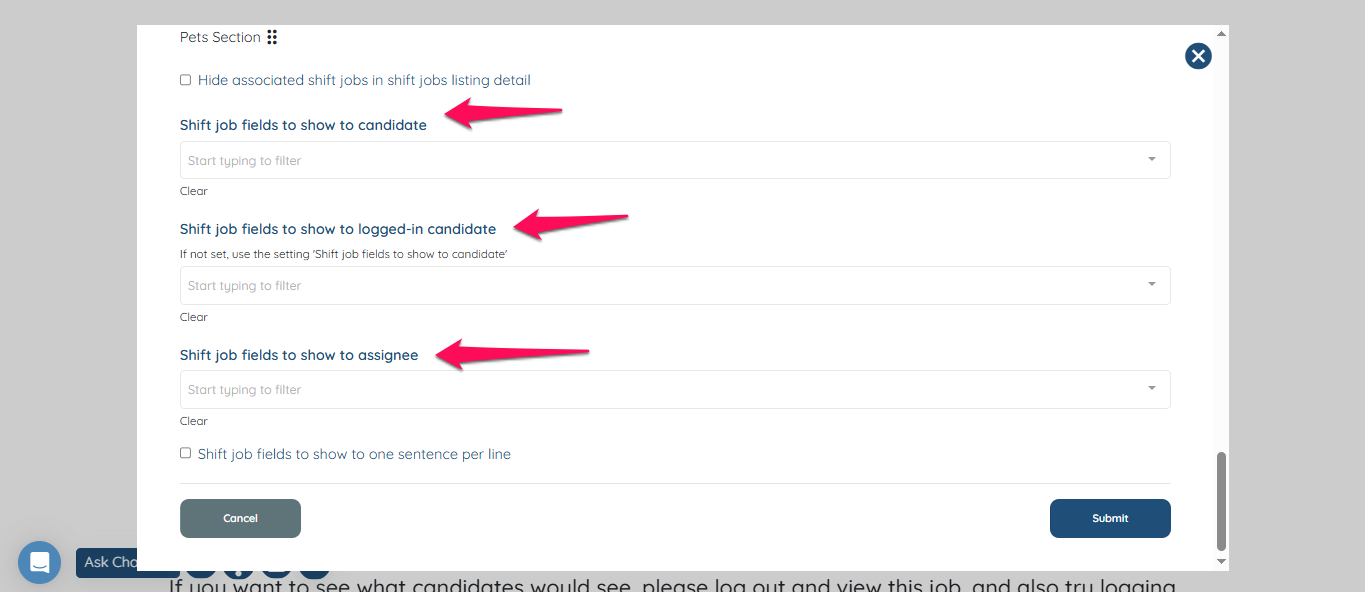
Customize the fields in each column as per your needs and click submit.
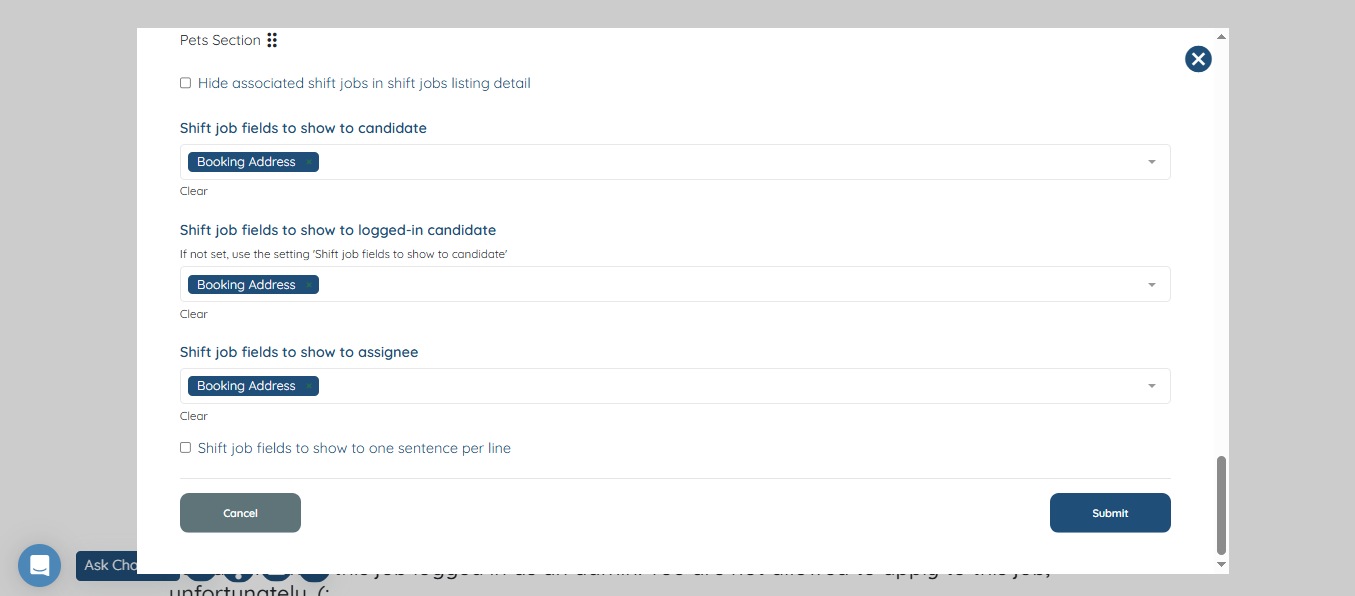
The desired field will be shown as selected.
If this video doesn't answer your questions you can always contact us by clicking here
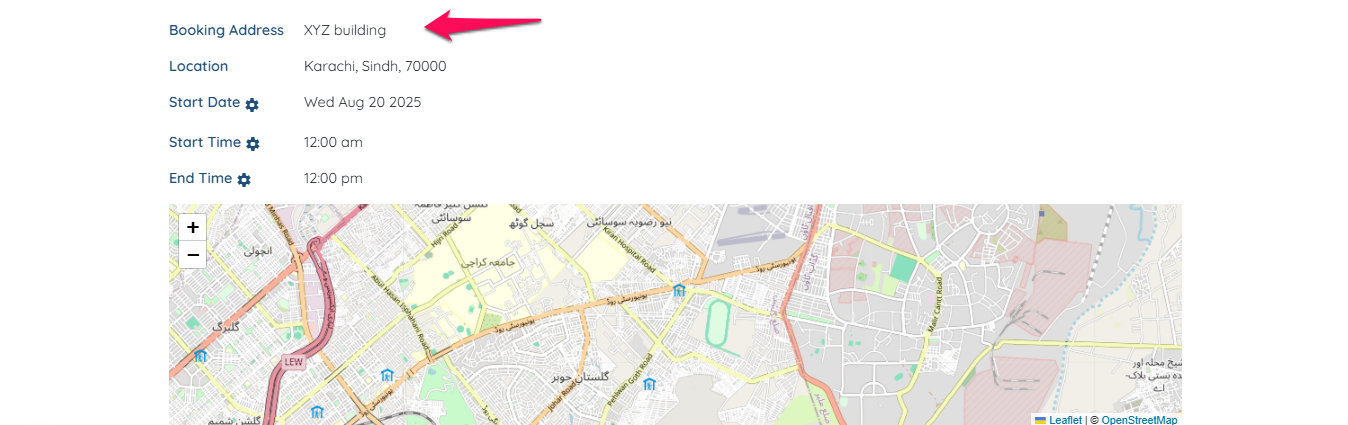
Candidate view on job listing
How to customize what candidate will see when he logged in, assigned or just viewing the job without log in
Did this answer your question?
😞
😐
😁