
Setting up default answers can make the application process smoother and faster for both your team and applicants. By providing pre-filled responses, you can guide applicants on how to answer certain questions, reduce repetitive typing, and ensure key information is collected consistently.
This feature is especially useful for common questions or fields where you want to provide a suggested response, while still giving applicants the flexibility to edit and customize their answers before submitting.
Steps to Set Up Default Answers
1- Navigate to the form builder
Go to More → Application and Profile Builder.
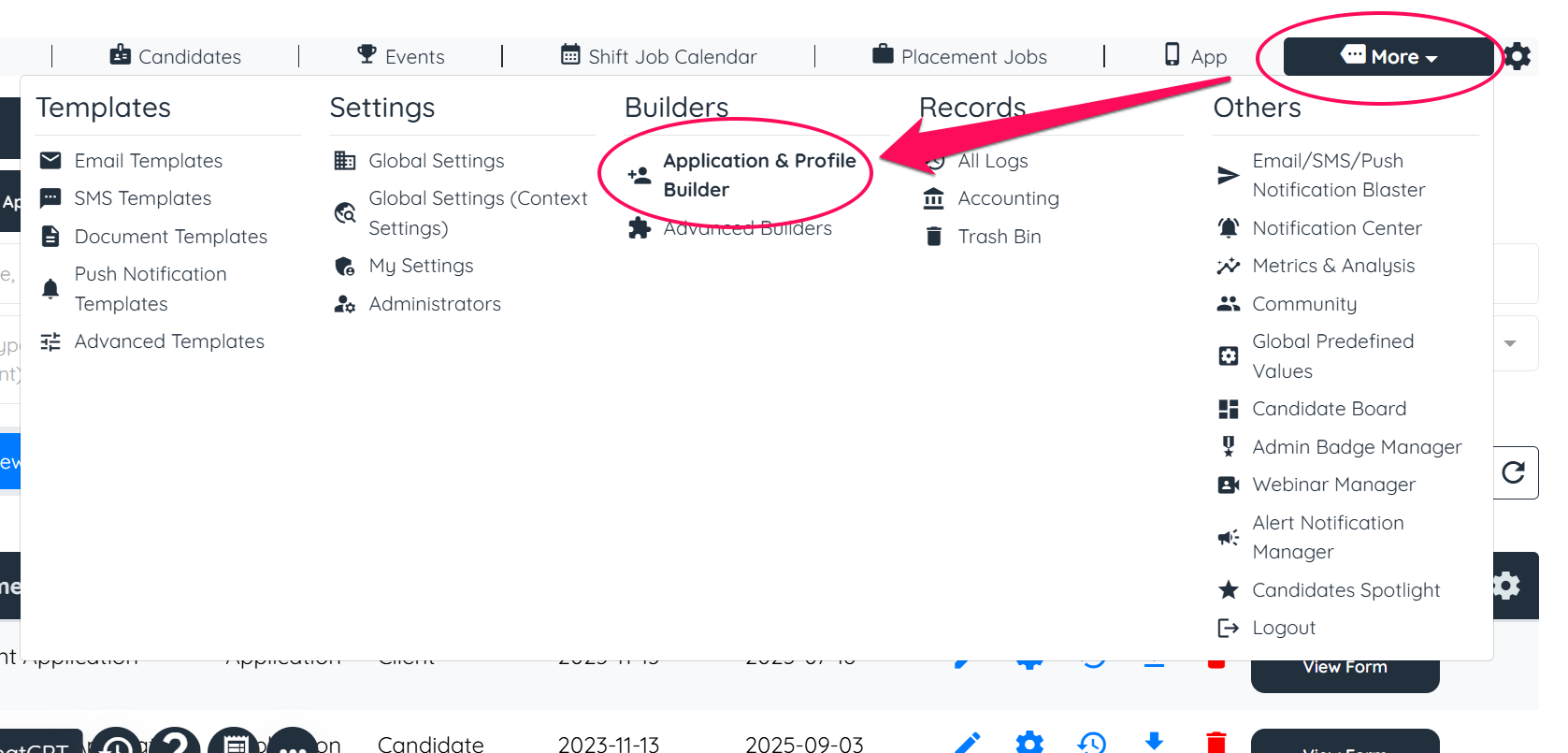
2- Open the application form
Find the application form you want to edit and click the pencil icon to start making changes.
3- Locate the correct section
You’ll see a list of all the sections in your form. Find the section that contains the questions you want to pre-fill.
4- Edit the section
Click Edit Section Builder, then locate the specific question you want to pre-fill.
5- Add an additional property to the relevant question
Open the Additional Properties dropdown and select the option "Default Value".
6- Enter or select the default answer
A new box labeled Default Value will appear. If the type allows free text, you can type in the pre-filled answer. For options like Yes/No or multiple-choice, simply select the default option from the dropdown.
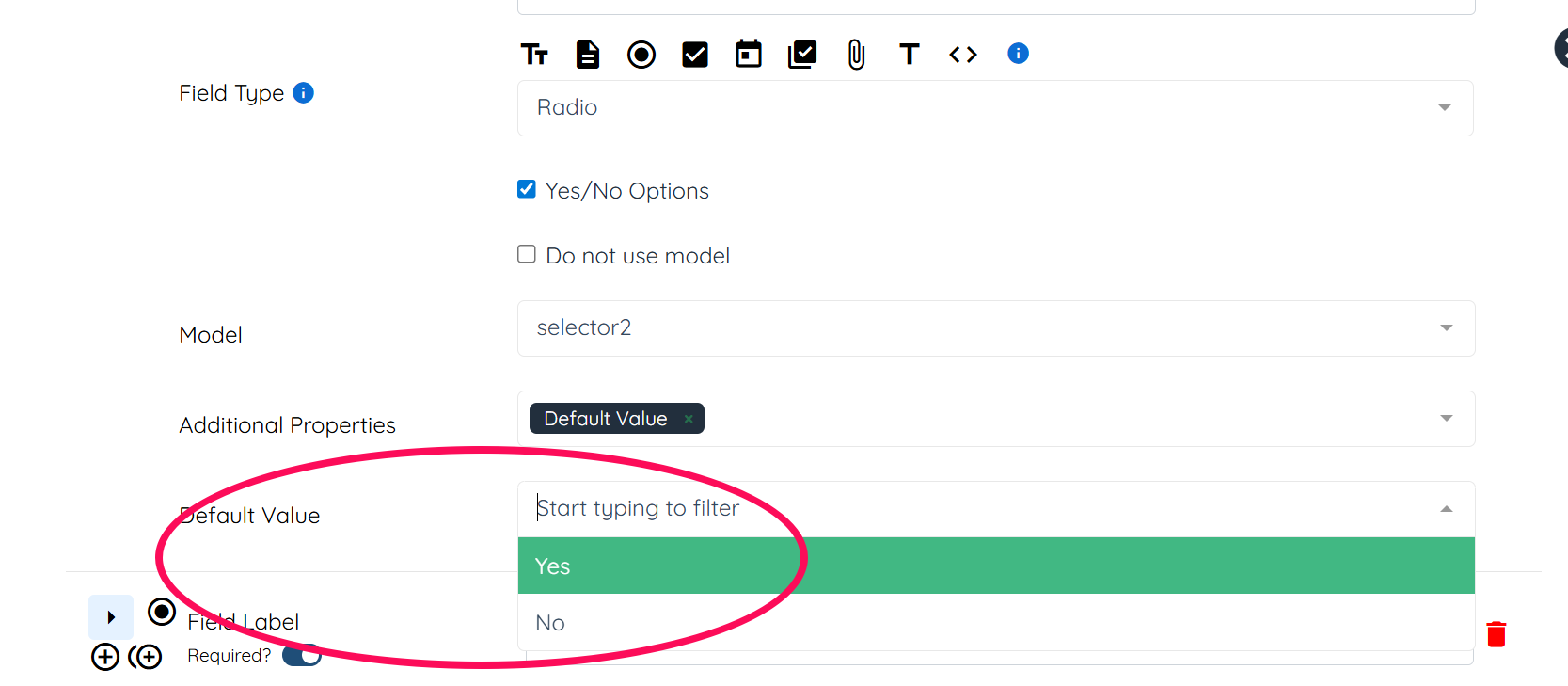
Once you’ve set your default answers, applicants will see these pre-filled when they access the form. They can edit the answers before submitting, giving them both guidance and flexibility.
This simple setup can help streamline the application process, reduce repetitive data entry, and ensure that key information is captured consistently across all applications.
The Default Value is just one of the many powerful Additional Properties available in the builder. To explore all the different options and understand how they can enhance your forms, check out our comprehensive guide:
Understanding additional properties for fields in the form builder
If this doesn't answer your questions you can always contact us by clicking here.