Let’s get started 🚀
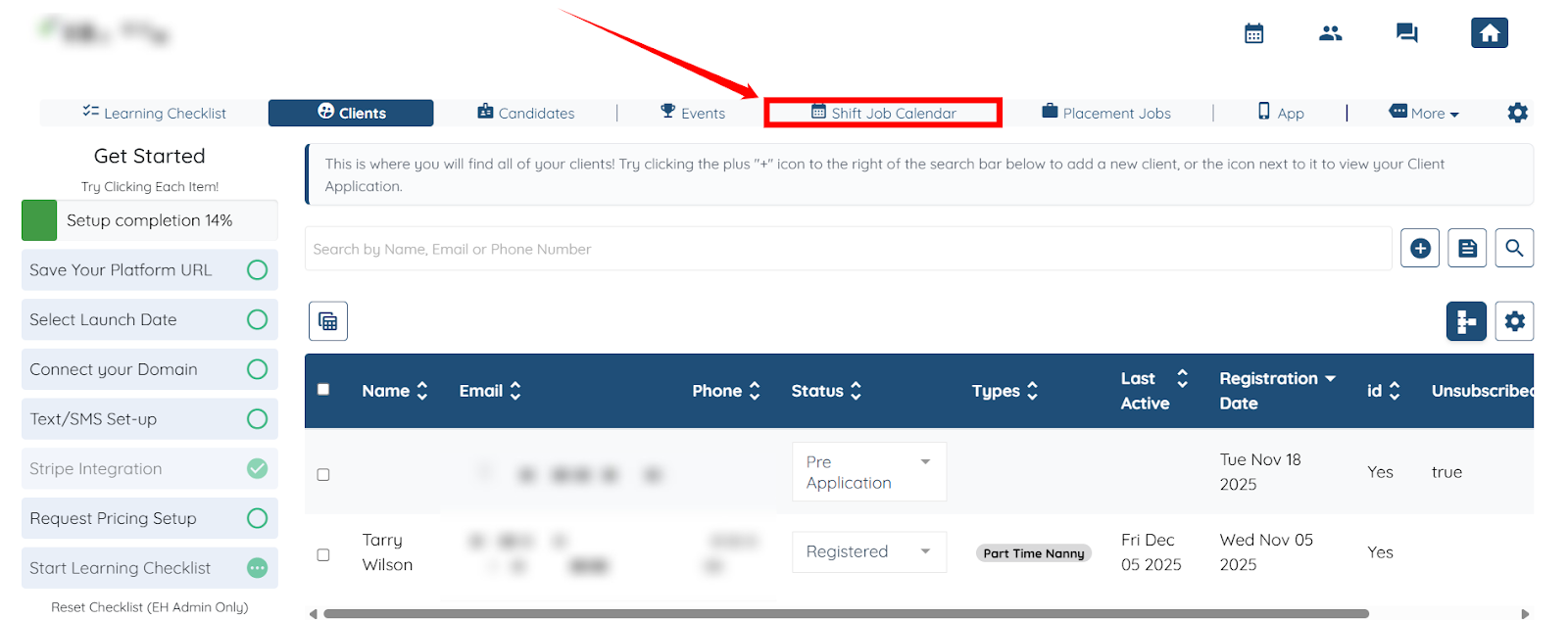
Step 1: Log in to your agent dashboard, then click Shift Job Calendar in the top navigation bar.
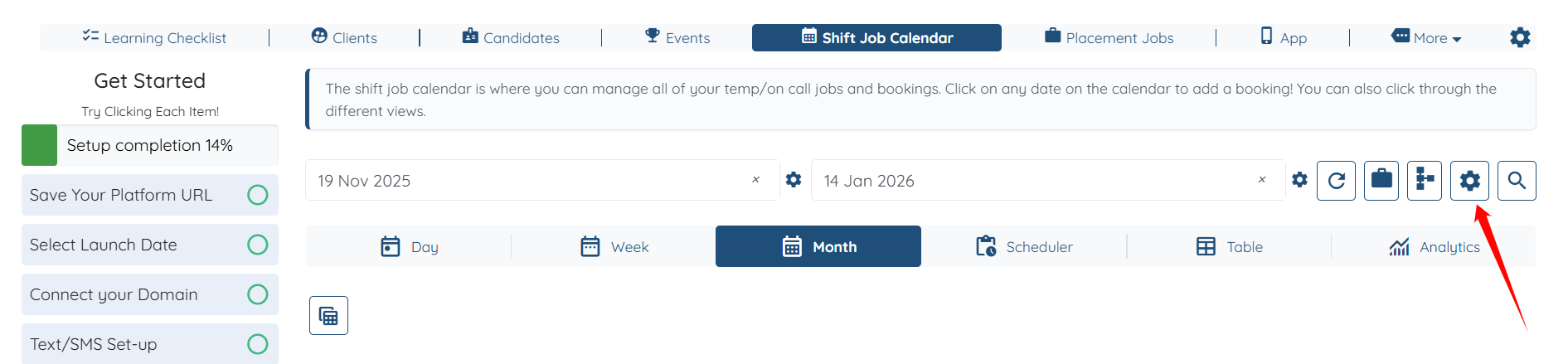
Step 2: Click the Shift Job Settings Gear icon.
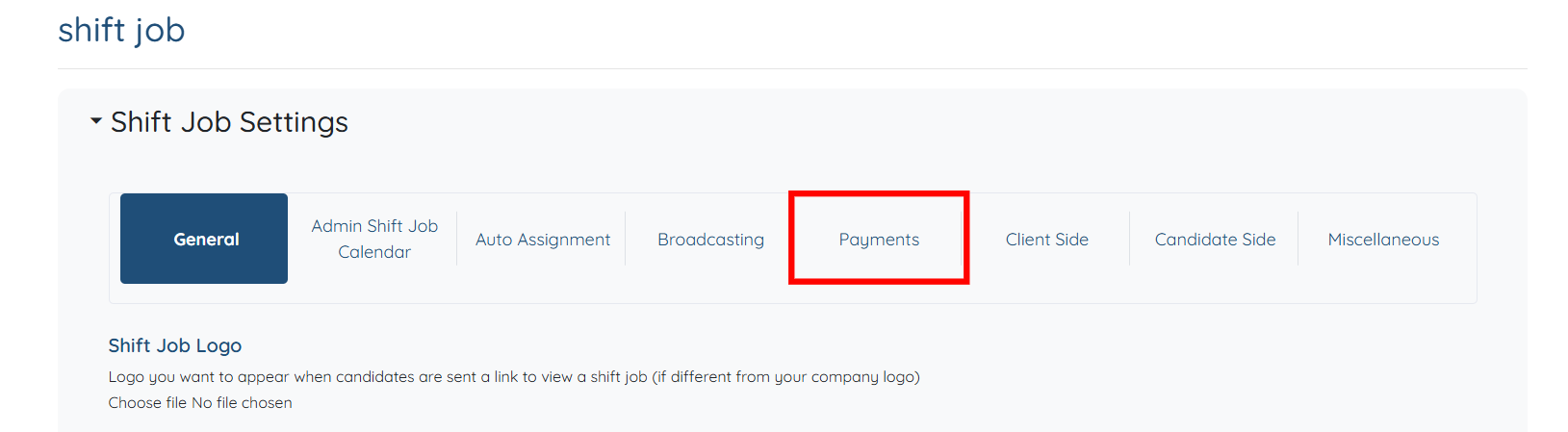
Step 3: Click the Payments option.
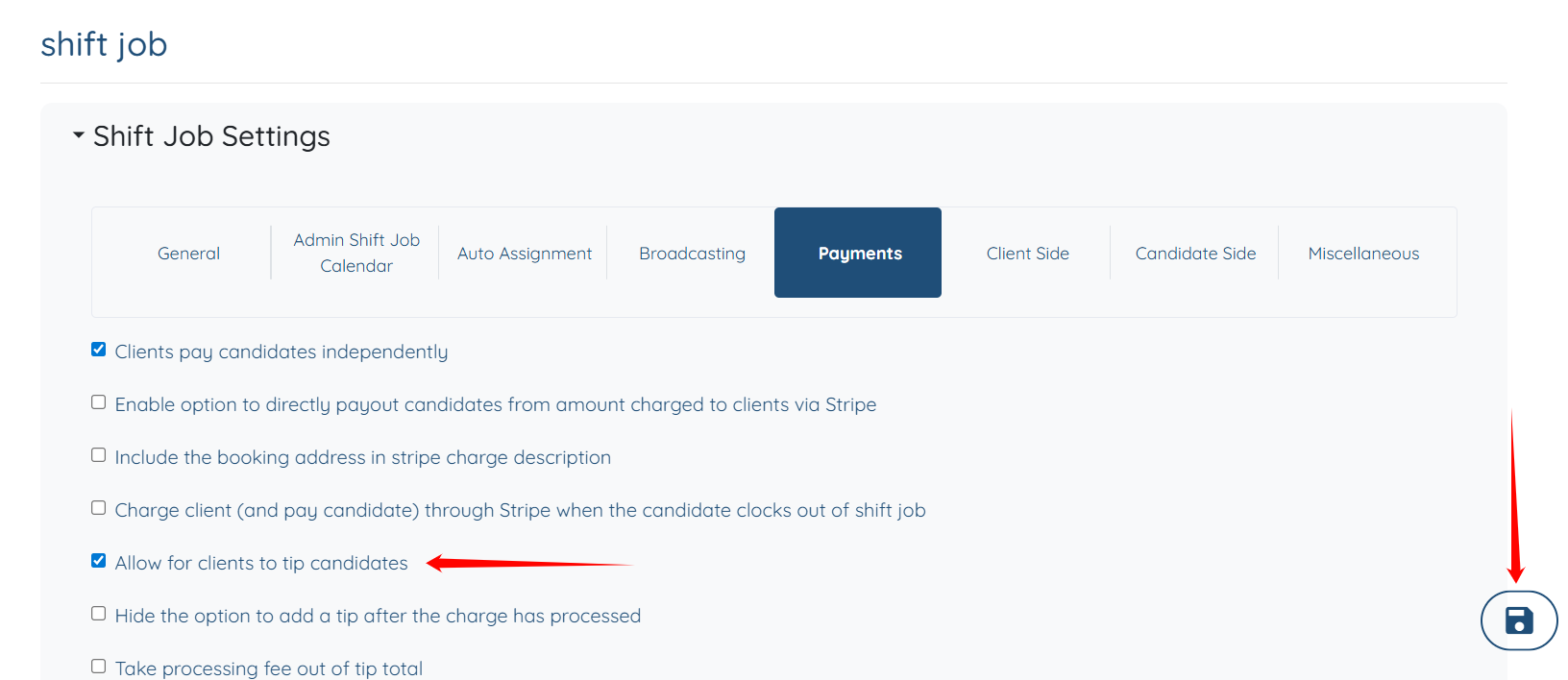
Step 4: Uncheck the Allow for clients to tip candidates checkbox, and then click the Save icon to proceed.