
Click on any client profile.
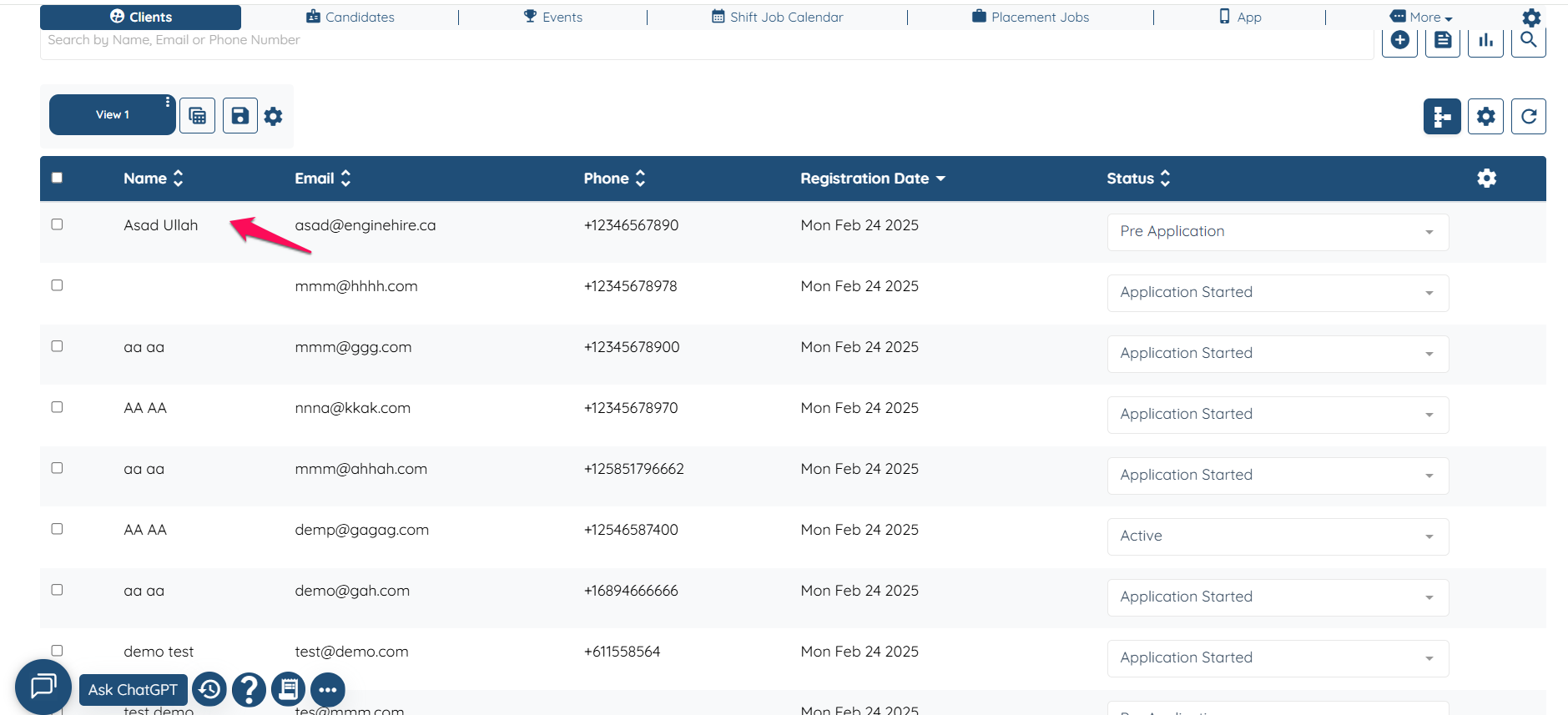
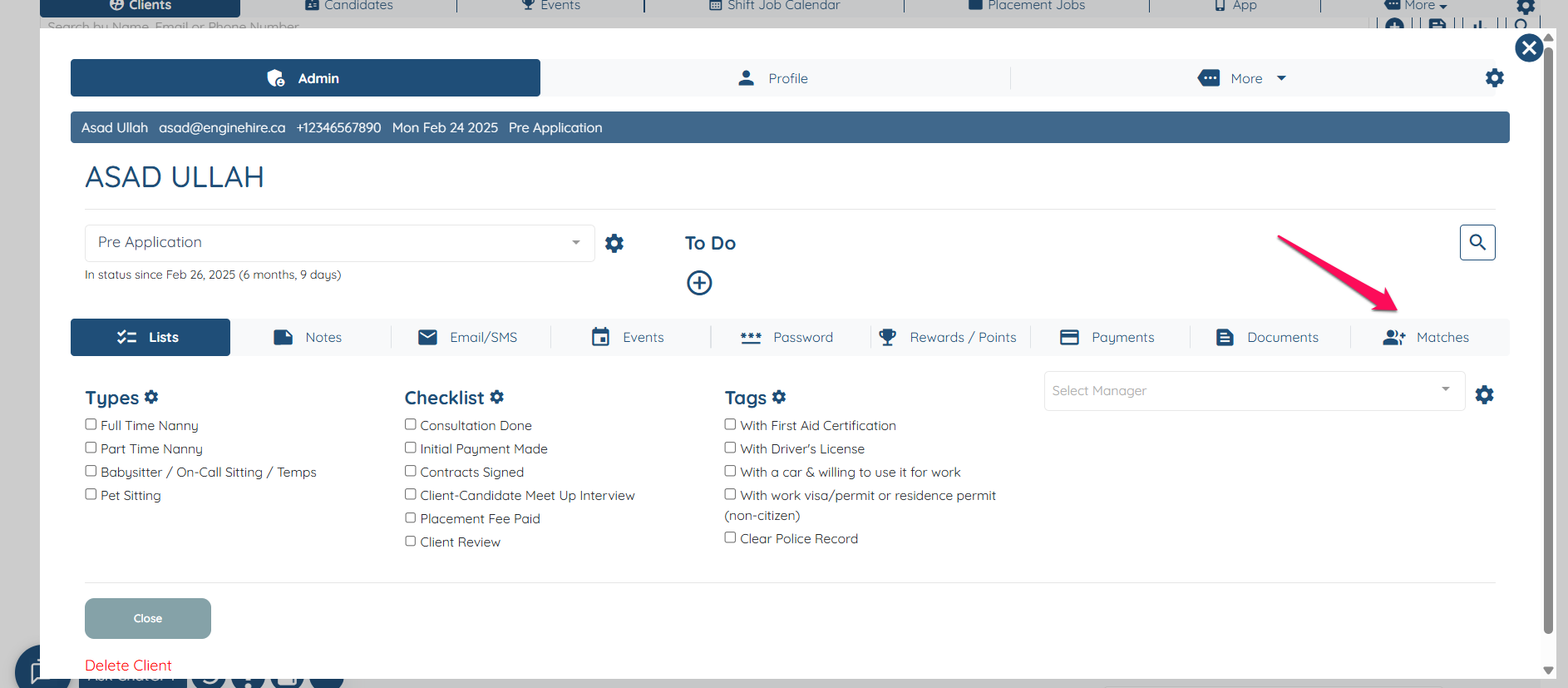
Click on Matches.
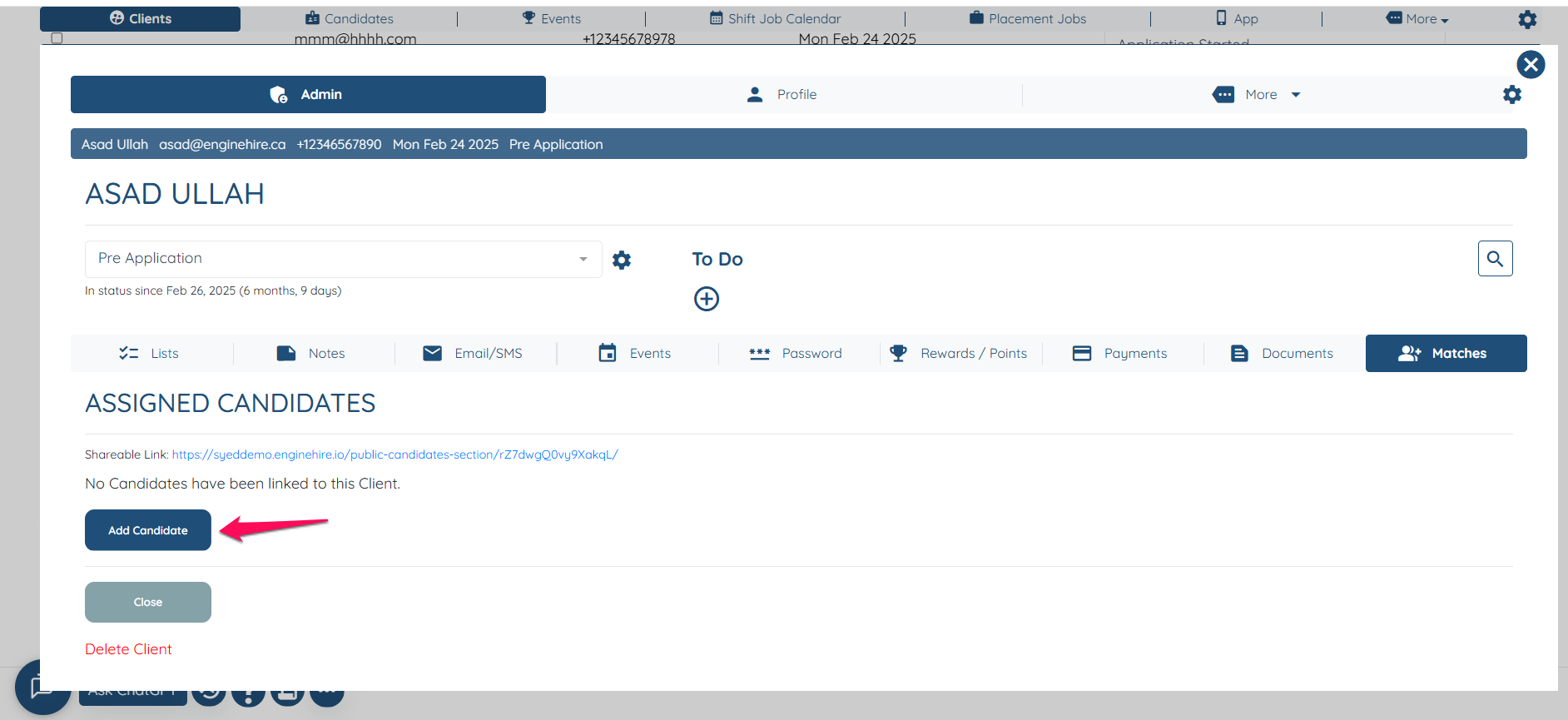
Click on "Add Candidate"
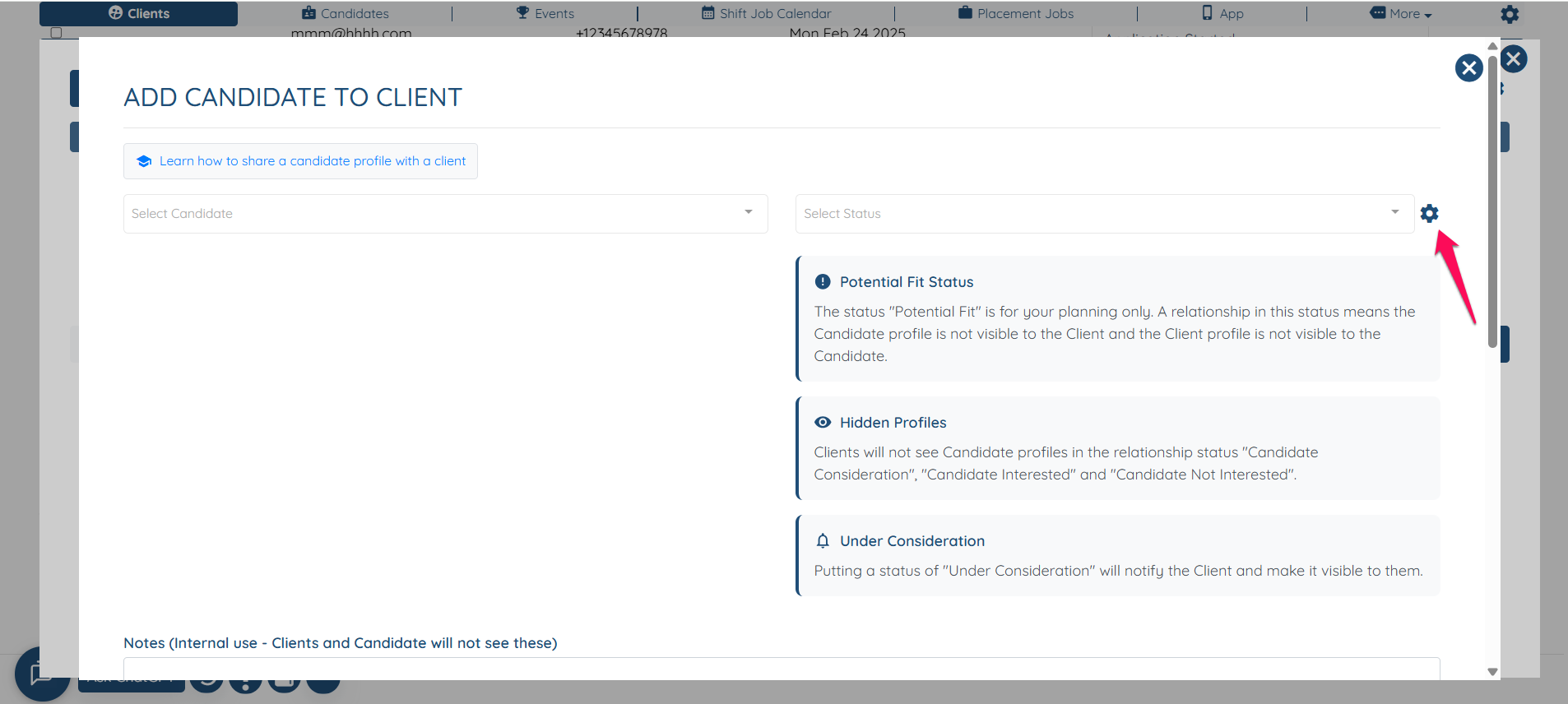
Click on the Gear icon.
Check the box Disable default under consideration email for client-candidate relationship
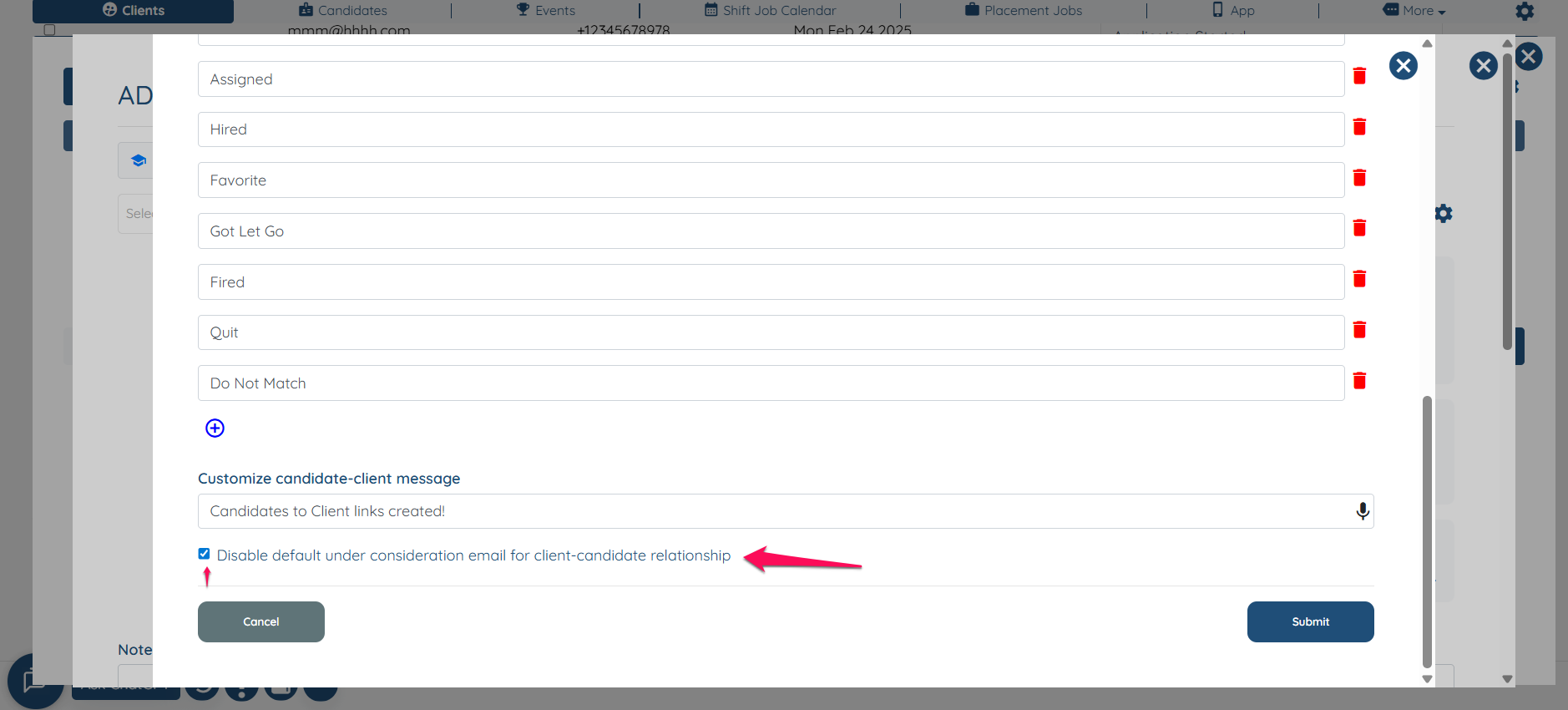
Do not forget to click on Submit.
If this content doesn't answer your questions you can always contact us by clicking here
Disable the default under consideration email for client-candidate relationship
Disable the default email under consideration for the client-candidate relationship when sharing a profile. Please know that this is only for the status Under-Consideration.
Did this answer your question?
😞
😐
😁