
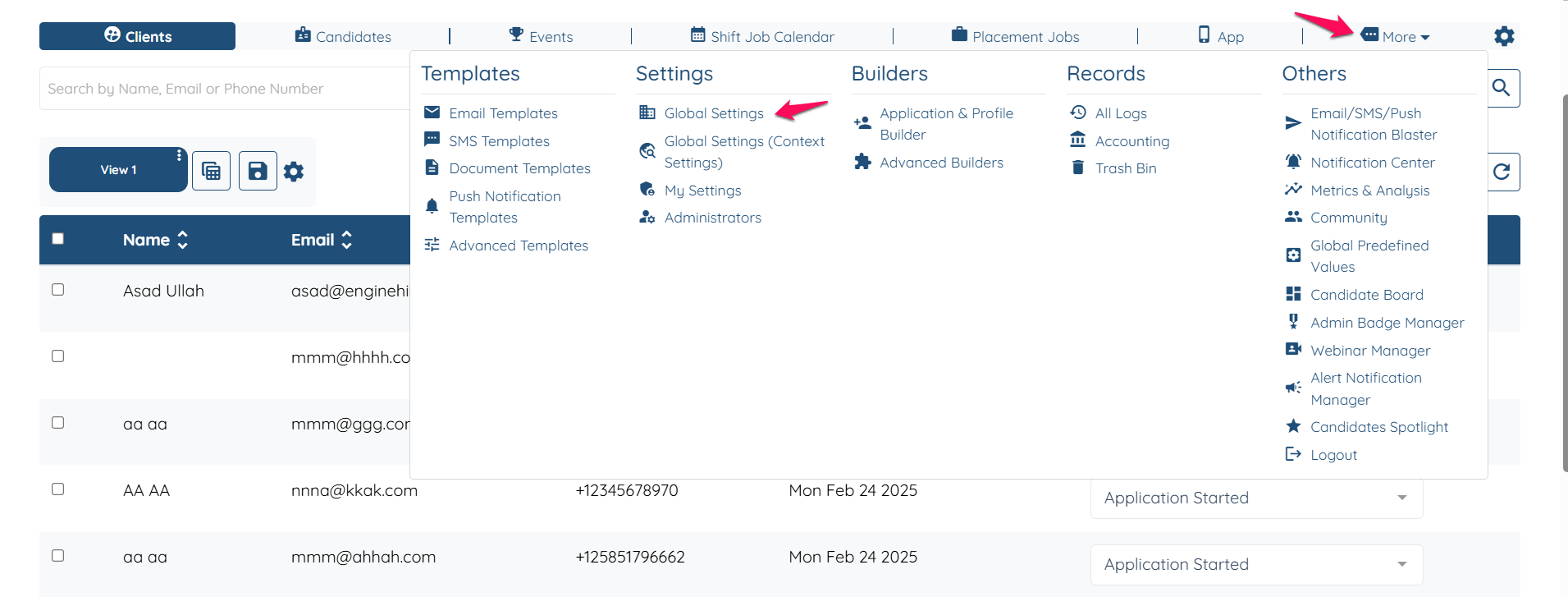
Go to more Global Settings.
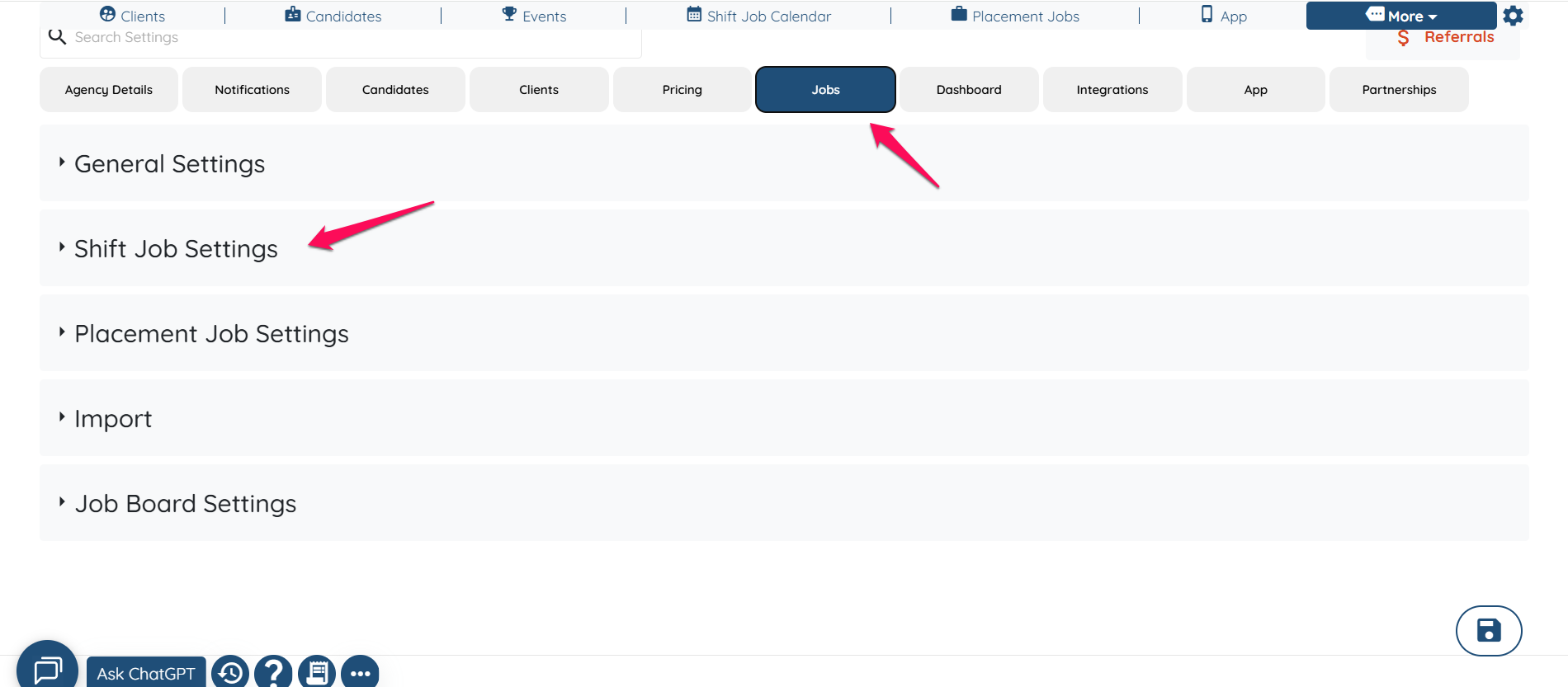
Click of Jobs and then Shift Job settings.
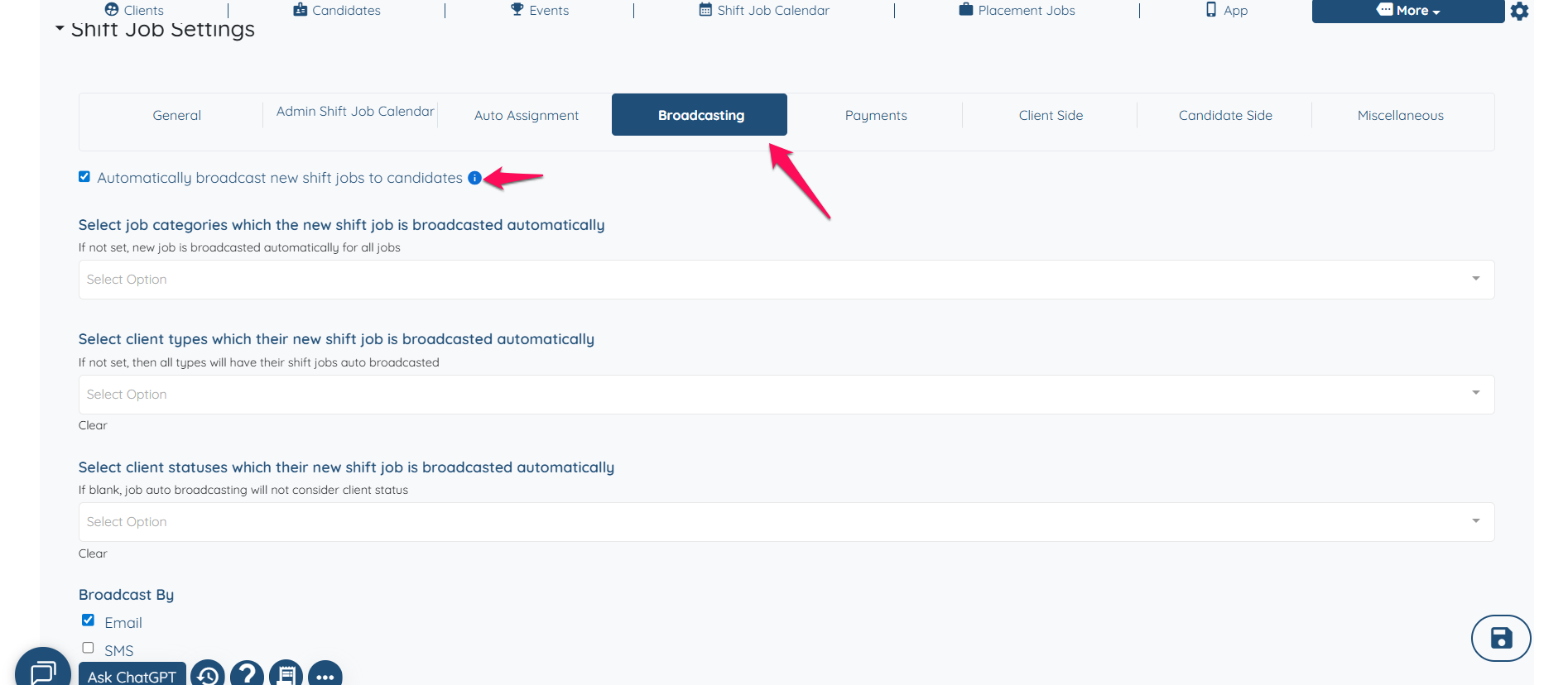
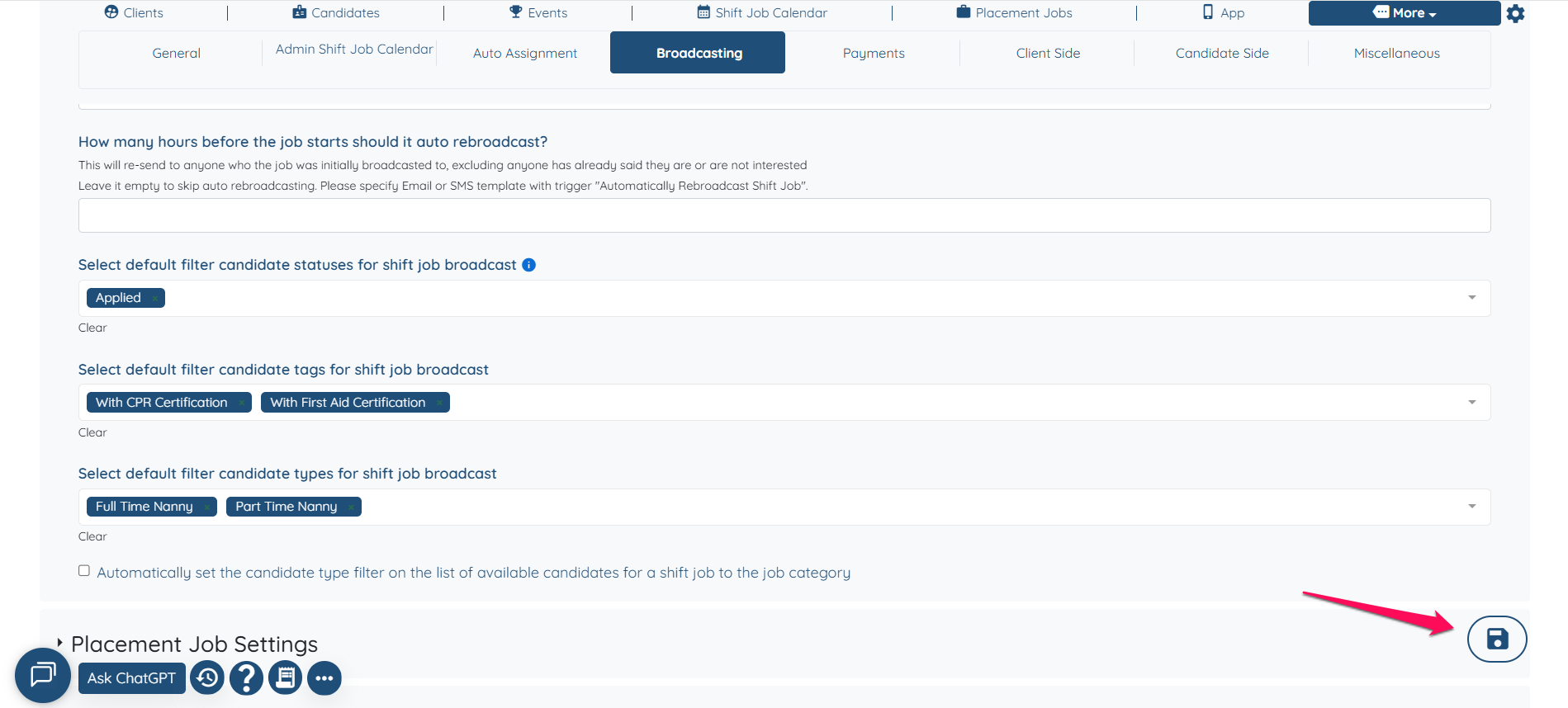
Click on broadcasting and make sure the setting "Automatically broadcast new shift jobs to candidates " is selected.
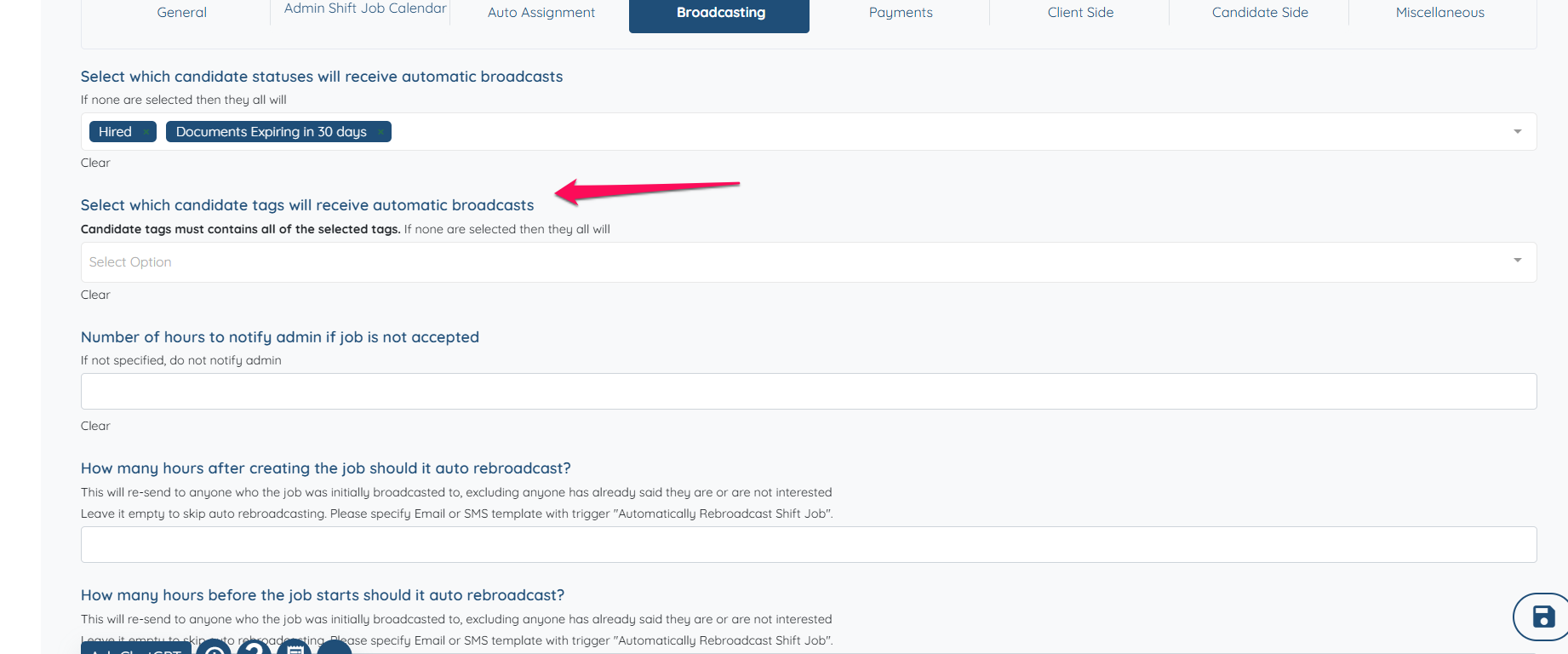
Select the tags you want the auto-broadcast to go out to.
Do not forget to click on "Update settings".
Learn how to send automatic broadcasts for bookings. Learn more here.
If this content doesn't answer your questions you can always contact us by clicking here