
By default, the view for the client looks like this:
If you'd like to add more detail to this front facing view, you can edit the tags that are displayed.
Example Configurations
Here are a few ways you might format your calendar titles:
Type of Candidate, time, and status of the job
[[location]]| [[start_time]] - [[end_time]] | [[status]] - [[filler_name]] ([[number_application]])
Where to Find This Setting
Visit your test Client account and navigate to the booking form:
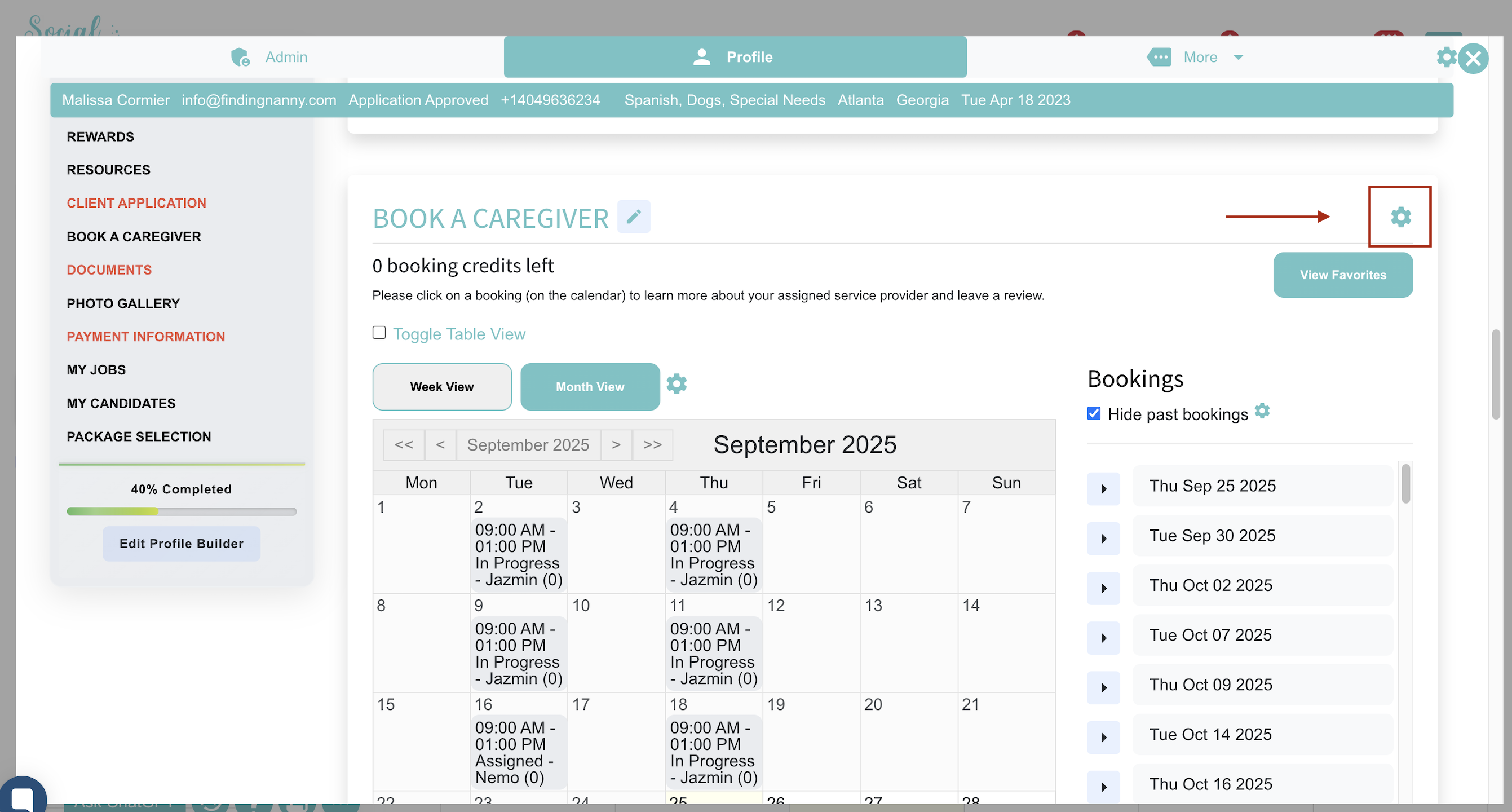
Click the GEAR icon on the far right and begin adding the code tags.
If this video doesn't answer your questions you can always contact us by clicking here