
To modify the default message displayed to Clients when no Candidates are available for their requested shift job, follow these steps:
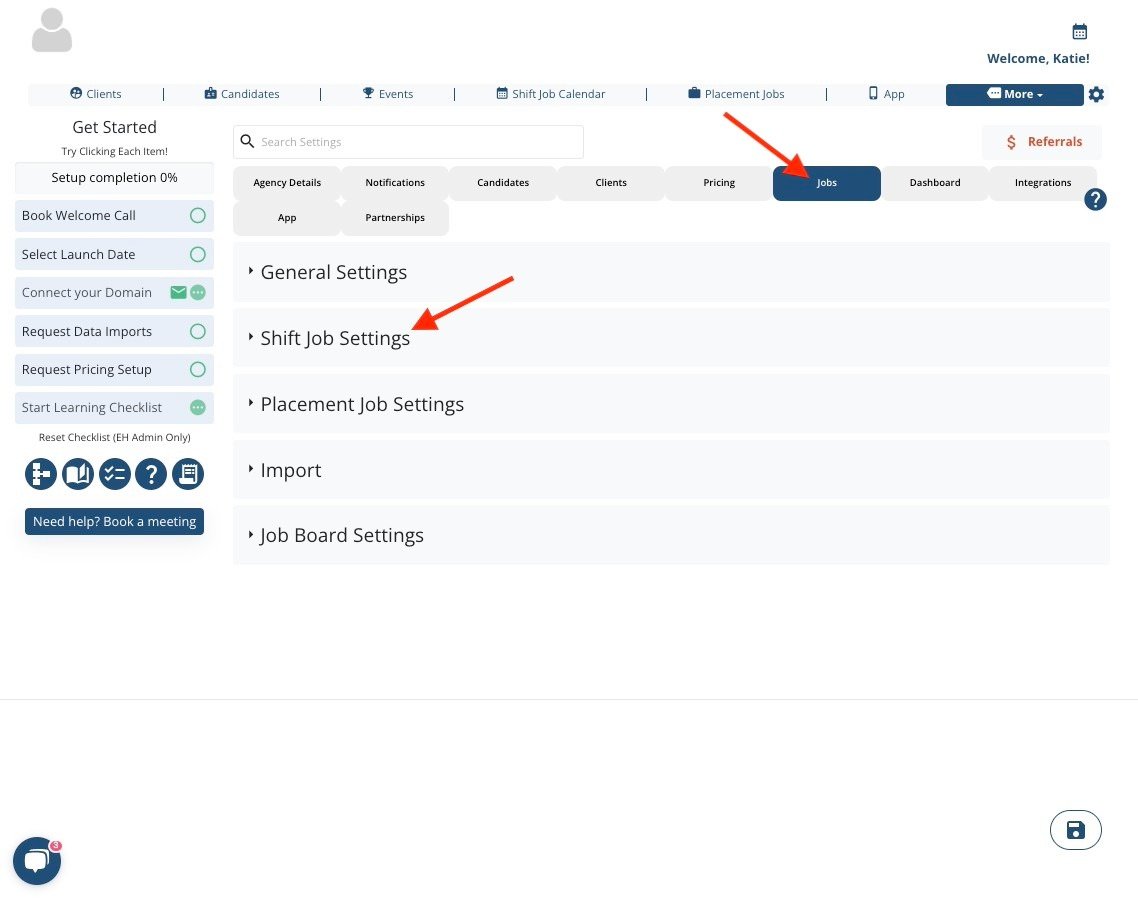
Navigate to More → Global Settings → Jobs → Shift Job Settings:
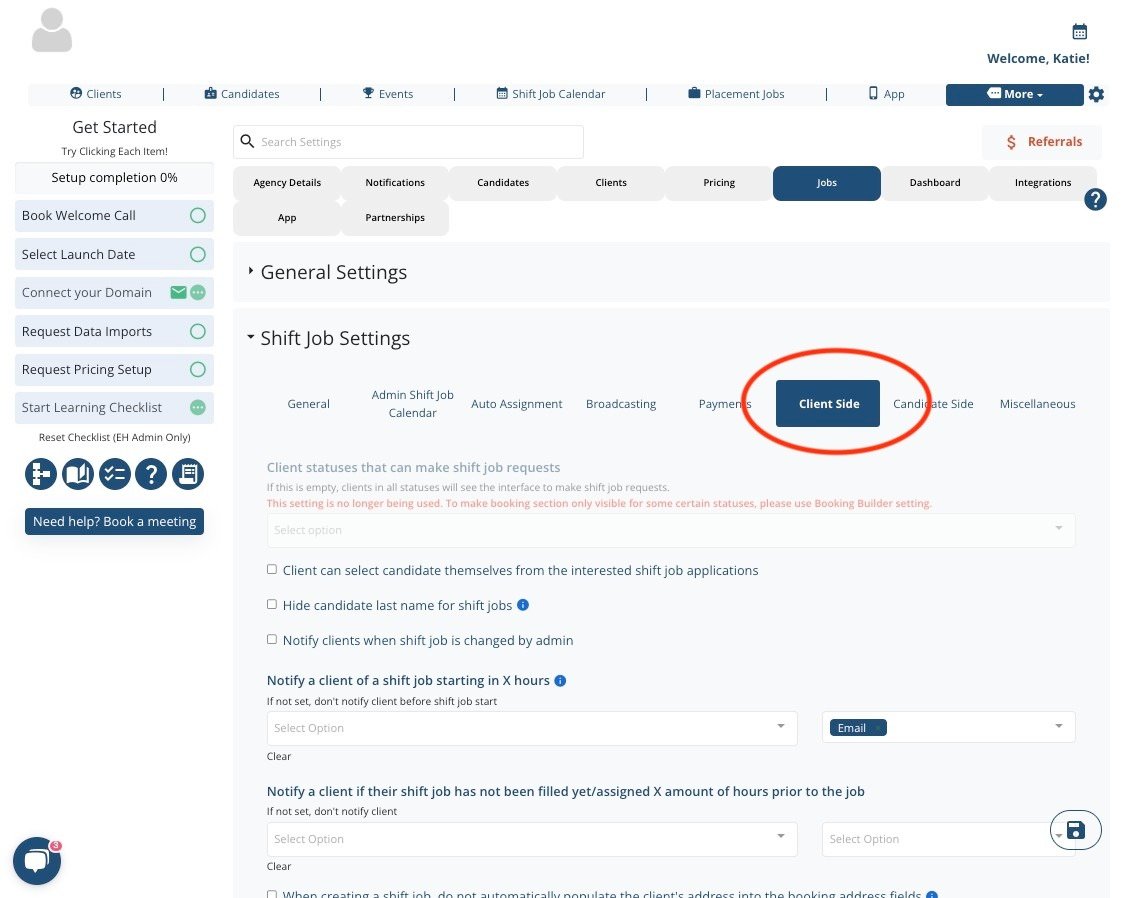
Select Client Side:
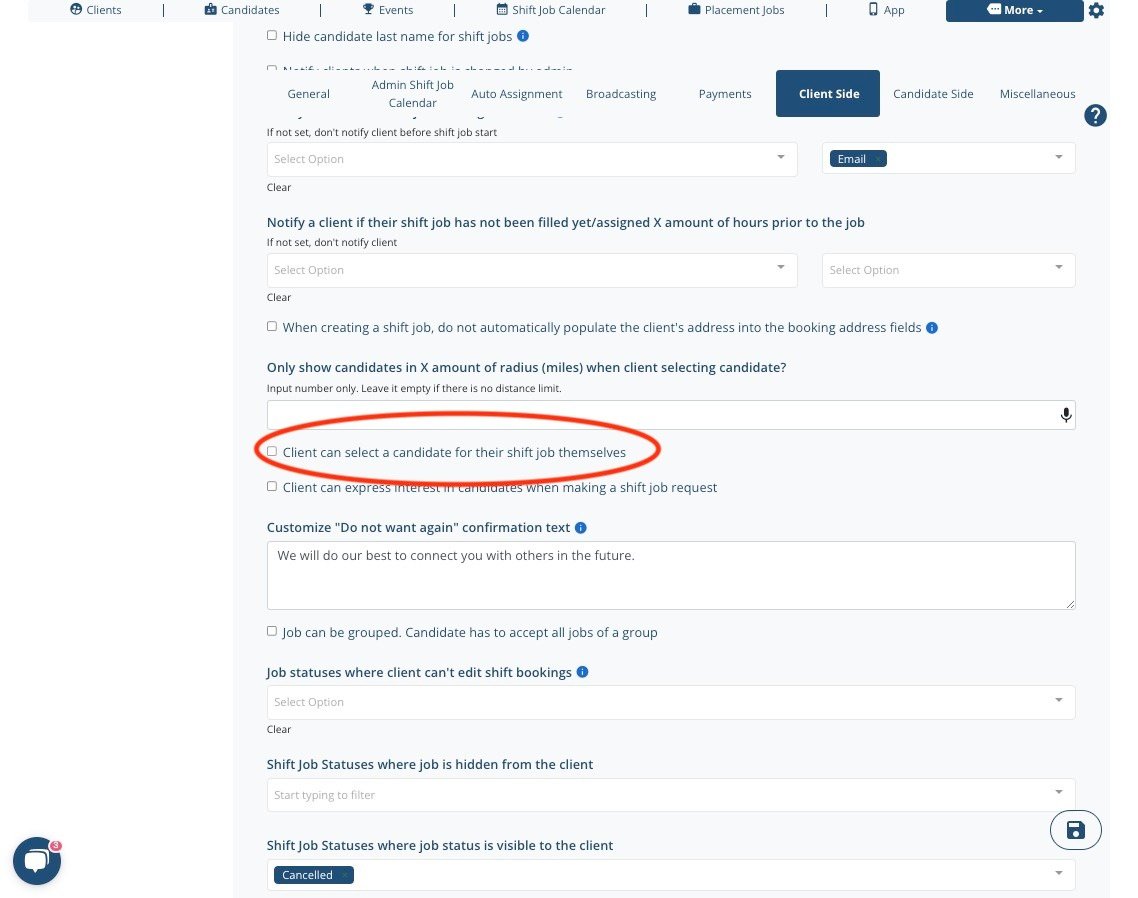
Scroll to section "Client can select a candidate for their shift job themselves"
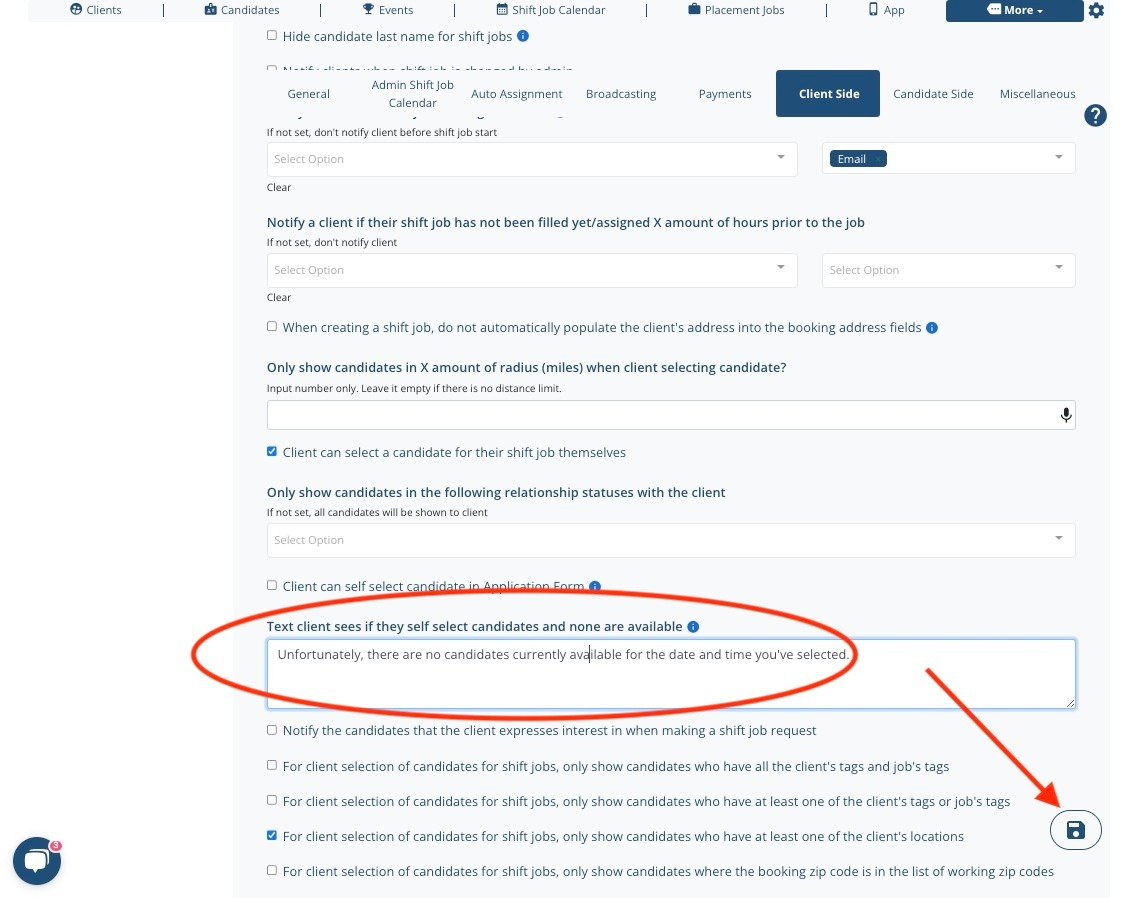
Once this option is checked, the box to adjust the default warning will appear below. Edit the wording and click "save."
If this video doesn't answer your questions you can always contact us by clicking here