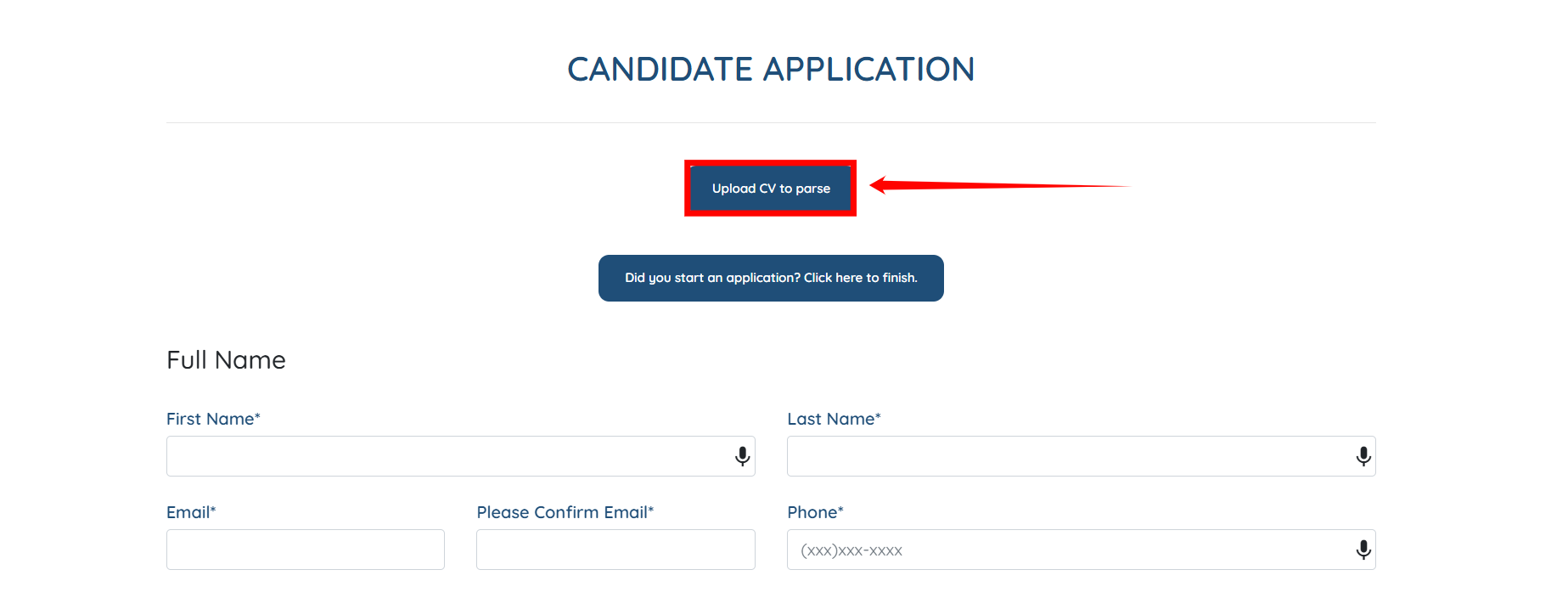
Let’s get started 🚀
Step 1: Log in to your agent dashboard, then navigate to More > Application & Profile Builder, as shown in the screenshot below.
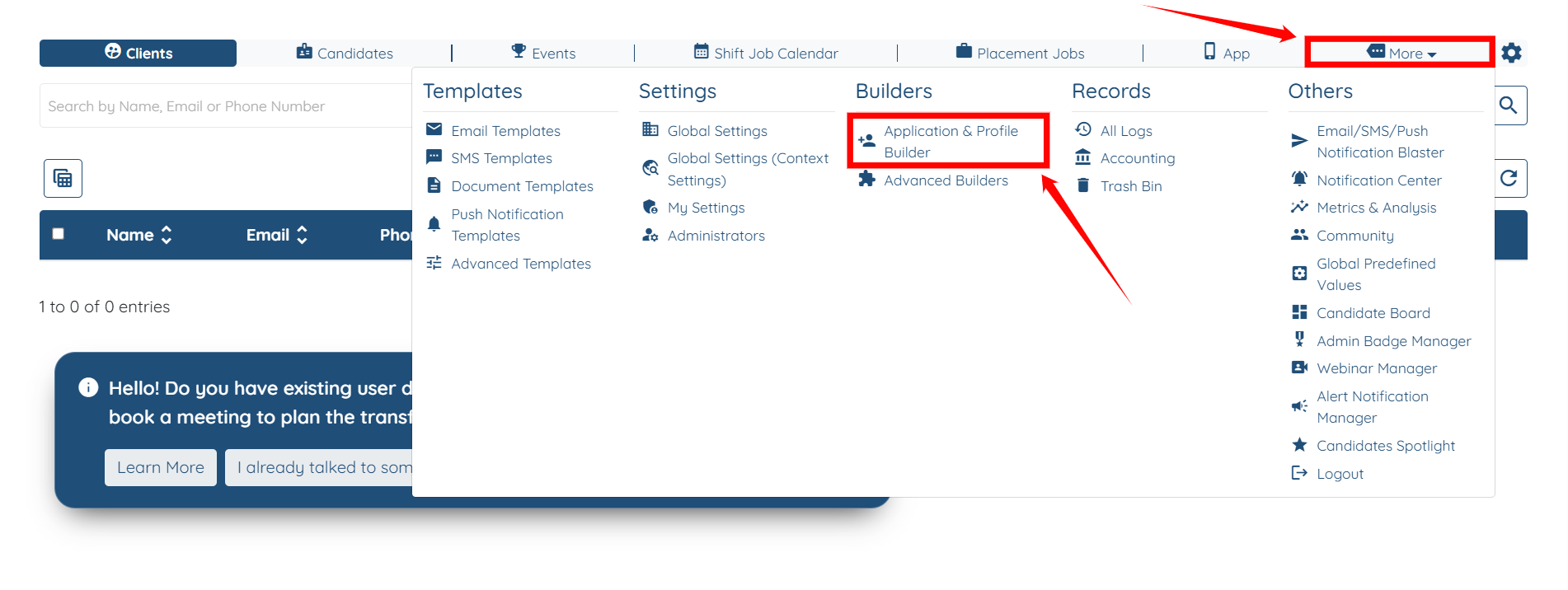
Step 2: Locate the application form where you wish to enable the Parse CV button, and then click the Gear icon associated with that form in the Actions column.

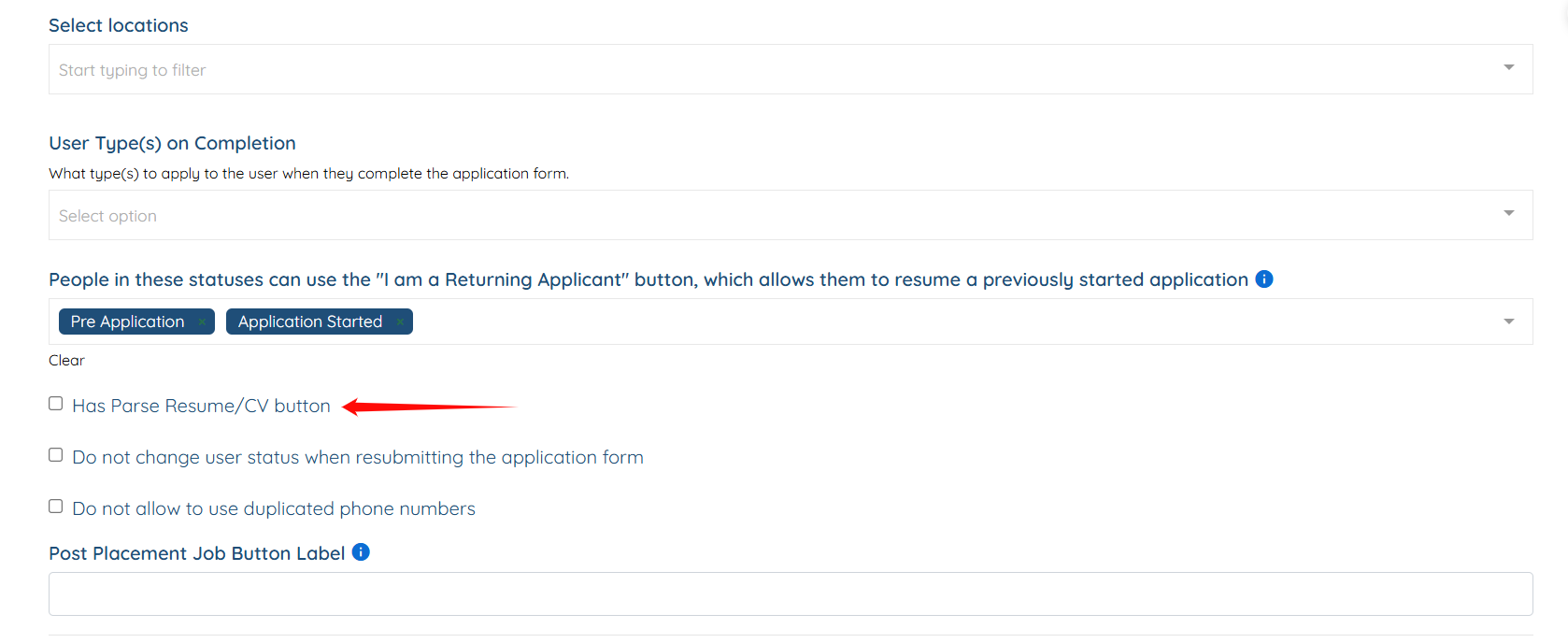
Step 3: Scroll to the bottom and check the Has Parse Resume/CV button to activate it.
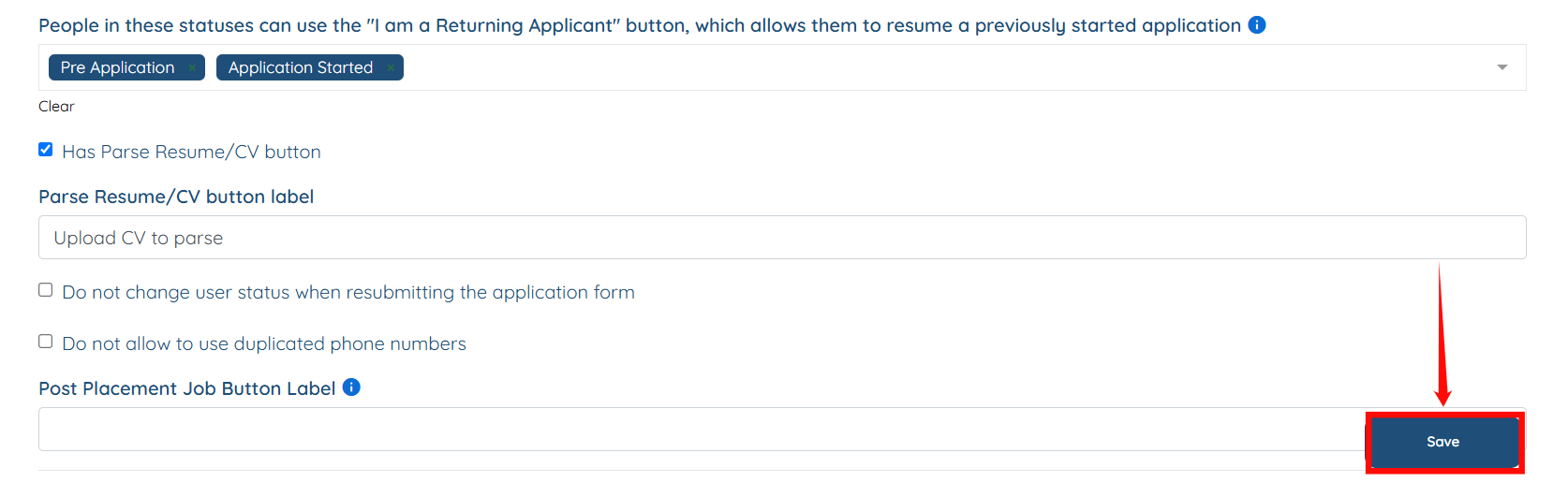
Step 4: Provide the label(text) that will appear on the button within the application form.

Step 5: Click on the Save button to proceed.
The button will be enabled on the application form successfully.