Let’s get started 🚀
Step 1: Create a Job Application Form for the specific position where you want to save the candidate’s responses when they fill out the form.
Step 2: Ensure that the question(s) you added while creating the job application form in step 1 are also incorporated as fields within a section in the candidate’s profile.
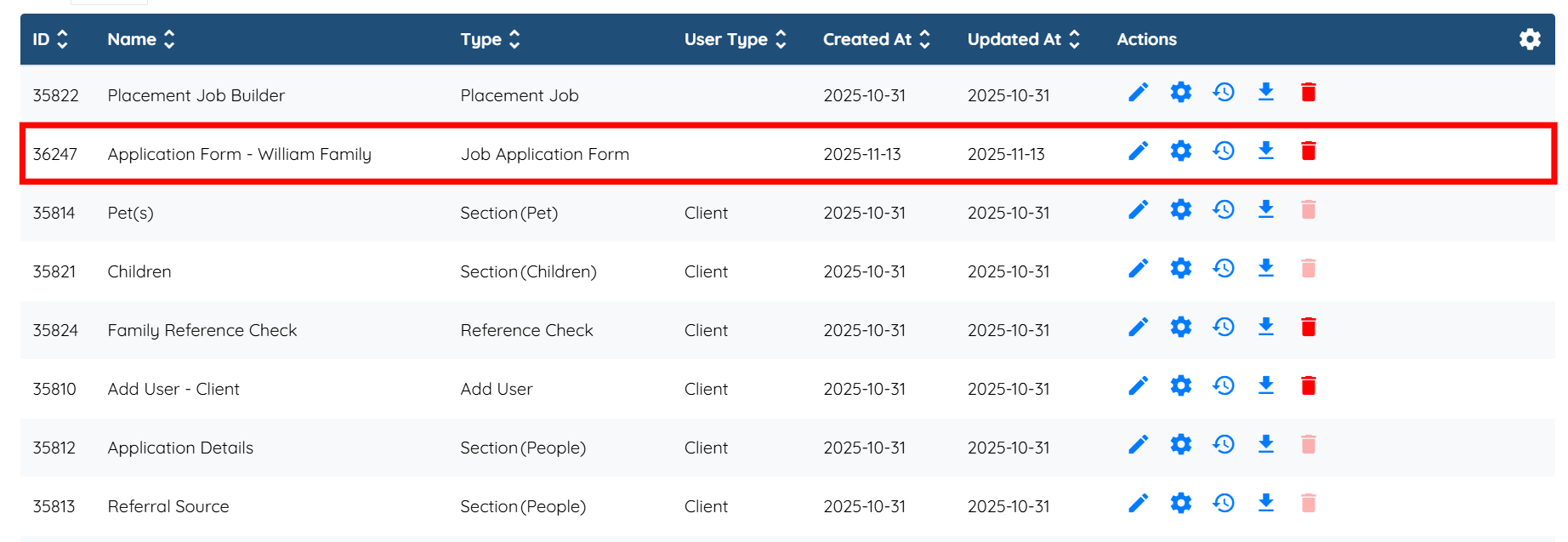
For demonstration purposes, we have created a Job Application Form titled WILLIAM FAMILY and included the following two questions in the form:
1. Will you be using private or public transportation?
2. Are you flexible and able to stay later than the estimated daily end-time?

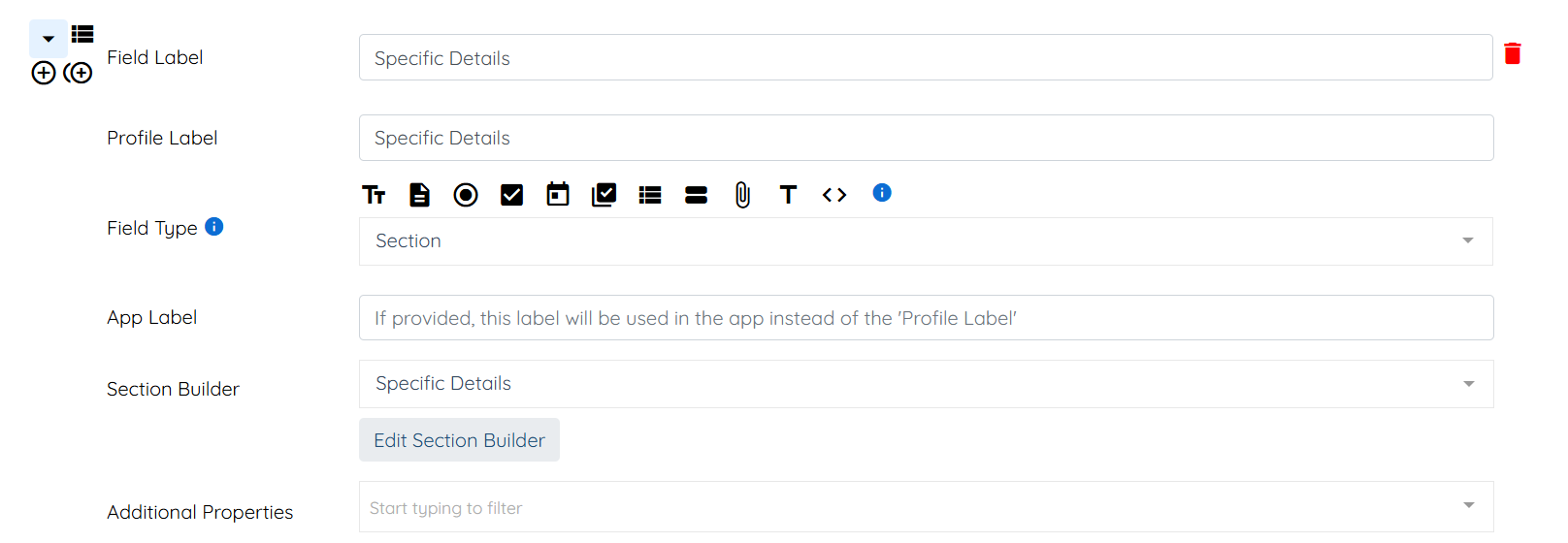
And created a new section titled Specific Details, containing the same questions as those included in the Job Application Form.

Then, added the Specific Details section to the Candidate’s Profile.

Step 3: Open the Job Application Form you created in Step 1 by clicking on it.
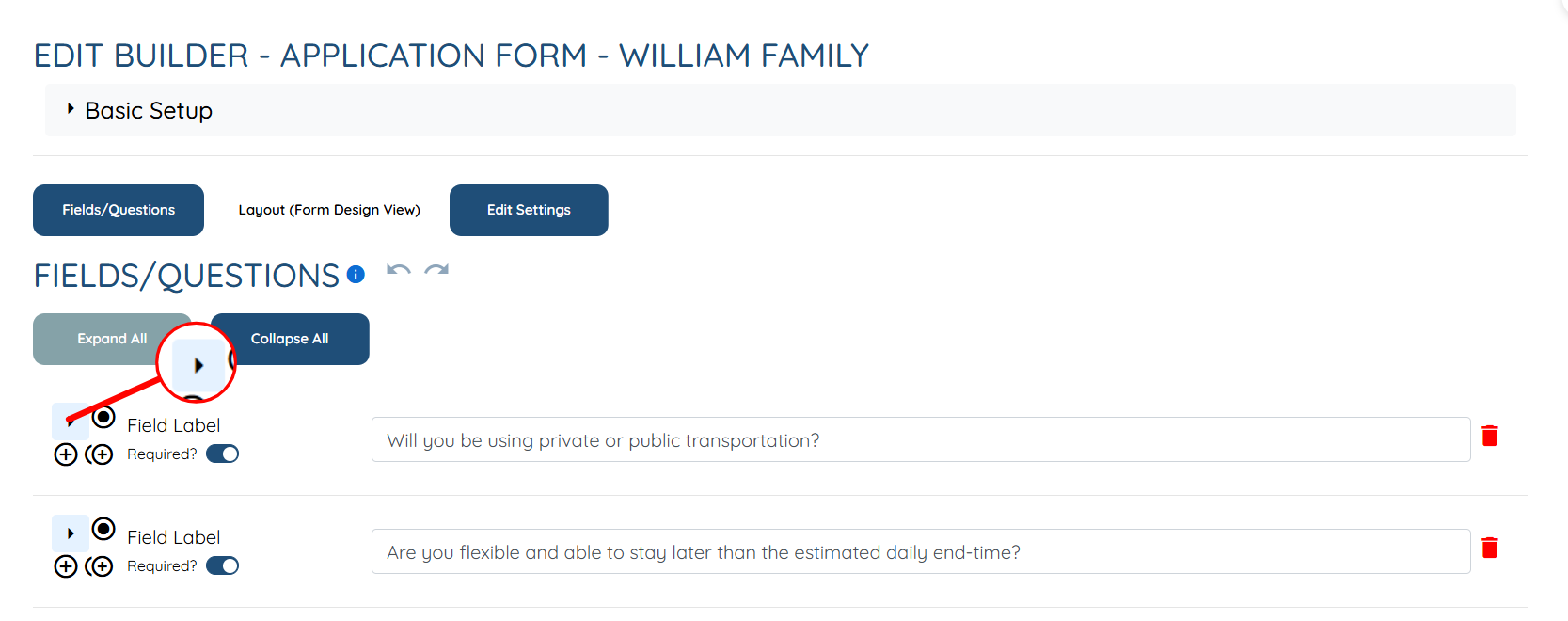
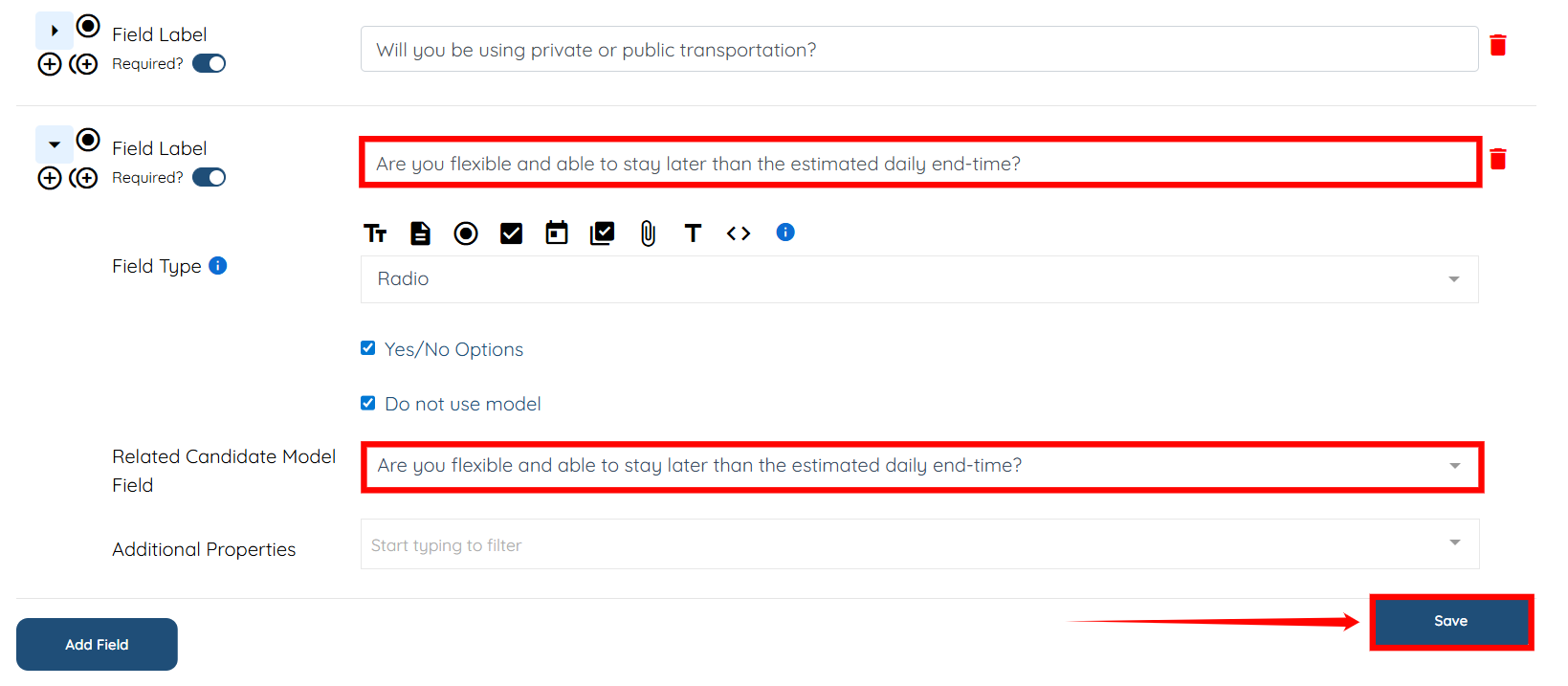
Step 4: Click the arrow shown in the screenshot below to expand the field (question) details.
Step 5: In the Related Candidate Model Field dropdown, select the same question as in the Field Label field.
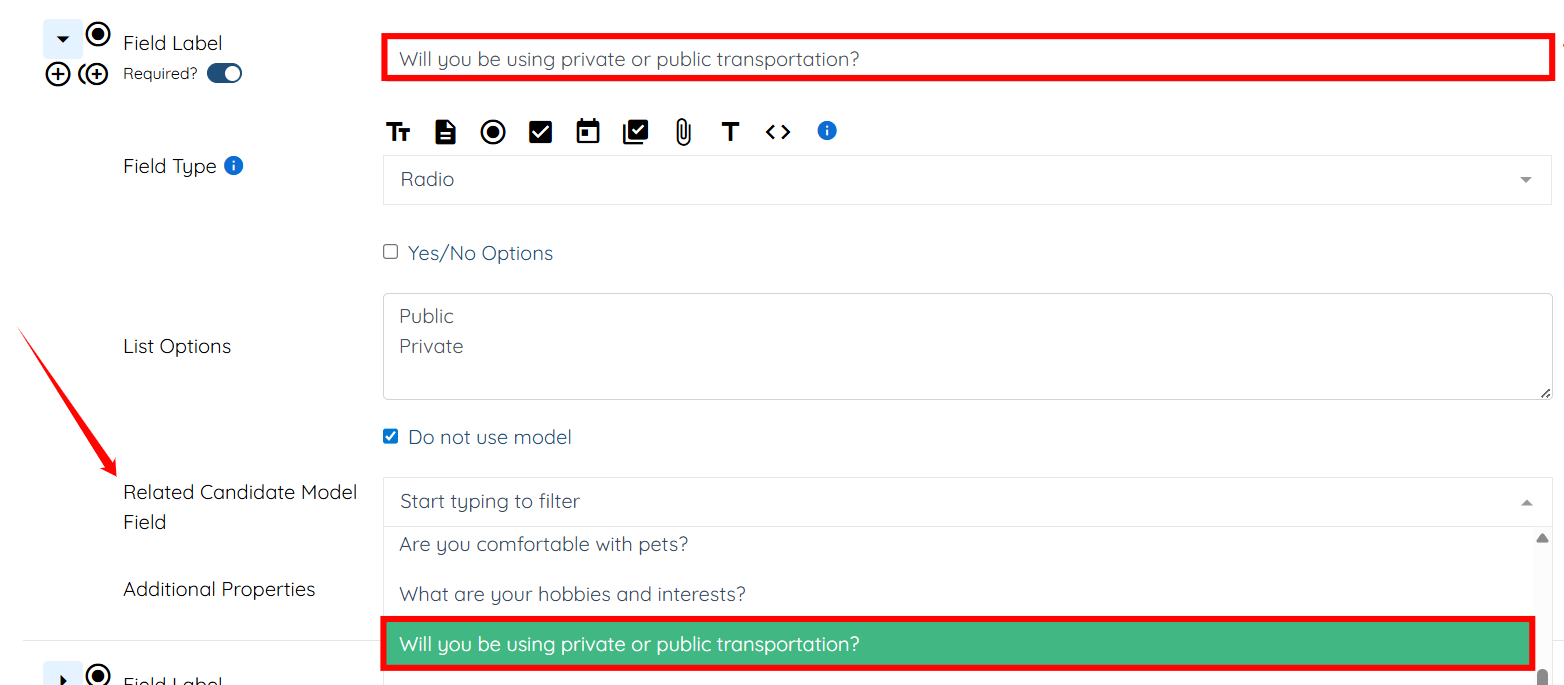
Step 6: Repeat step 5 for the remaining questions, and then click the Save button to proceed.
Now, when the candidate answers the job application questions, the system automatically saves the answers to their profile.
