Let’s get started 🚀
Step 1: Log in to your agent dashboard, then navigate to More > Application & Profile Builder, as shown in the screenshot below.

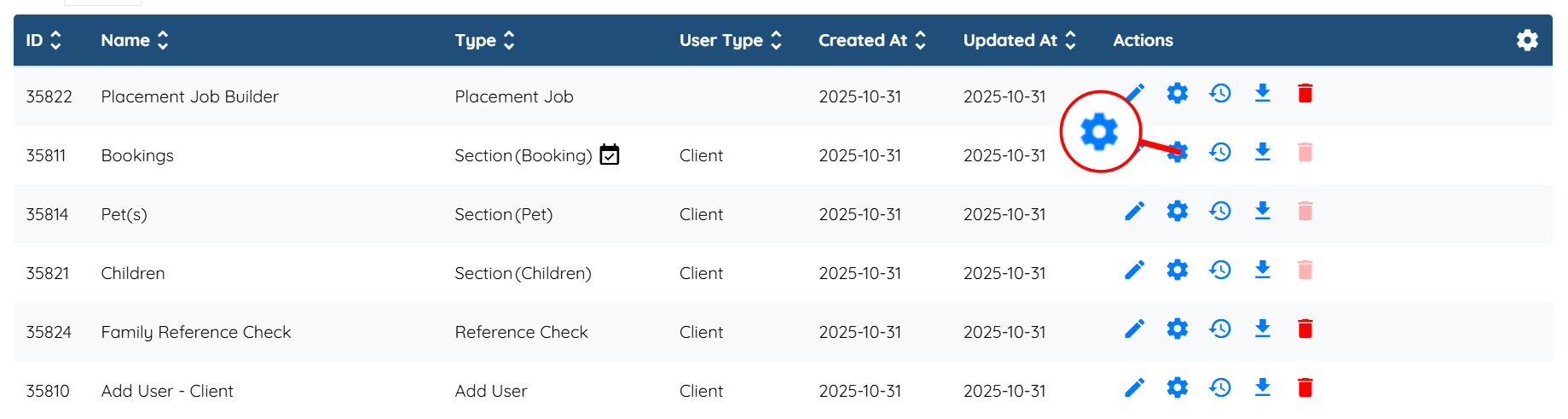
Step 2: Locate the booking form where you want to enable the charge rush feature, and then click the Gear icon associated with that form in the Actions column.
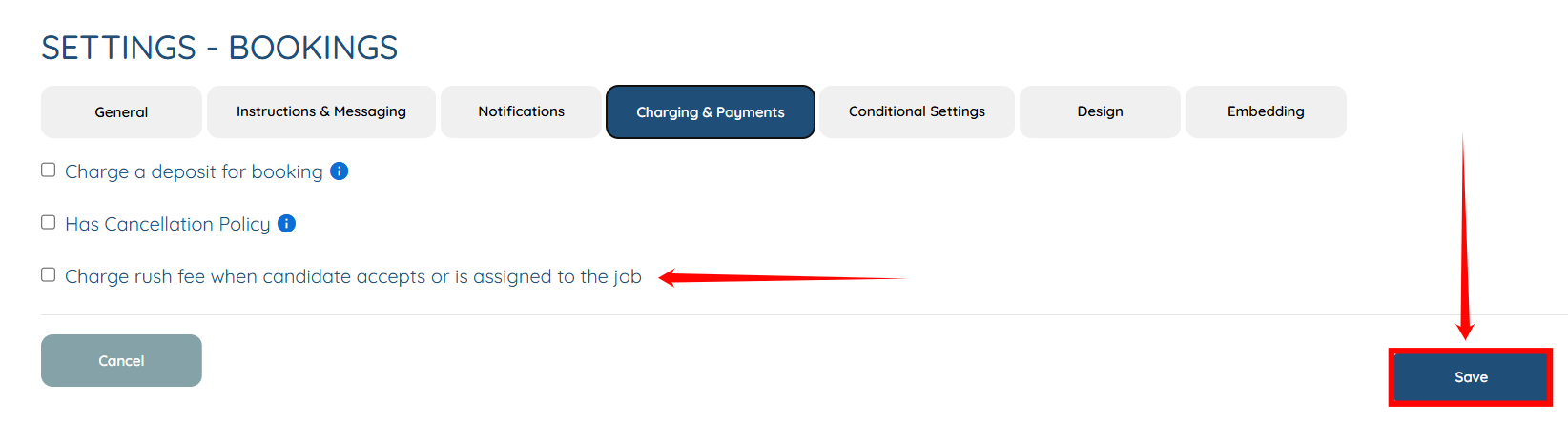
Step 3: Click on the Charging & Payments tab from the list of all available tabs.

Step 4: Click to select the Charge rush fee when candidate accepts or is assigned to the job checkbox, and then click the Save button to proceed.