Let’s get started 🚀
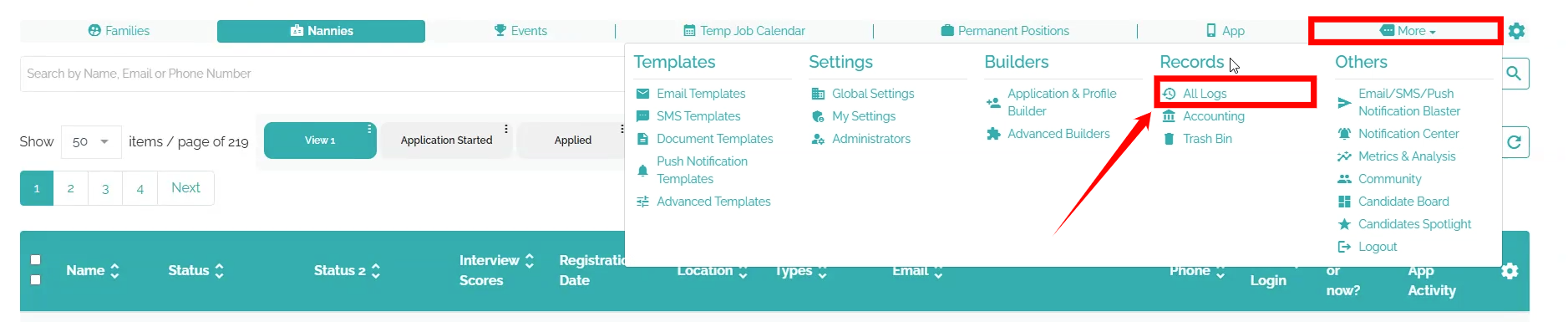
Step 1: Log in to your agent dashboard, then navigate to More > All Logs, as shown in the screenshot below.
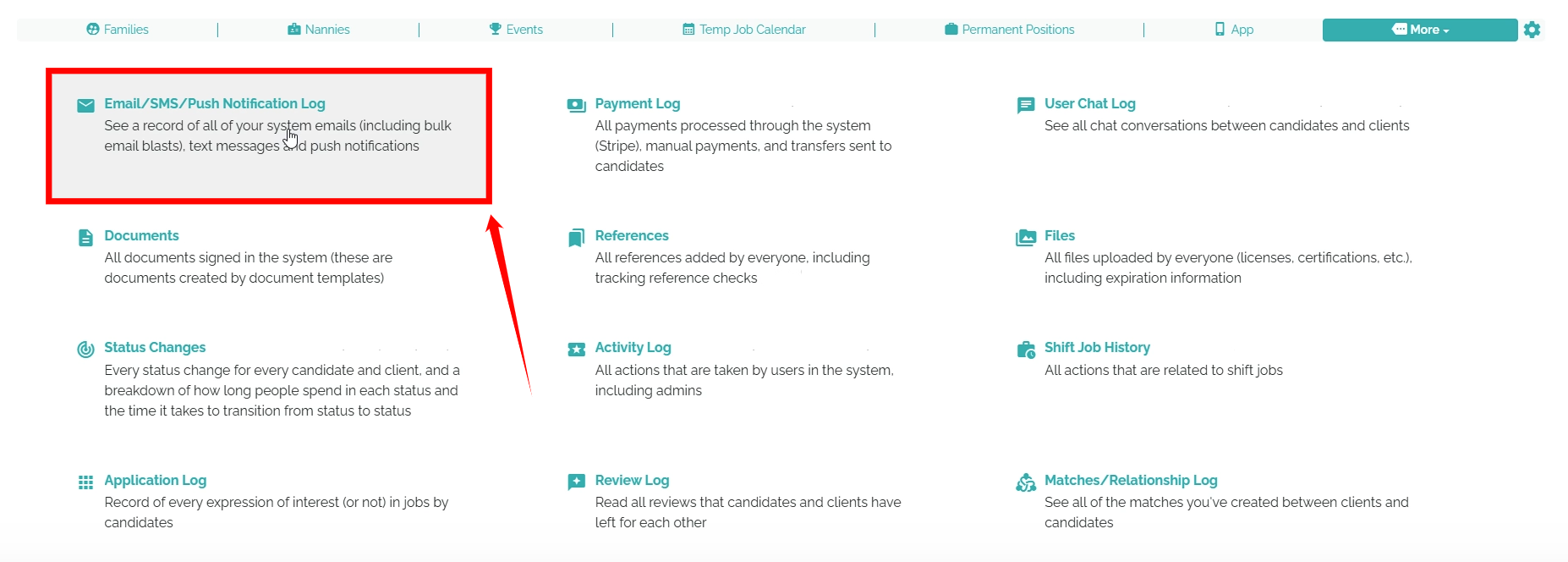
Step 2: Select Email, SMS, or Push Notification Log from the available list options.
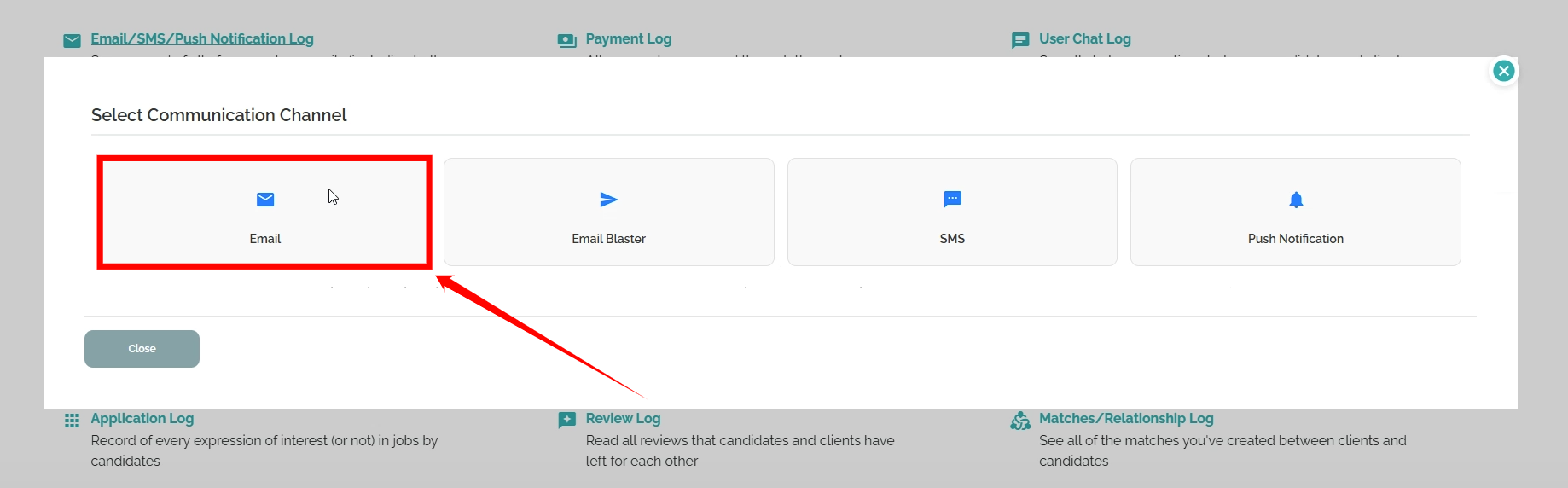
Step 3: Select the Email communication channel to continue.
Step 4: Click the View unsubscribed users button to open the list of all unsubscribed candidates.

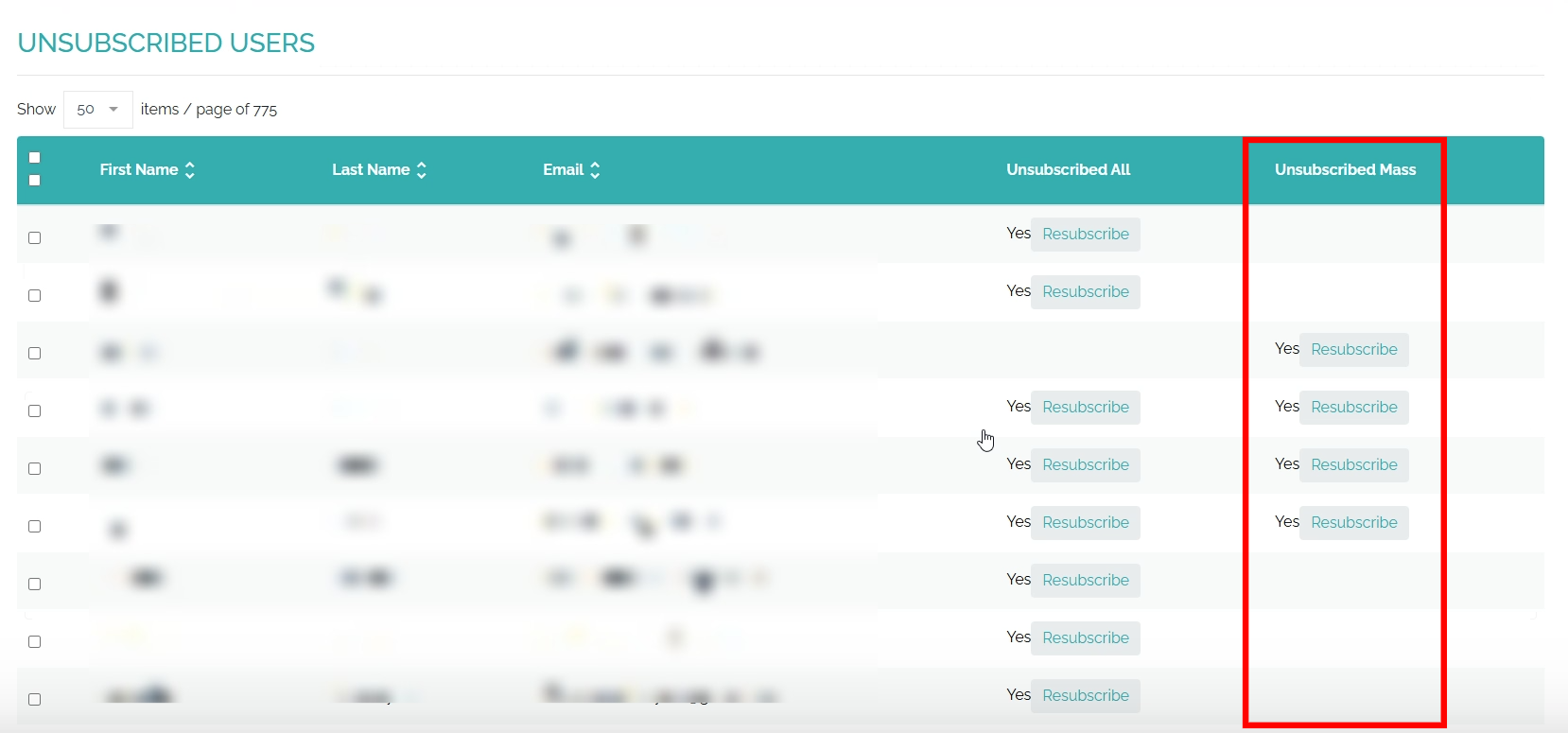
The Unsubscribed All column shows candidates who have unsubscribed from all individual notification emails sent by your agency.
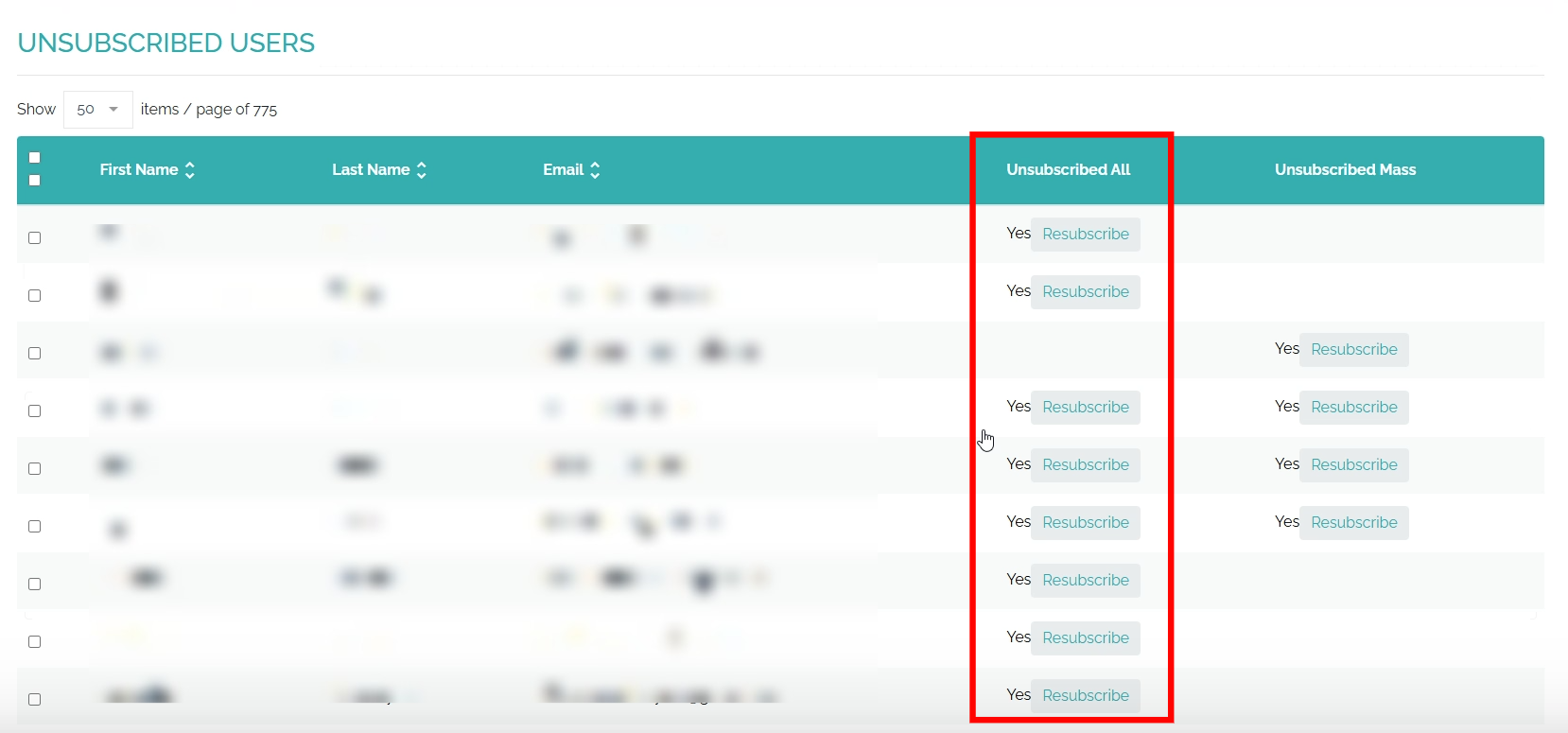
Whereas the Unsubscribed Mass column displays candidates who unsubscribe from mass emails sent through the Email Blaster or Bulk Broadcast triggers.