Let’s get started 🚀
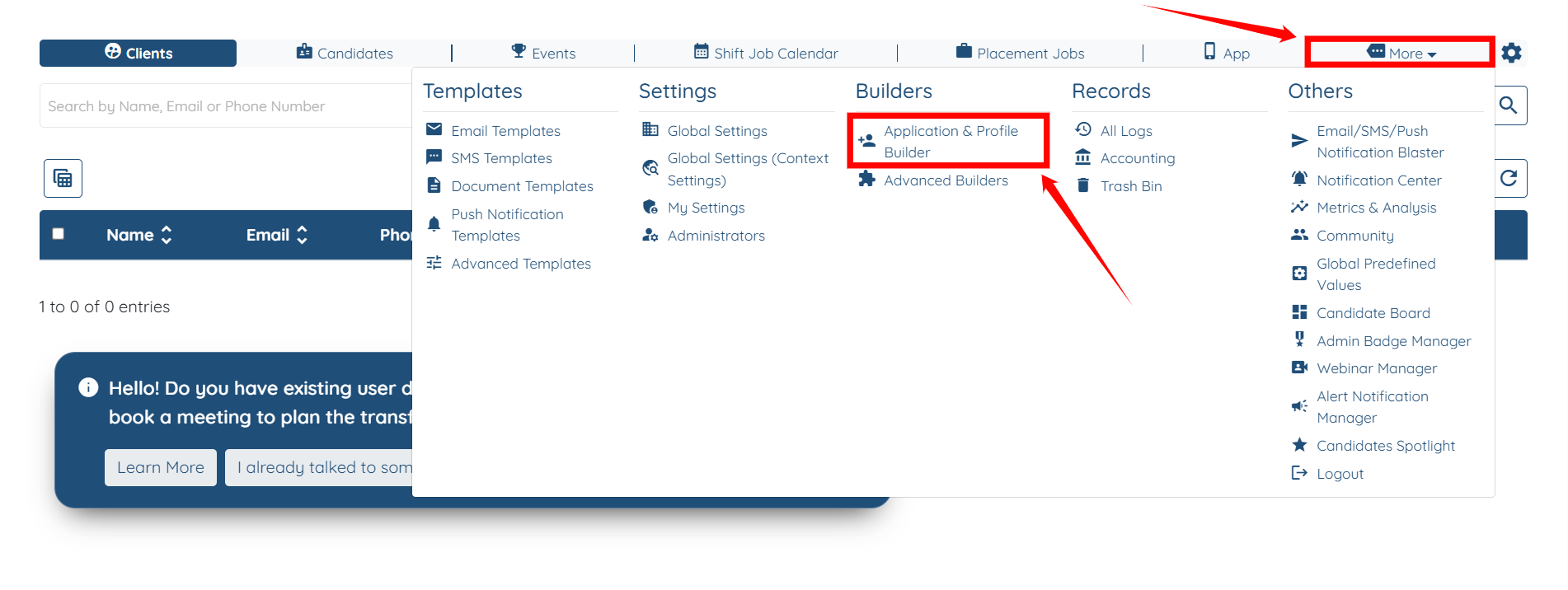
Step 1: Log in to your agent dashboard, then navigate to More > Application & Profile Builder, as shown in the screenshot below.
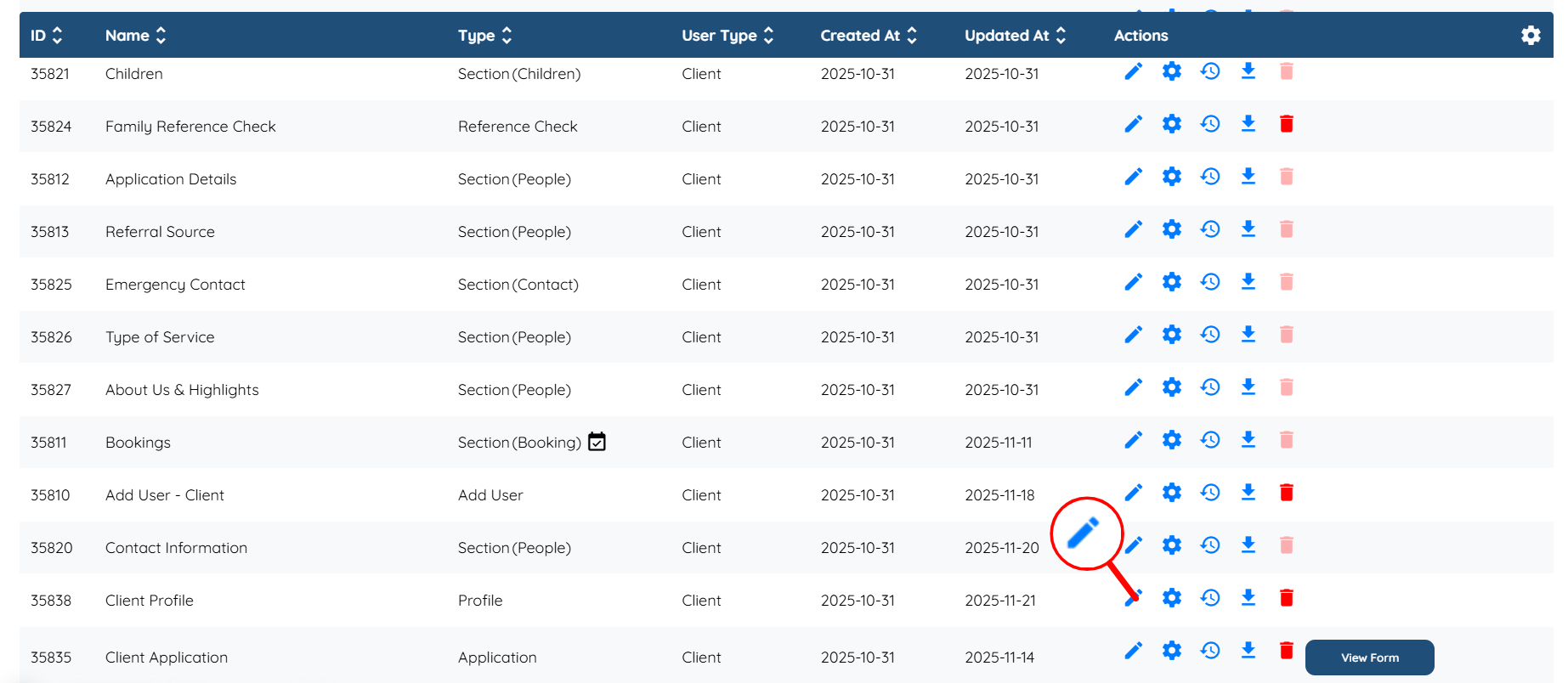
Step 2: Locate the Client Profile, and then click the Pencil icon in the Actions column for that client profile.
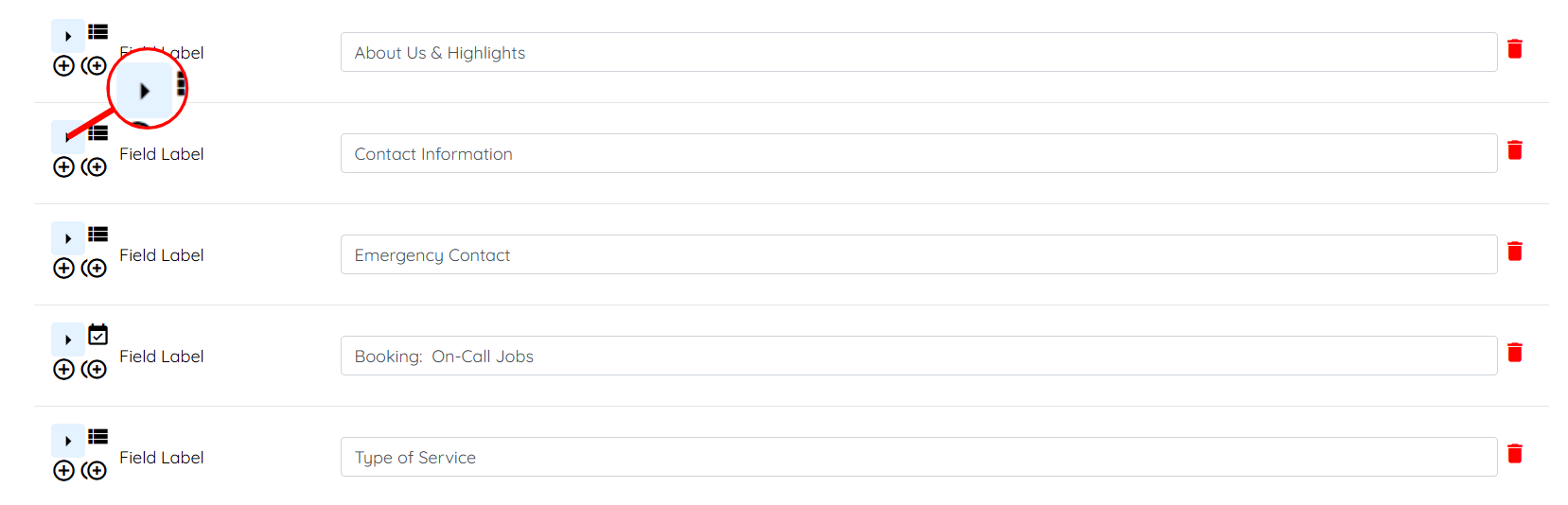
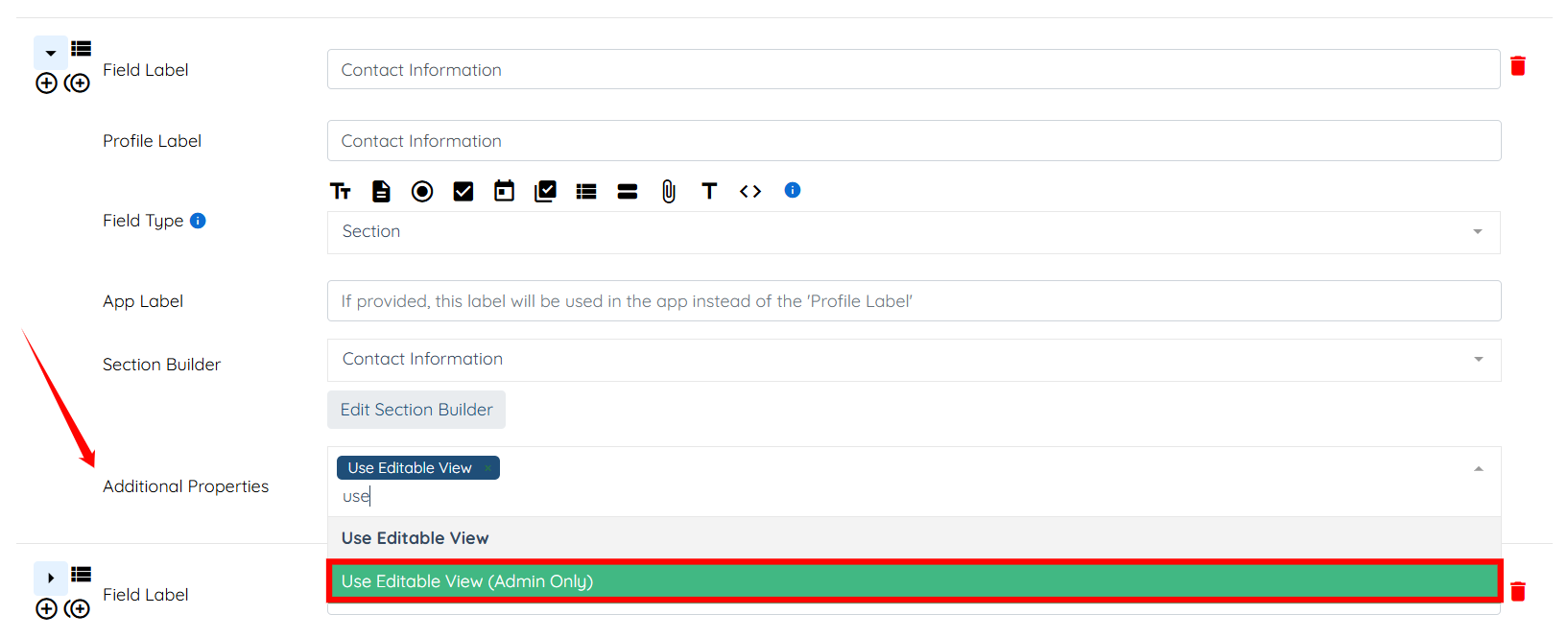
Step 3: Scroll down and click the arrow shown in the screenshot below for the field that you want to make editable for admin only.
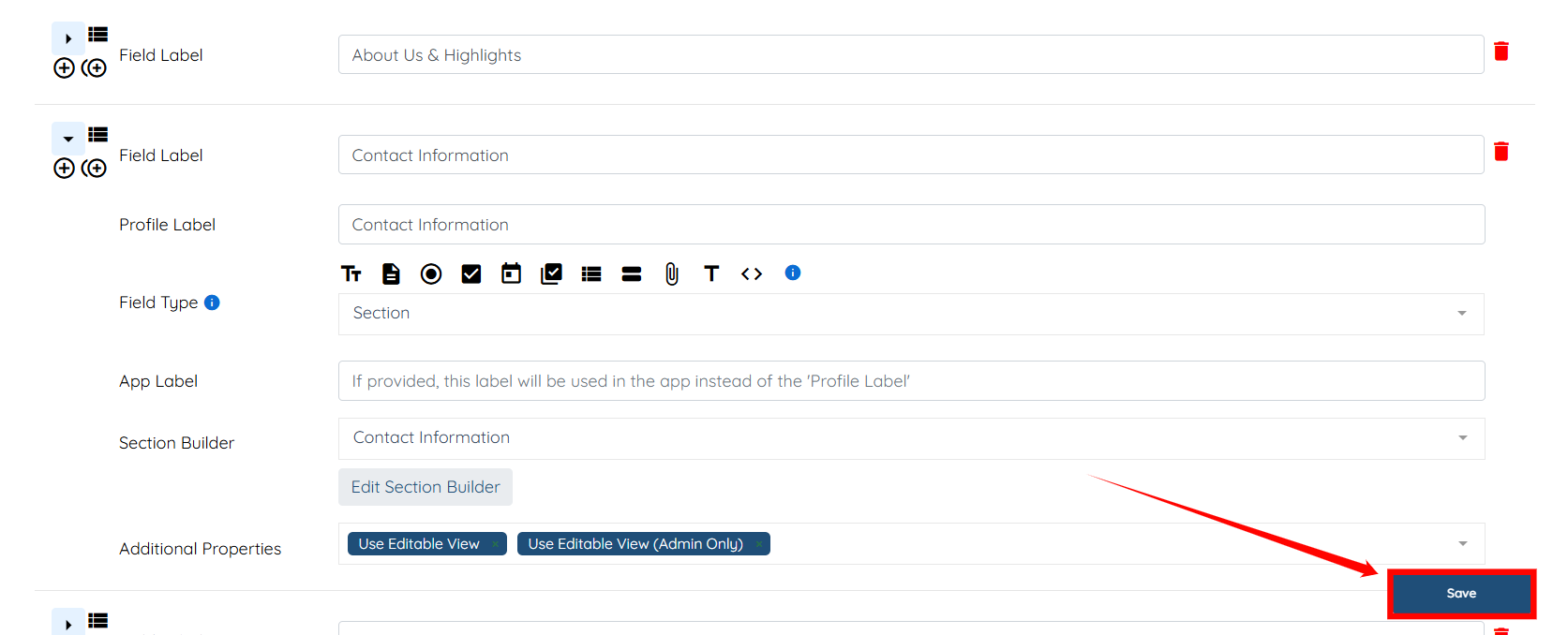
Step 4: Within the Additional Properties field, select the Use Editable View (Admin Only) option from the drop-down menu.
Step 5: Click the Save button to confirm the changes.