
Let’s get started 🚀
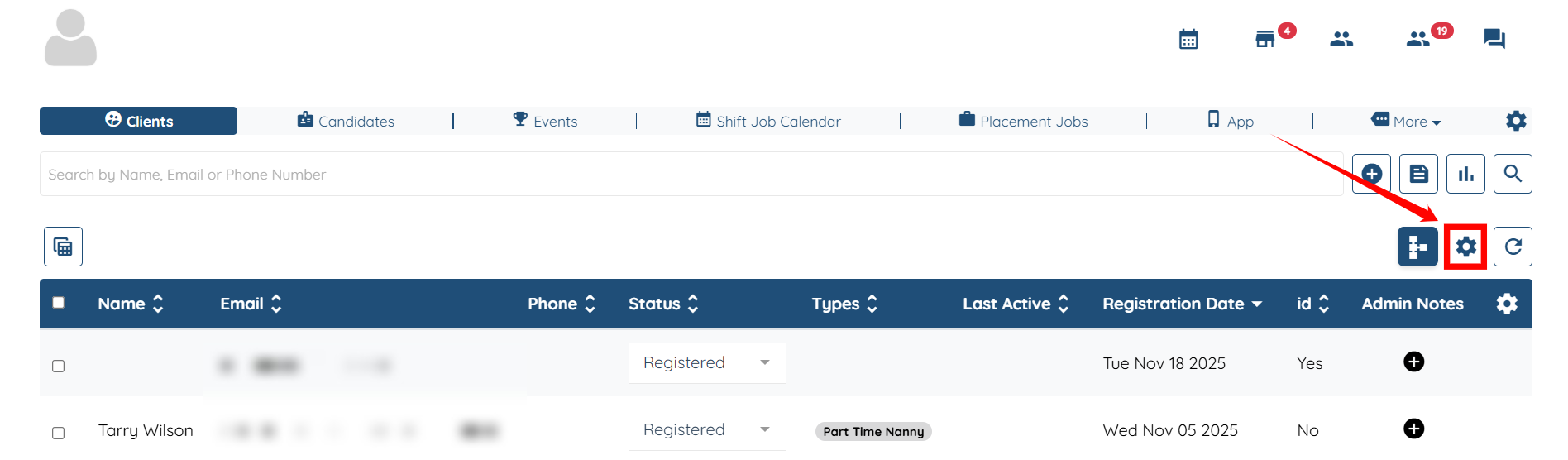
Step 1: Log in to your agent dashboard, and click the Gear icon as shown in the screenshot.
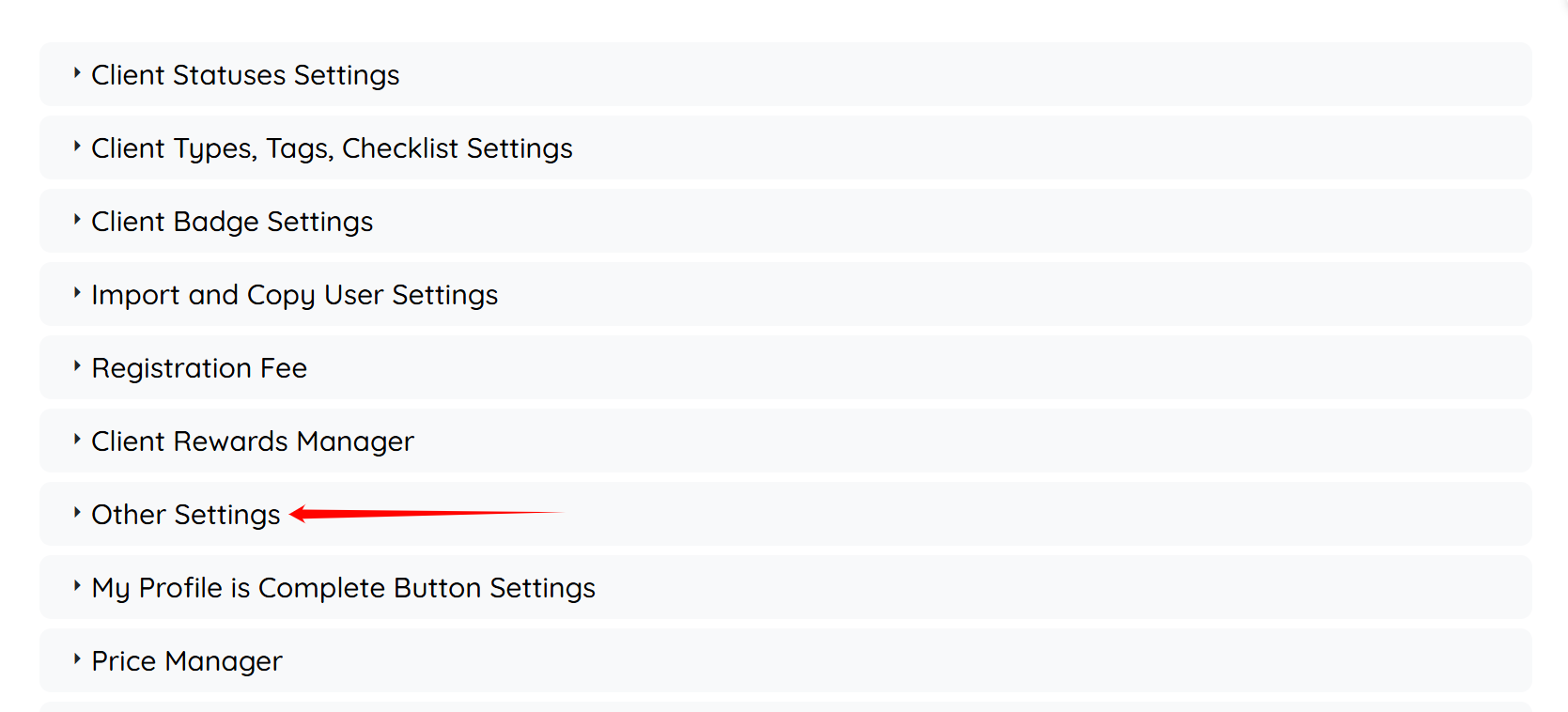
Step 2: Click the Other Settings option to expand its details.
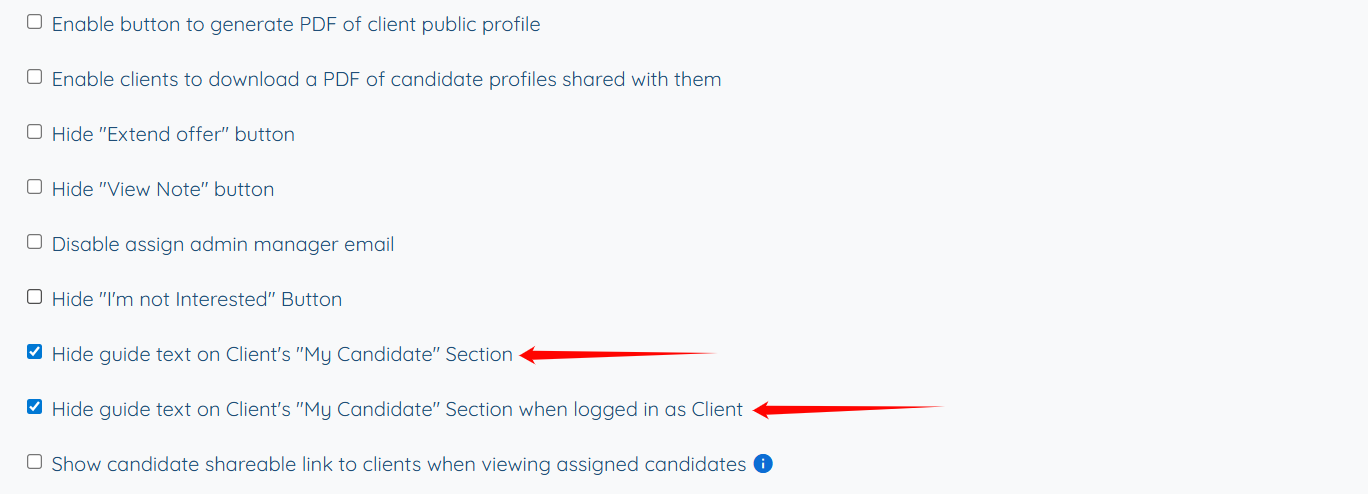
Step 3: Scroll down and check the Hide guide text on Client’s “My Candidate” Section and Hide guide text on Client’s “My Candidate” Section when logged in as Client check box.
Step 4: Scroll down and click the Update Settings button to save the changes.
