Let’s get started 🚀
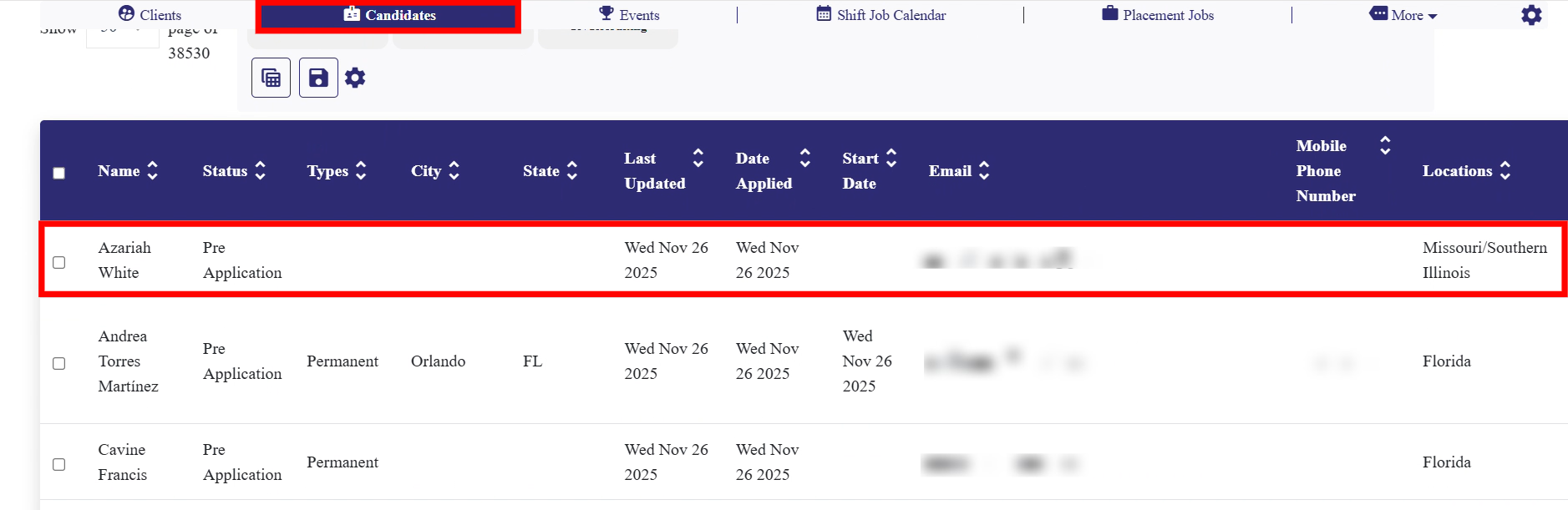
Step 1: Log in to your dashboard, click the Candidates tab, and then select any candidate from the list.
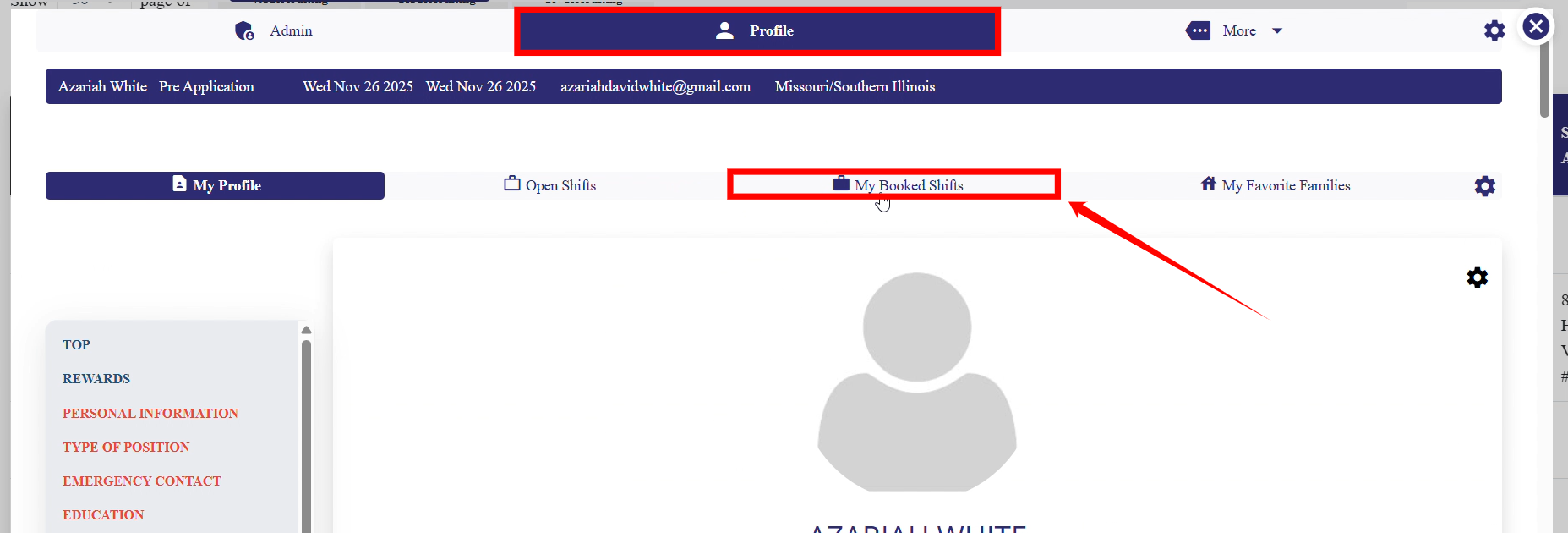
Step 2: Then, under the Profile section, click the option labeled My Booked Shifts.
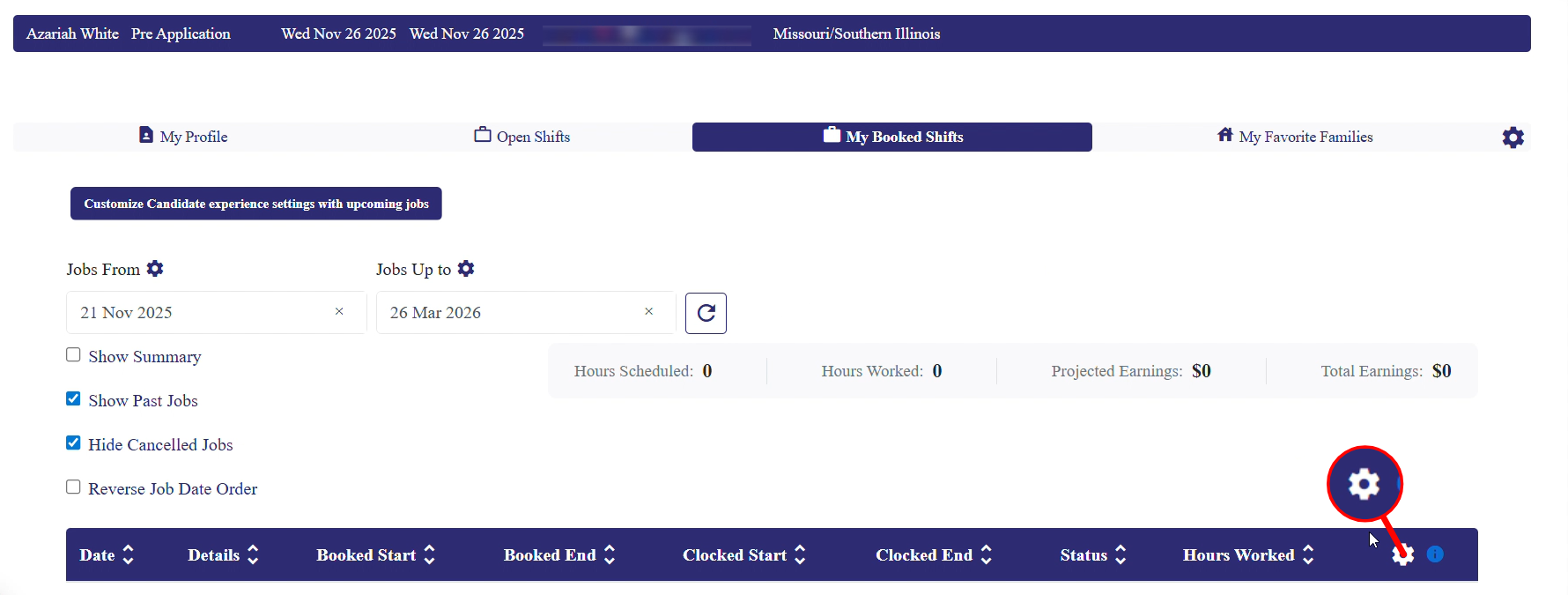
Step 3: Click the Gear icon as shown in the screenshot below.
Step 4: Click the Job Reports option from the list of available options.

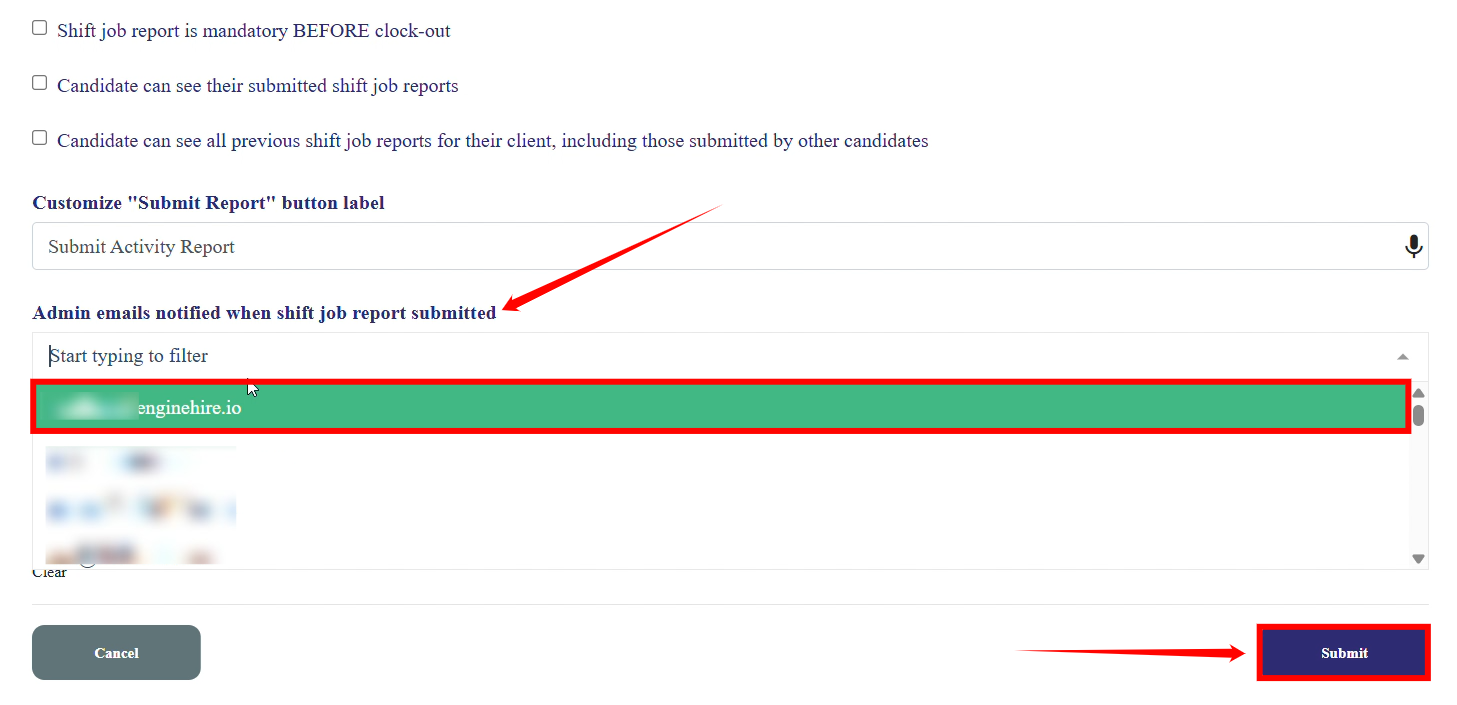
Step 5: Add the emails you want to receive notifications when a shift job report is submitted from the dropdown. After that, click the Submit button to proceed.