Let’s get started 
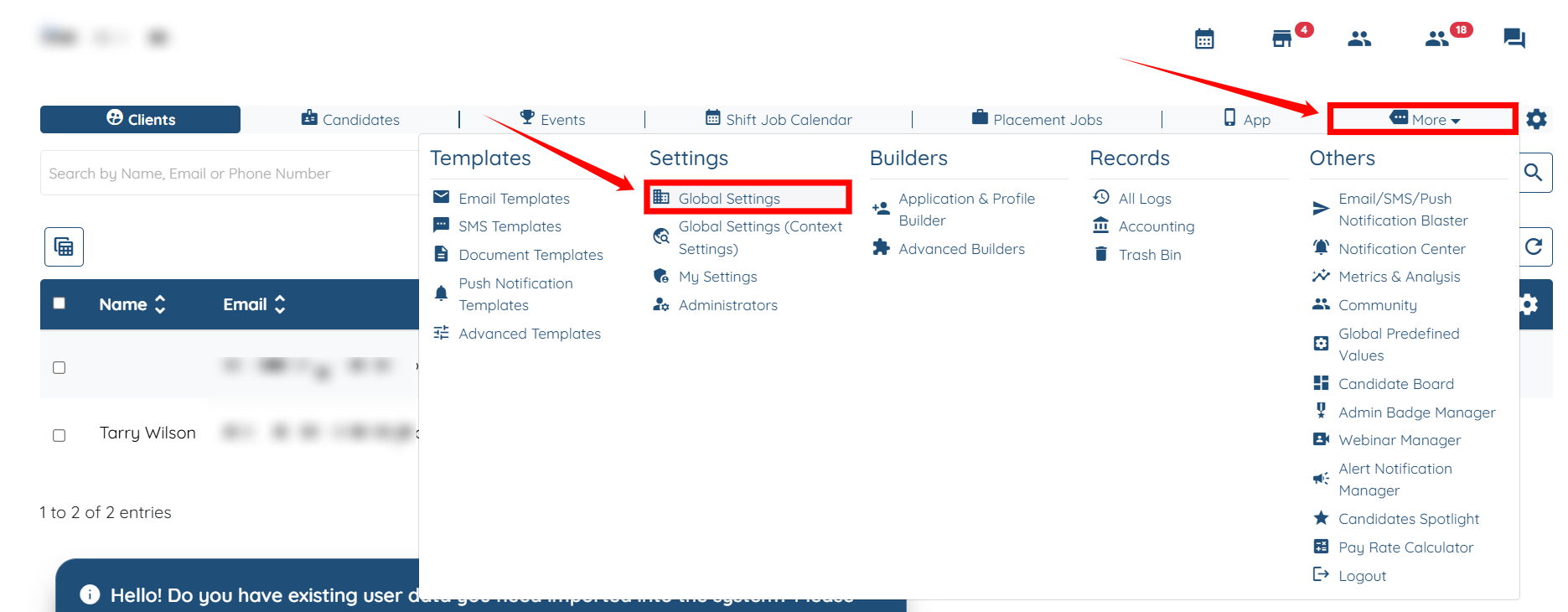
Step 1: Log in to your agent dashboard, then navigate to More > Global Settings, as shown in the screenshot below.
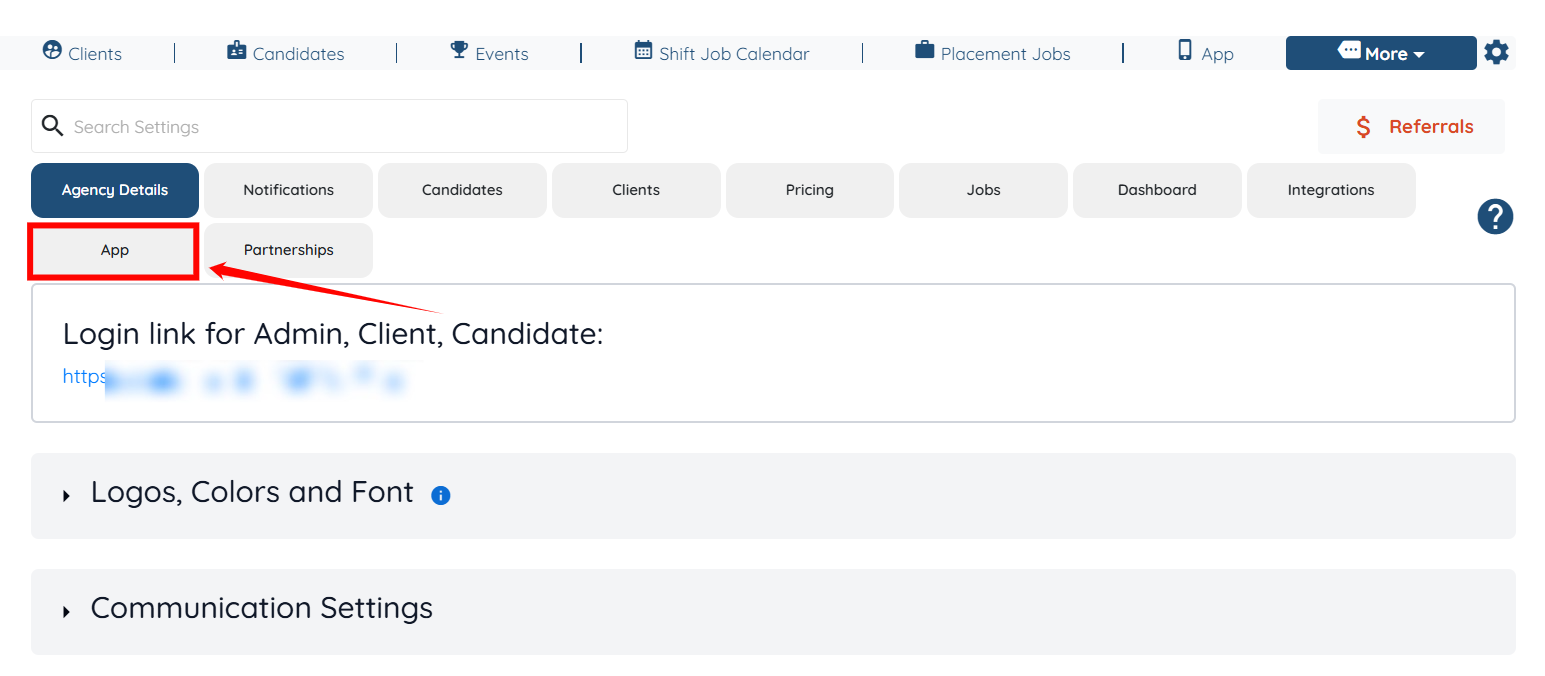
Step 2: Click the App tab in the list of all available tabs.
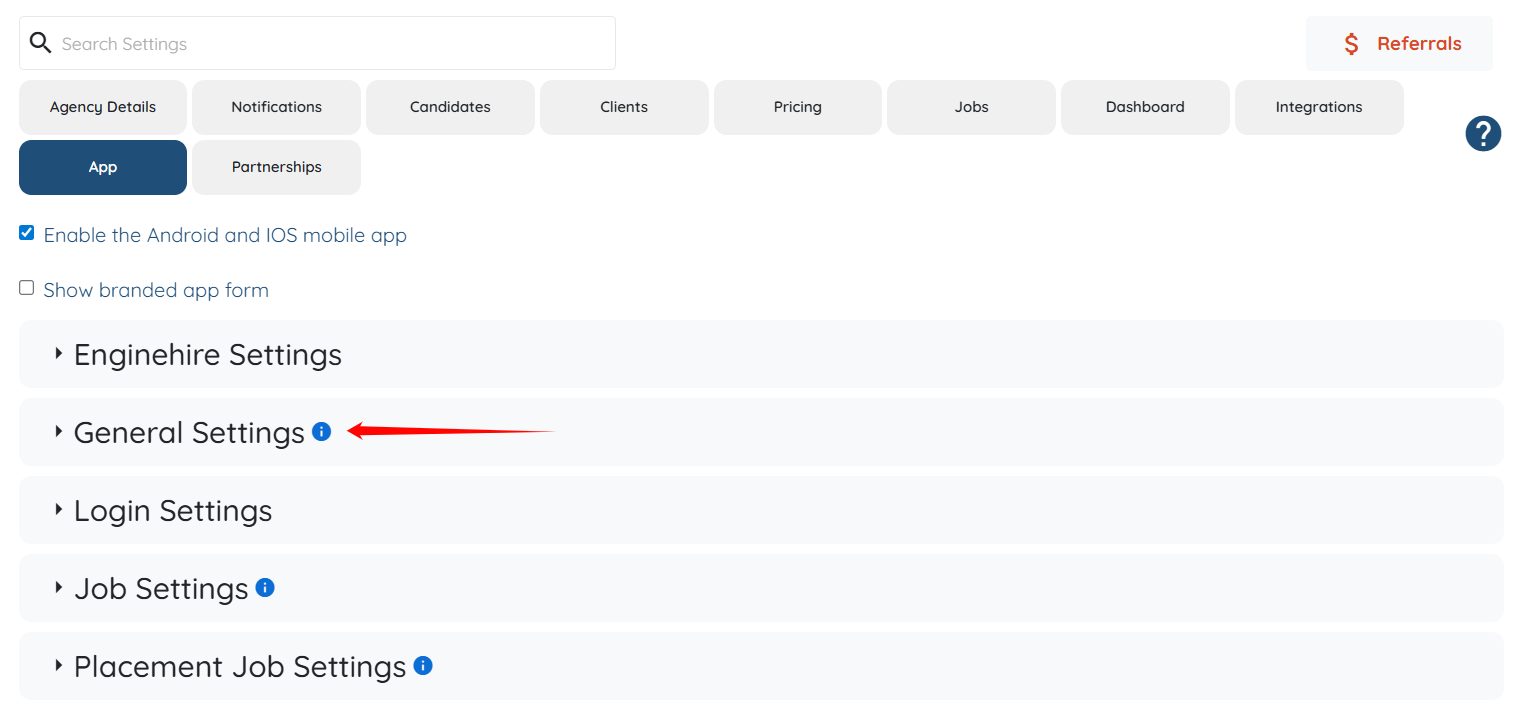
Step 3: Click the General Settings option to expand its details.
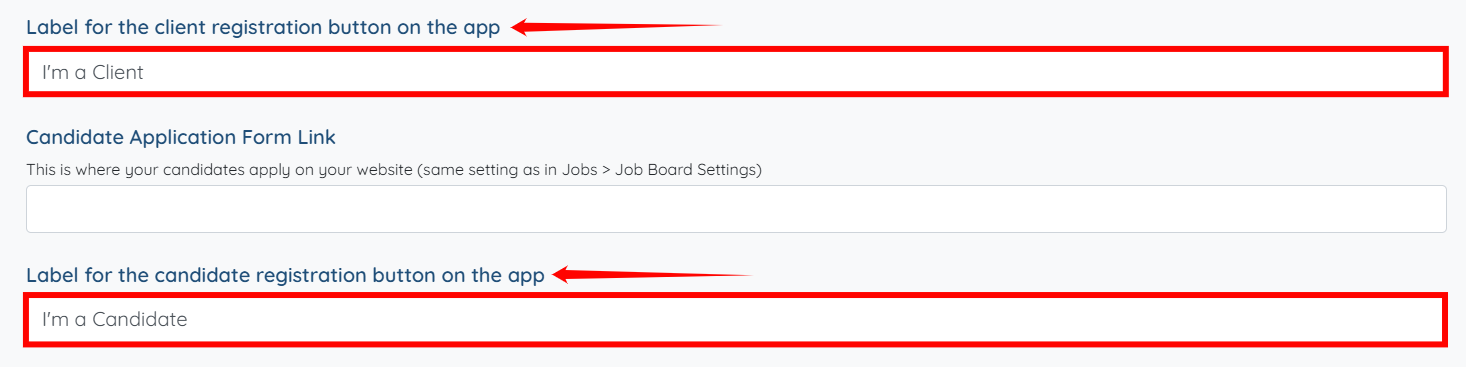
Step 4: Scroll down a bit, and then enter the text for the label of the client registration button on the app and the label for the candidate registration button on the app, as shown in the screenshot below.
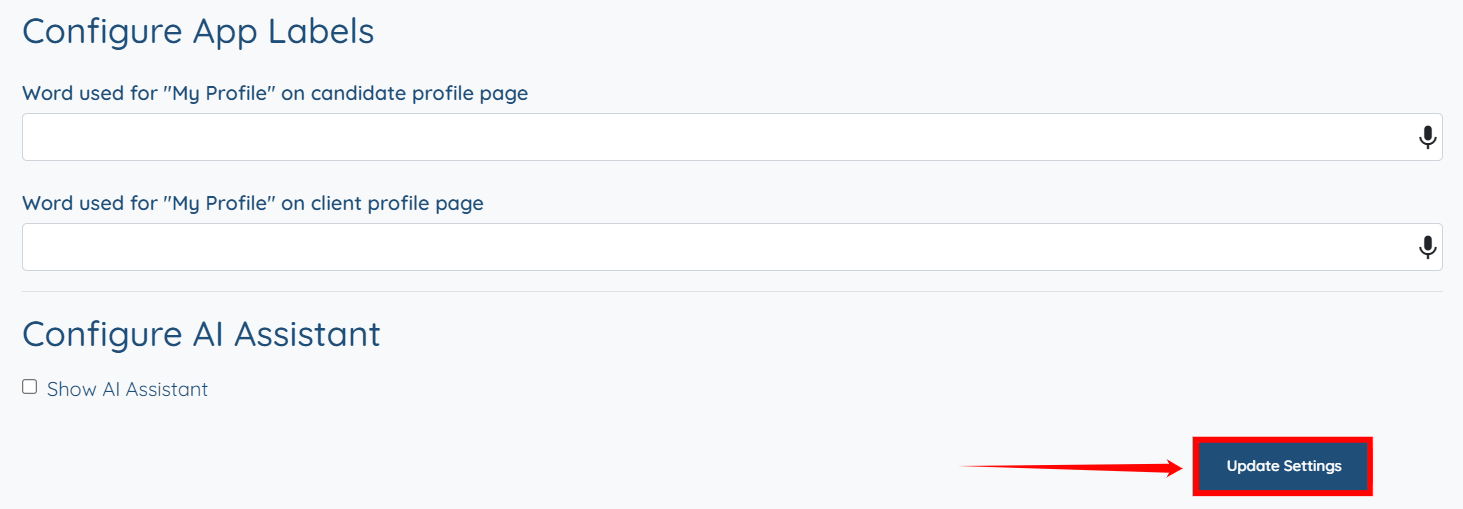
Step 5: Click the Update Settings button to save the changes.