This article uses the Candidate Profile for demonstration purposes, but the steps are the same for the Client Profile as well.
Let’s get started 🚀
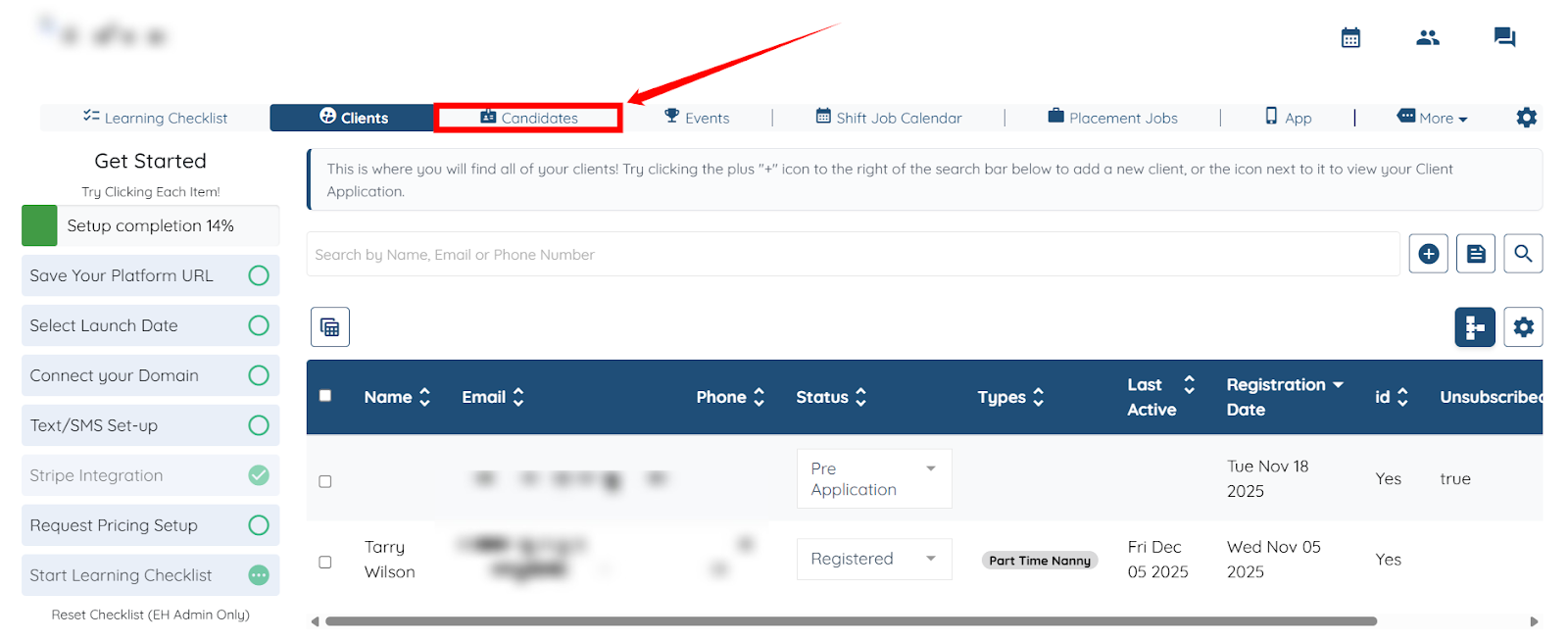
Step 1: Log in to your agent dashboard, and click Candidates on the top navigation bar.
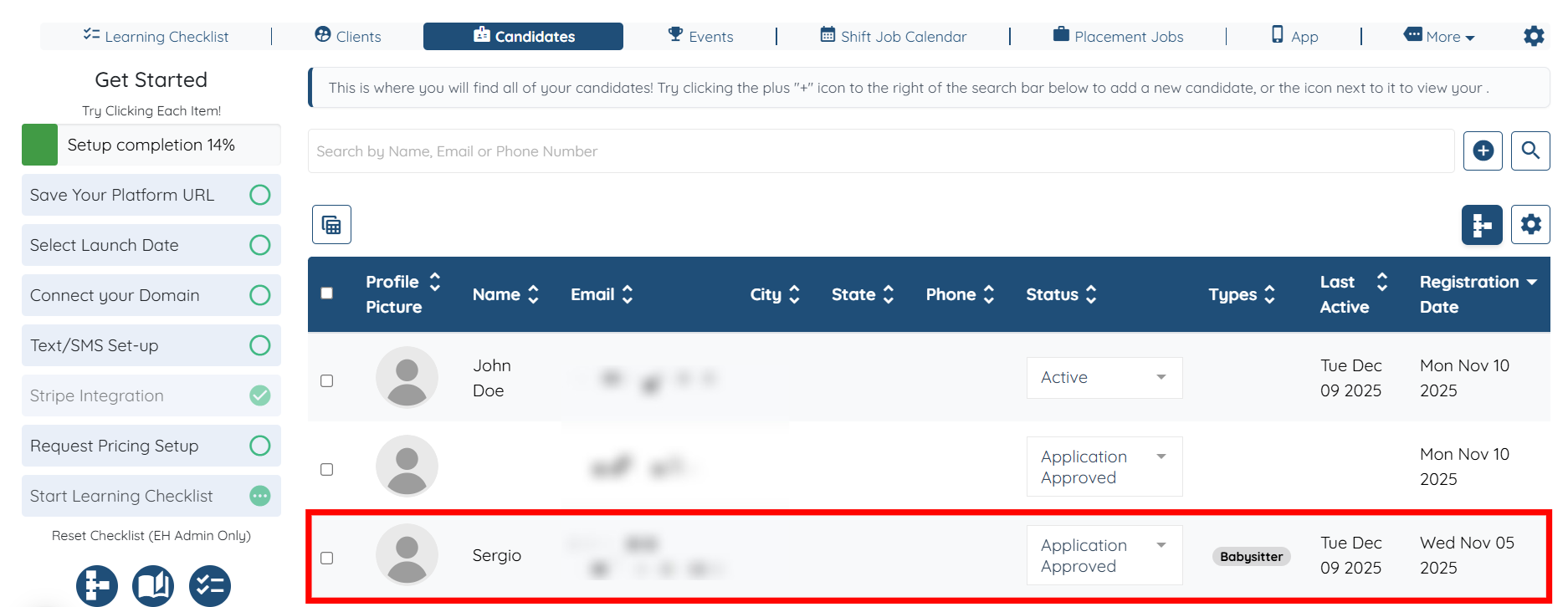
Step 2: Click the candidate’s profile whose shareable link you want to access.
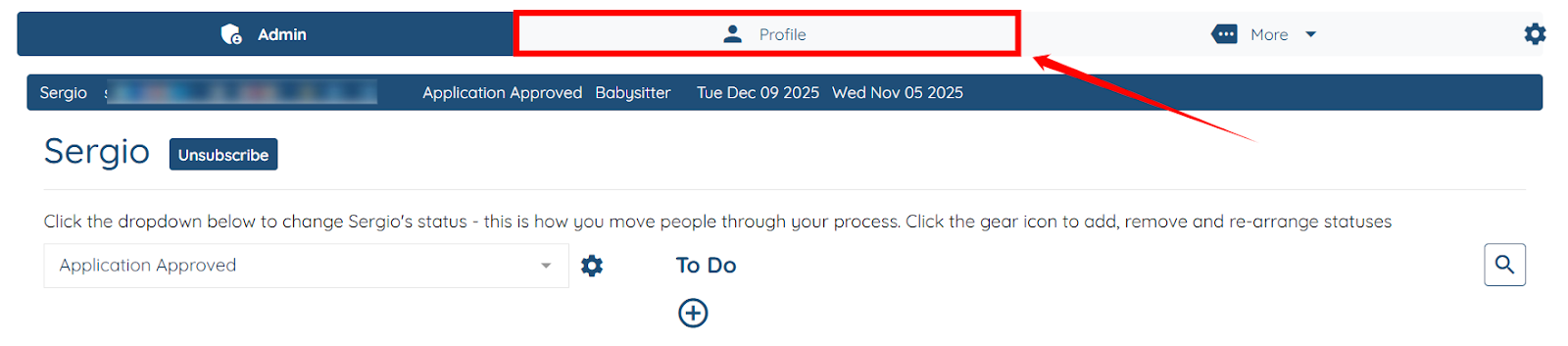
Step 3: Click the Profile tab as shown in the screenshot below.
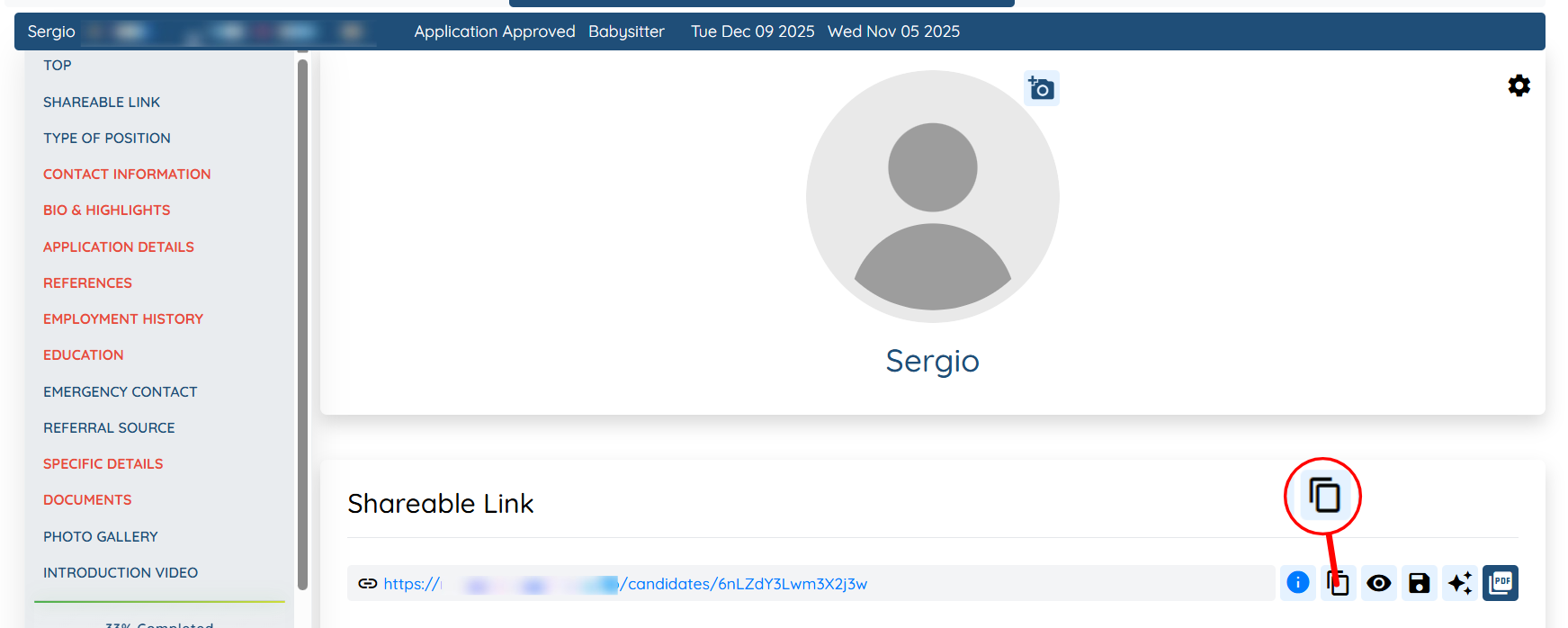
Step 4: Scroll down a bit and click the copy icon to copy the profile’s shareable link.