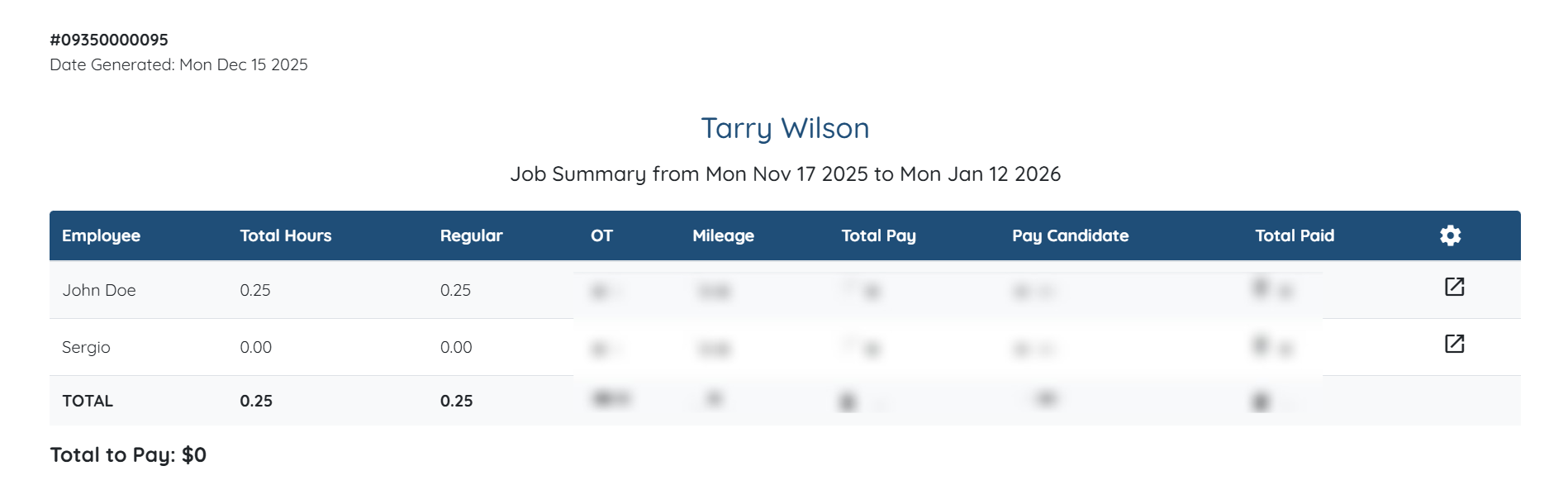
To show the Employer Name on the invoices, you must select Employer Name as the client name in the Shift Job Calendar. For more information on how to do this, refer to the Select Client Name Field for Shift Job Calendar document.
Let’s get started 🚀
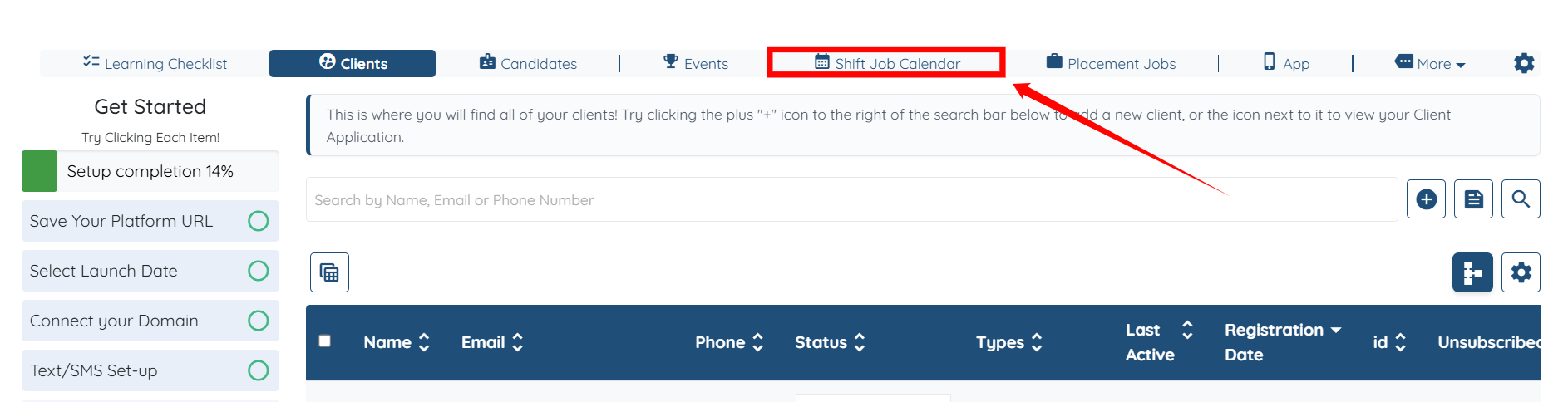
Step 1: Log in to your agent dashboard and click Shift Job Calendar in the top navigation bar.
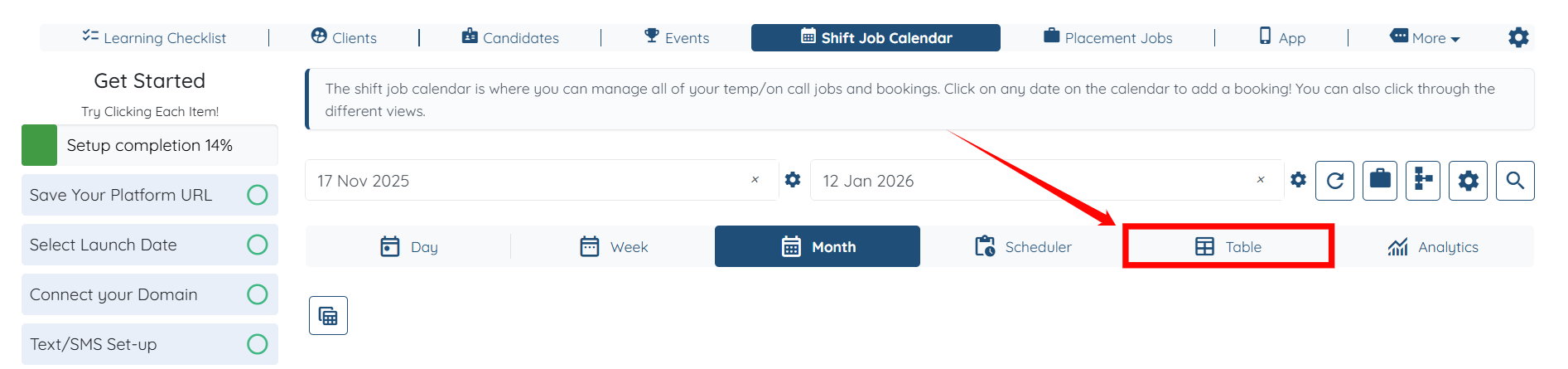
Step 2: Click the Table tab to open the table view.
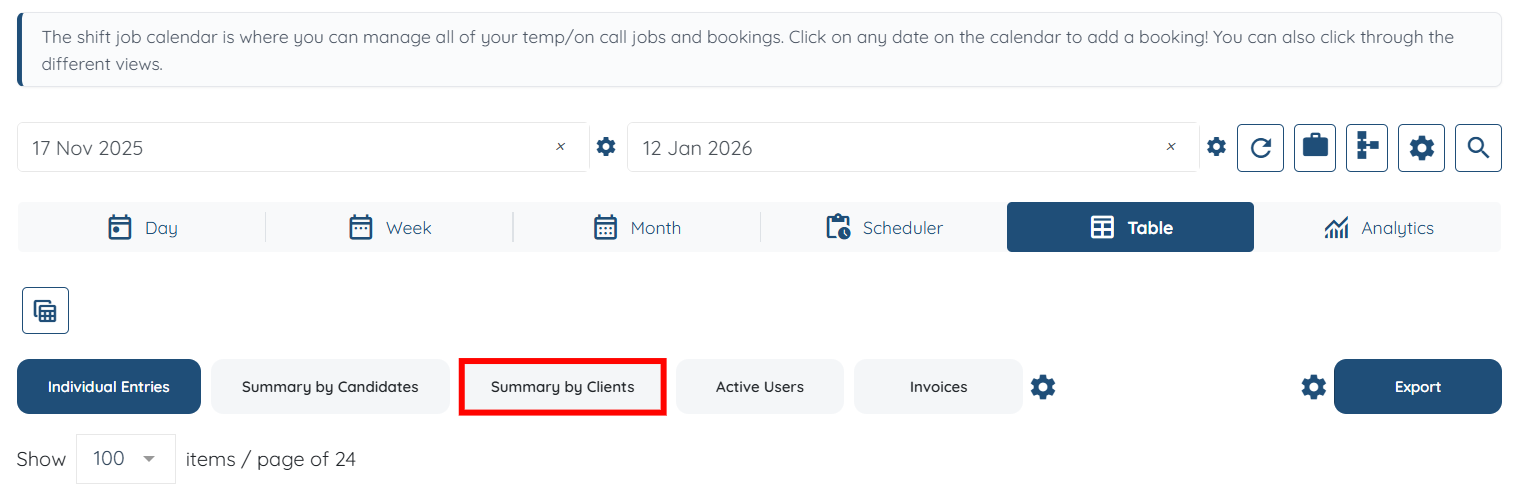
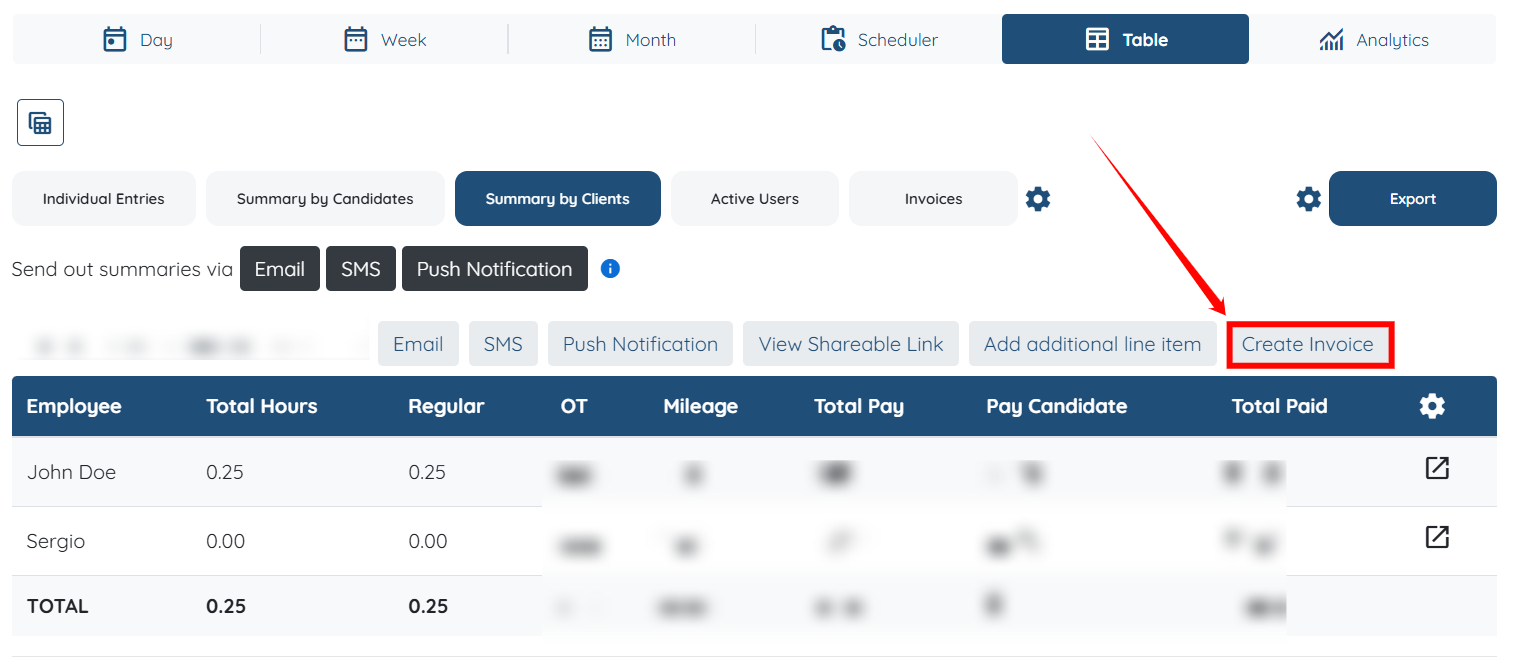
Step 3: Click the Summary by Clients tab as in the screenshot below.
Step 4: Click the Create Invoice button to create the invoice.
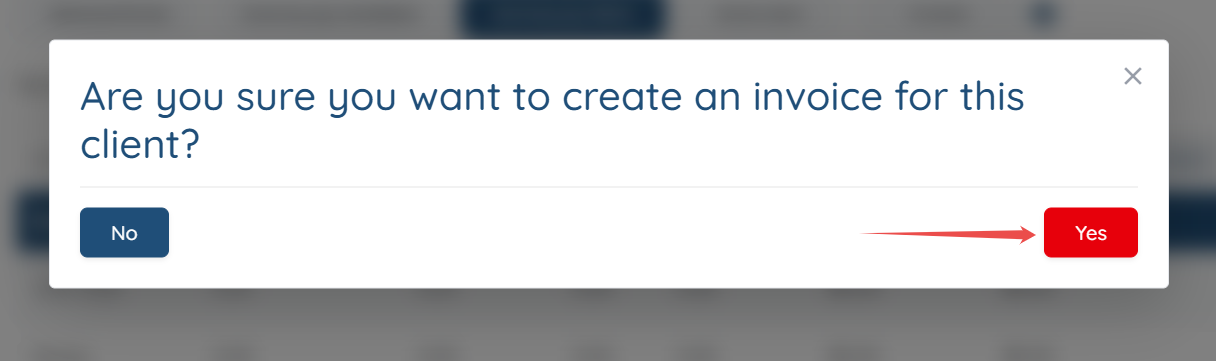
Step 5: Click the Yes button to proceed.
Step 6: Click the View Invoice button to view the created invoice.
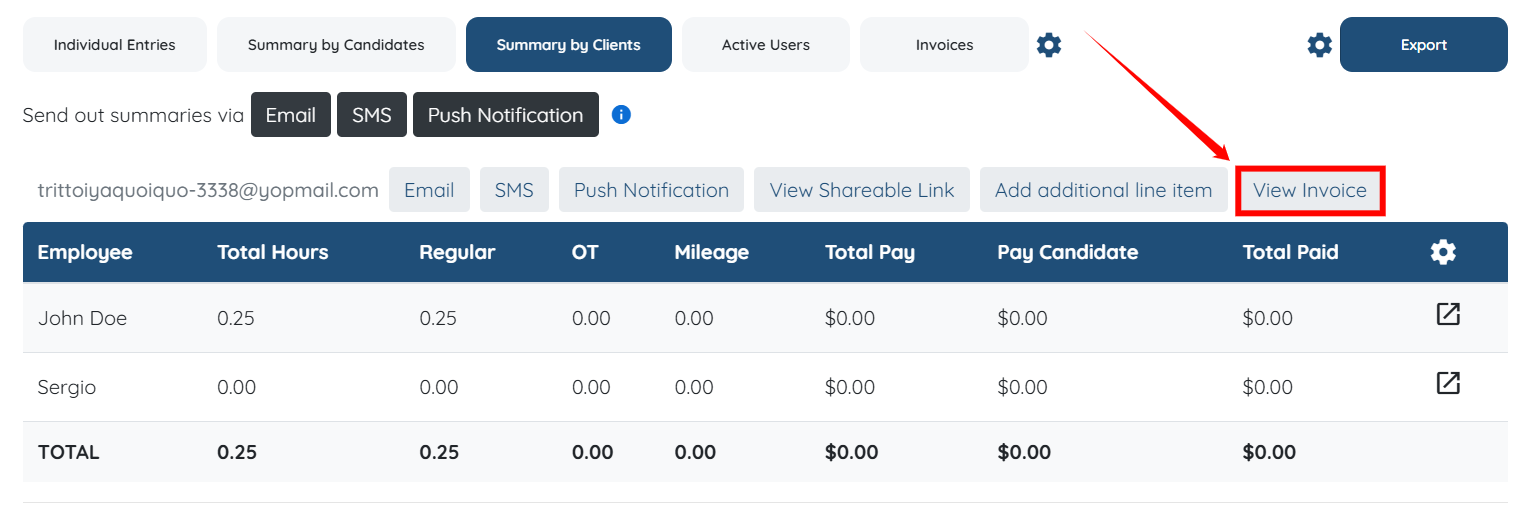
You can then view the invoice that has been created.