Let’s get started 🚀
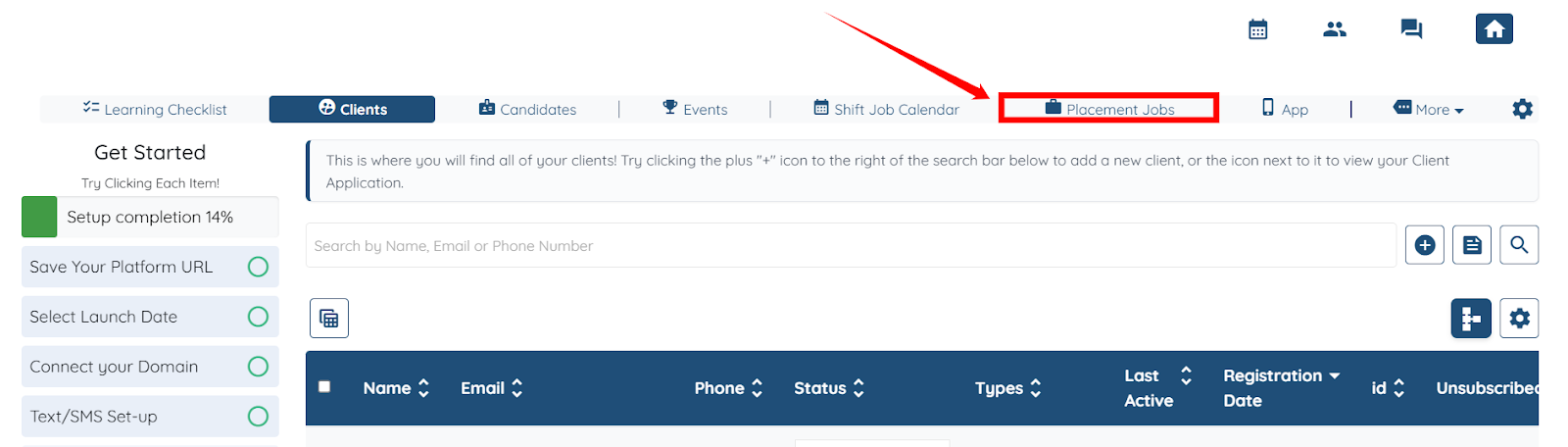
Step 1: Log in to your agent dashboard, then click on the Placement Jobs option in the top navigation bar.
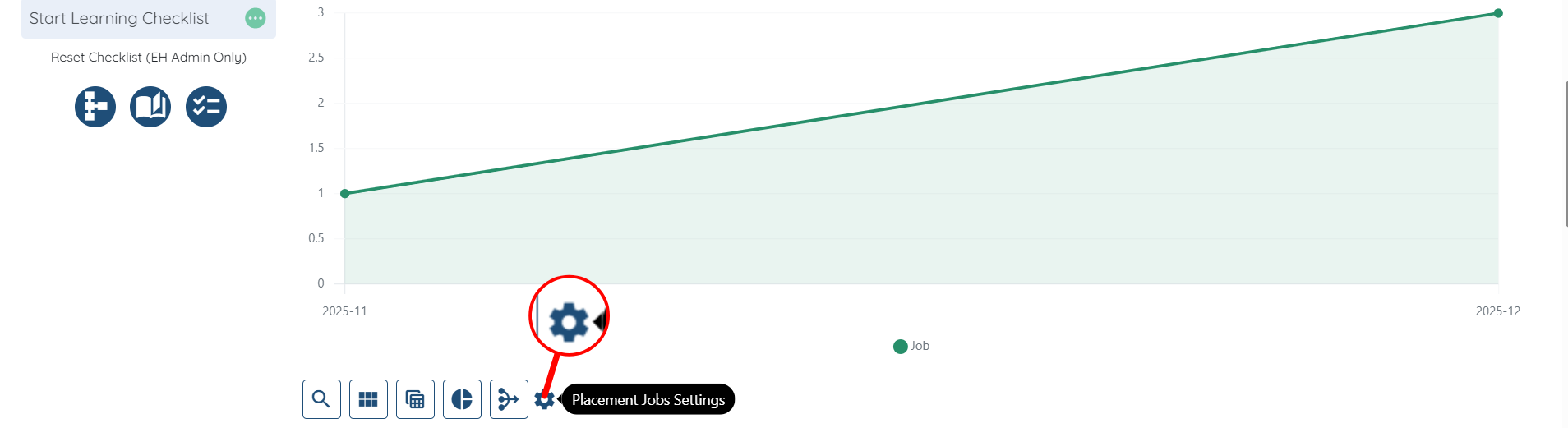
Step 2: Click the Placement Jobs Settings Gear icon as shown in the screenshot below.
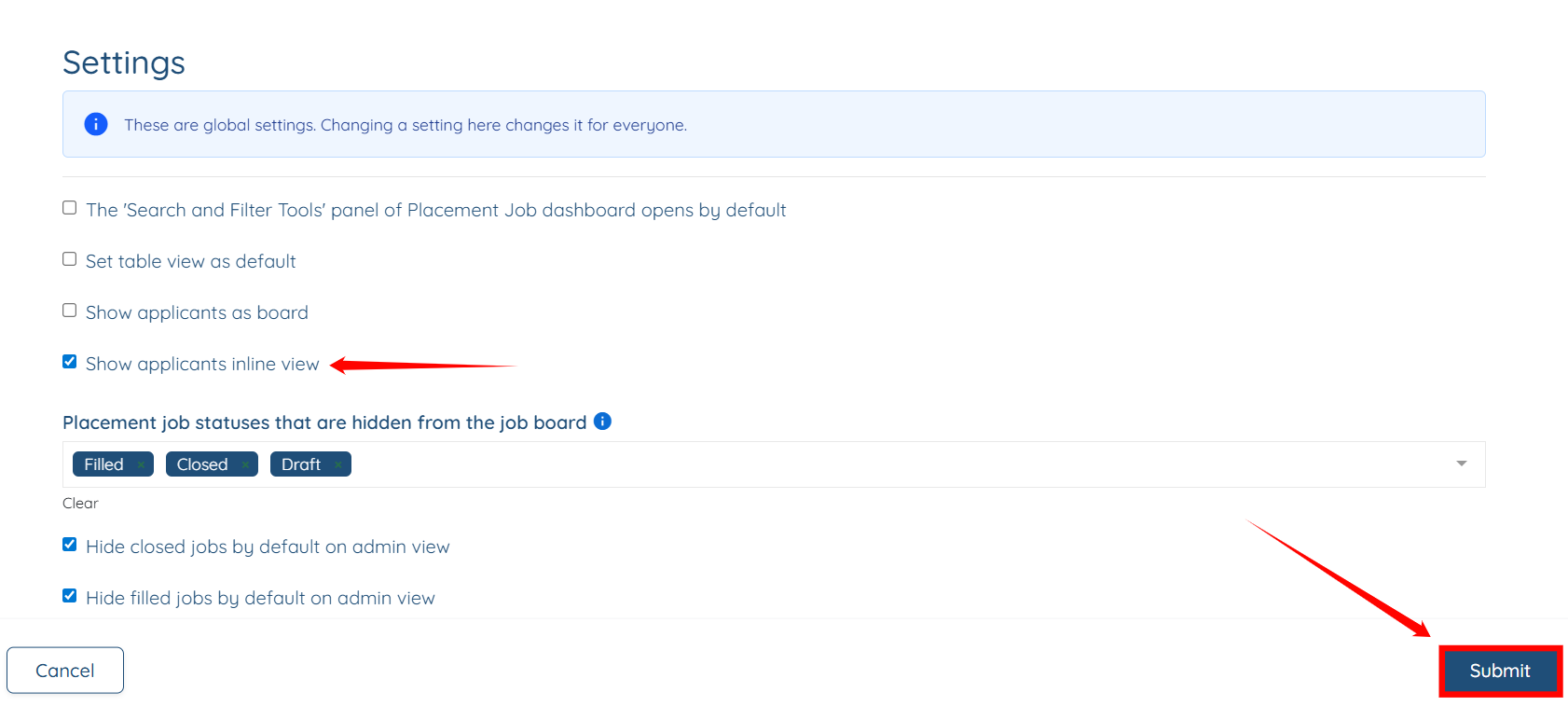
Step 3: Check the Show applicants inline view checkbox, then click the Submit button to proceed.
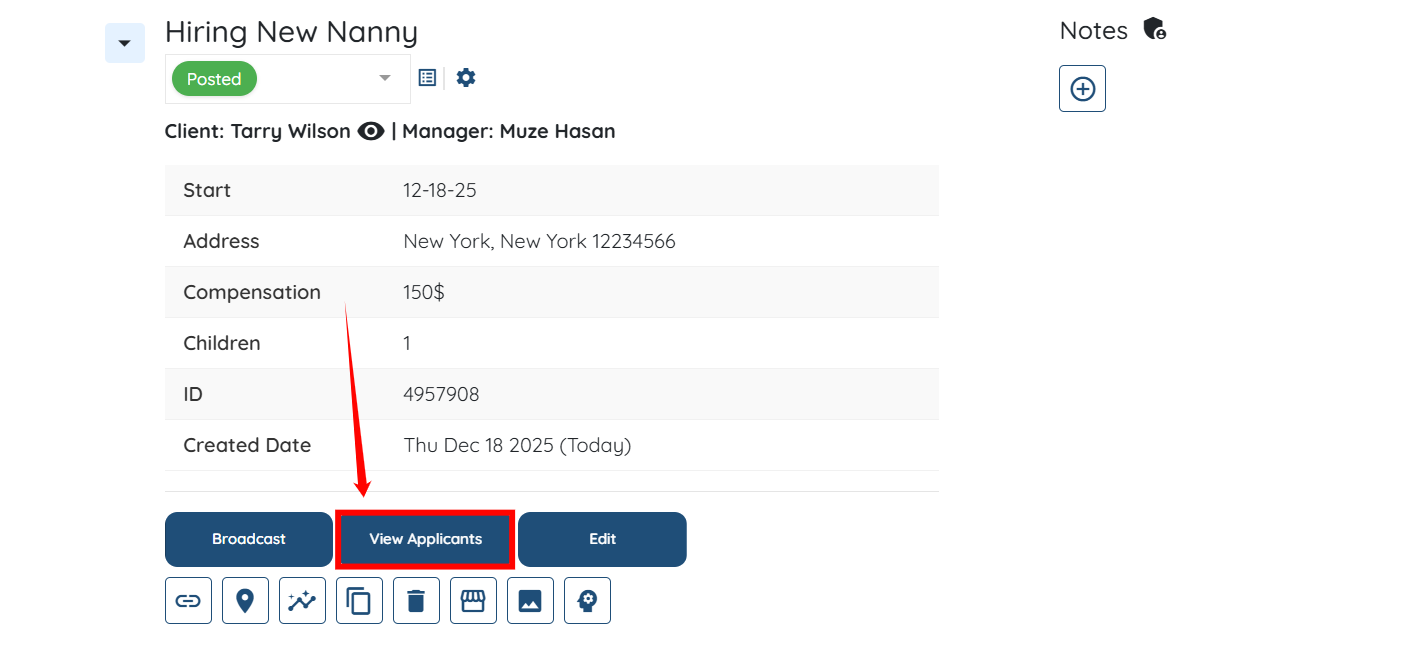
Step 4: Locate the job for which you want to view the applicants, and then click the View Applicants button.
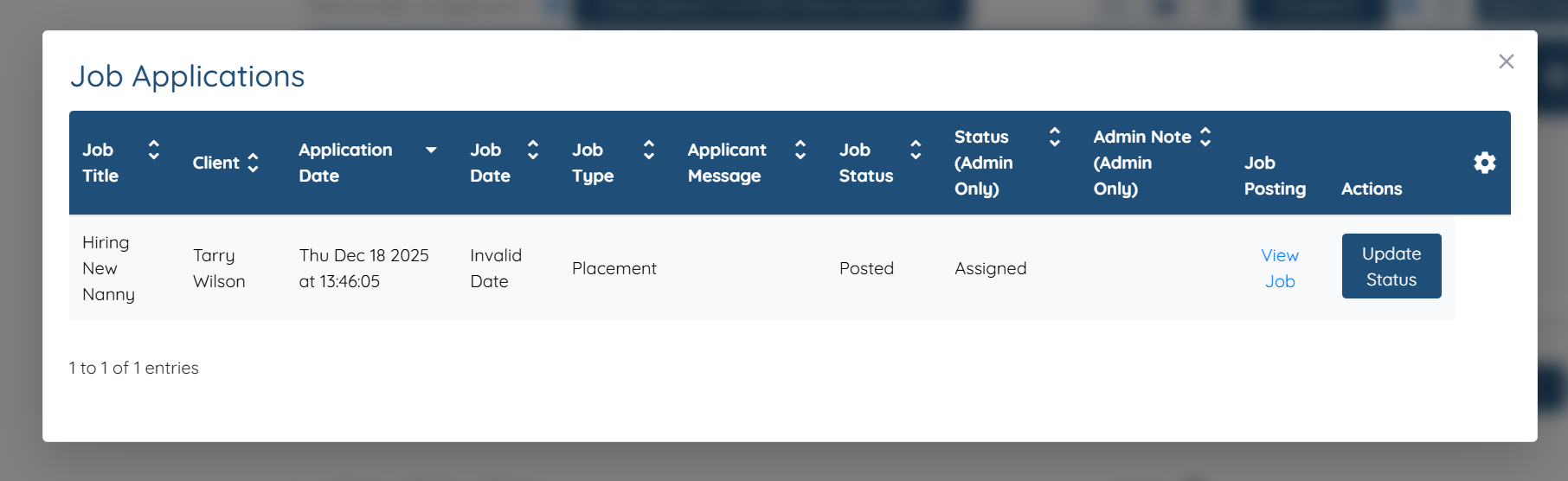
Step 5: A list of applicants will appear. You can then click the View Job Application button to see all the other job applications the candidate has applied to.
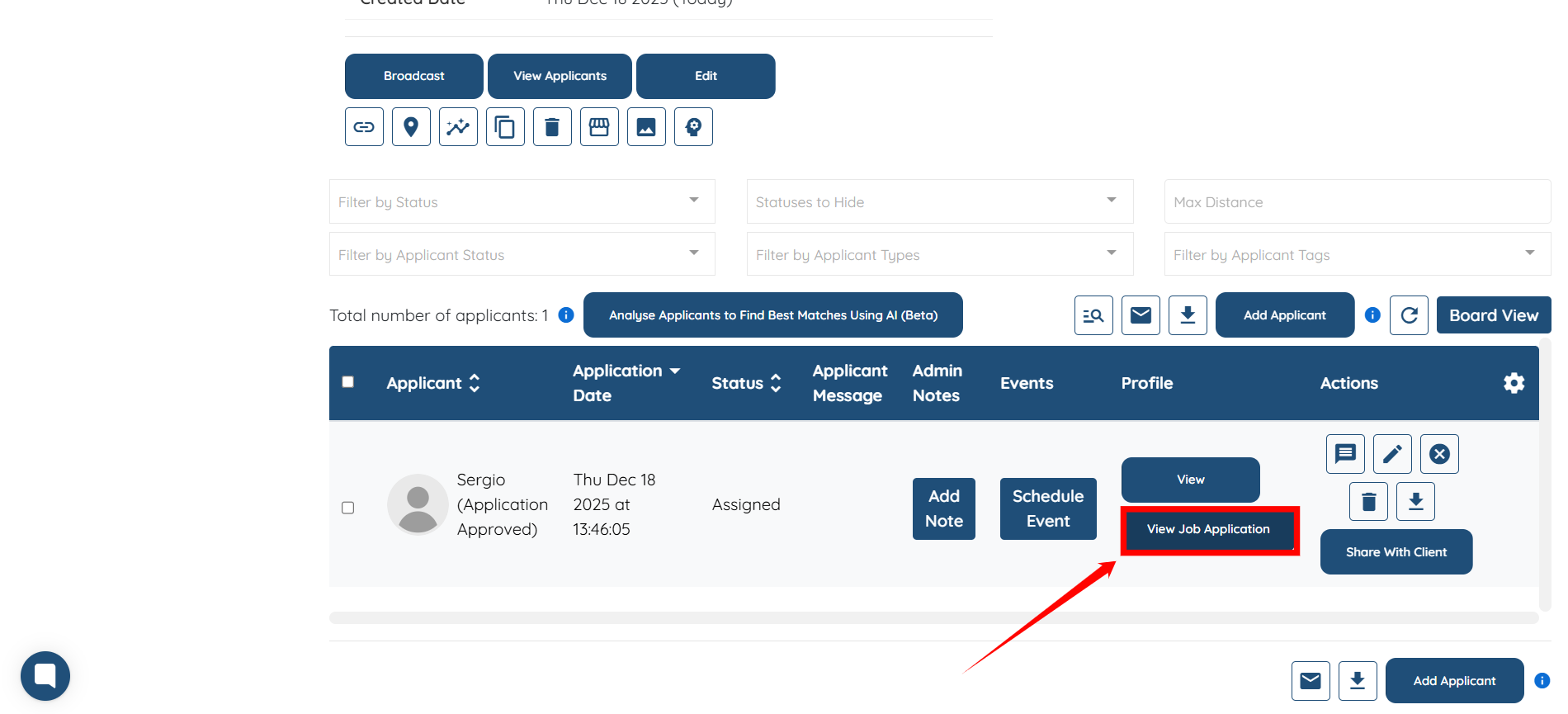
A list of all the job applications that the candidate has applied to will appear.