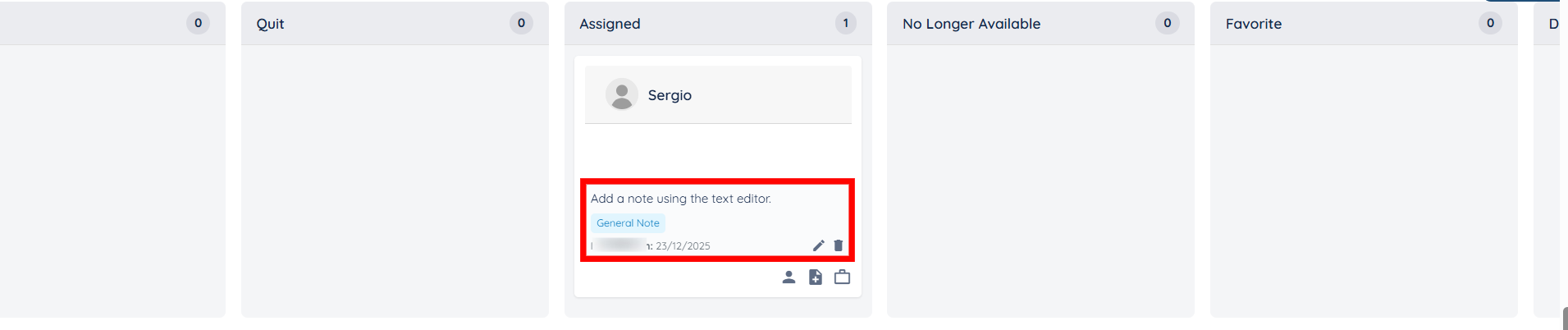
Let’s get started 🚀
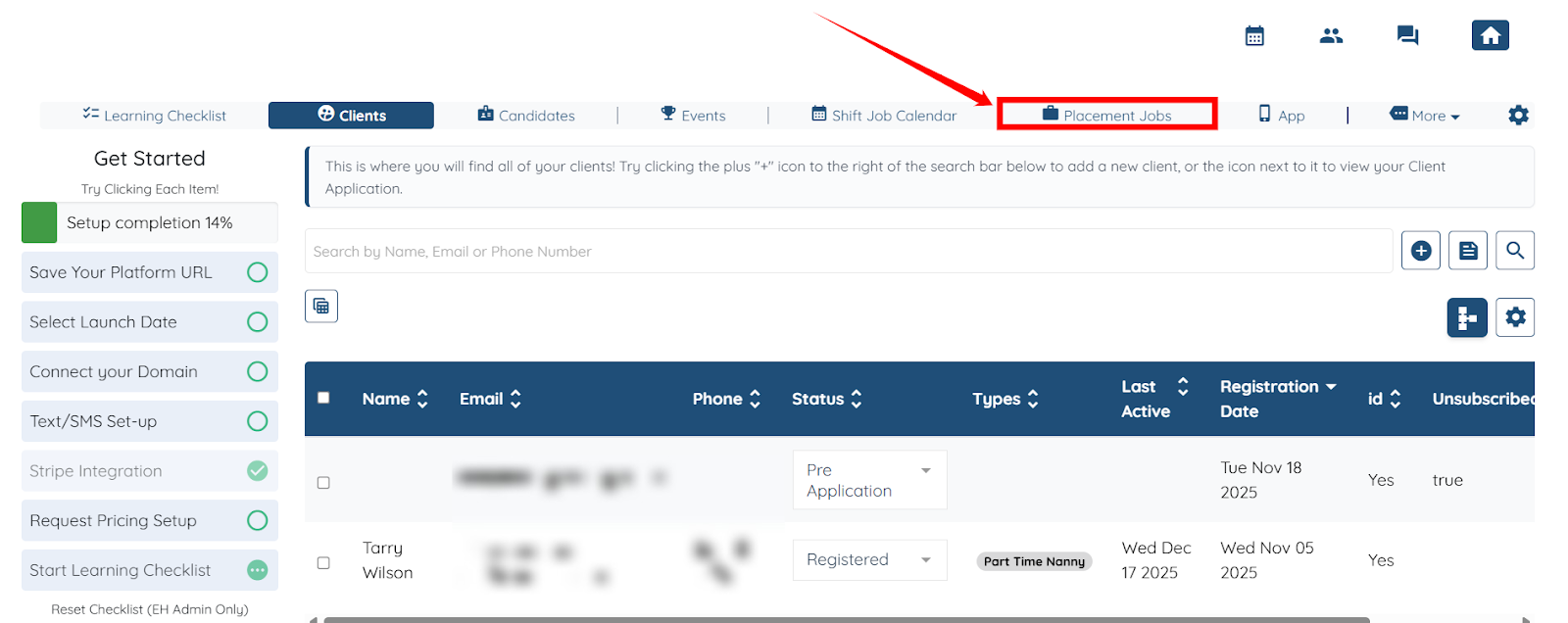
Step 1: Log in to your agent dashboard and click Placement Jobs in the top navigation bar.
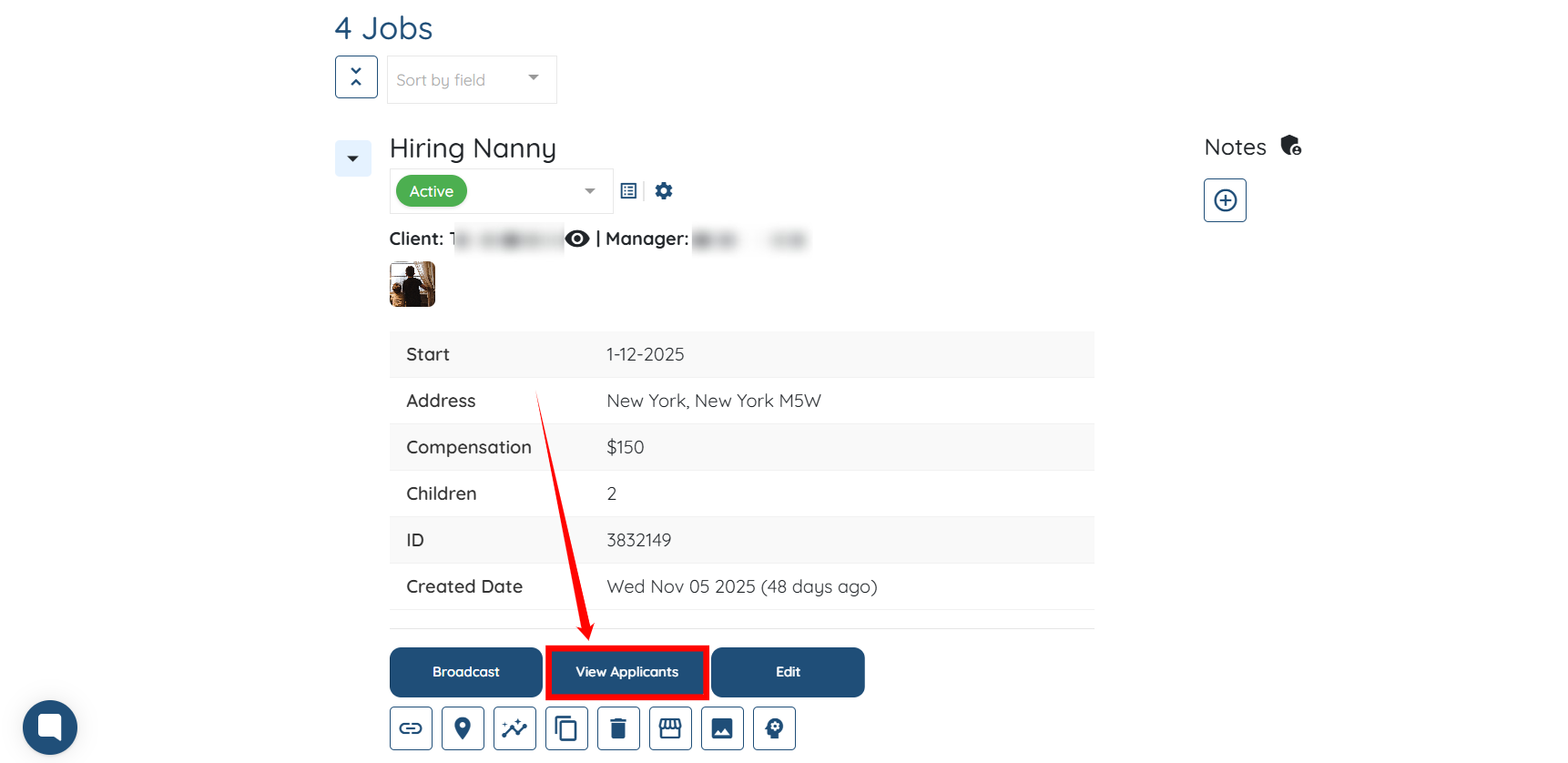
Step 2: Locate the job post where you want to add a note for a specific applicant, then click the View Applicants button.
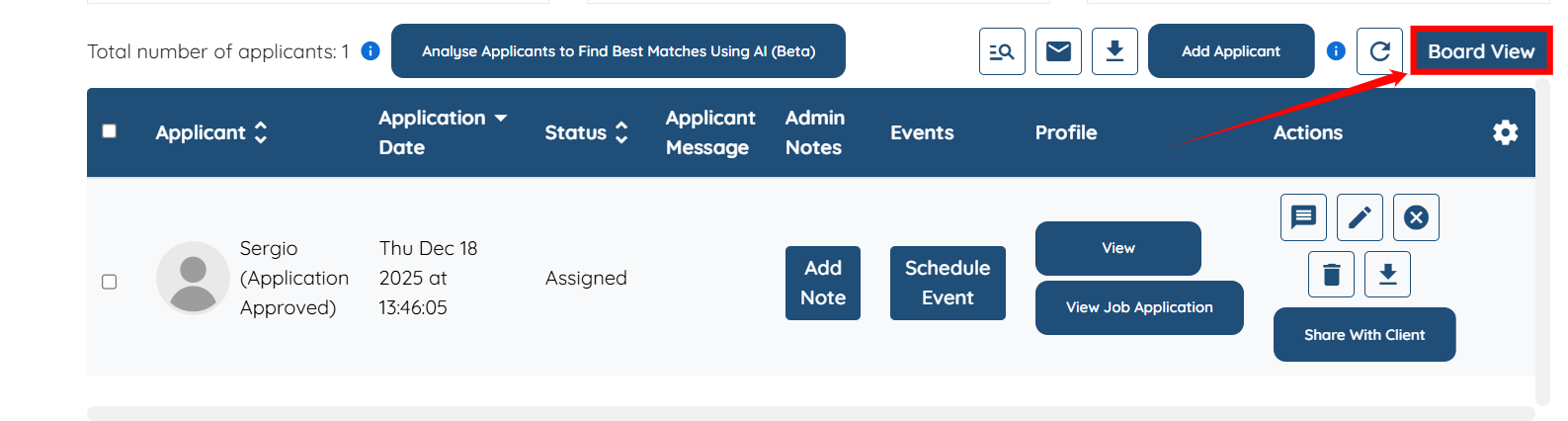
Step 3: Click the Board View button.
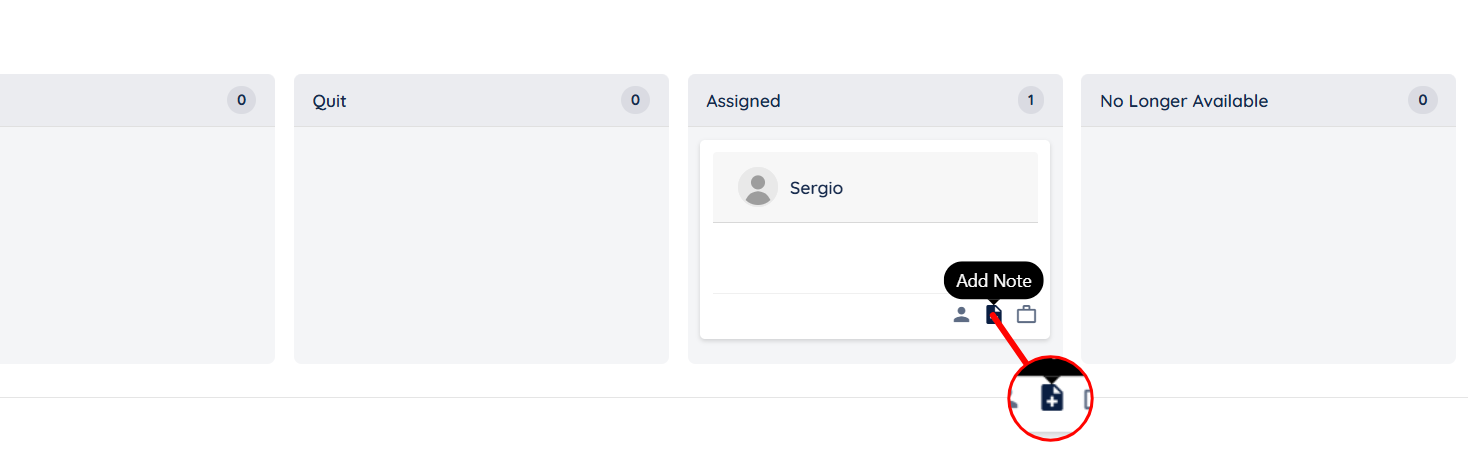
Step 4: Click the Add Note button to start adding a note.
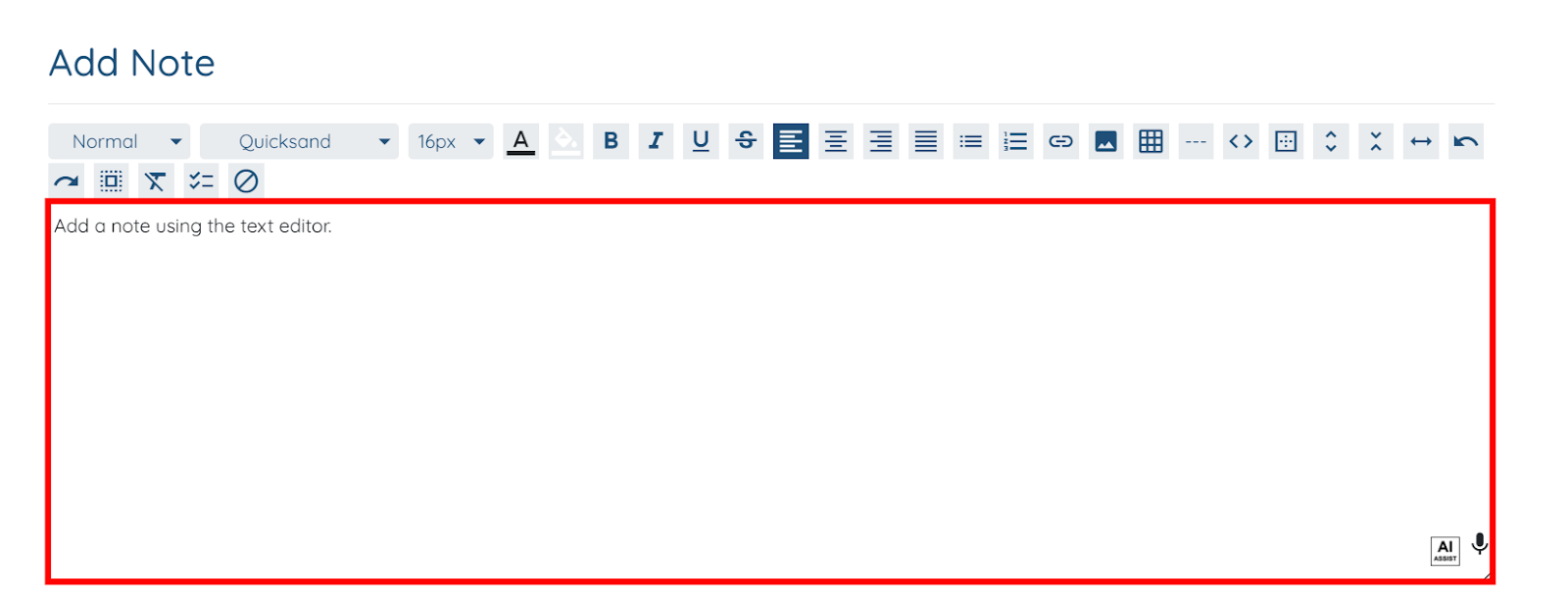
Step 5: Add the required note using the text editor.

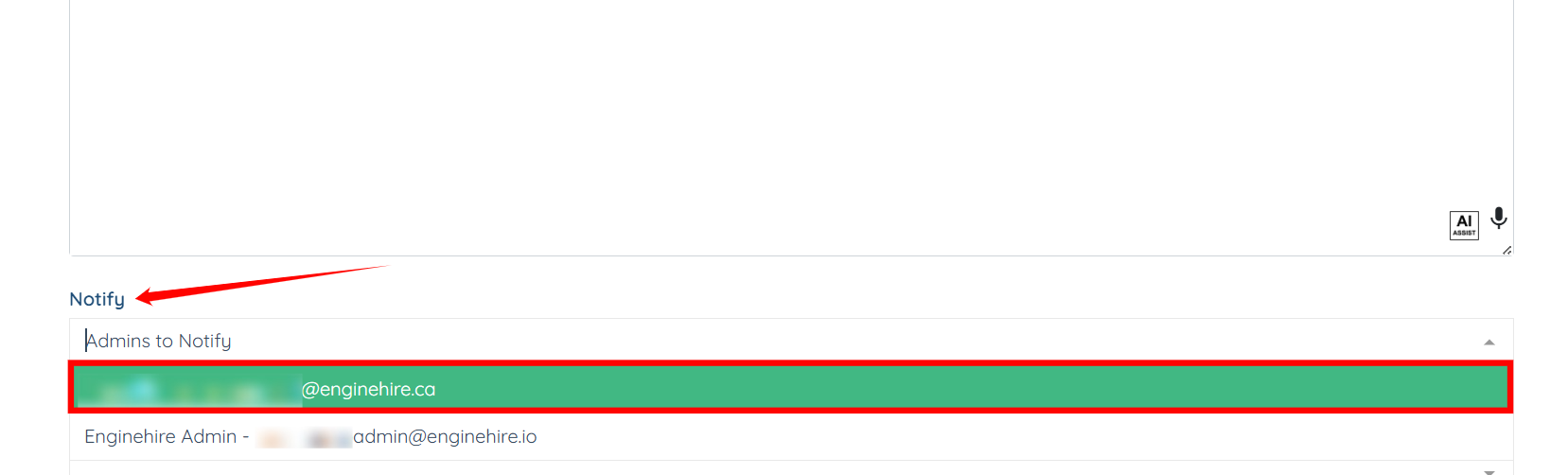
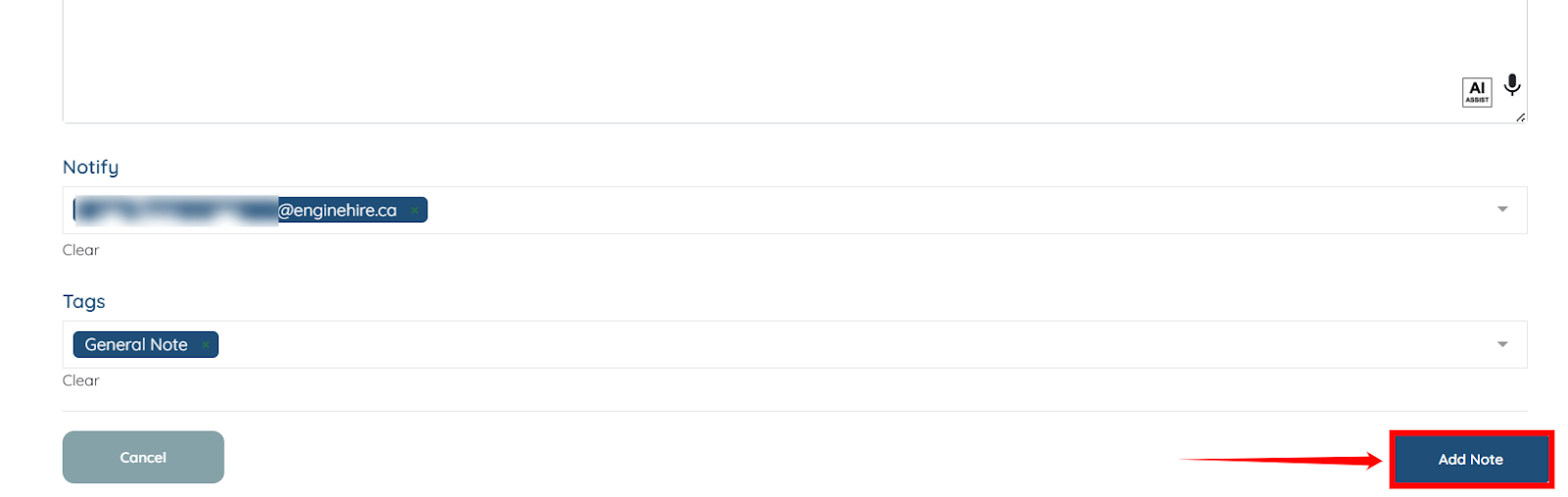
Step 6: Select the Admin you want to notify in the Notify field after you add the note.
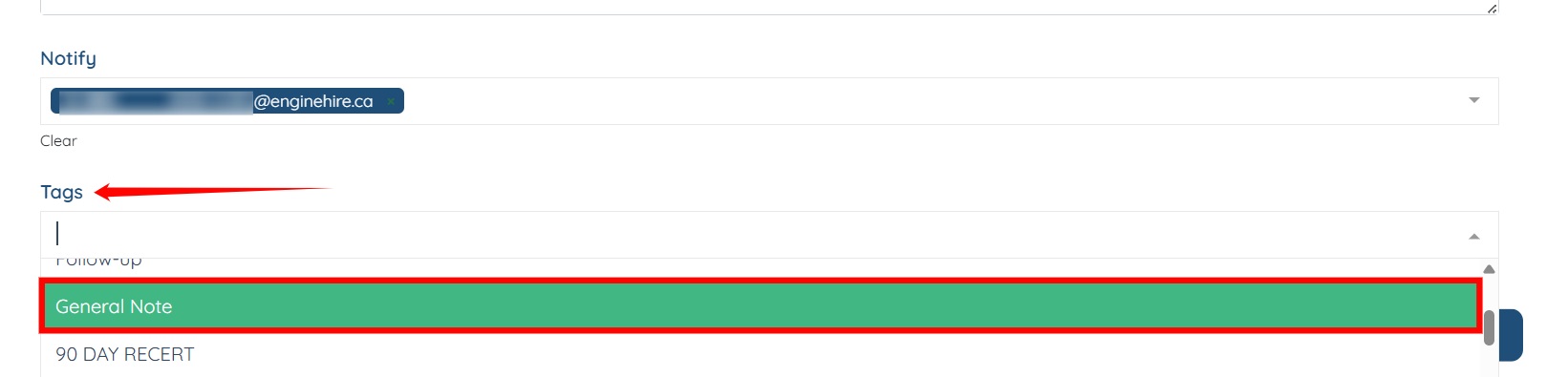
Step 7: Select the tag you want to add to your note to make it easier to search later.
Step 8: Click the Add Note button to finish adding the note.
The note will be added successfully for that specific applicant.