Let’s get started 🚀
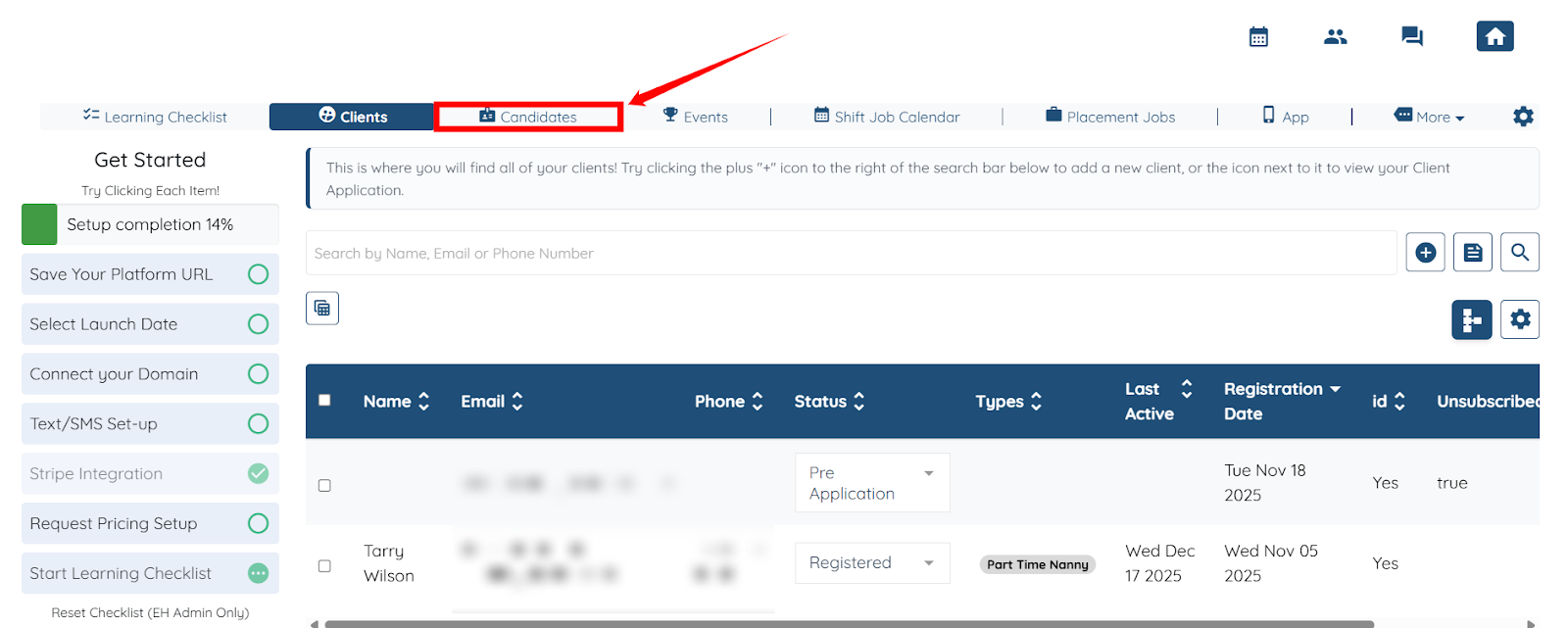
Step 1: Log in to your agent dashboard and click Candidates in the top navigation bar.
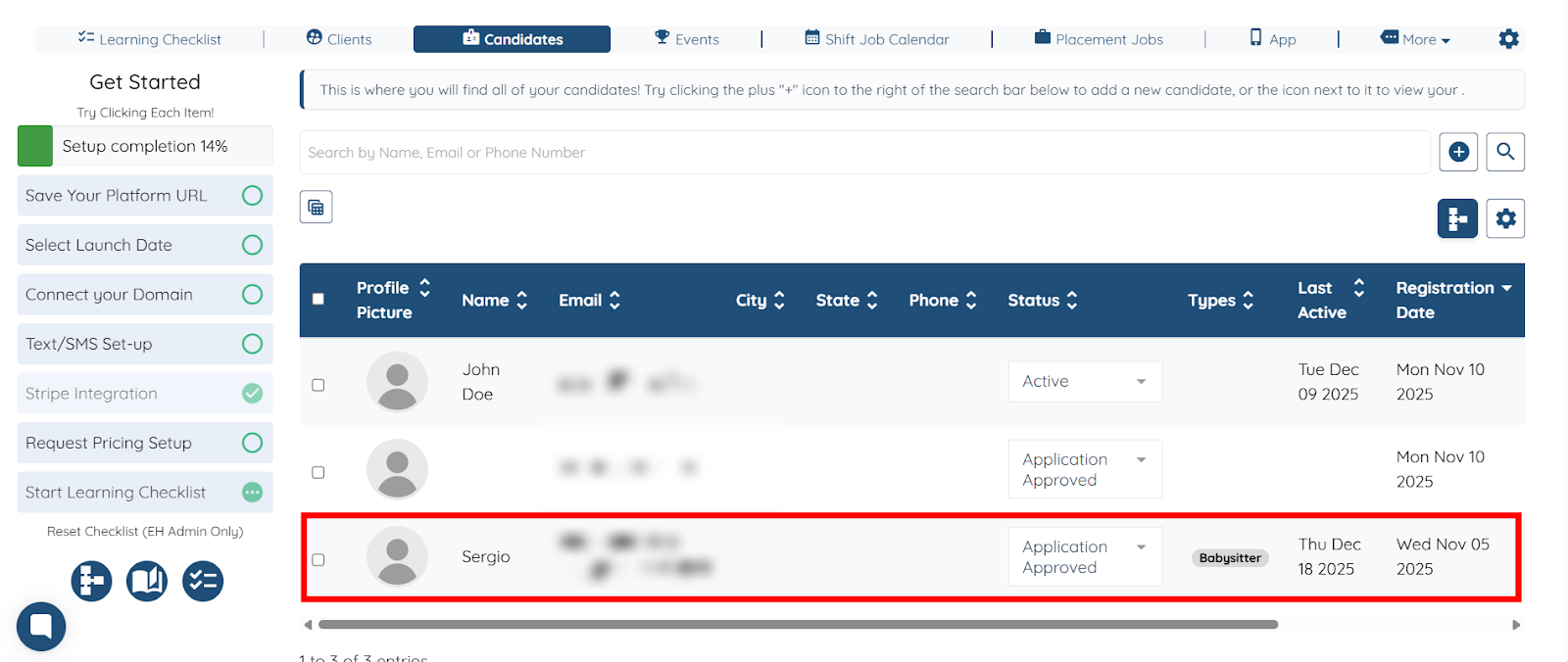
Step 2: Click any candidate from the list for whom you want to schedule the event with the client.
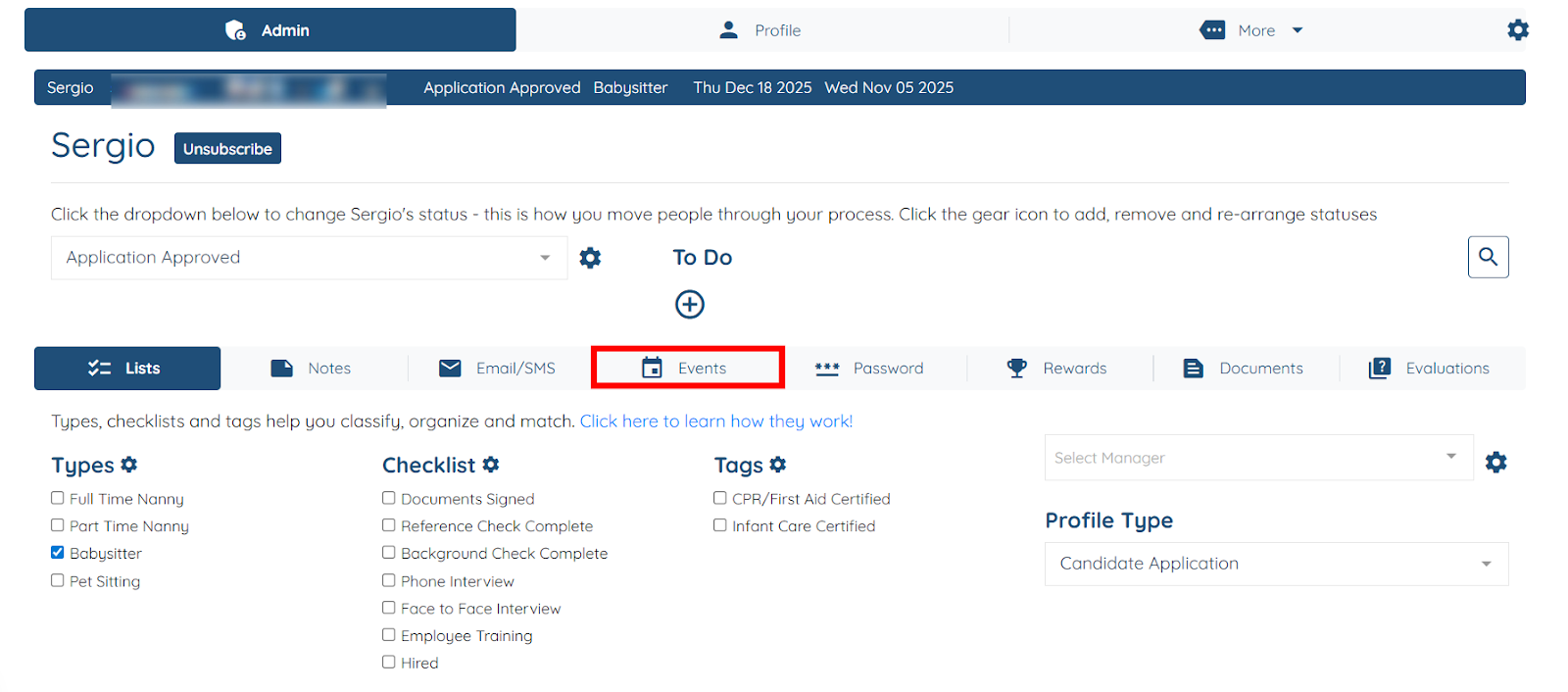
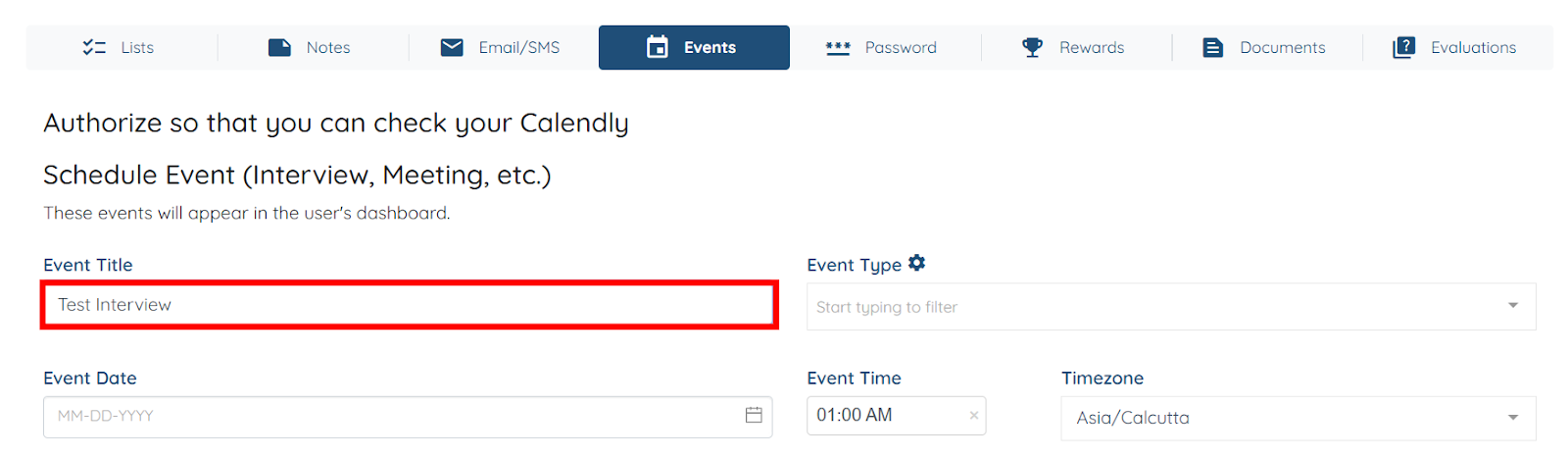
Step 3: Click the Events tab as shown in the screenshot below.
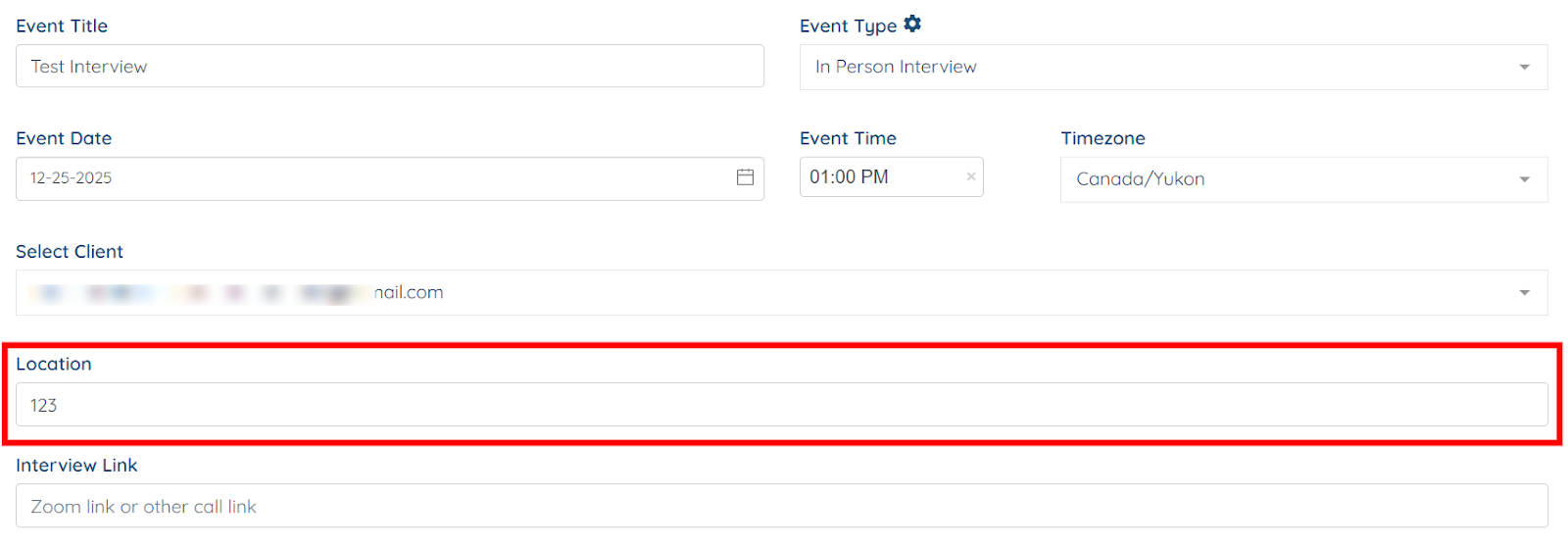
Step 4: Enter the Event Title for your event.
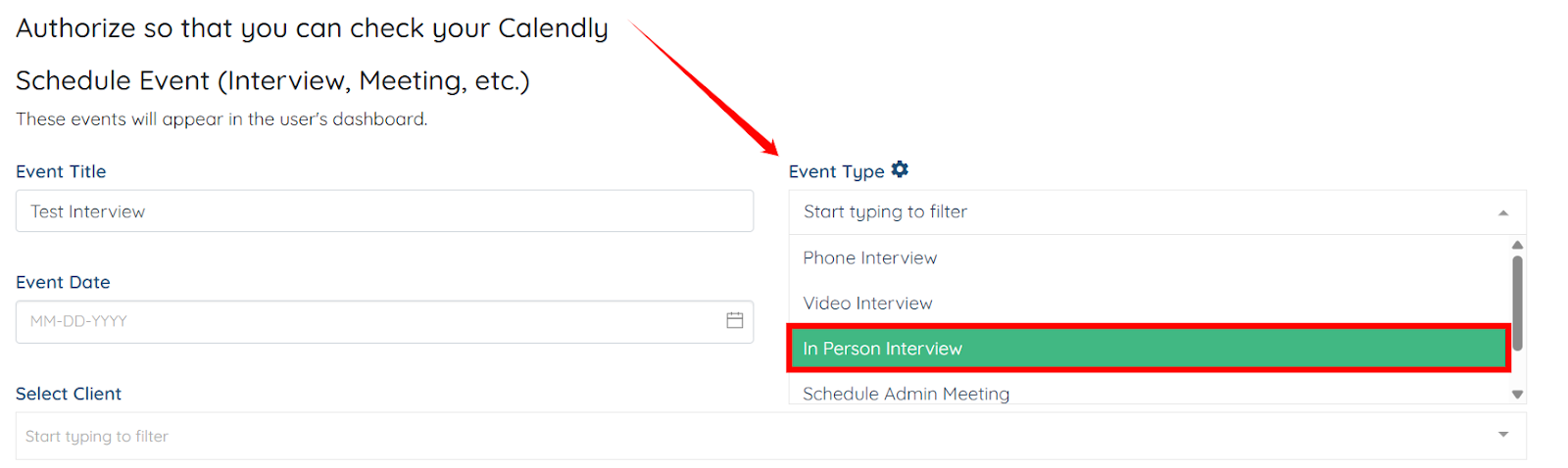
Step 5: Select In Person Interview as Event Type.
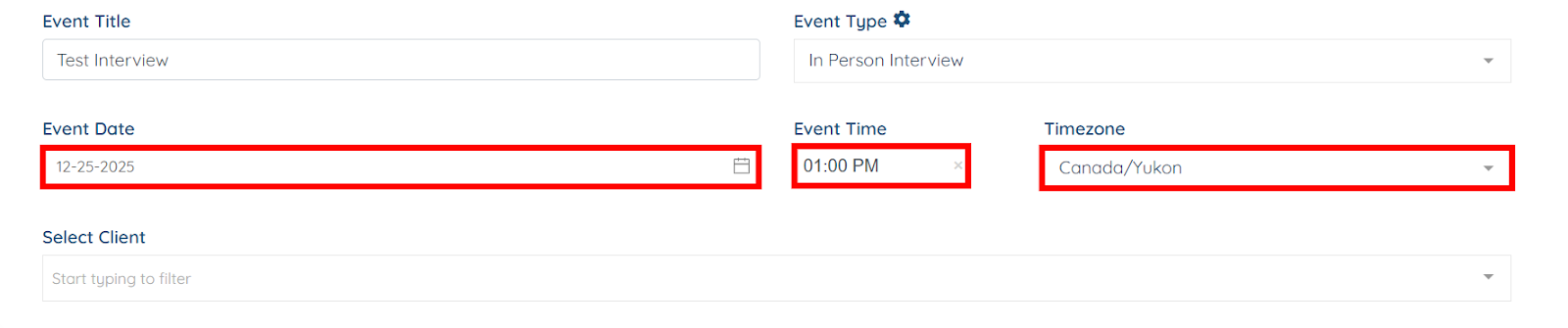
Step 6: Select the Event Date, Event Time, and Timezone for your future event.
Step 7: Select the client with whom you want to schedule the event.
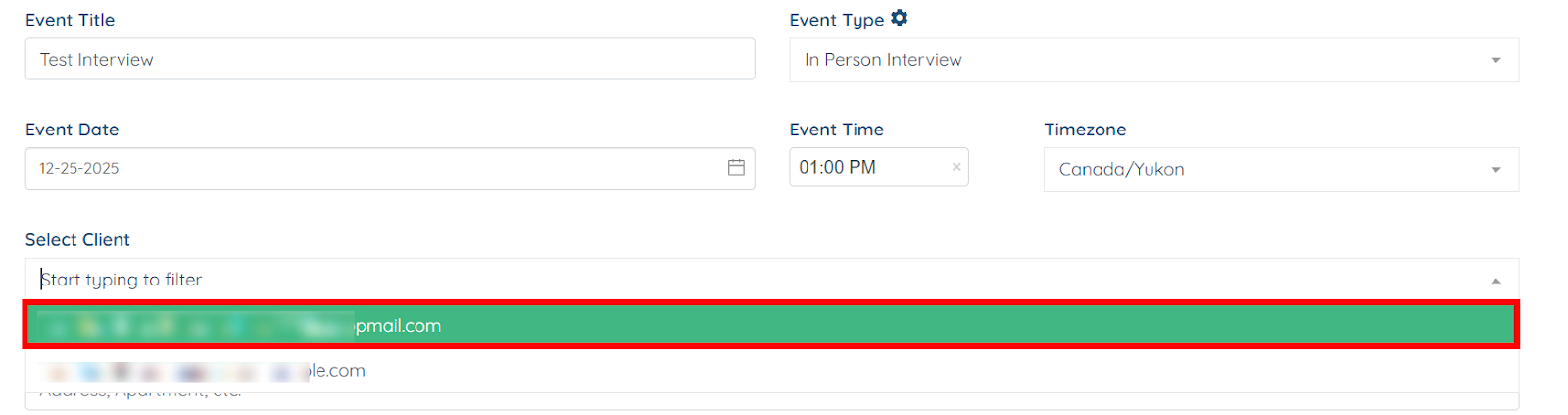
After you select the client, the Location field automatically populates with the client’s address.