Let’s get started 🚀
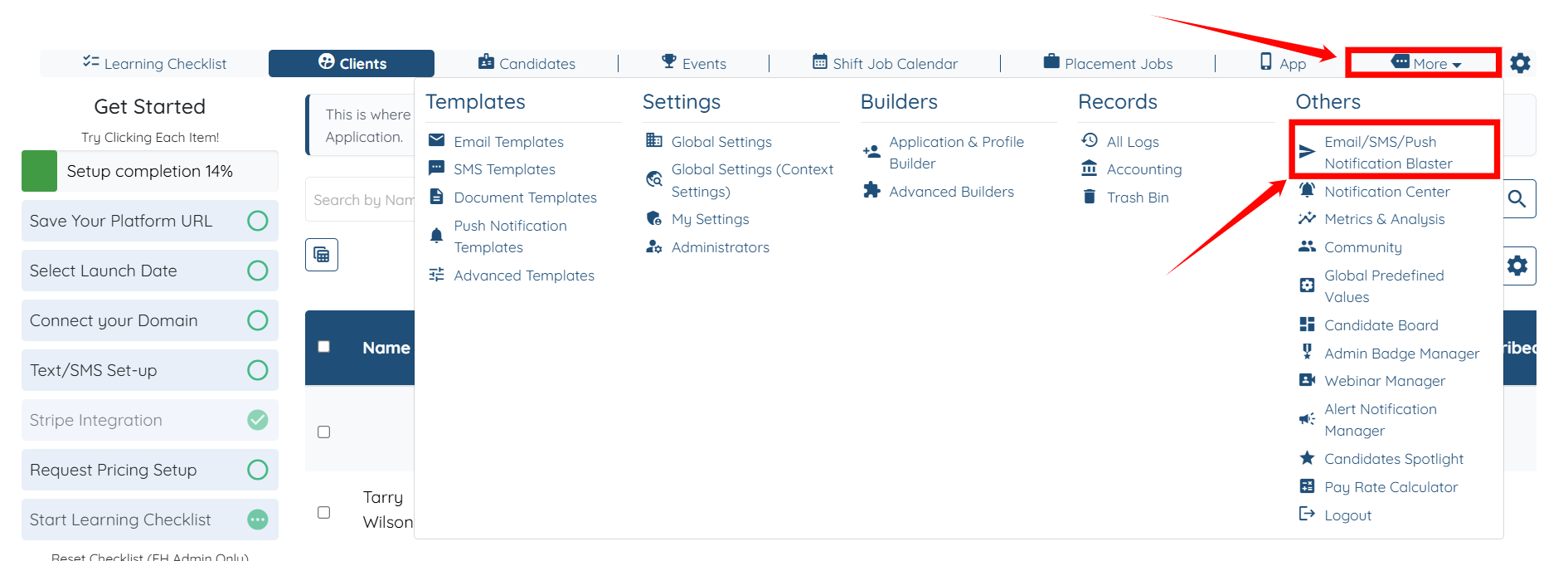
Step 1: Log in to your agent dashboard and click More > Email/SMS/Push Notification Blaster, as shown in the screenshot below.
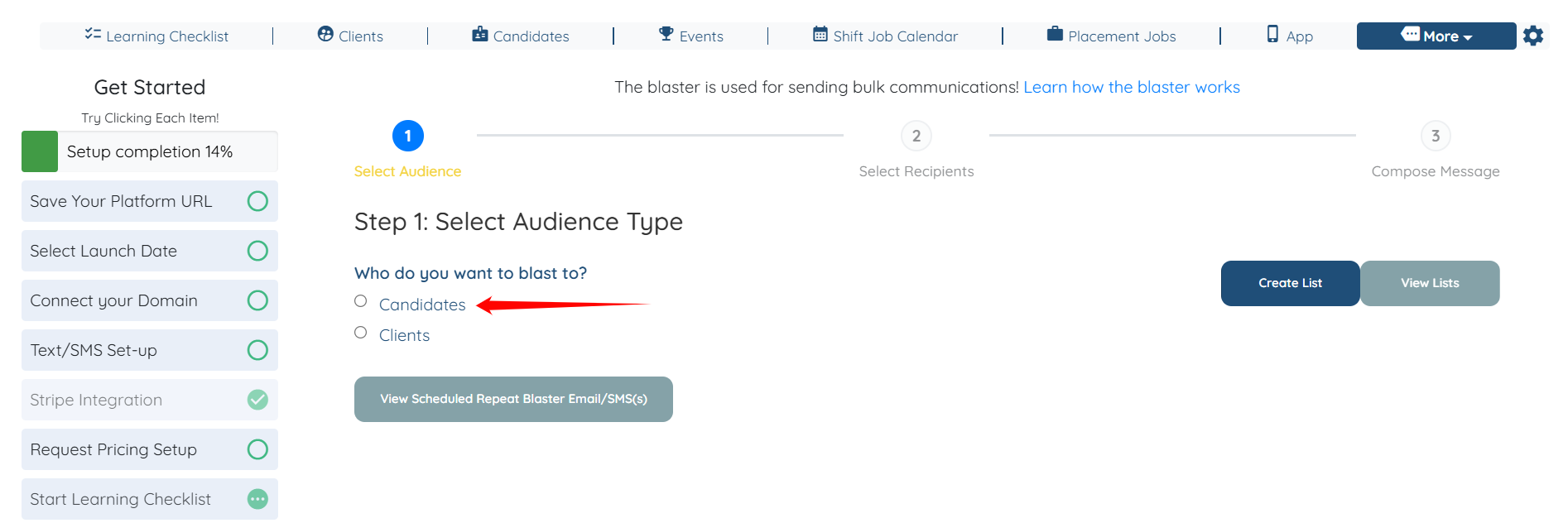
Step 2: Select Candidates as the Audience Type.
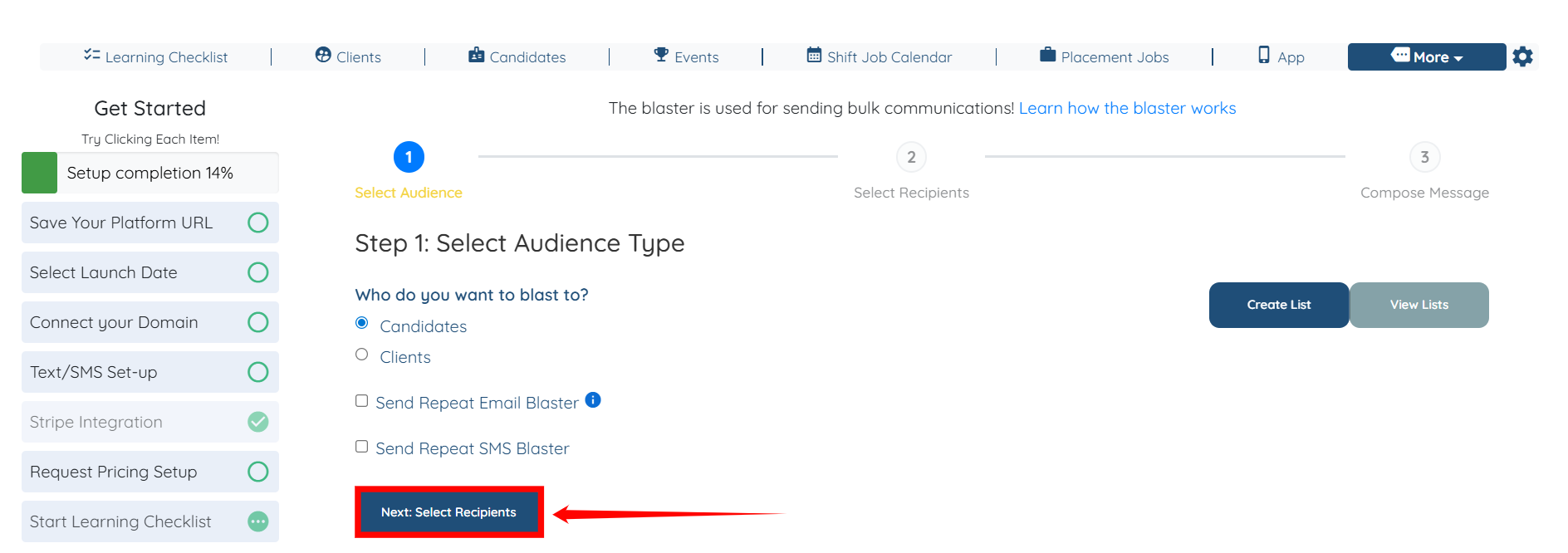
Step 3: Click the Next: Select Recipients button to begin the process of selecting the candidates.
Step 4: Click the Search and Filter Tools icon.
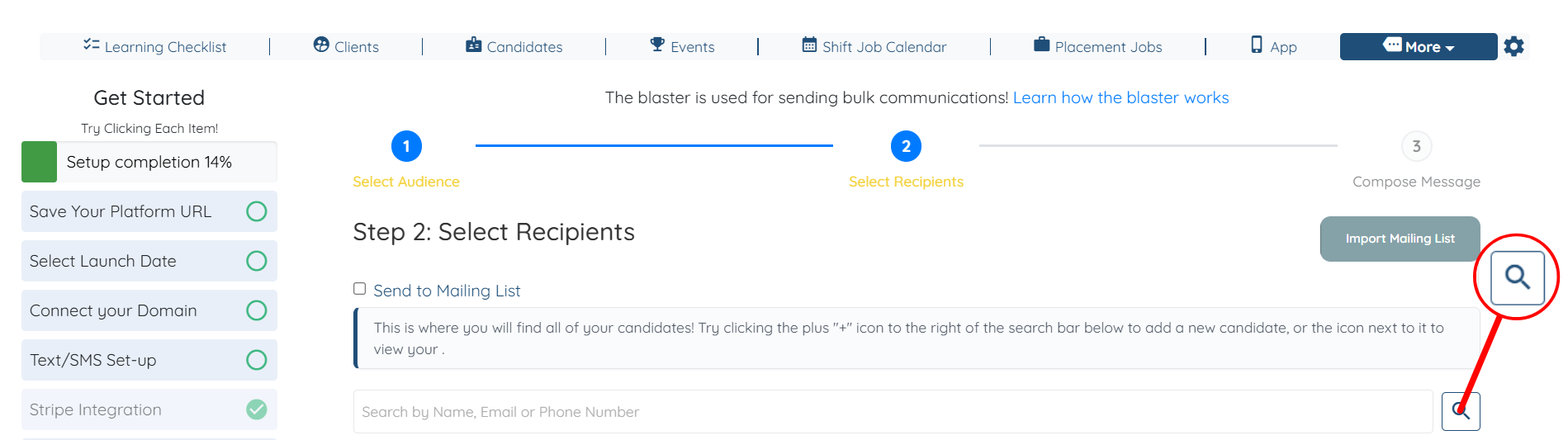
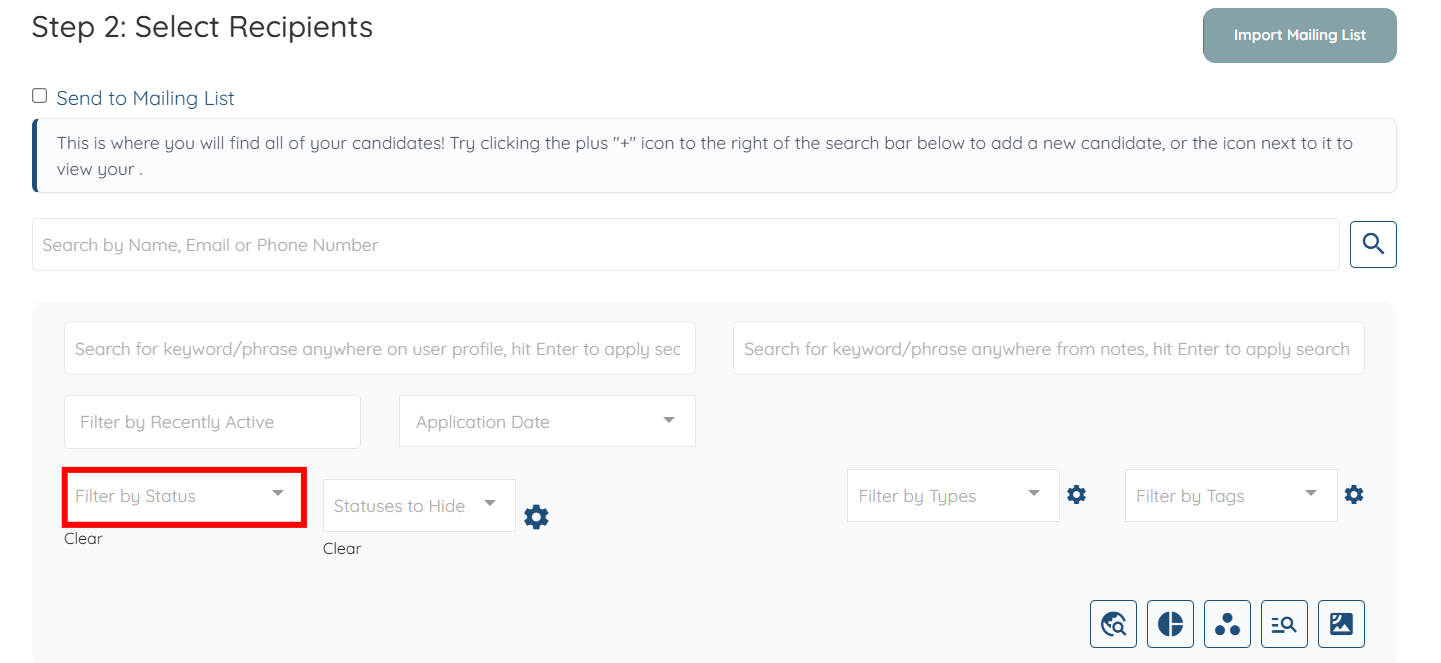
Step 5: Click the Filter by Status box to open the dropdown list.
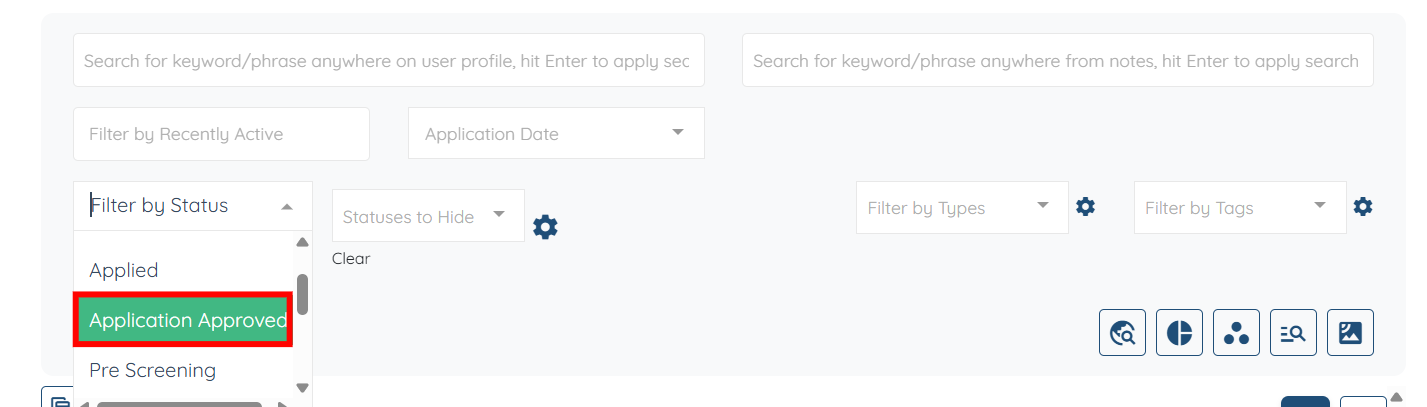
Step 6: Select the specific status of the candidates to whom you will send the email blast.
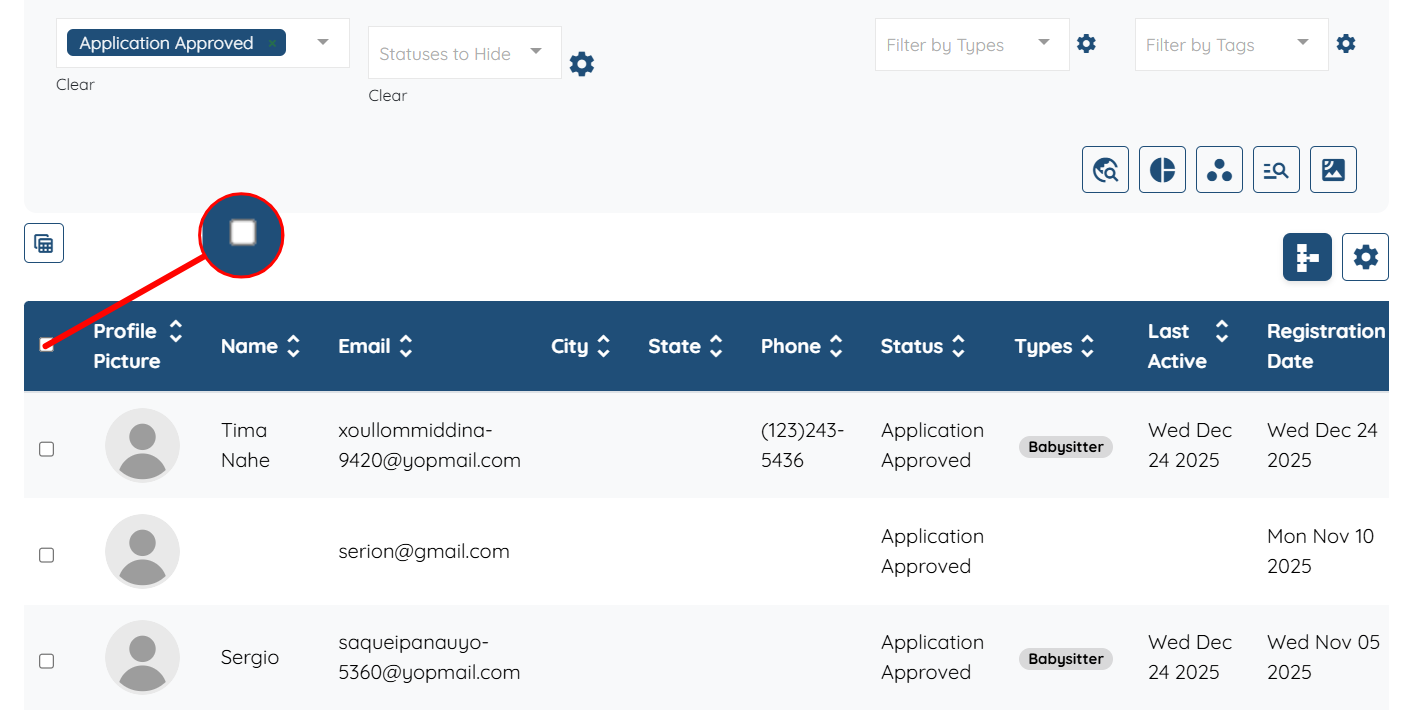
Step 7: The candidates list will be filtered based on the selected status. Click the checkbox, as shown in the screenshot below, to select all the filtered candidates.
Step 8: Click the Next:Compose Message button to continue.
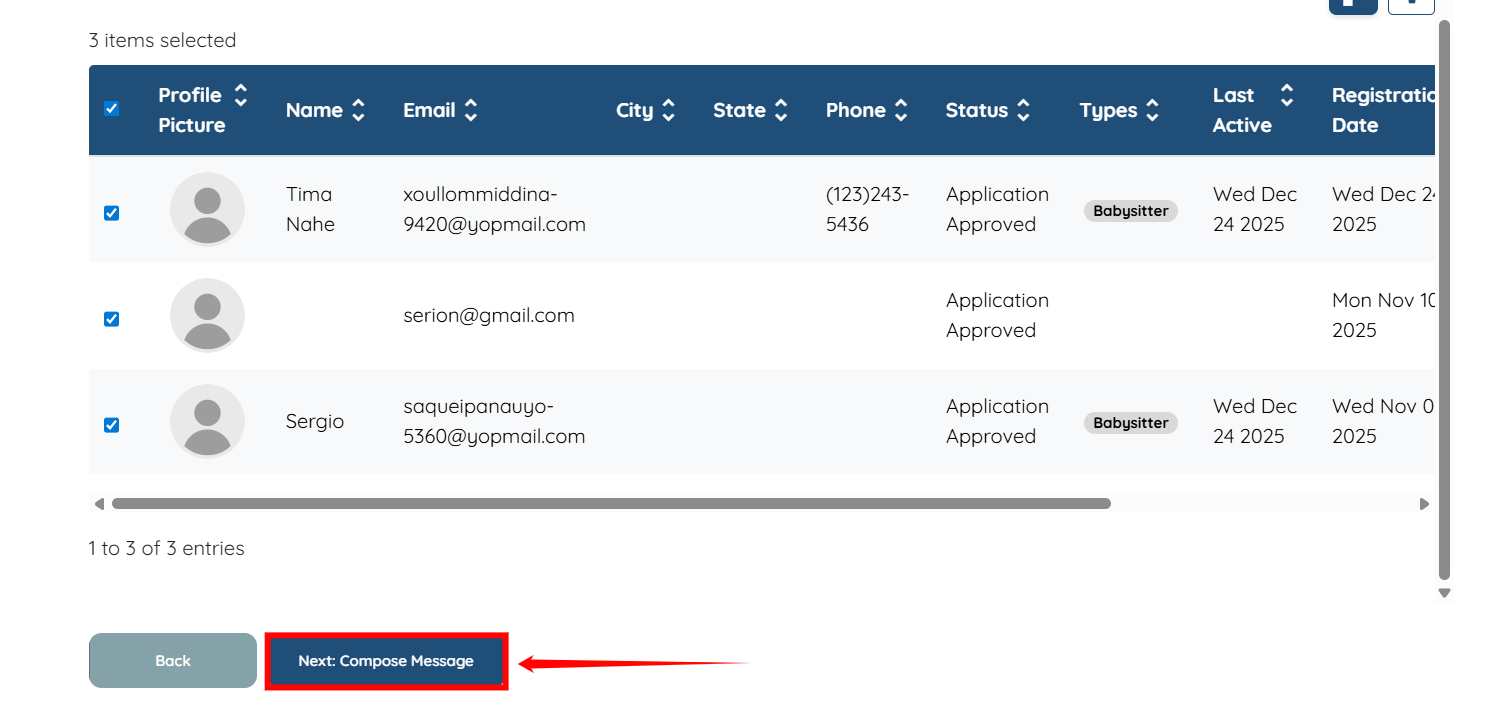
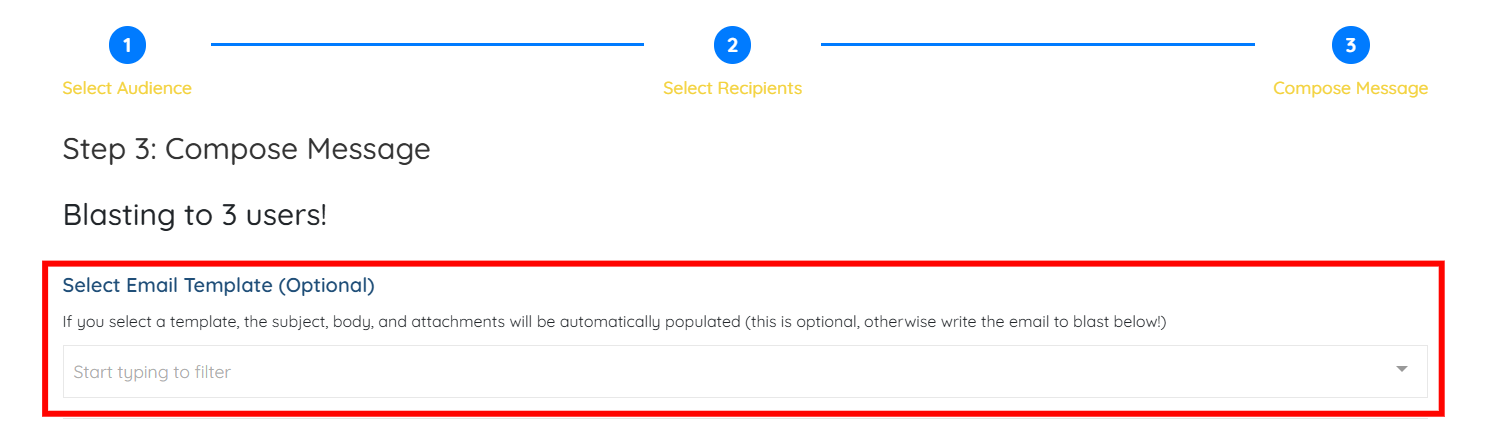
Step 9: (Optional) You may use any of the available email templates to send email blasts to the candidates you have filtered, if you choose to do so.
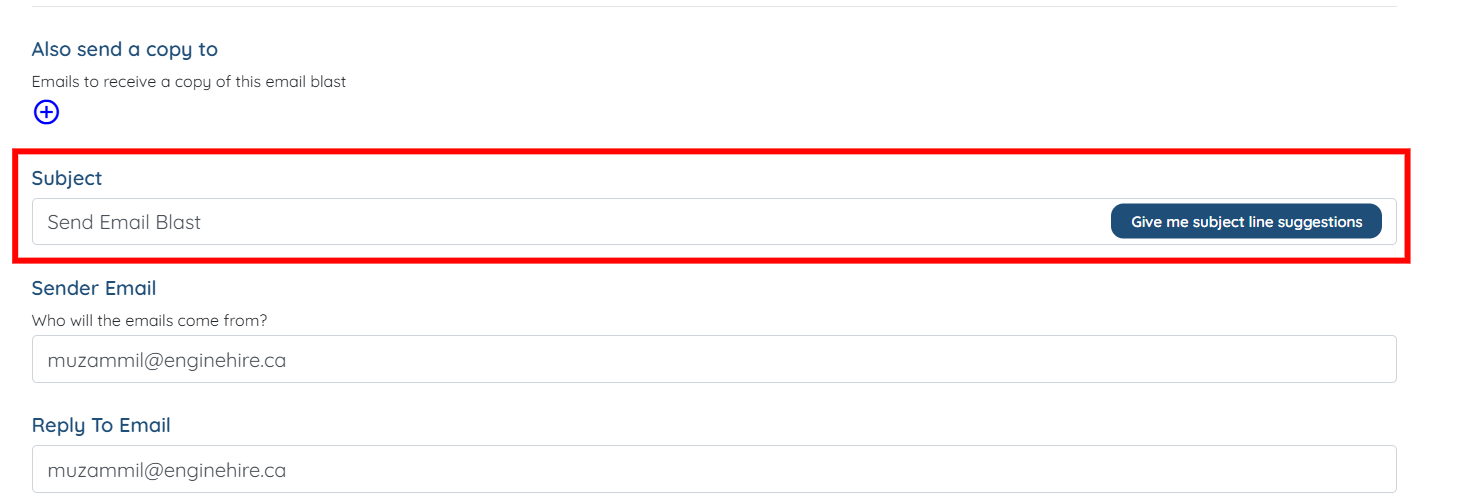
Step 10: Enter the subject line for your email blast.
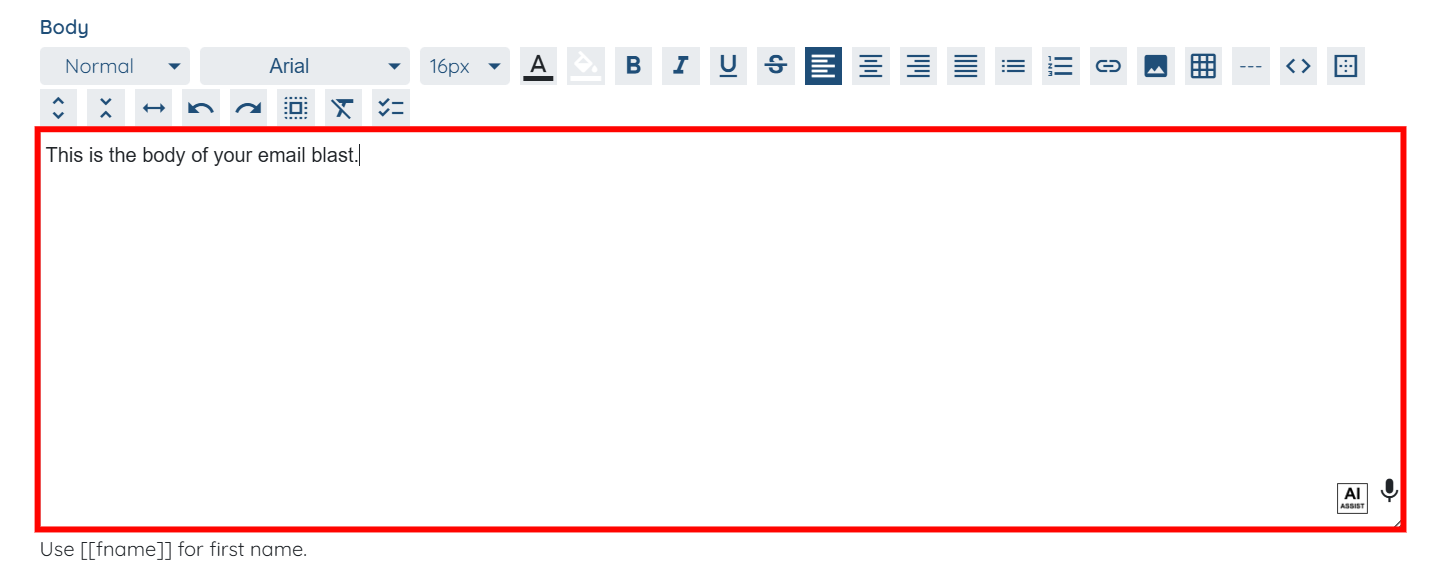
Step 11: Prepare your email blast message by using the text editor.
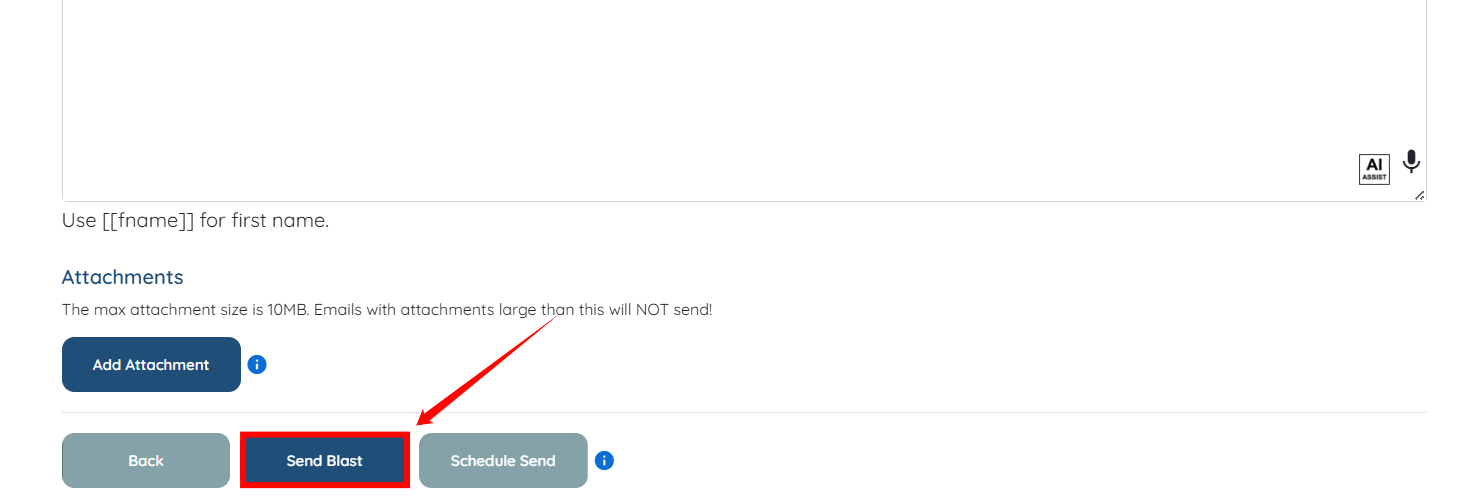
Step 12: Click the Send Blast button to send an email blast to the selected candidates.