Let’s get started 🚀
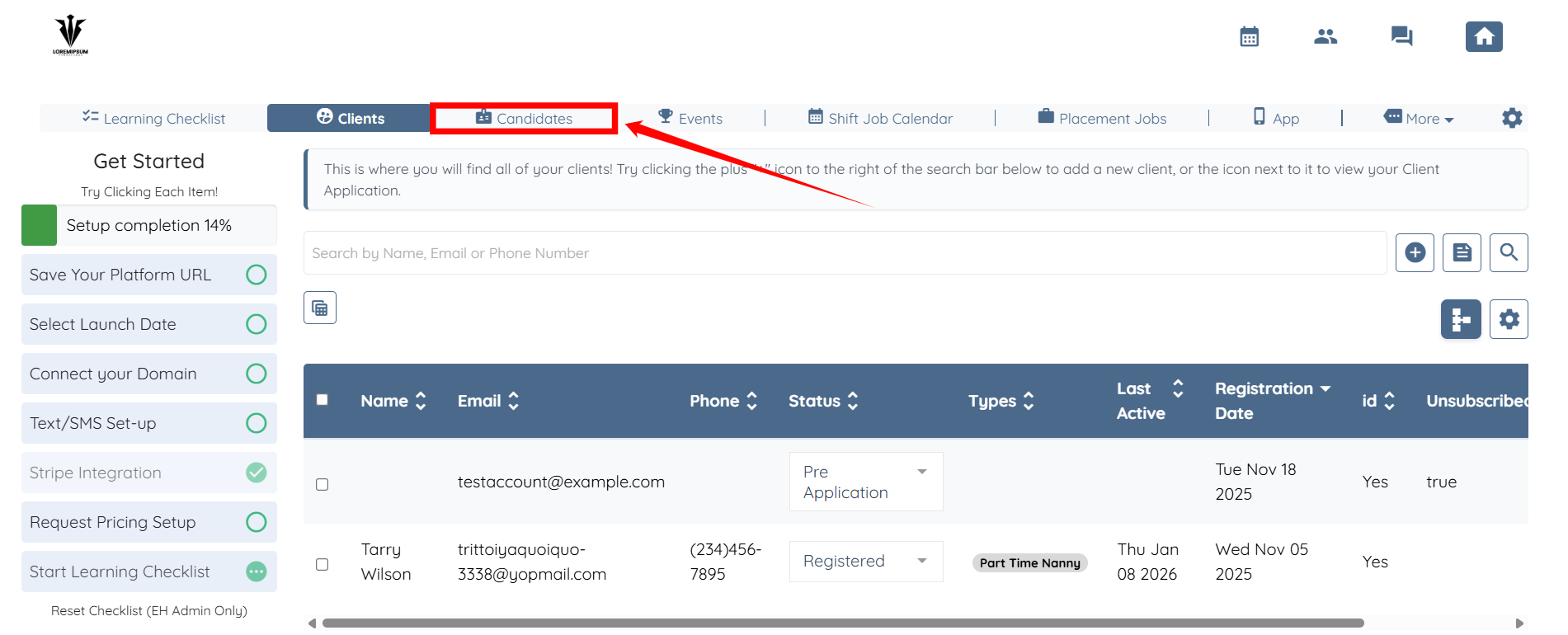
Step 1: Log in to your agent dashboard and click Candidates in the top navigation bar.
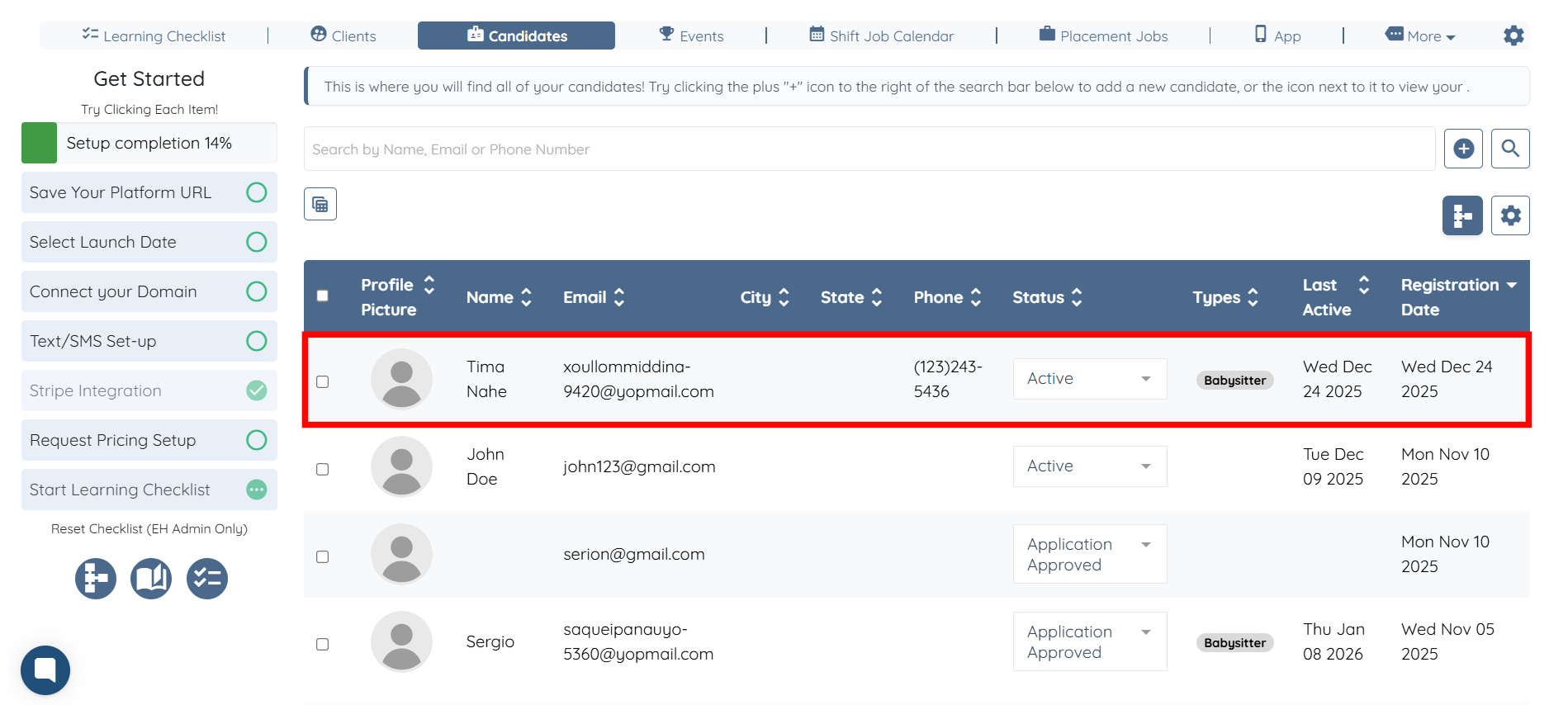
Step 2: Click on the candidate from the list whom you want to add to the placement job.
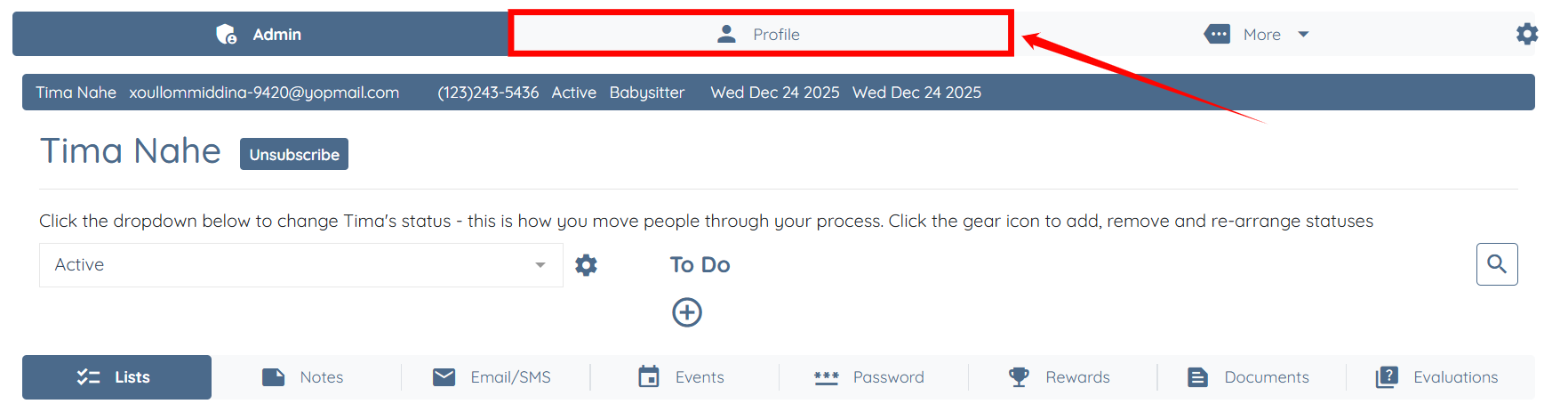
Step 3: Click the Profile tab to navigate to the candidate’s profile.
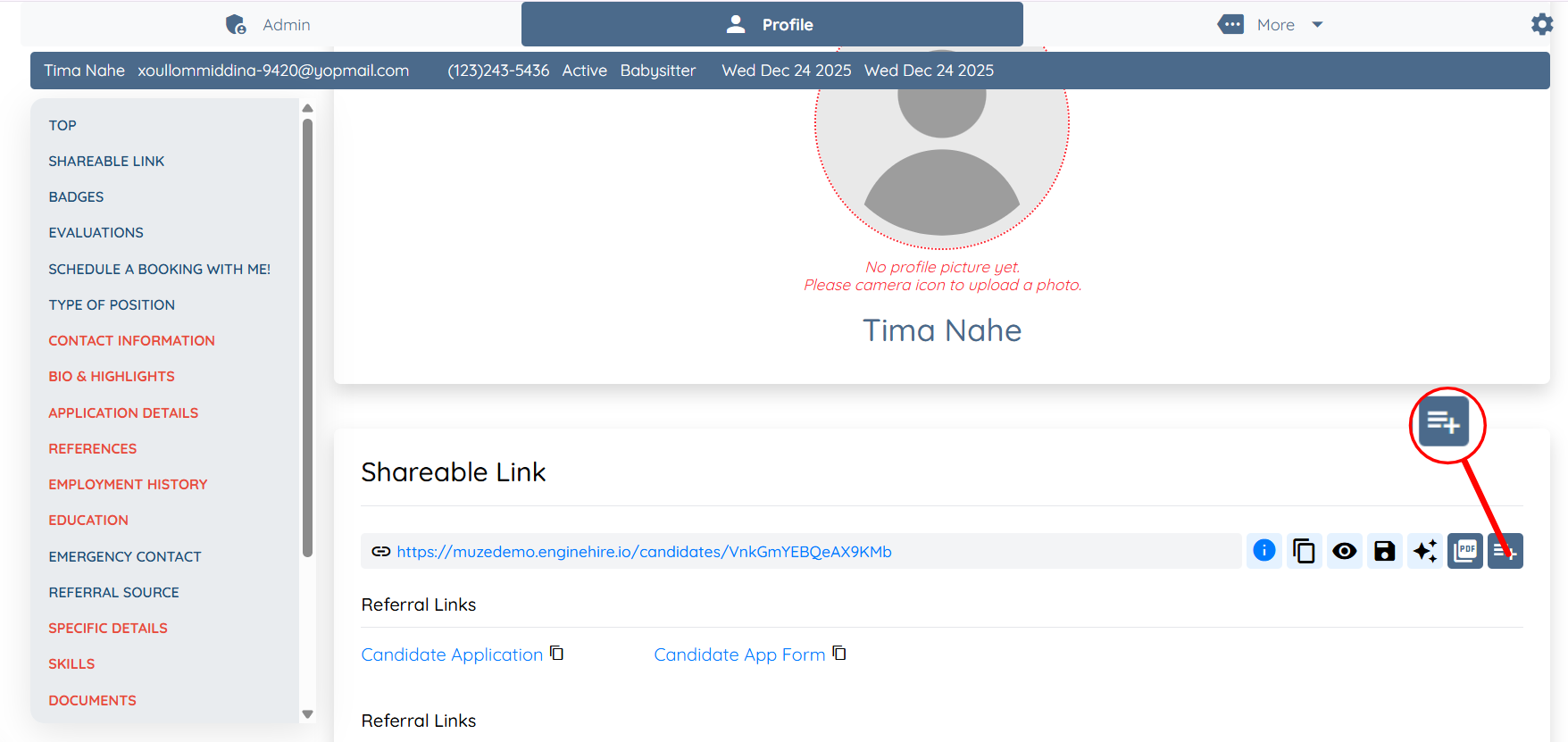
Step 4: Scroll down and click the Add to Placement Job button under the Shareable Link section.
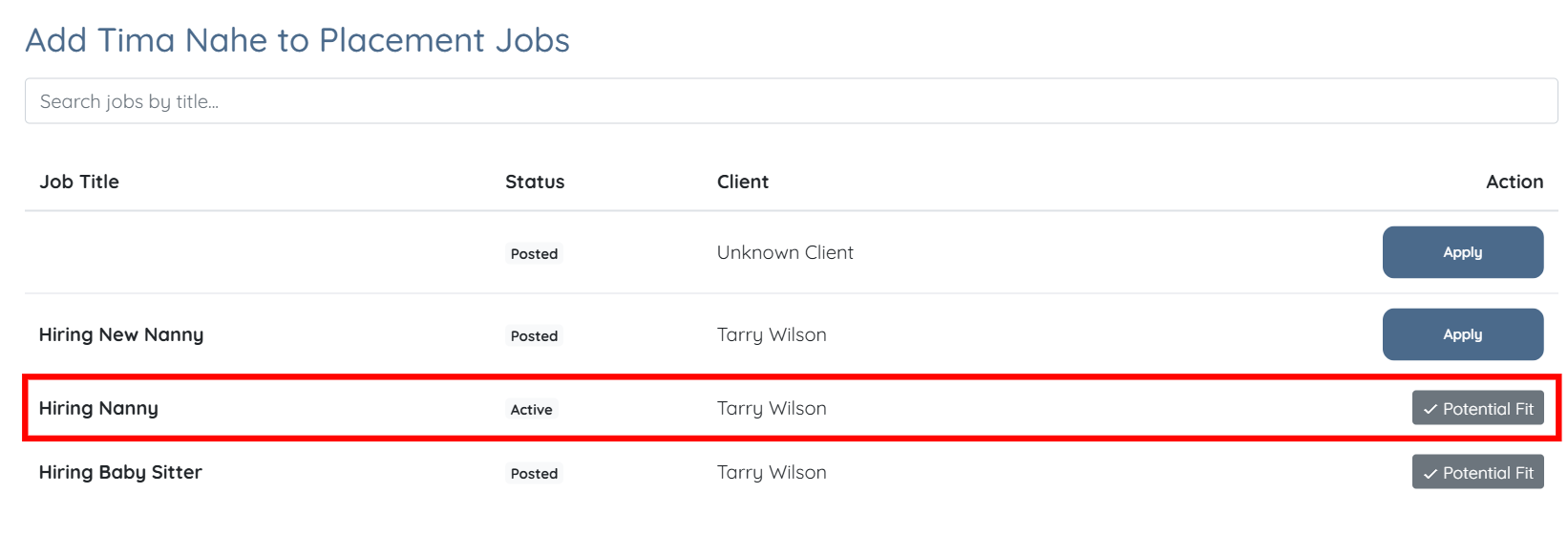
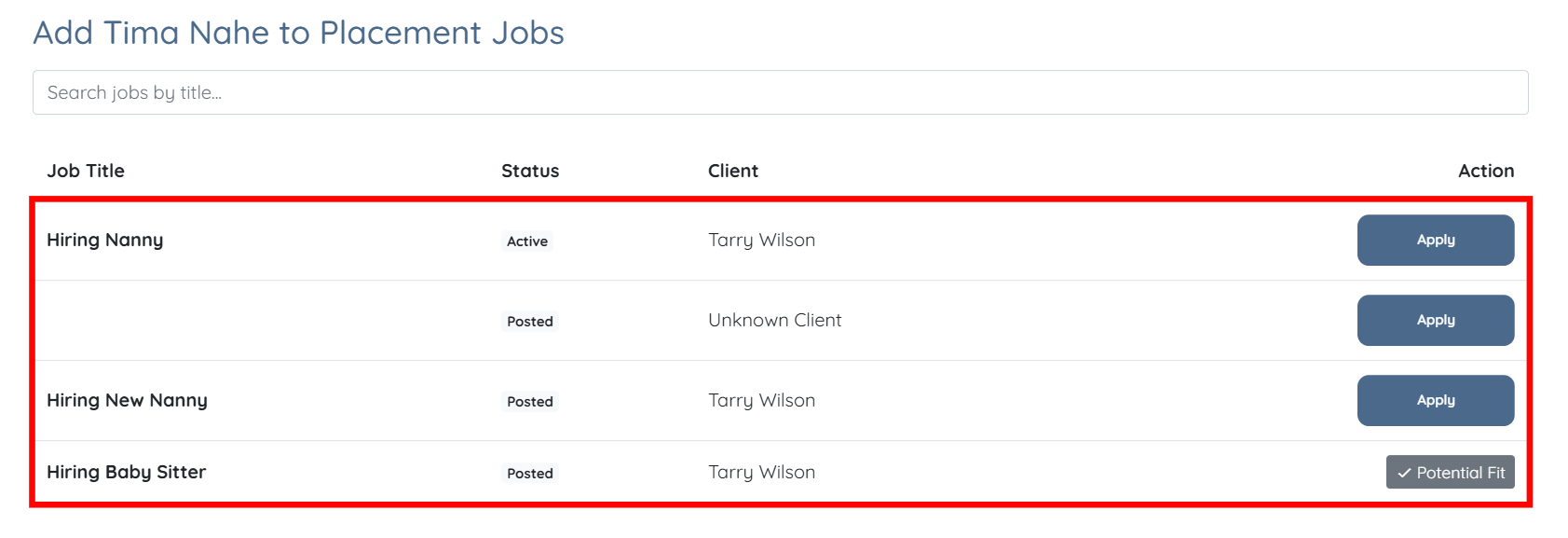
Now, you can check which jobs the candidate has already applied for and which jobs the candidate can still apply to.
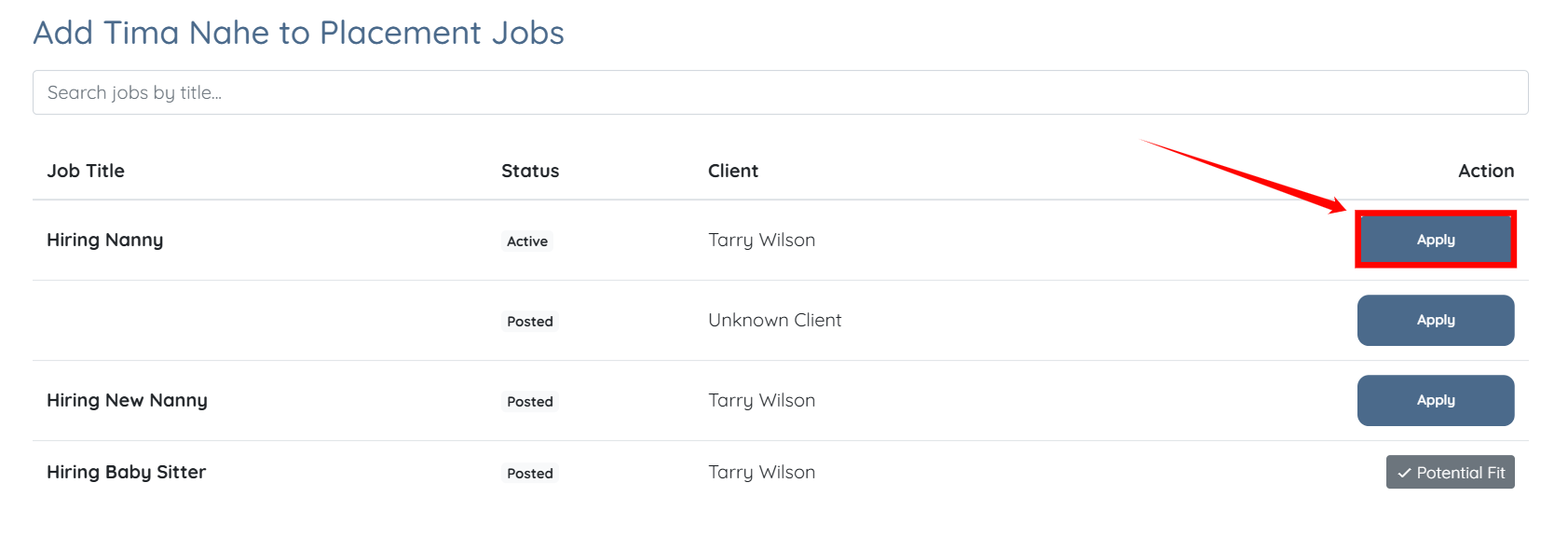
Step 5: To add a candidate to a placement job, click the corresponding Apply button for the placement job you want to add to.
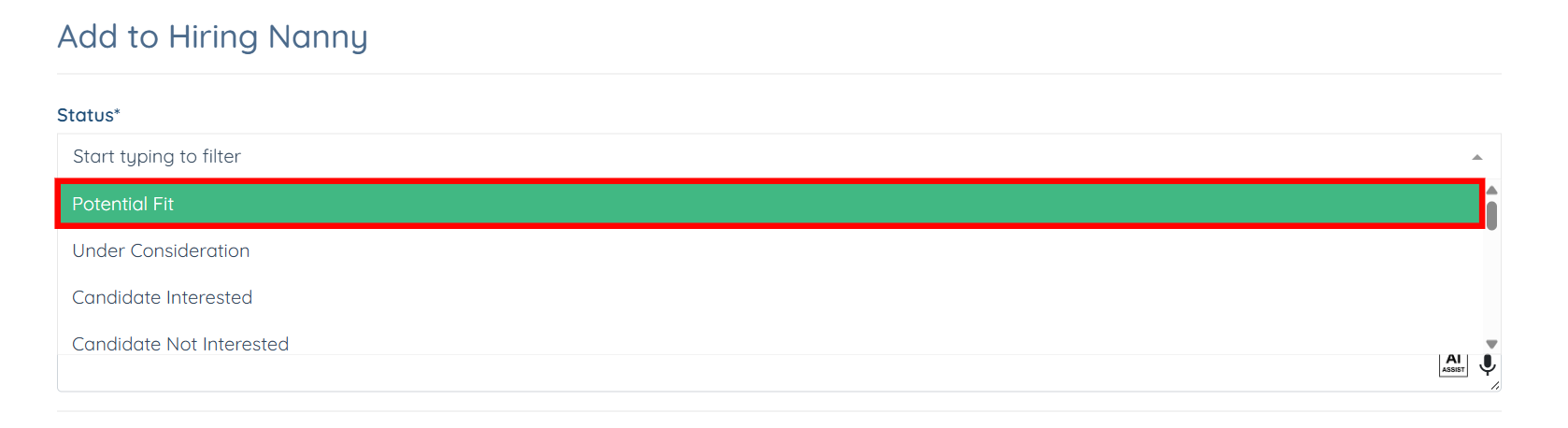
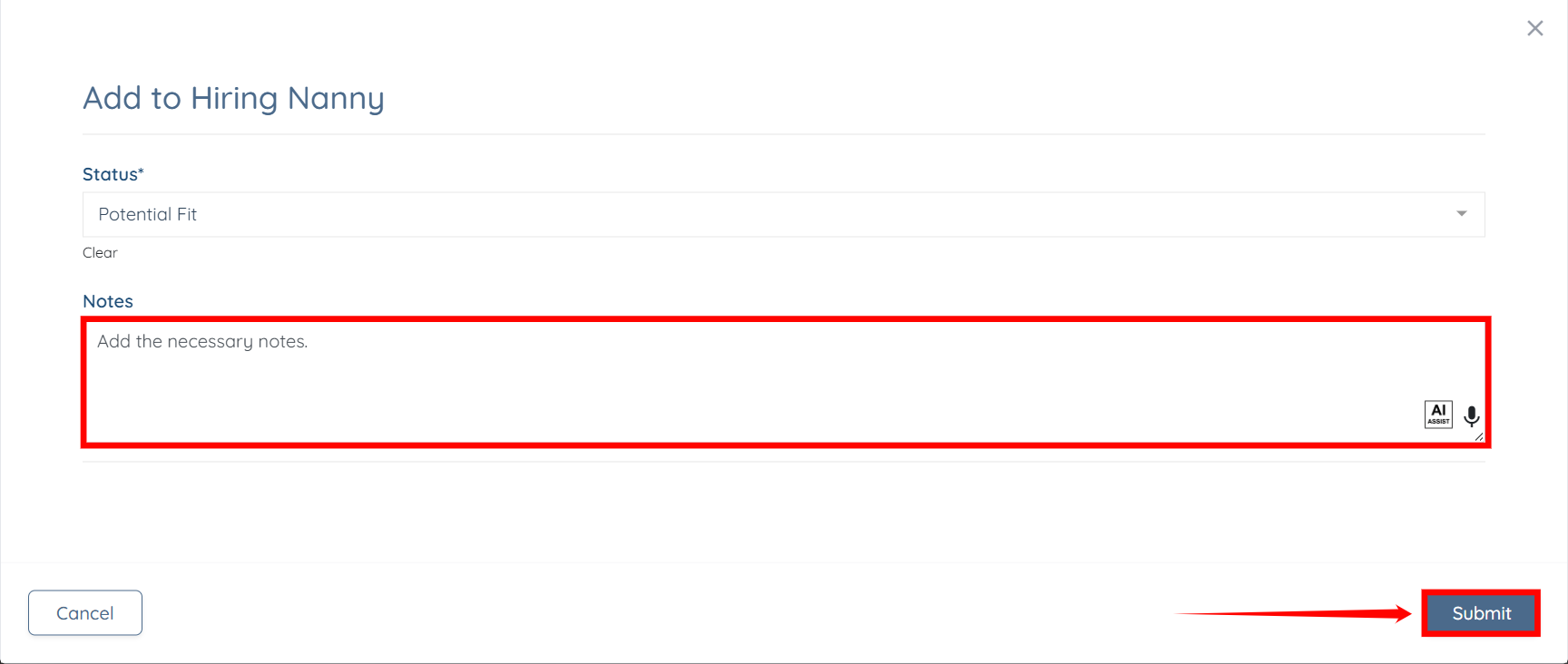
Step 6: Set the status as needed from the dropdown list.
Step 7: Add any necessary notes, and then click the Submit button to proceed.

The candidate will be successfully added to the placement job, and the status you set in Step 6 will be displayed for that placement job in the list.