Let’s get started 🚀
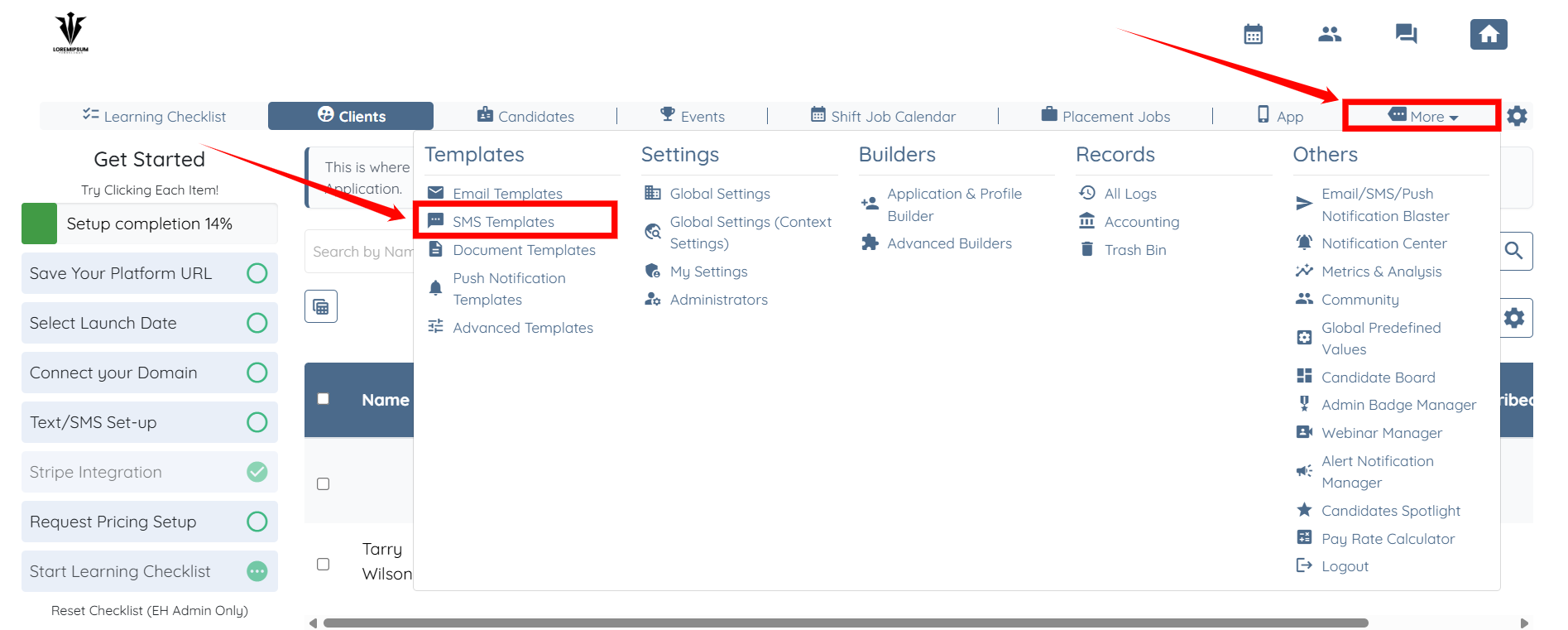
Step 1: Log in to your agent dashboard, and click on More > SMS Templates as shown in the screenshot below.
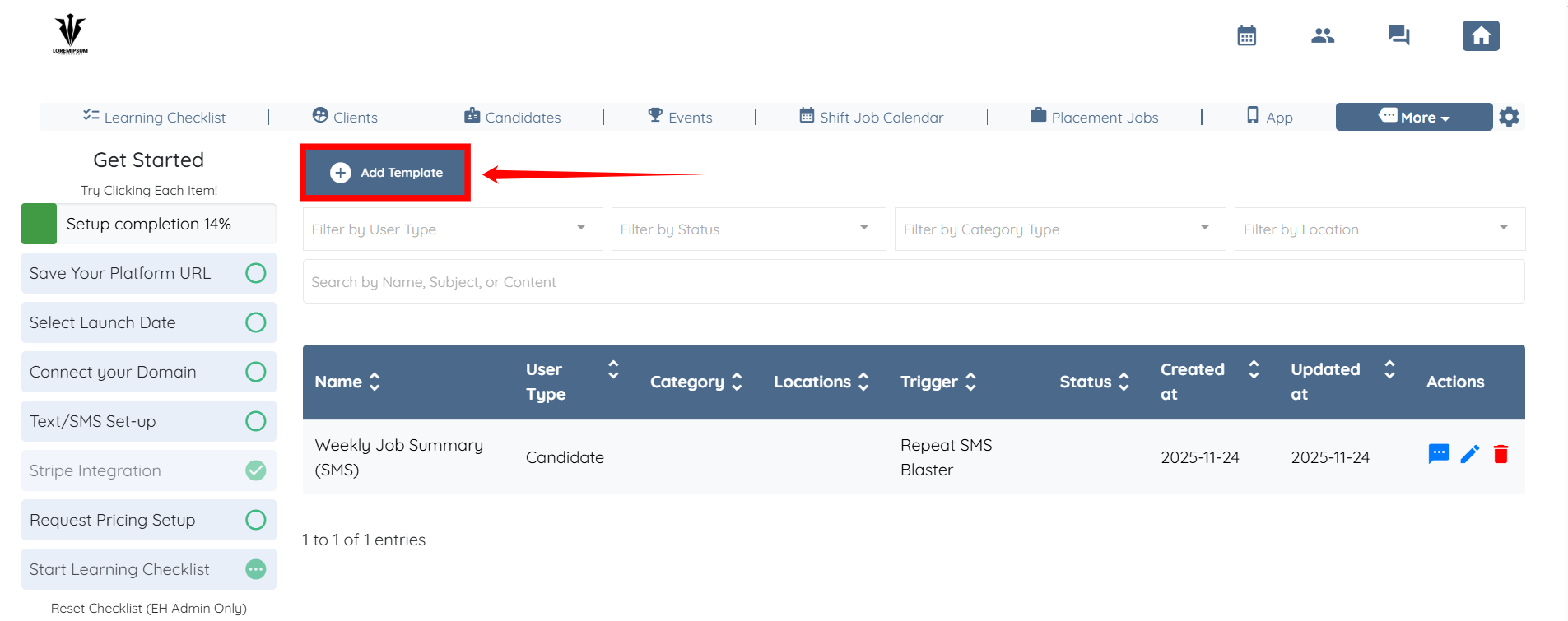
Step 2: Click the Add Template button to begin adding a new template.
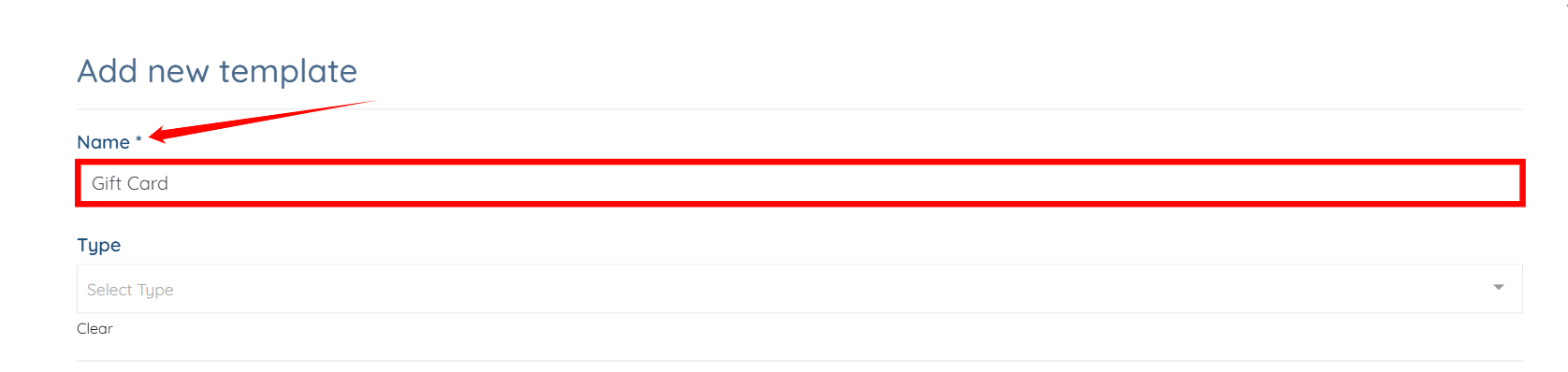
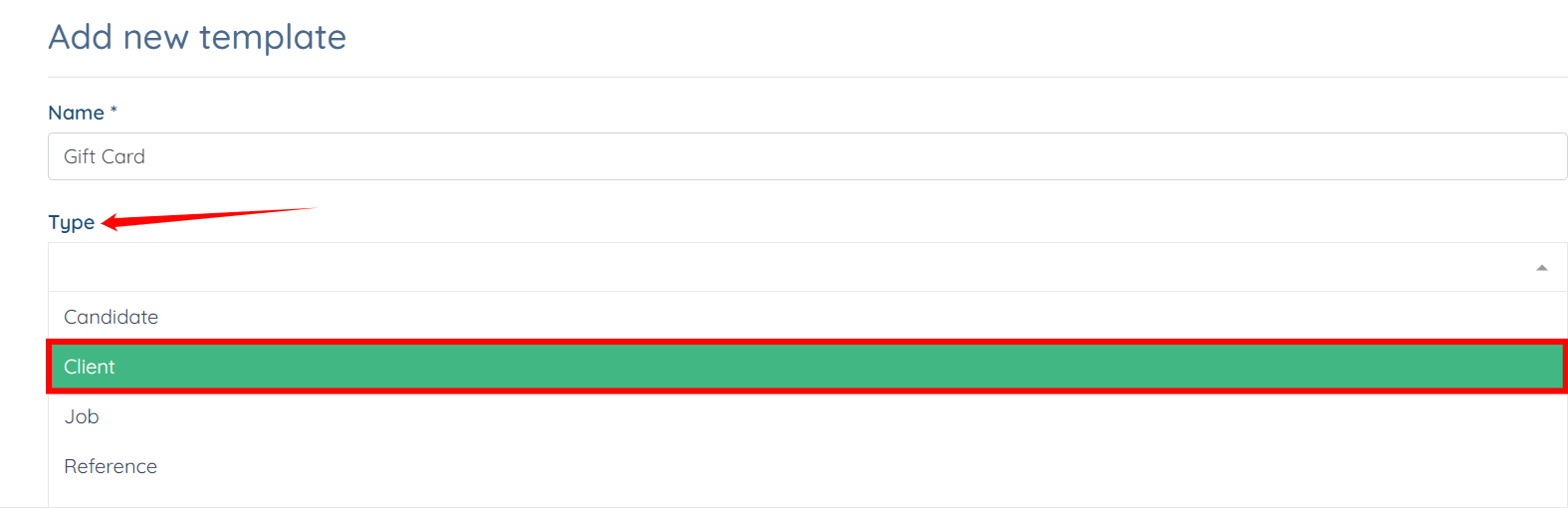
Step 3: Enter name for your template.
Step 4: Select Client as the Type from the dropdown list.
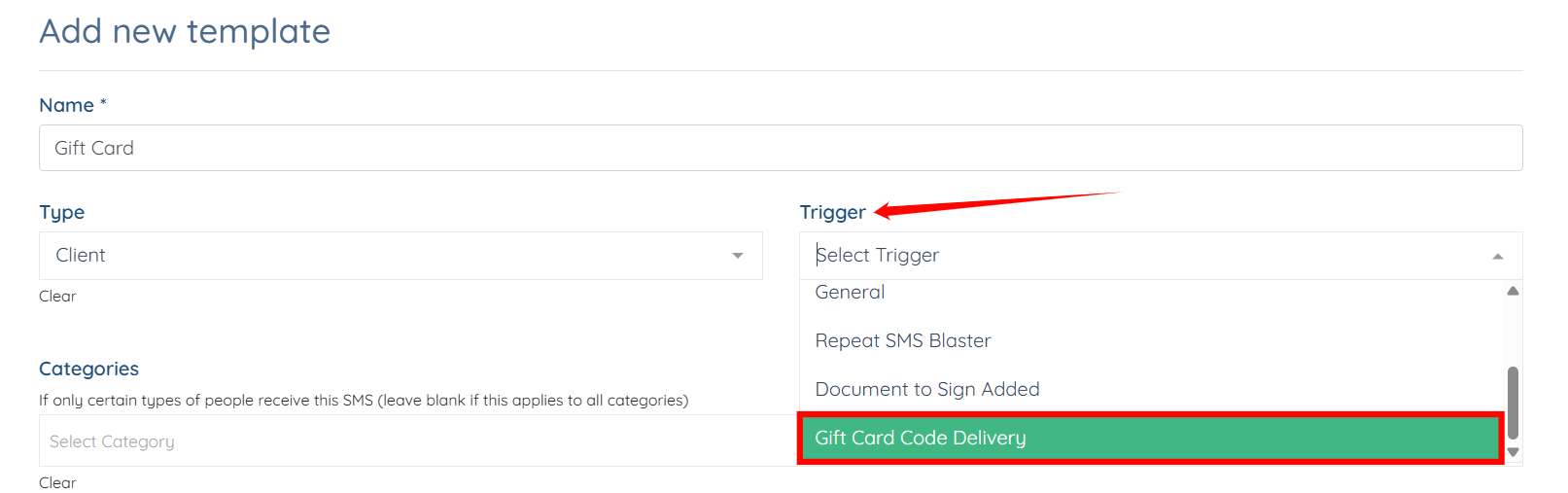
Step 5: Select the Gift Card Code Delivery trigger from the dropdown list.
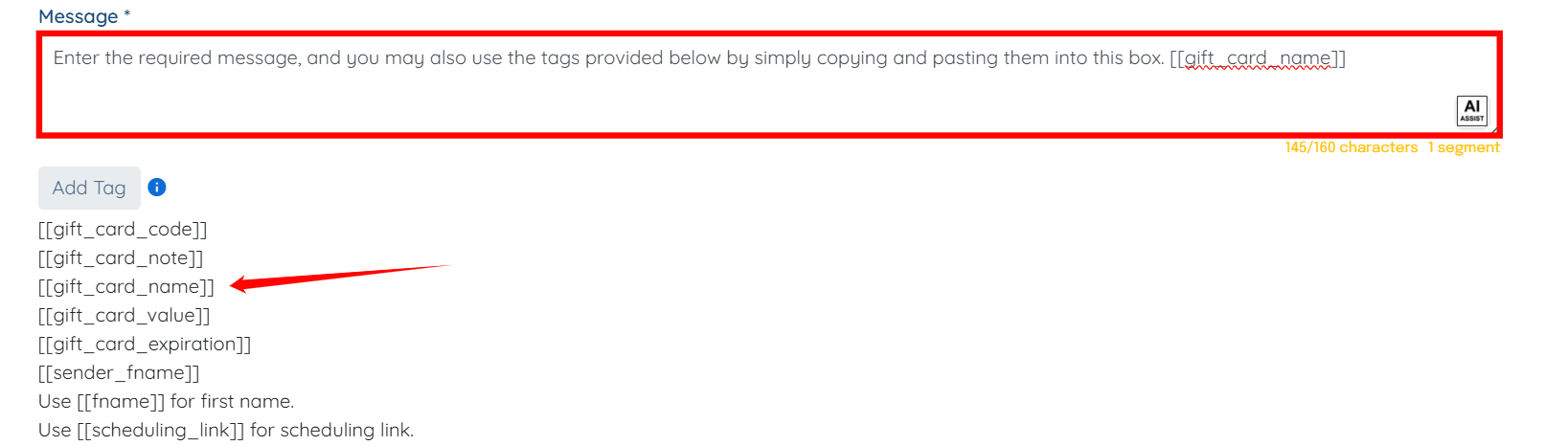
Step 6: Enter the required message. You may also use the tags provided below by copying and pasting them directly into this box.

Step 7: Click the Create button to proceed.
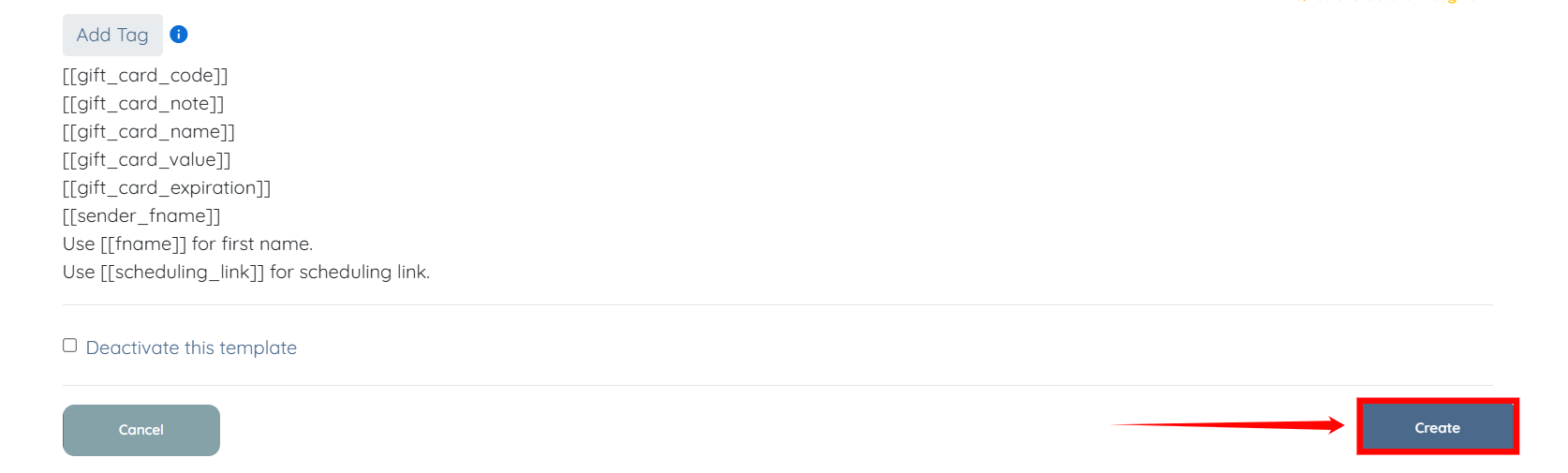
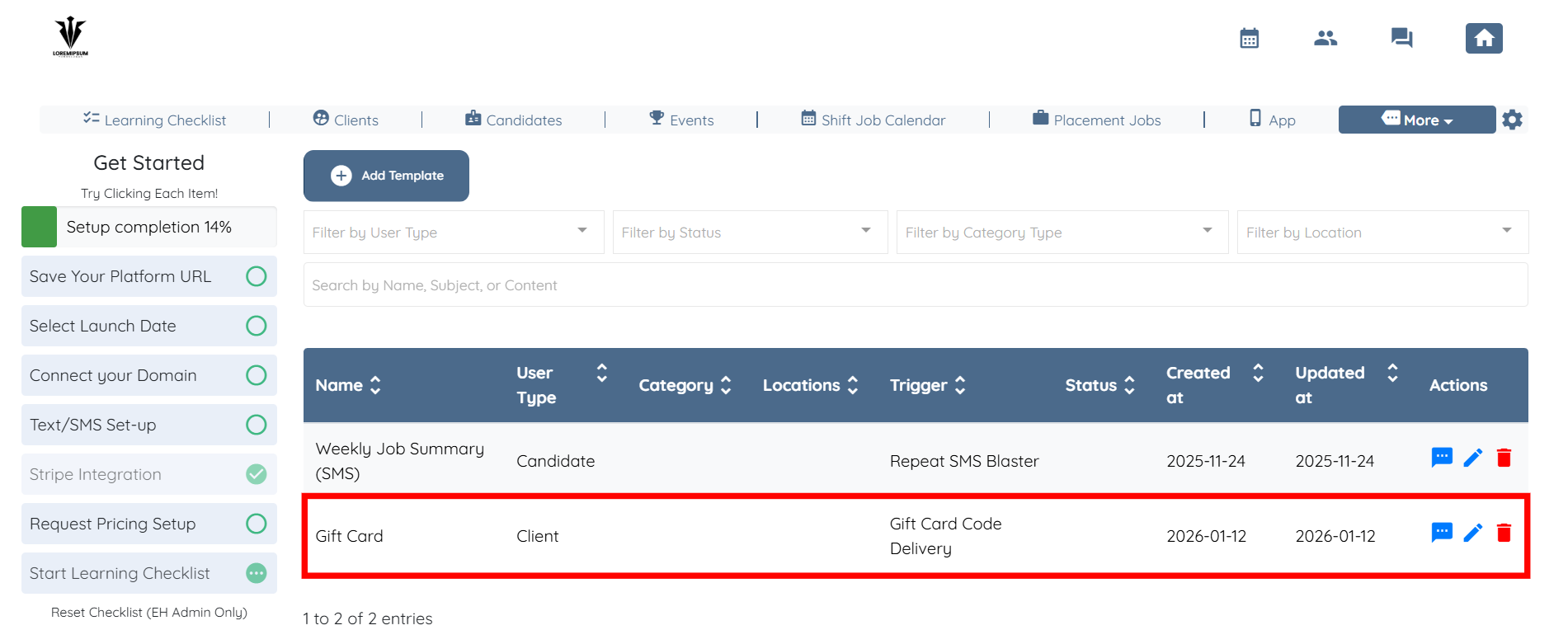
Your SMS template will be successfully created using the Gift Card Code Delivery trigger.