Let’s get started 🚀
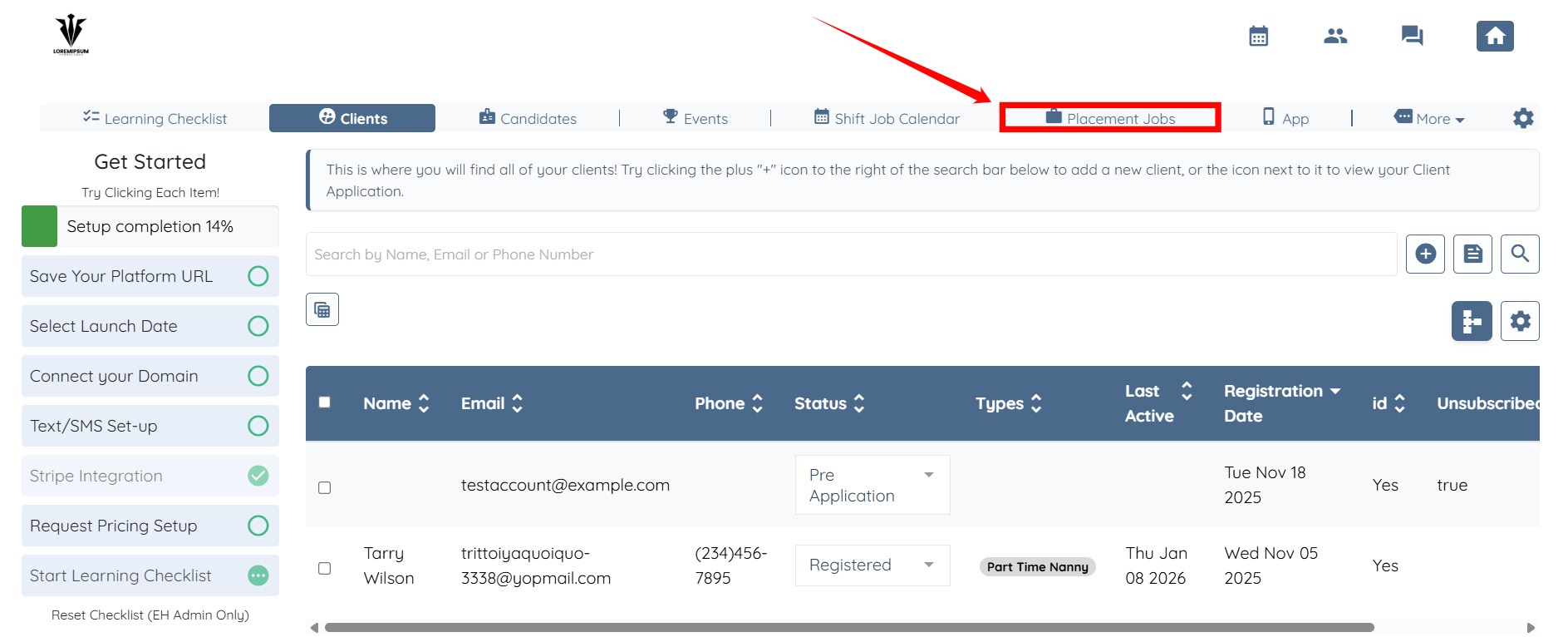
Step 1: Log in to your agent dashboard and select Placement Jobs from the top navigation bar.
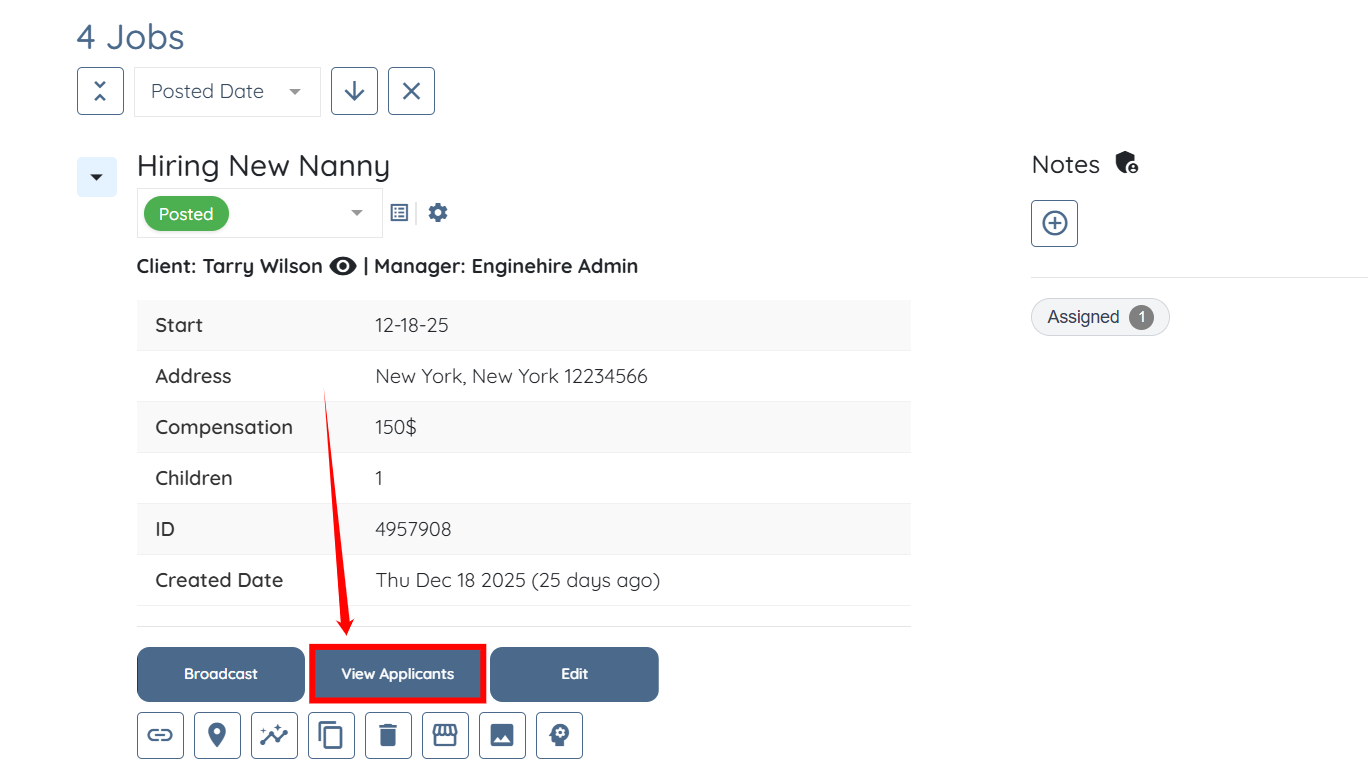
Step 2: Scroll down and click the View Applicants button of the job whose applicants you want to view.
Step 3: Select the status from the list that you want to use to filter the applicants, such as Application Approved.
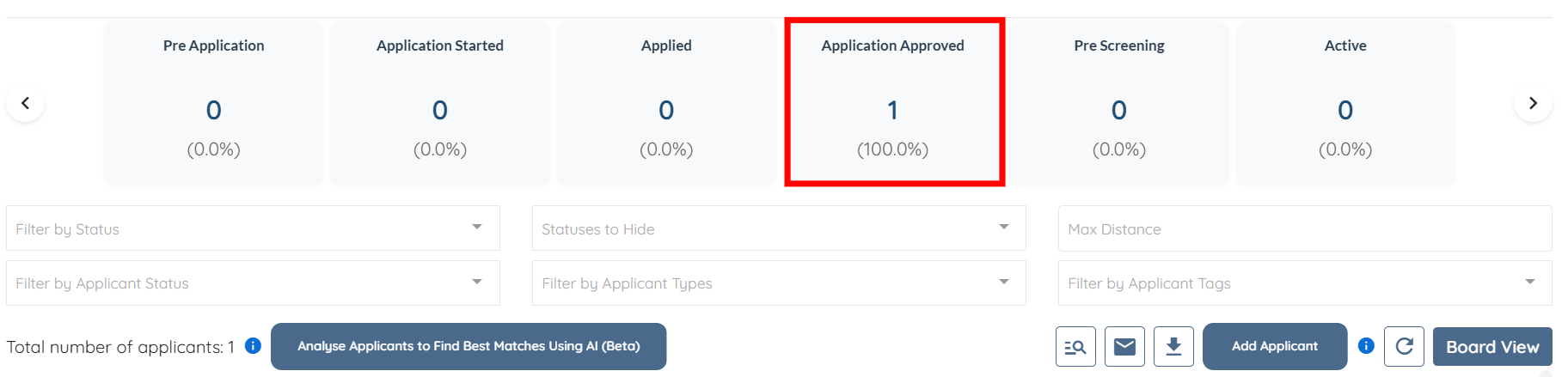
The selected status is highlighted among all statuses and is automatically applied in the filters just below it. Additionally, the system filters the applicants according to the selected status.
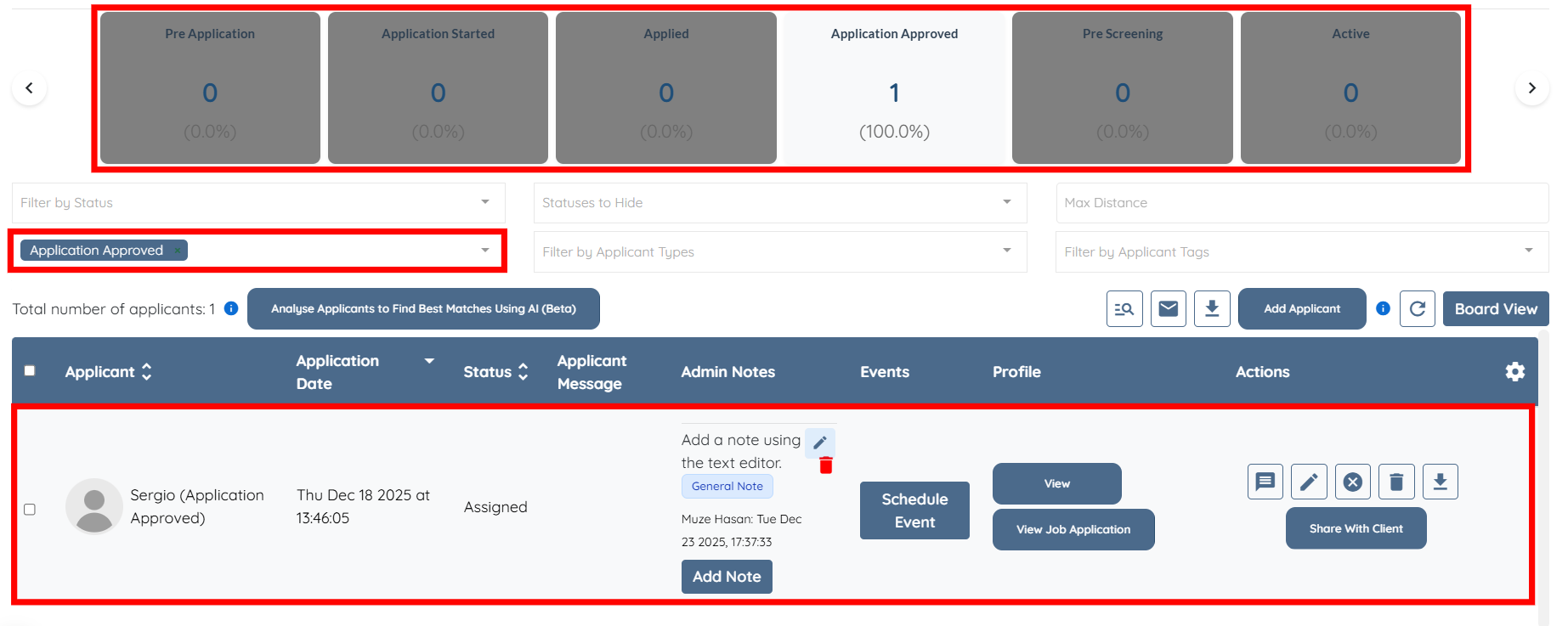
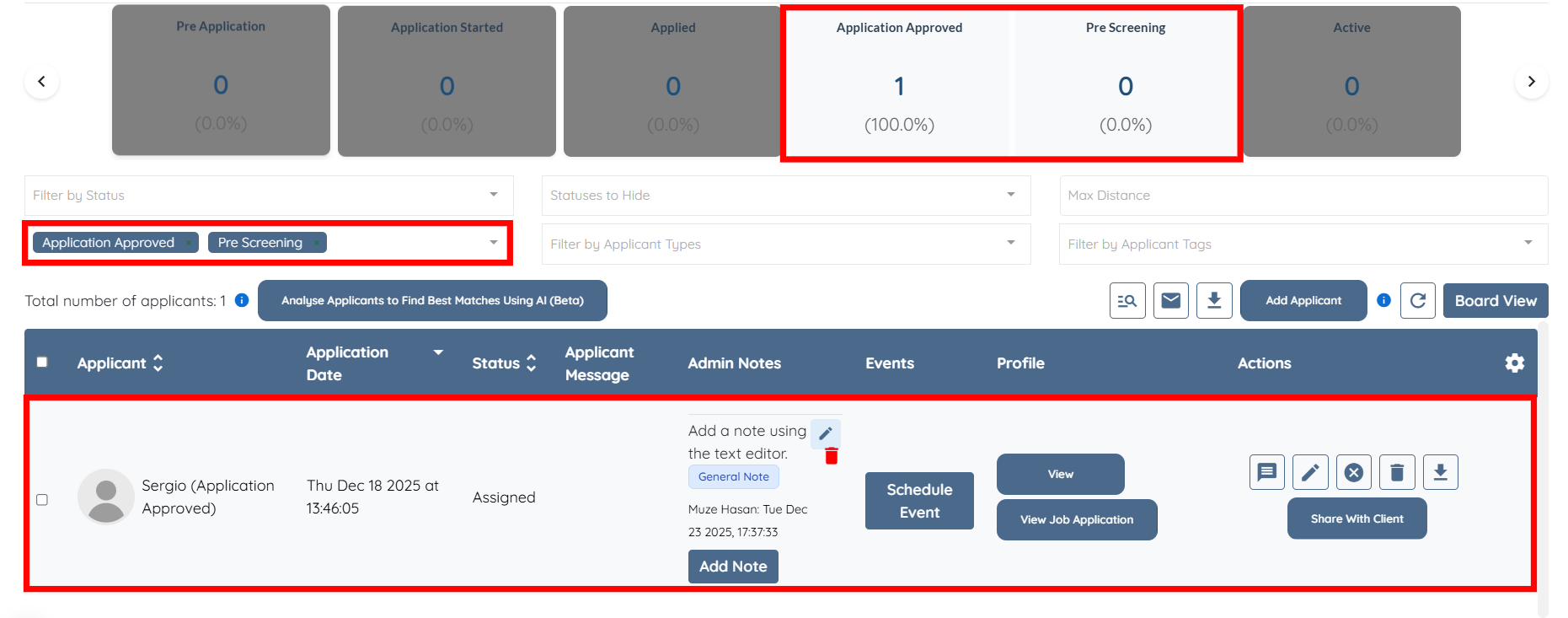
You can select more than one status at a time if you wish. The filters will update accordingly, and the applicants will be filtered based on the selected statuses.