Let’s get started 🚀
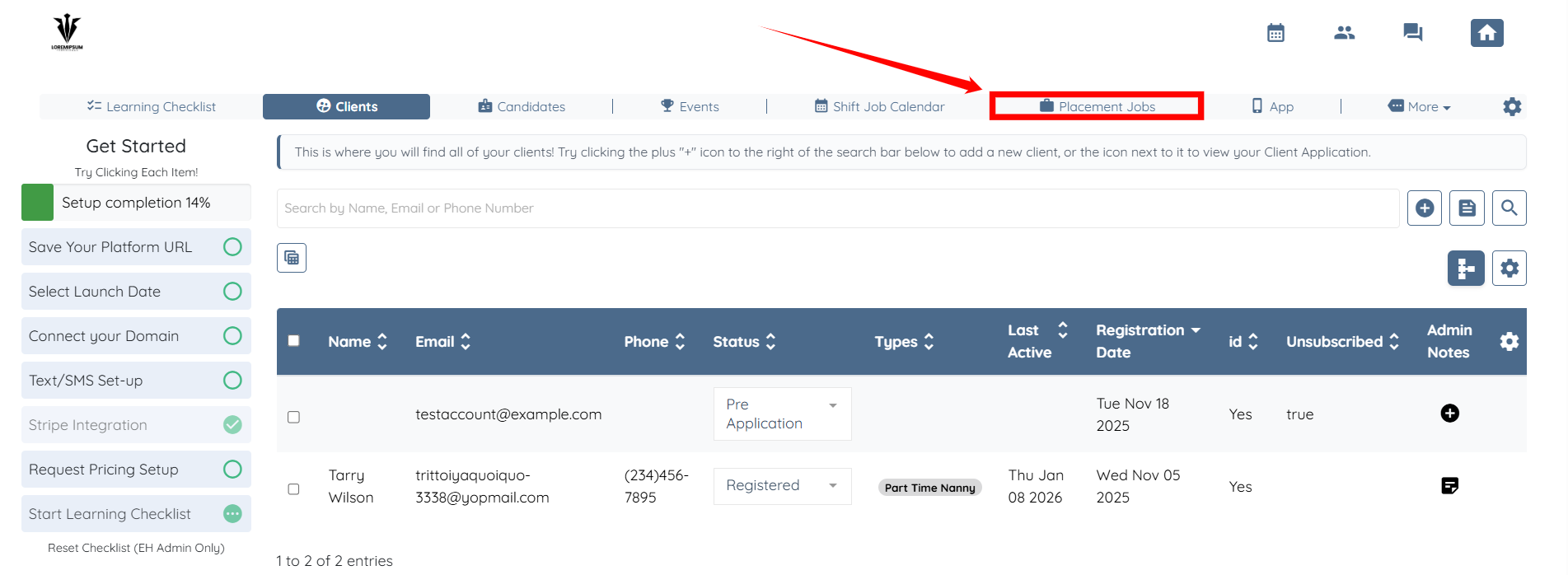
Step 1: Log in to your agent dashboard and click Placement Jobs in the top navigation bar.
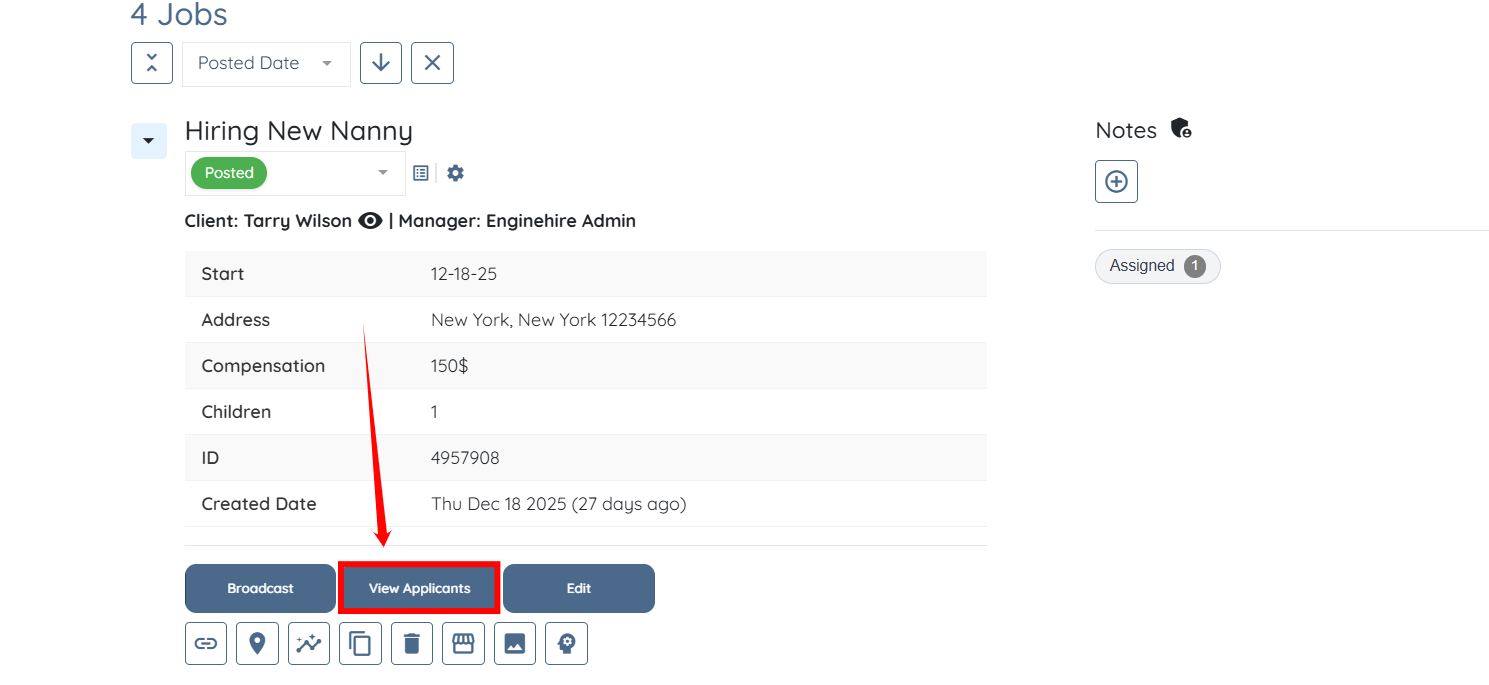
Step 2: Scroll down and click the View Applicants button for any placement job, as required.
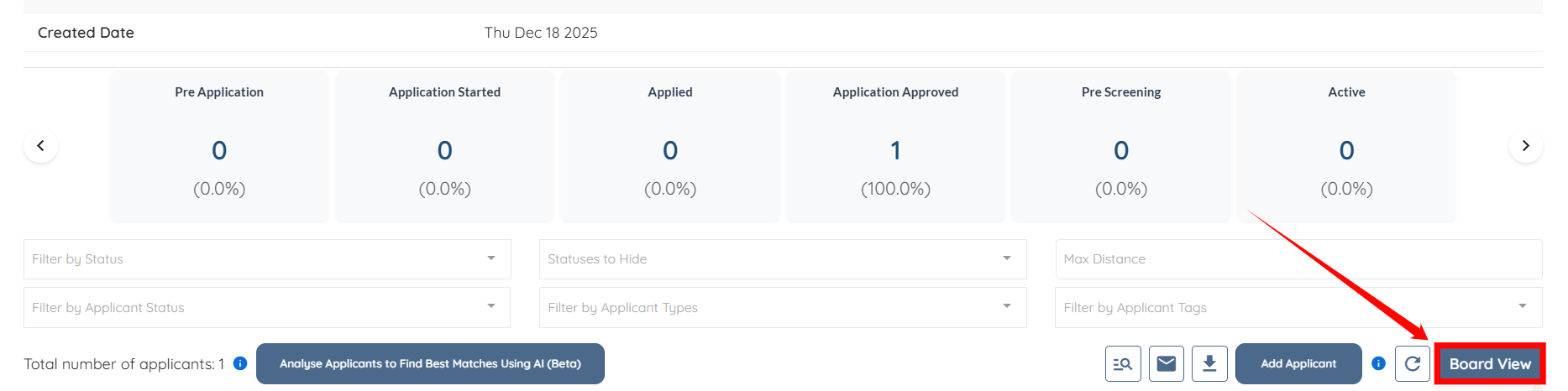
Step 3: Click the Board View button as shown in the screenshot.
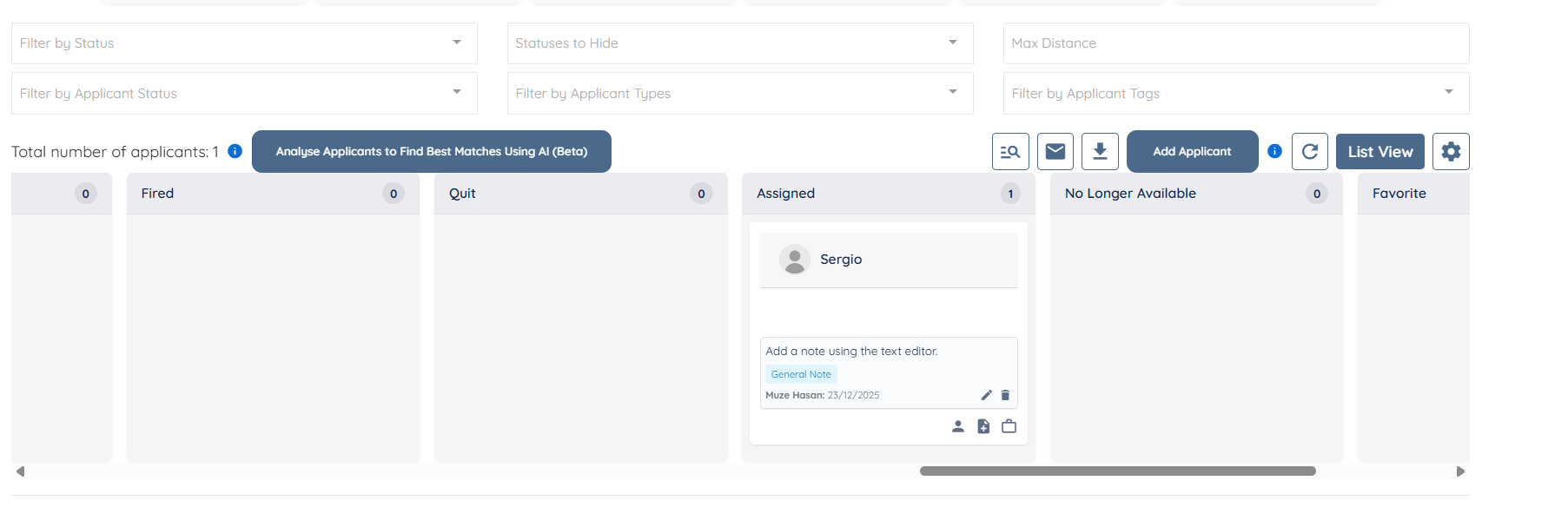
You can now use the Board view to review the applicants for the selected placement job.