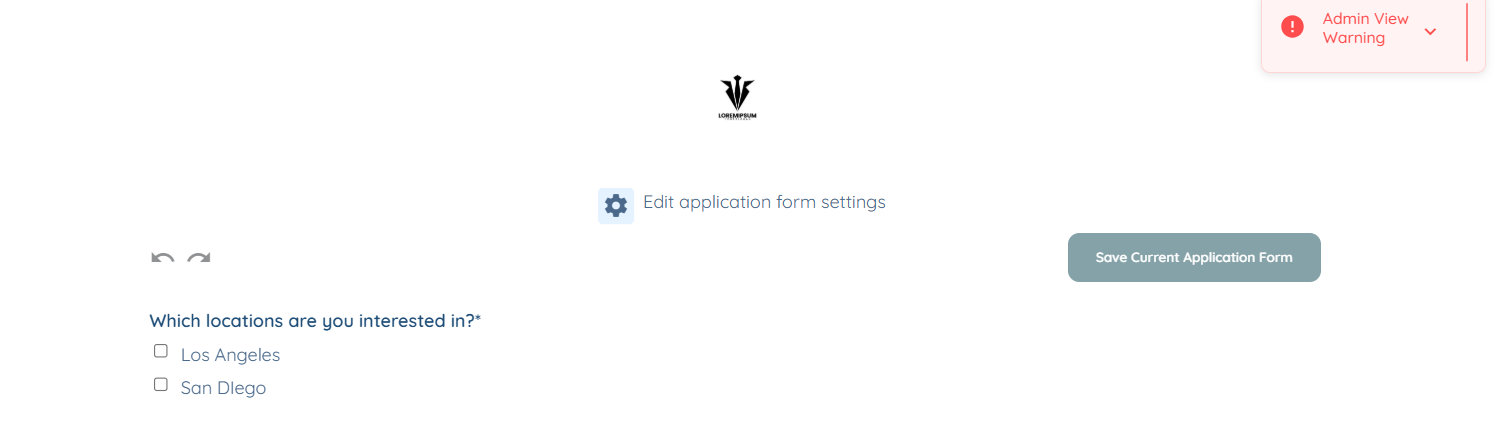
For demonstration purposes, this article uses an application to show how to hide title. The same steps apply when hiding section title as well.
Let’s get started 🚀
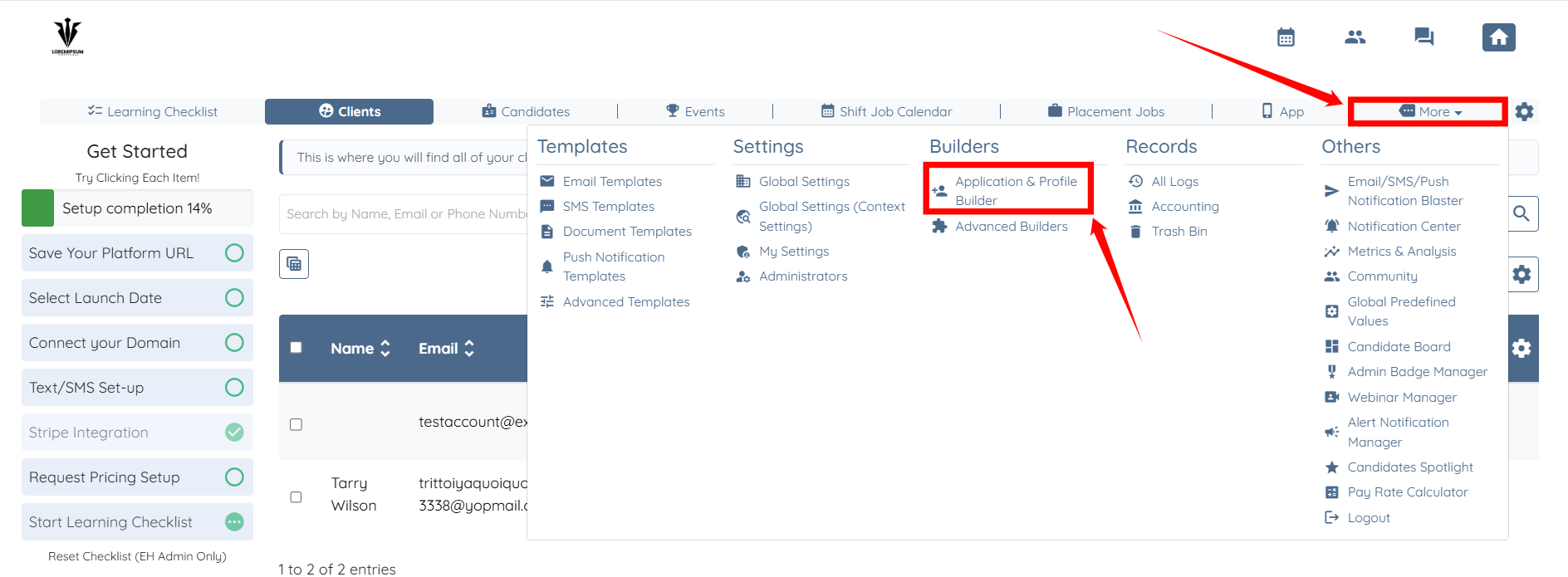
Step 1: Log in to your agent dashboard and click More > Application & Profile Builder, as shown in the screenshot.
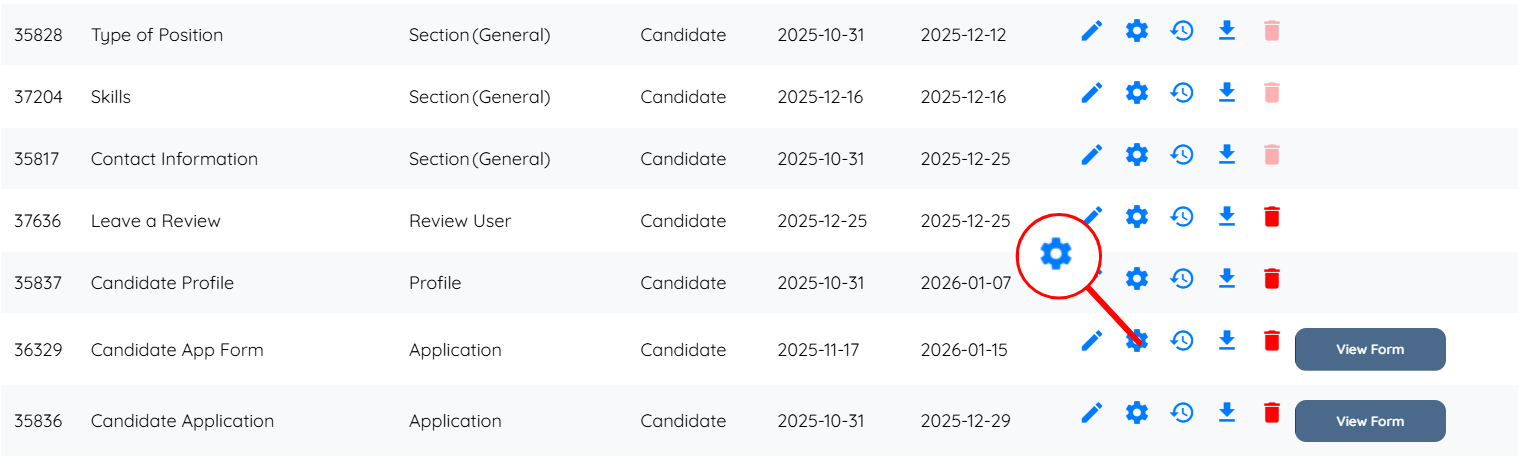
Step 2: Locate the application for which you want to hide the title, and then click on the gear icon corresponding to that application.
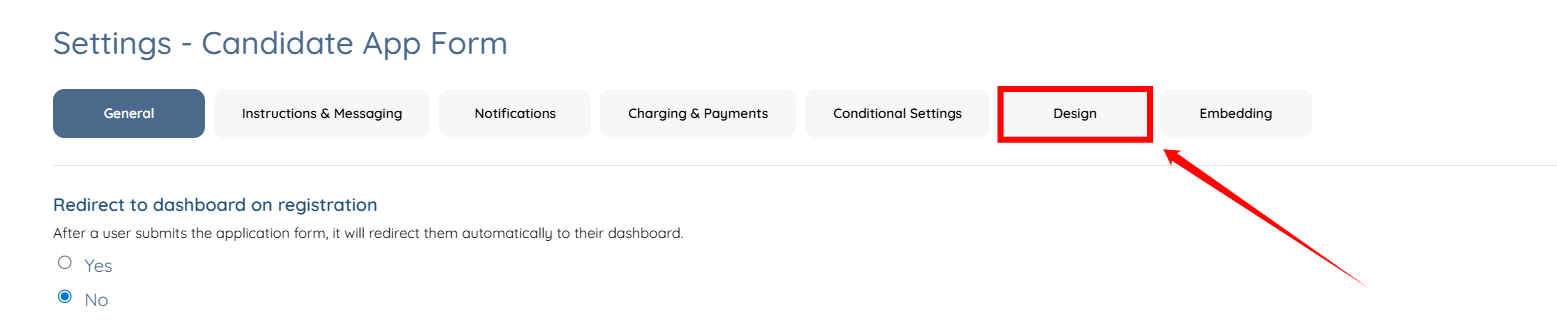
Step 3: Click the Design tab from the list of available tabs.
Step 4: Check the Hide Form Title checkbox and click the Save button to confirm the changes.
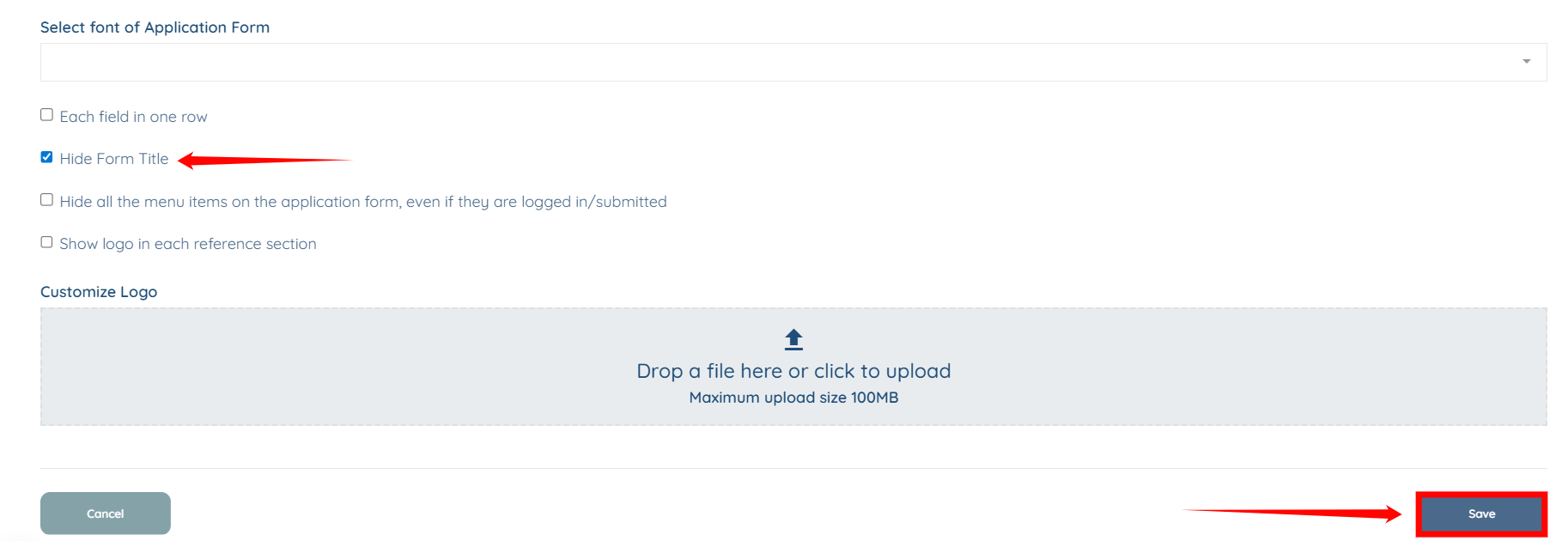
The application title will be hidden successfully.