Let’s get started 🚀
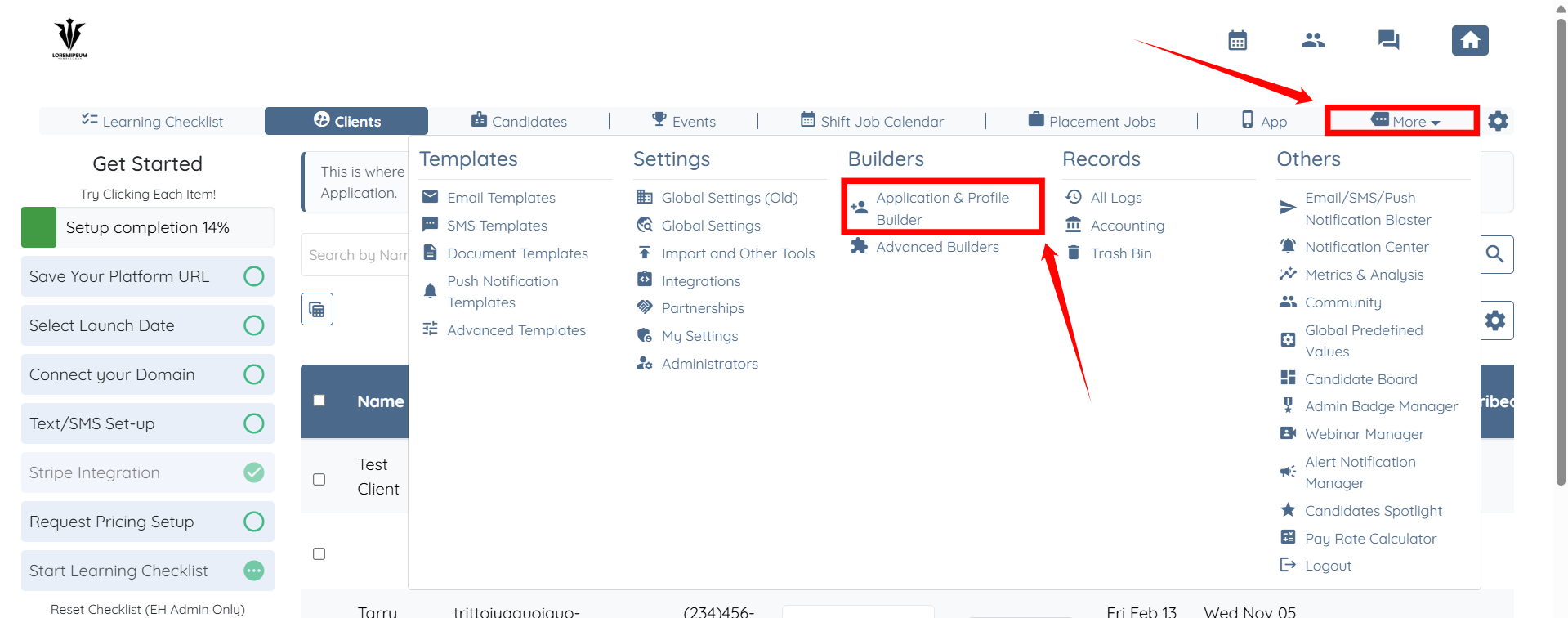
Step 1: Log in to your agent dashboard and click More > Application & Profile Builder, as shown in the screenshot below.
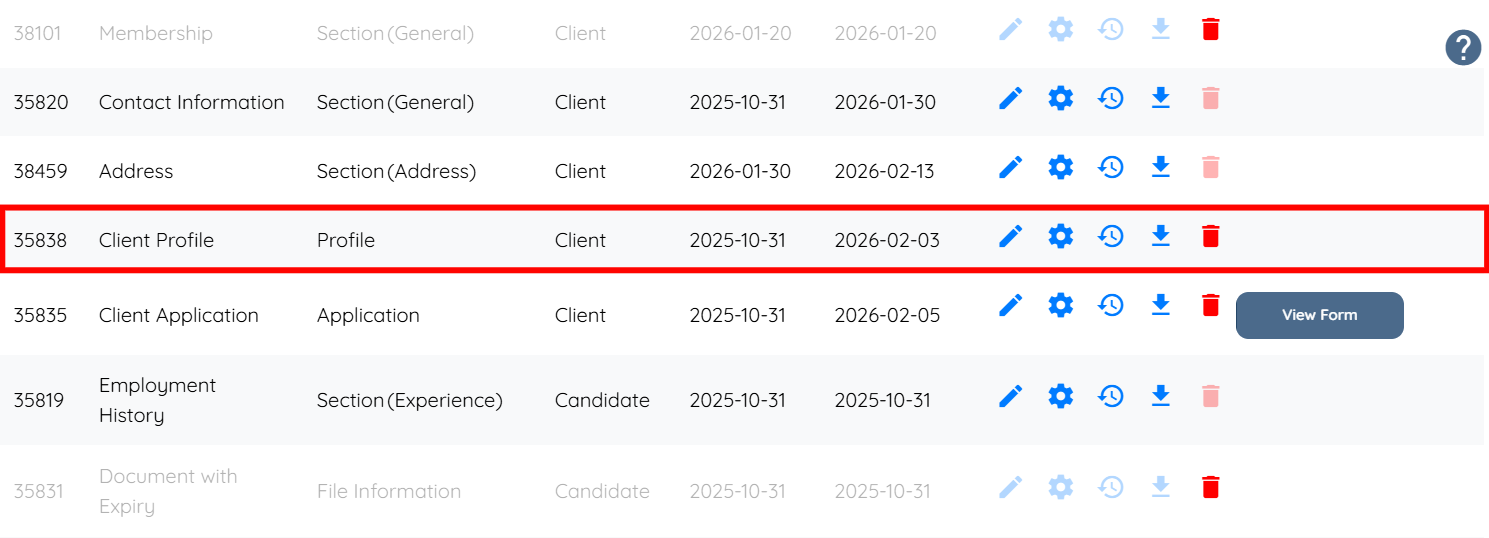
Step 2: Scroll down to the Client Profile Builder and click it to open.
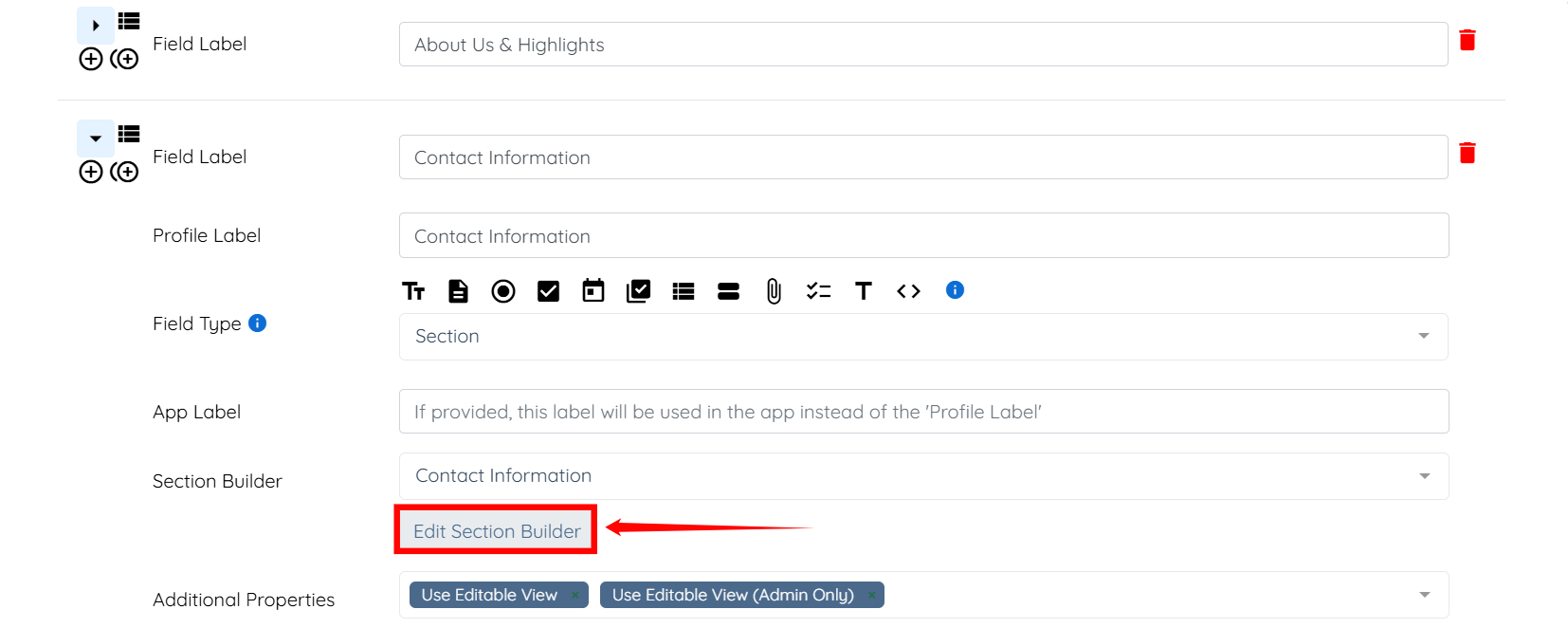
Step 3: Locate the section builder where you want to control the visibility of fields, and expand that section. Then, click the Edit Section Builder button.
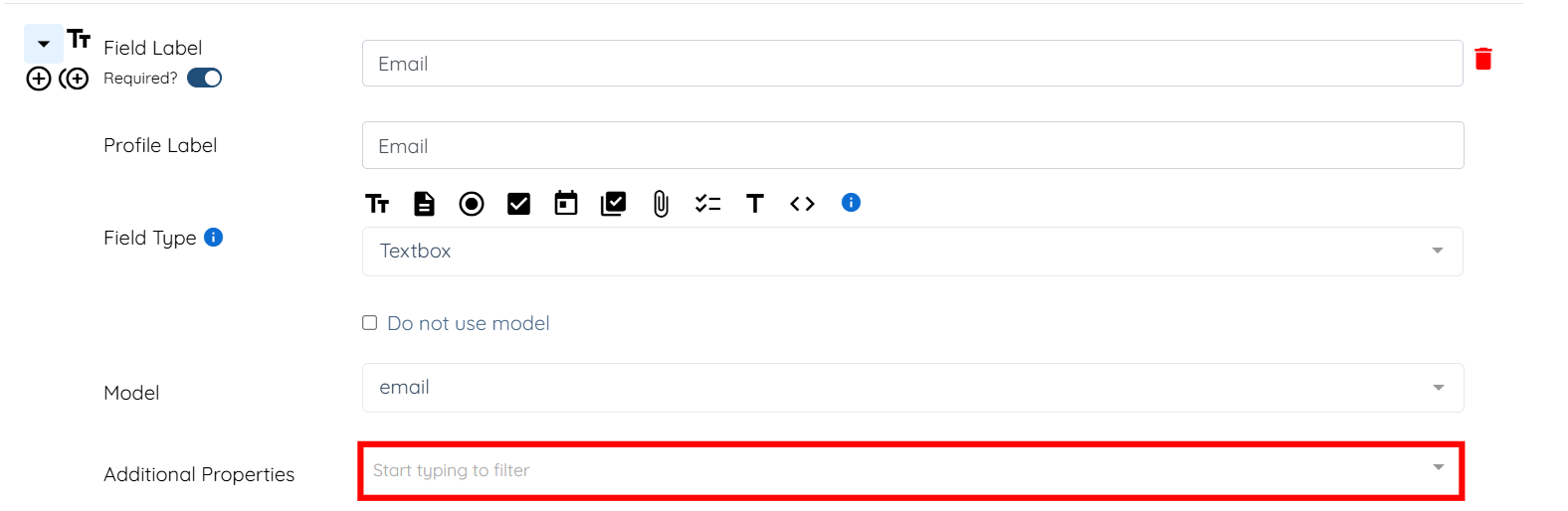
Step 4: Expand the field whose visibility you want to control, and then click the box next to Additional Properties to open the dropdown menu.
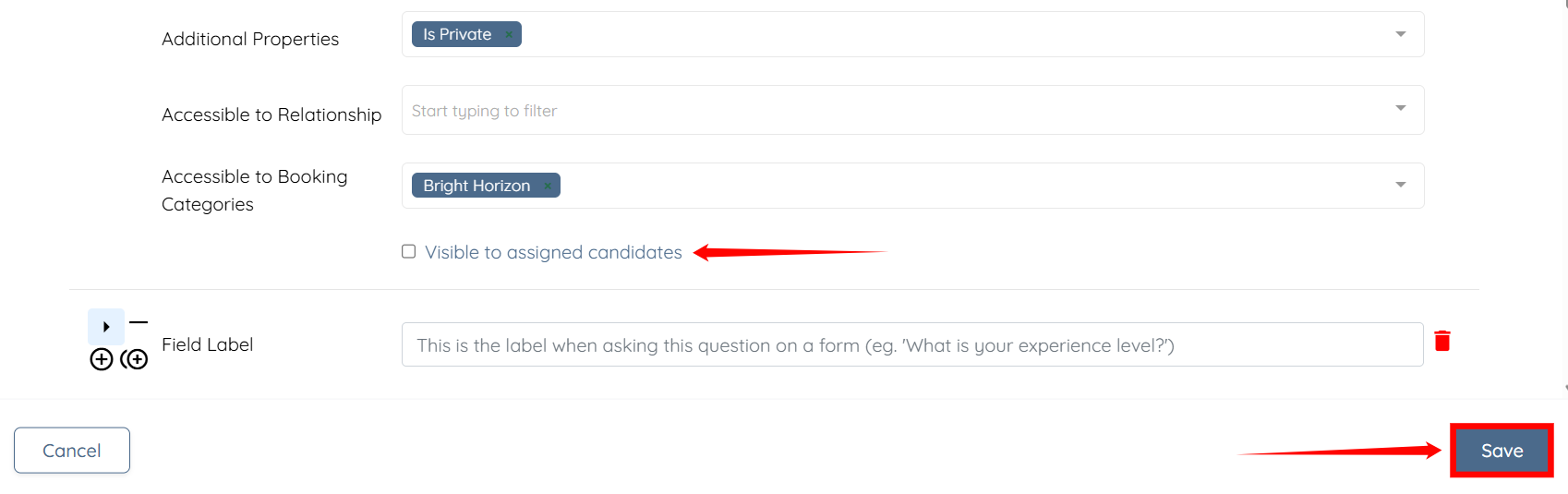
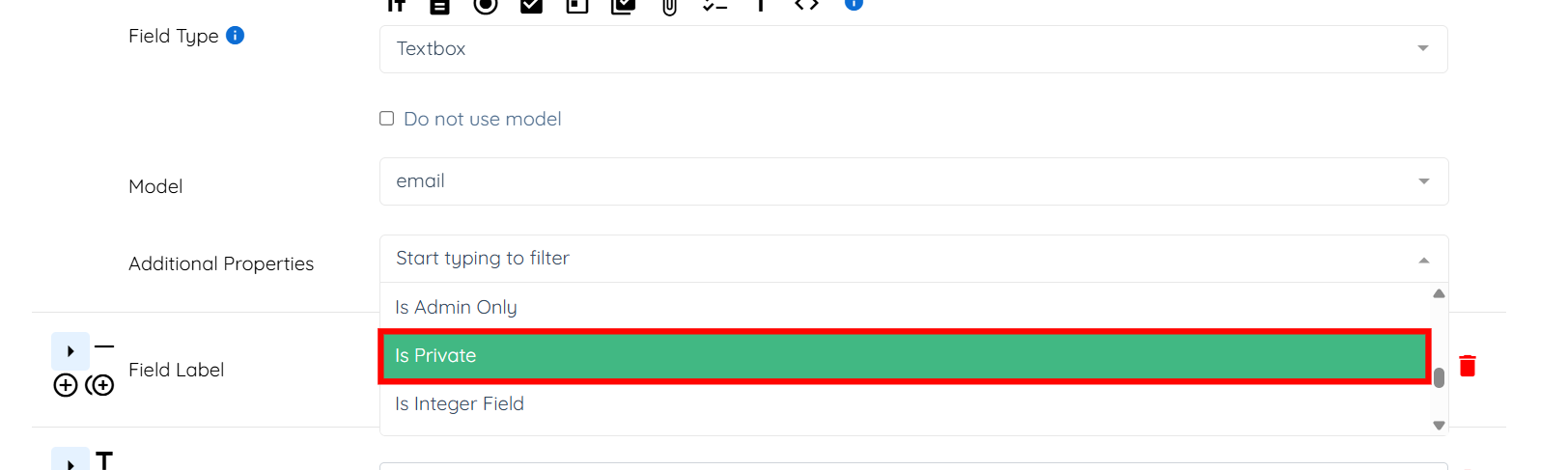
Step 5: Select Is Private property from the dropdown menu.
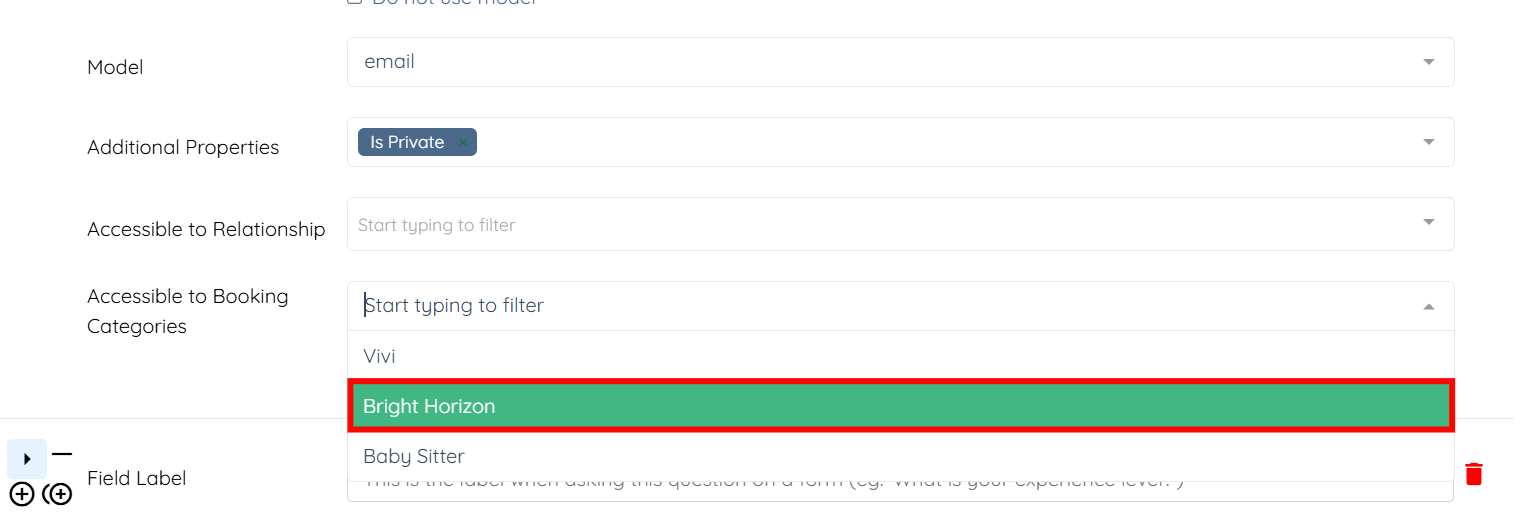
Step 6: Then, select the booking categories at Accessible to Booking Categories to which you want to grant access to the field.
Step 7: Check the Visible to assigned candidates checkbox, and then click the Save button to confirm the changes.