Let’s get started 🚀
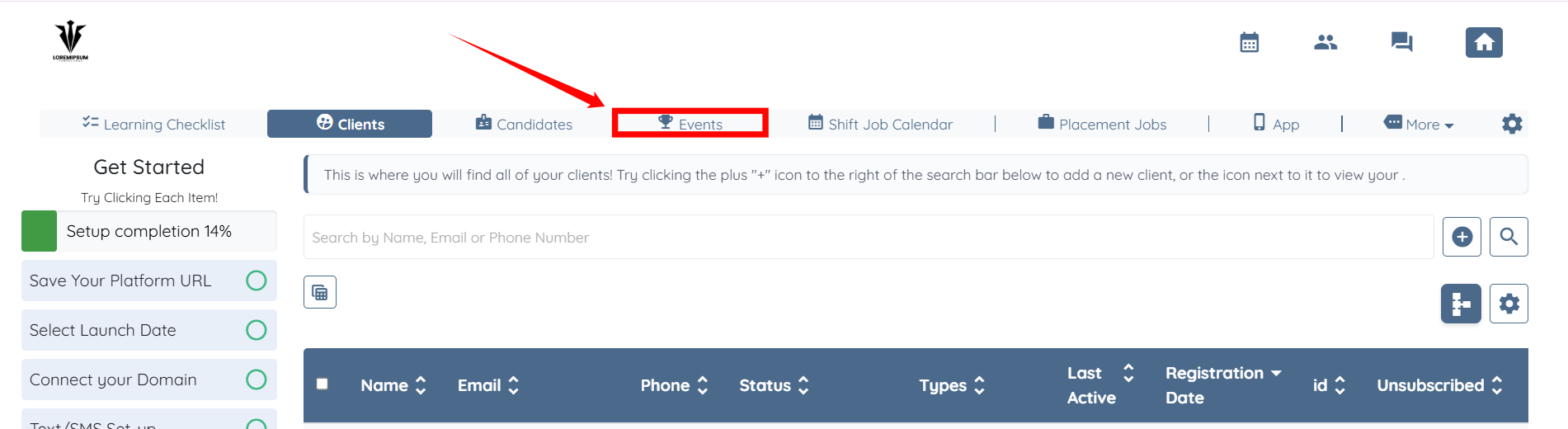
Step 1: Log in to your agent dashboard and click Events in the navigation bar.
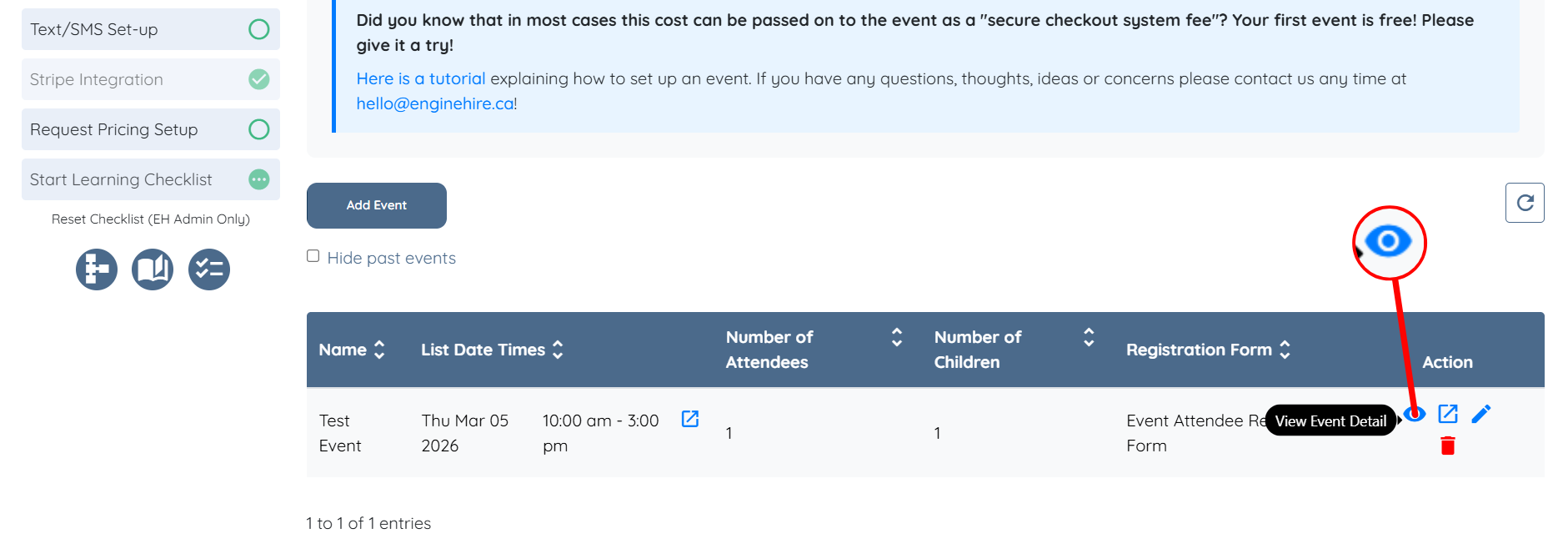
Step 2: Locate the event for which you want to view the client profiles and click the eye icon under the Action column to view the event detail.
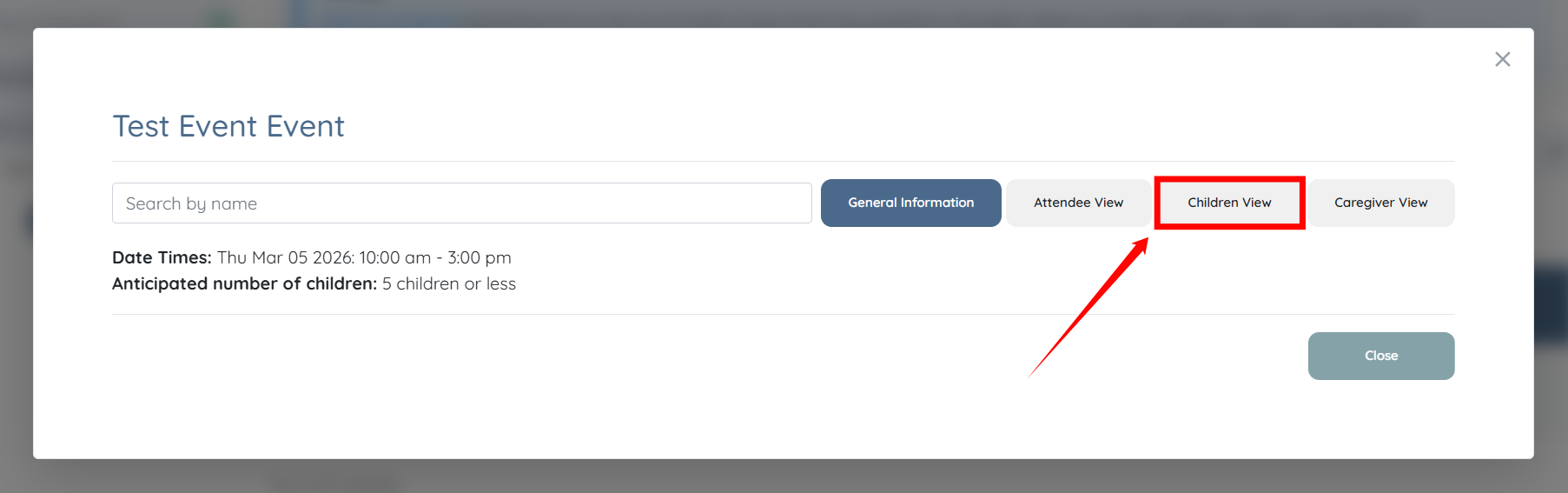
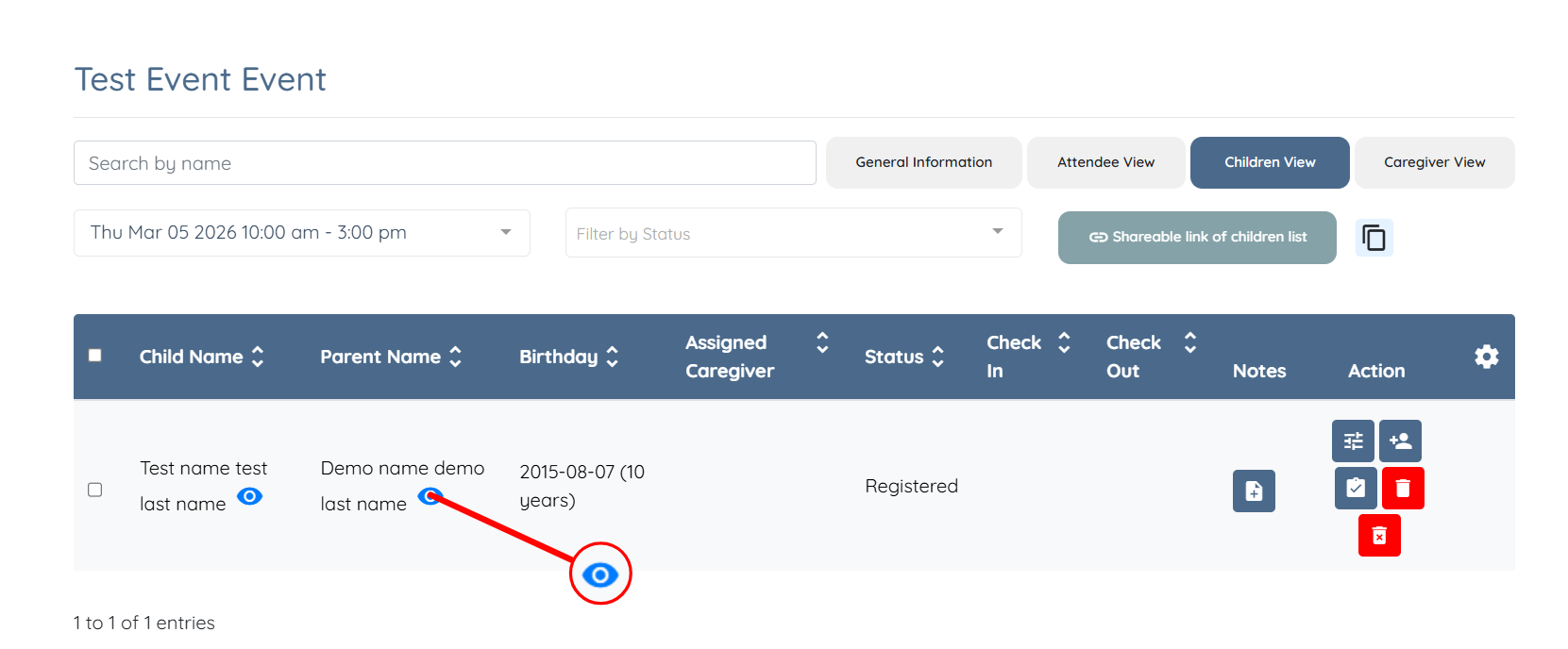
Step 3: Click the Children View tab from the list of available tabs.
Step 4: Click the eye icon next to the parent name to open and view the profile.
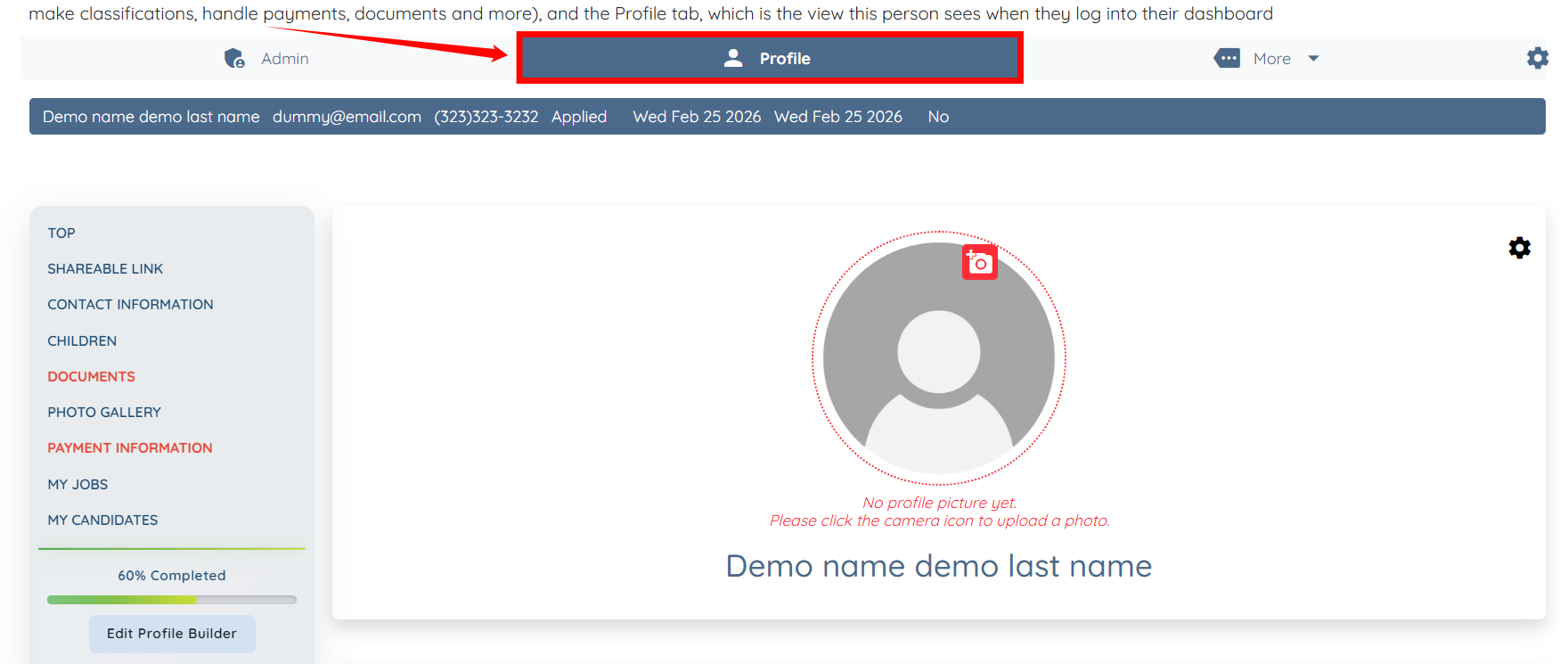
You can view all details related to the client profile under the Profile tab.