Let’s get started 🚀
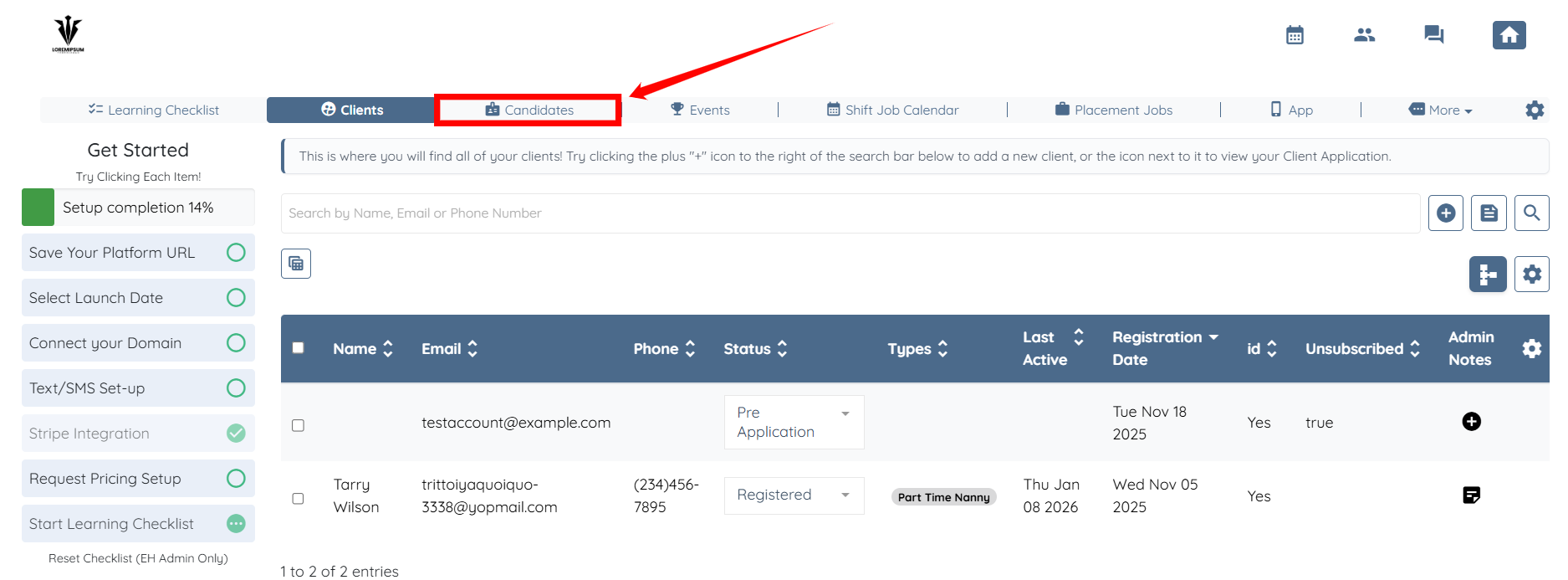
Step 1: Log in to your agent dashboard and click Candidates in the top navigation bar.
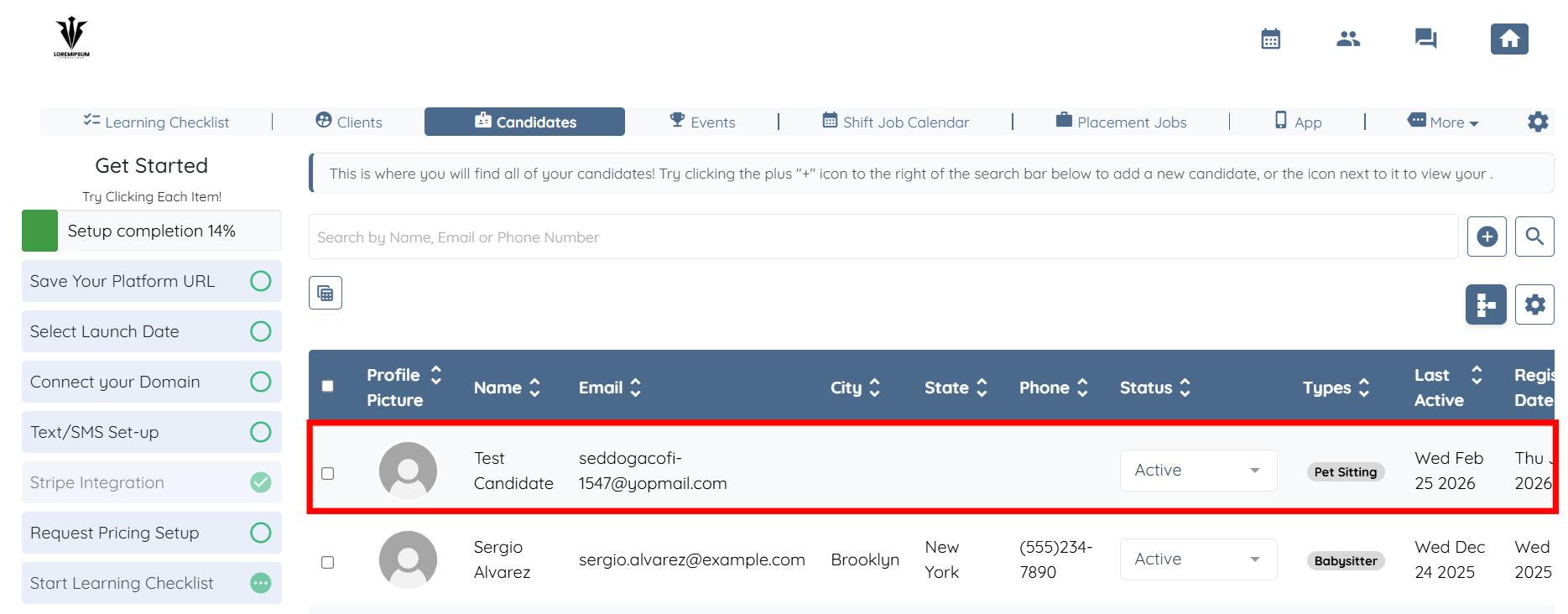
Step 2: Click on any of the candidates from the list.
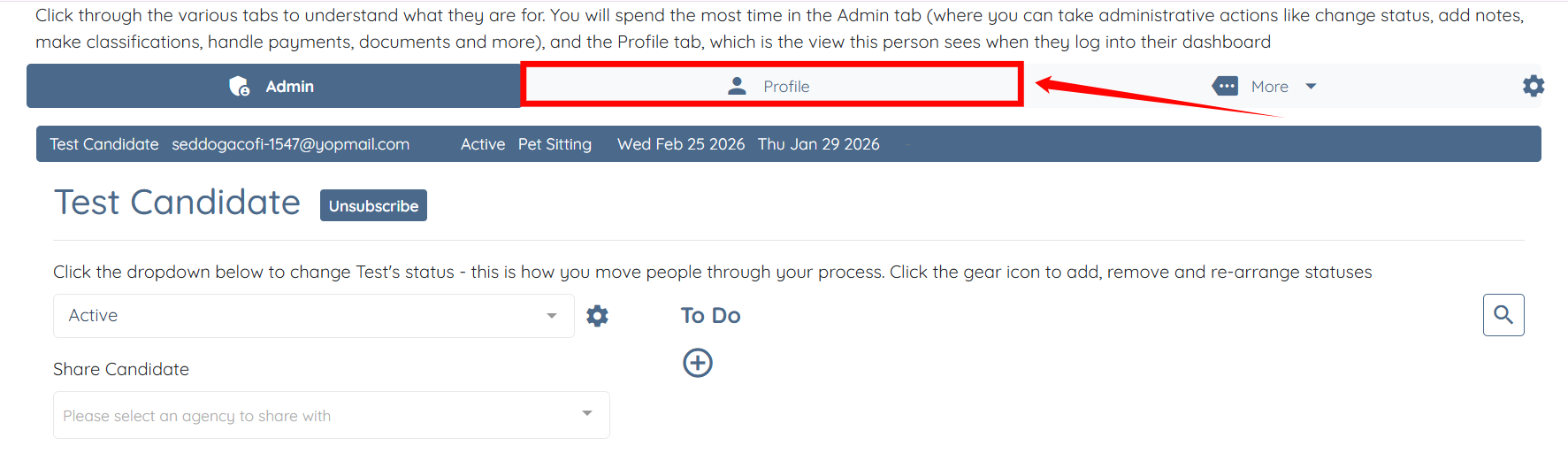
Step 3: Click the Profile tab to navigate to the candidate profile.
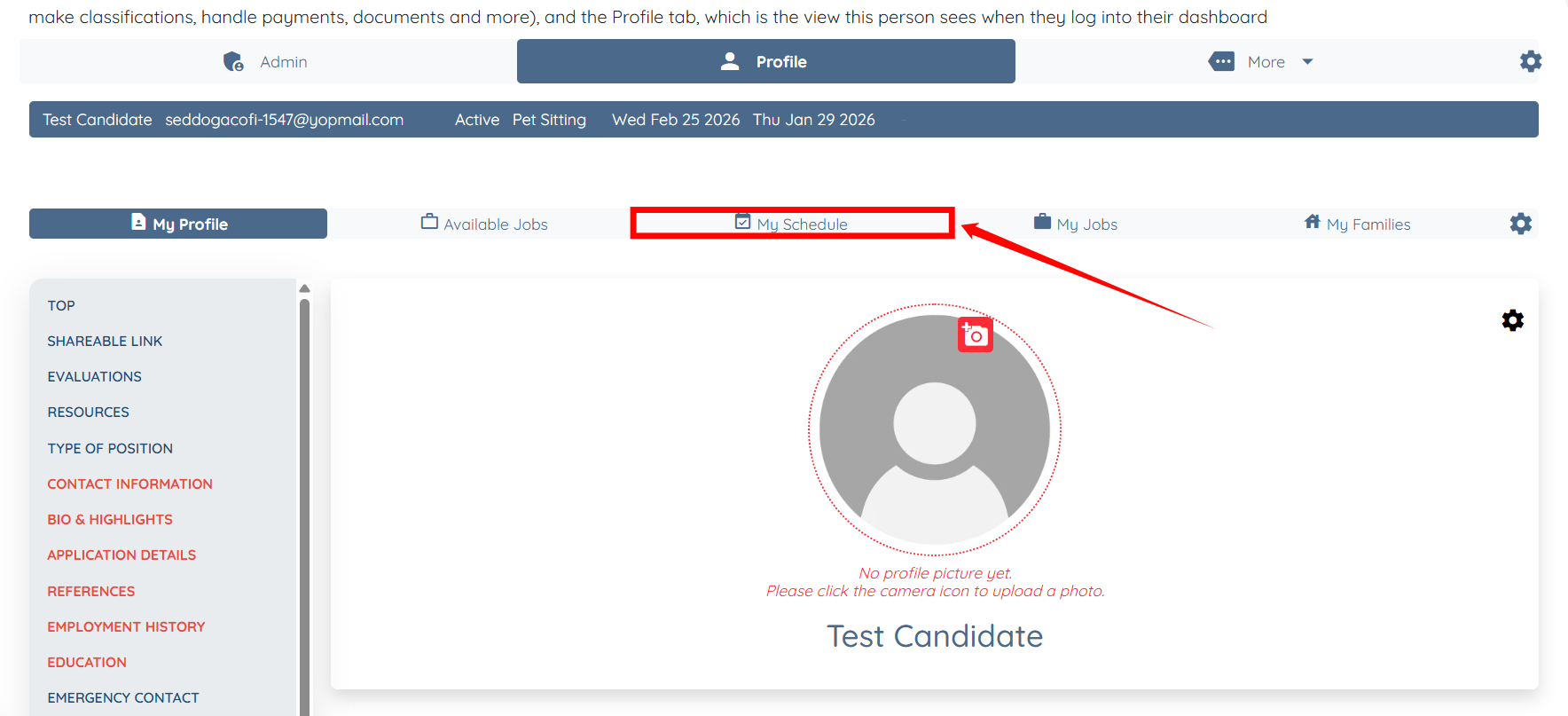
Step 4: Click the My Schedule tab.
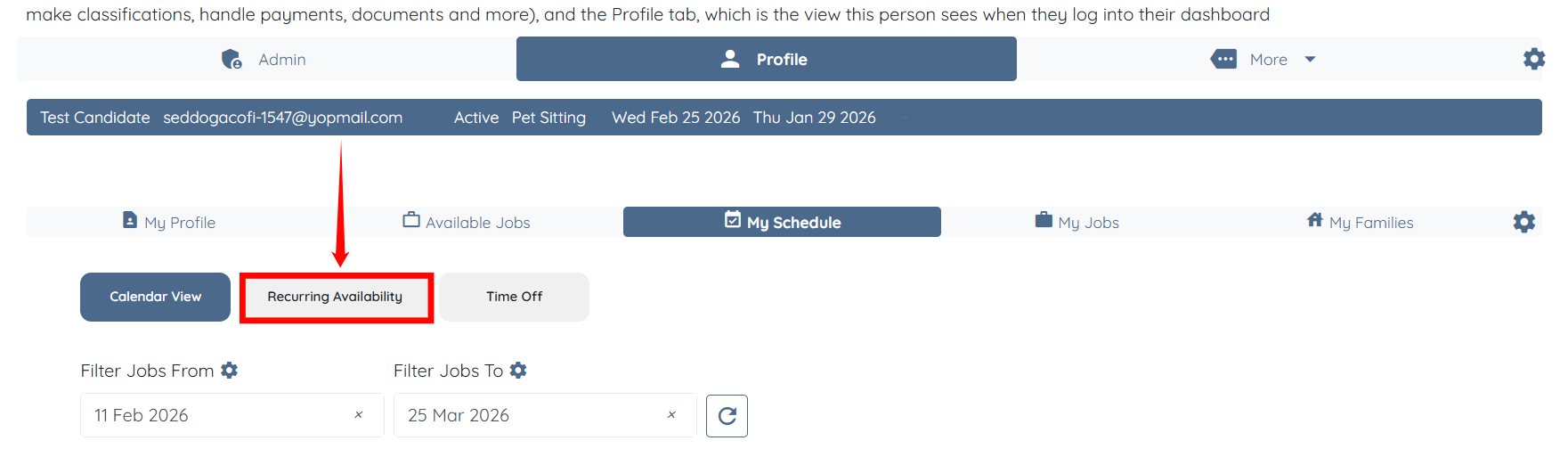
Step 5: Click the Recurring Availability option.
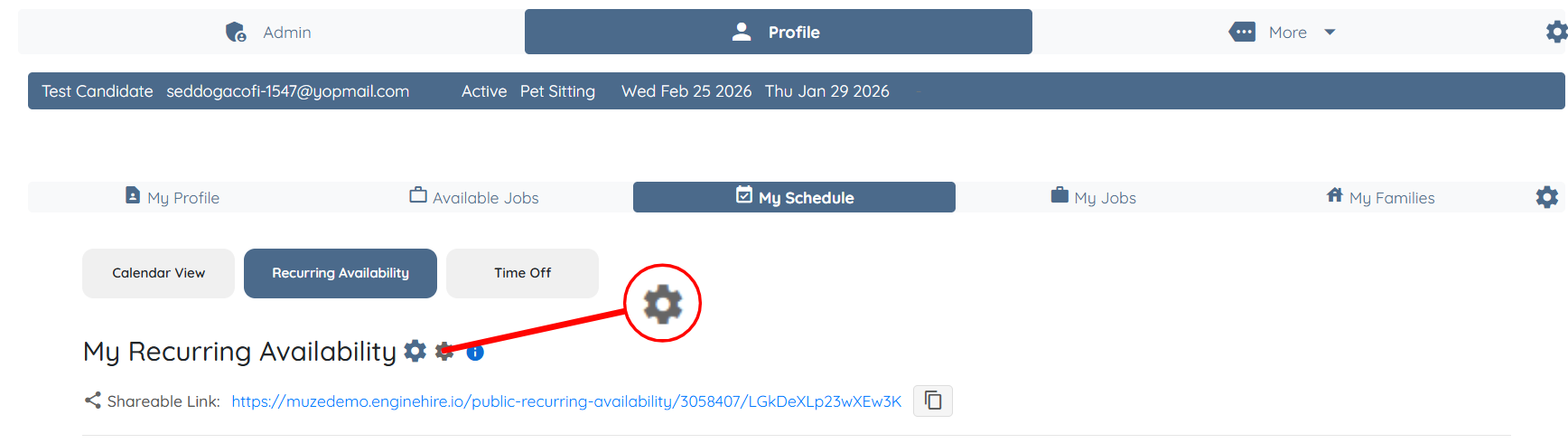
Step 6: Click the Gear icon as shown in the screenshot below.
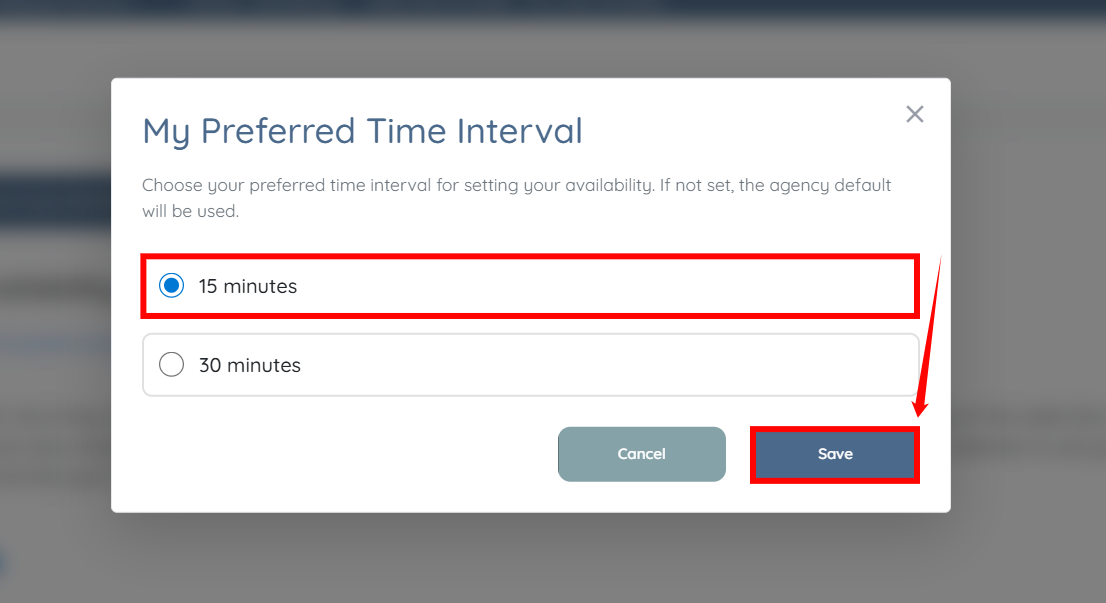
Step 7: Choose your preferred time interval and click the Save button to confirm your preferences.