Let’s get started 🚀
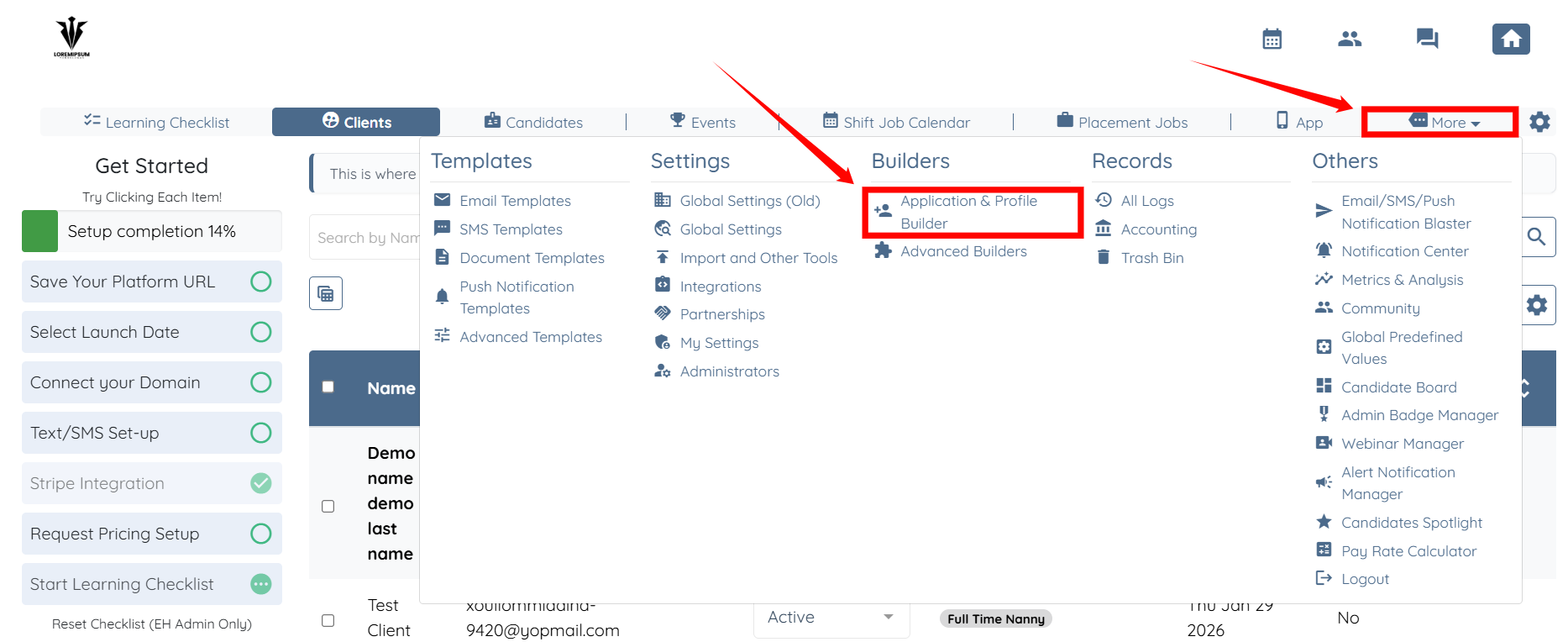
Step 1: Log in to your agent dashboard and click More > Application & Profile Builder as shown in the screenshot below.
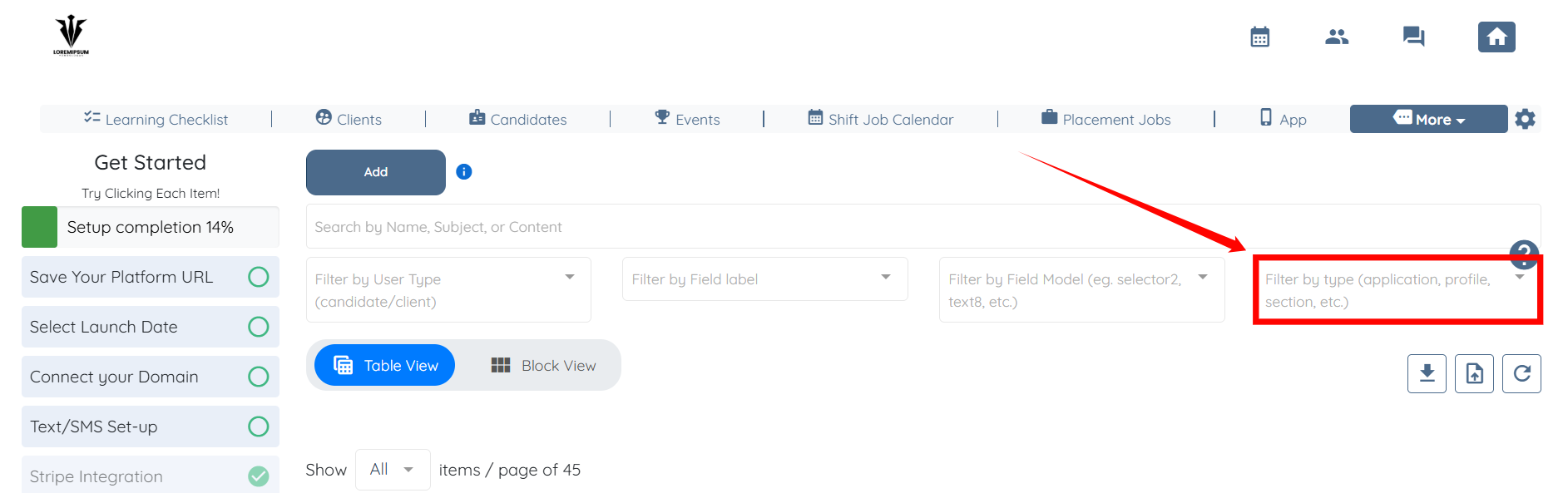
Step 2: Click the “Filter by type” box to activate the dropdown list.
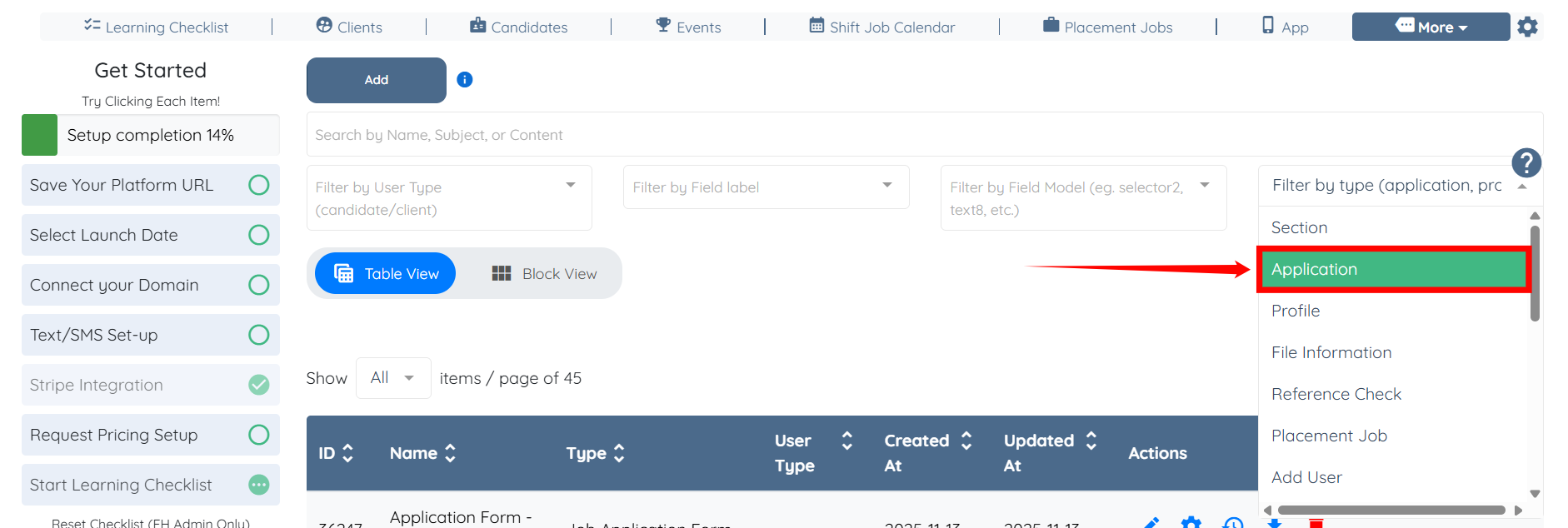
Step 3: Select the Application option from the dropdown list.
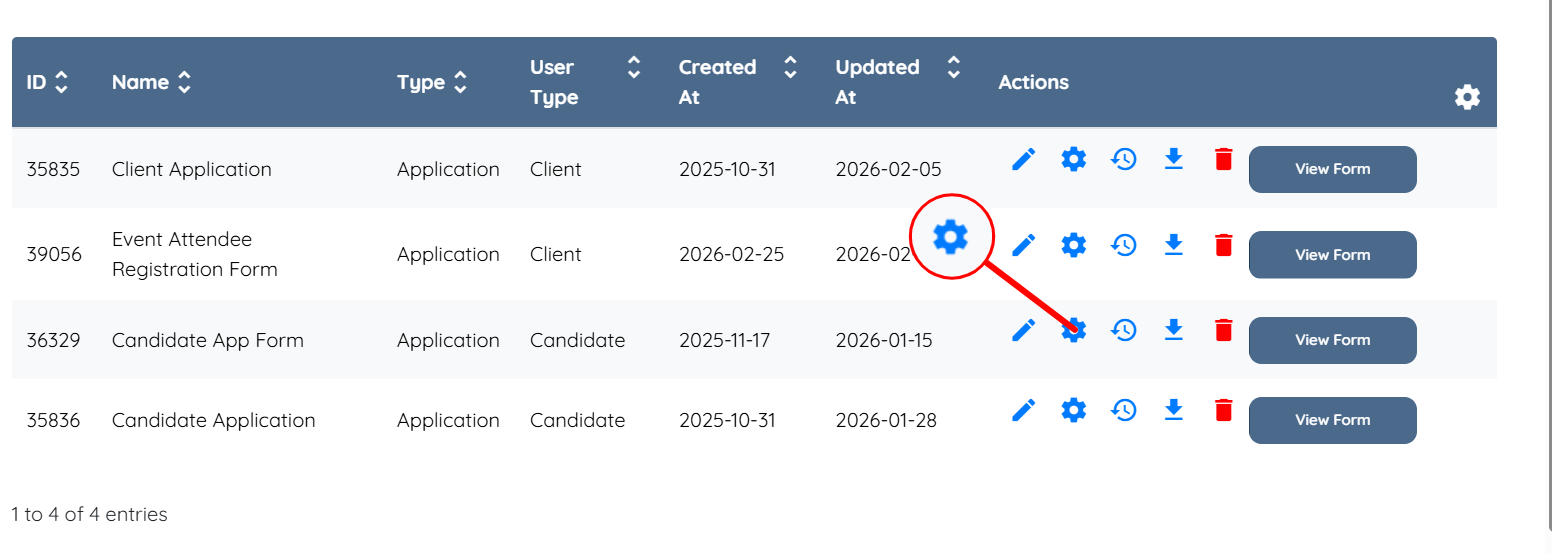
Step 4: Click the gear icon corresponding to the application builder from which you want to exclude the location question.
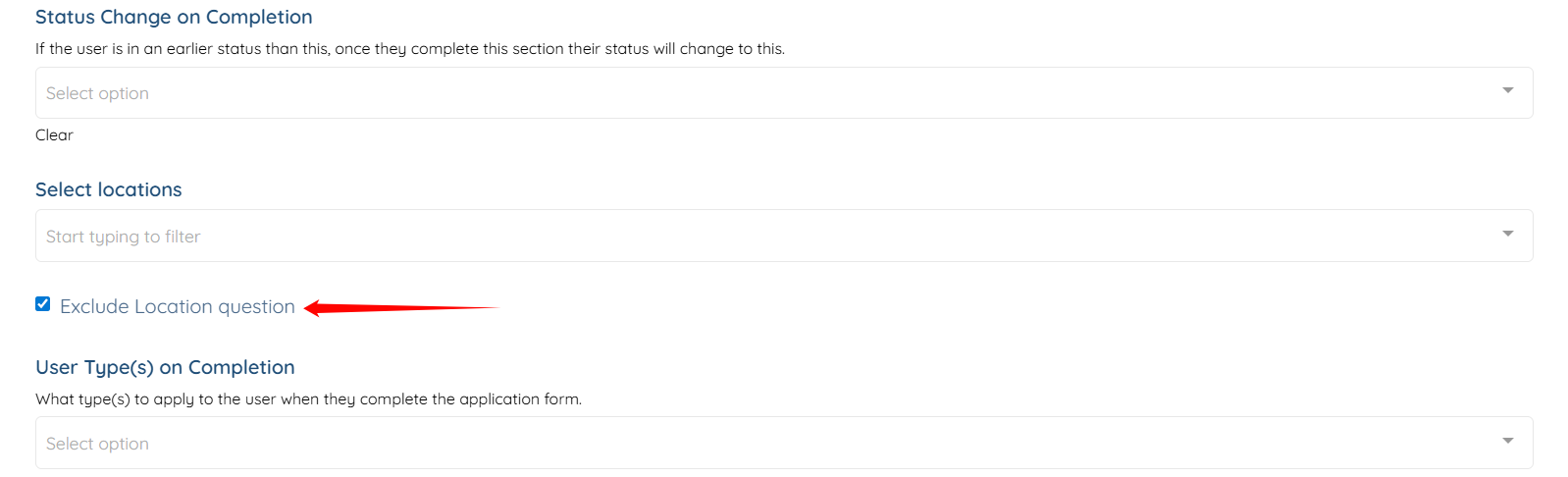
Step 5: Scroll down and check the Exclude Location Question checkbox.
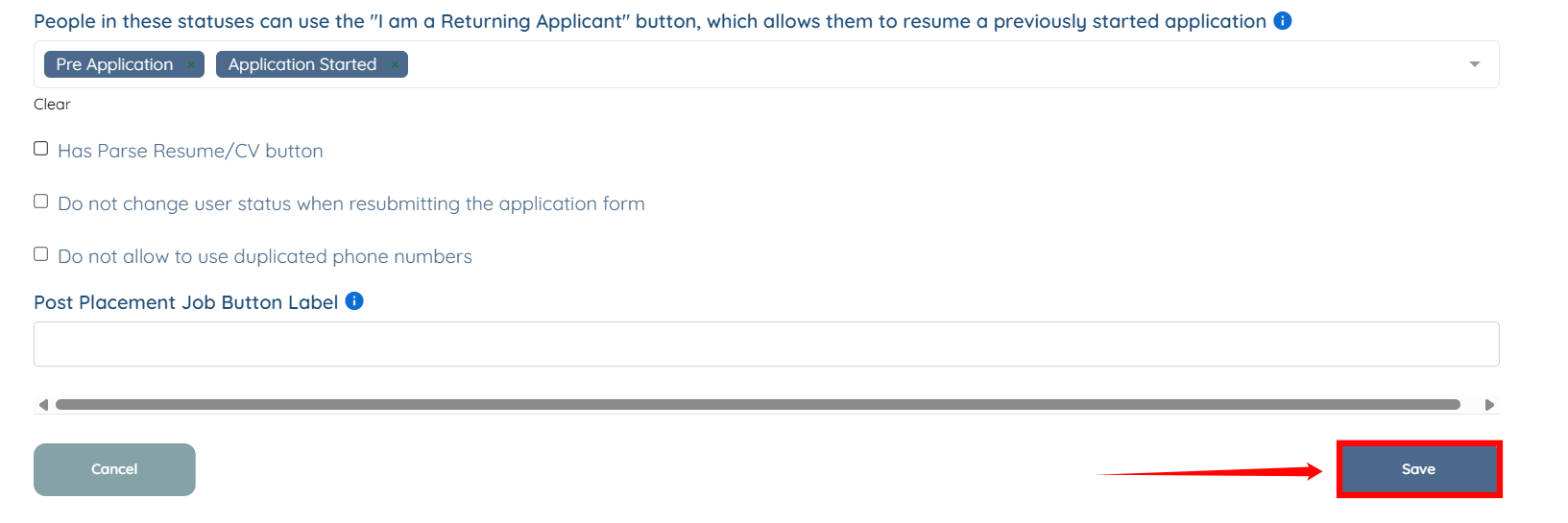
Step 6: Scroll down and click the Save button to confirm the changes.