Let’s get started 🚀
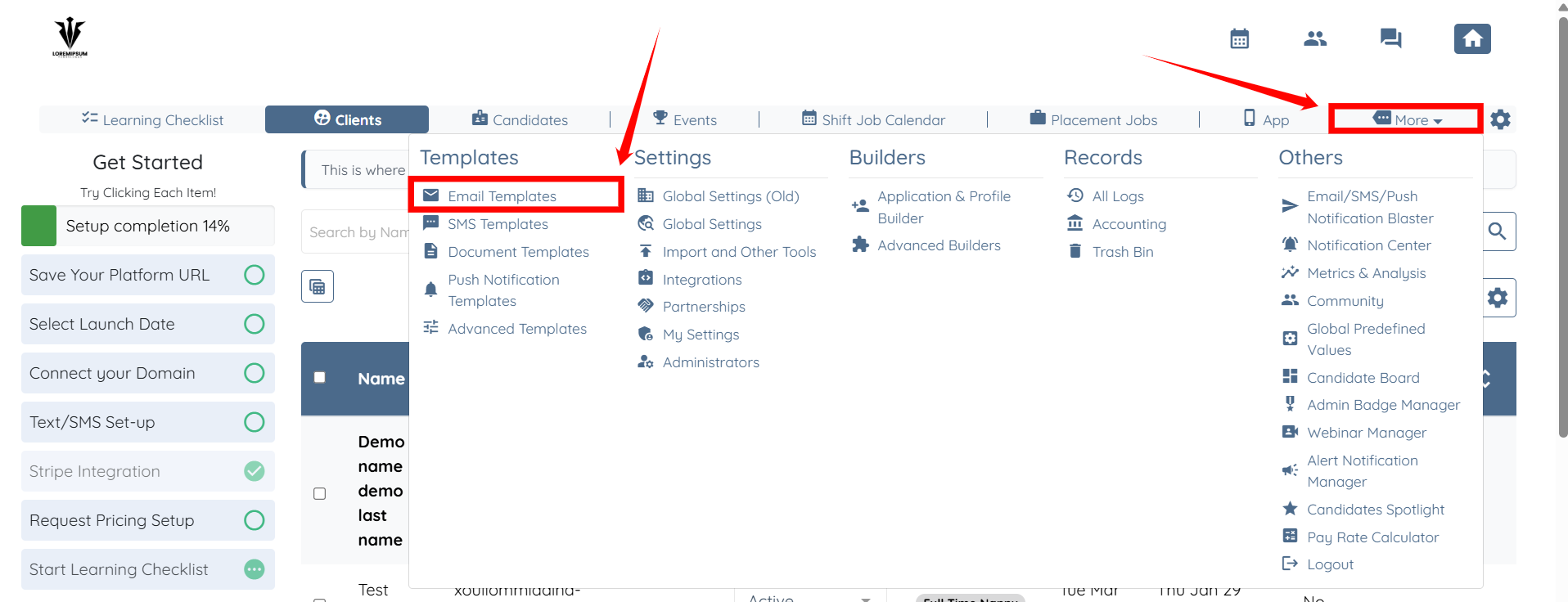
Step 1: Log in to your agent dashboard and click More > Email Templates, as shown in the screenshot below.
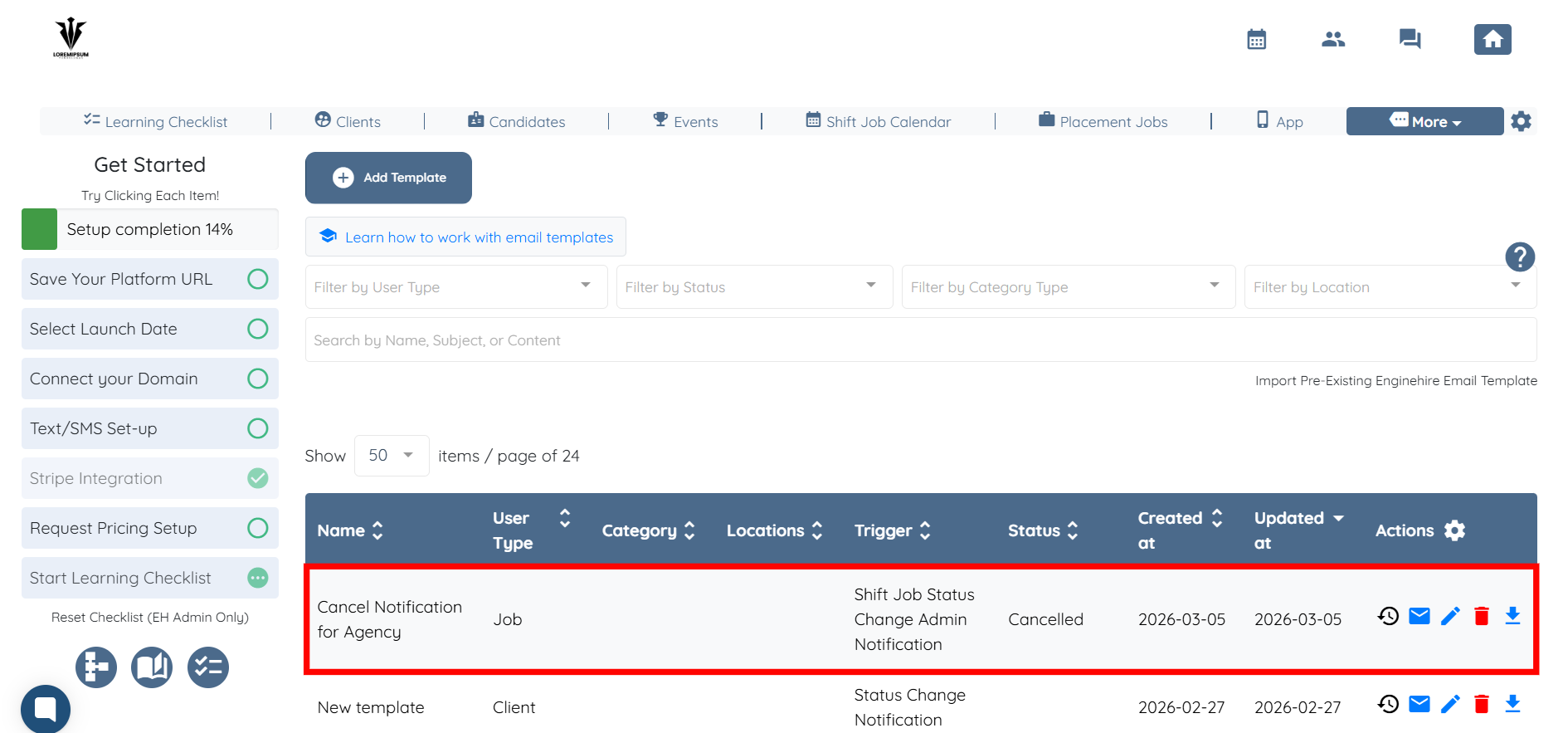
Step 2: Locate the email template used for cancellation notifications and click it to open.
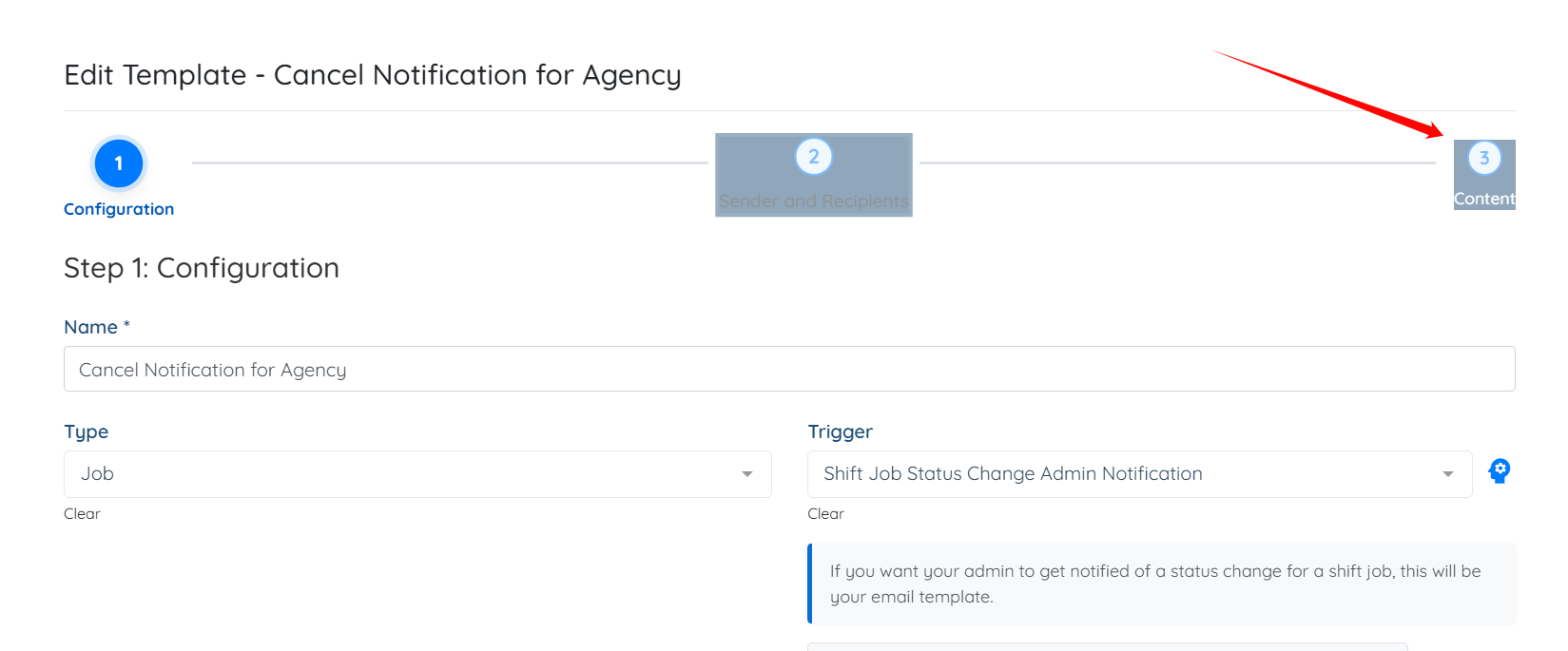
Step 3: Click the Content option to jump to the email content.
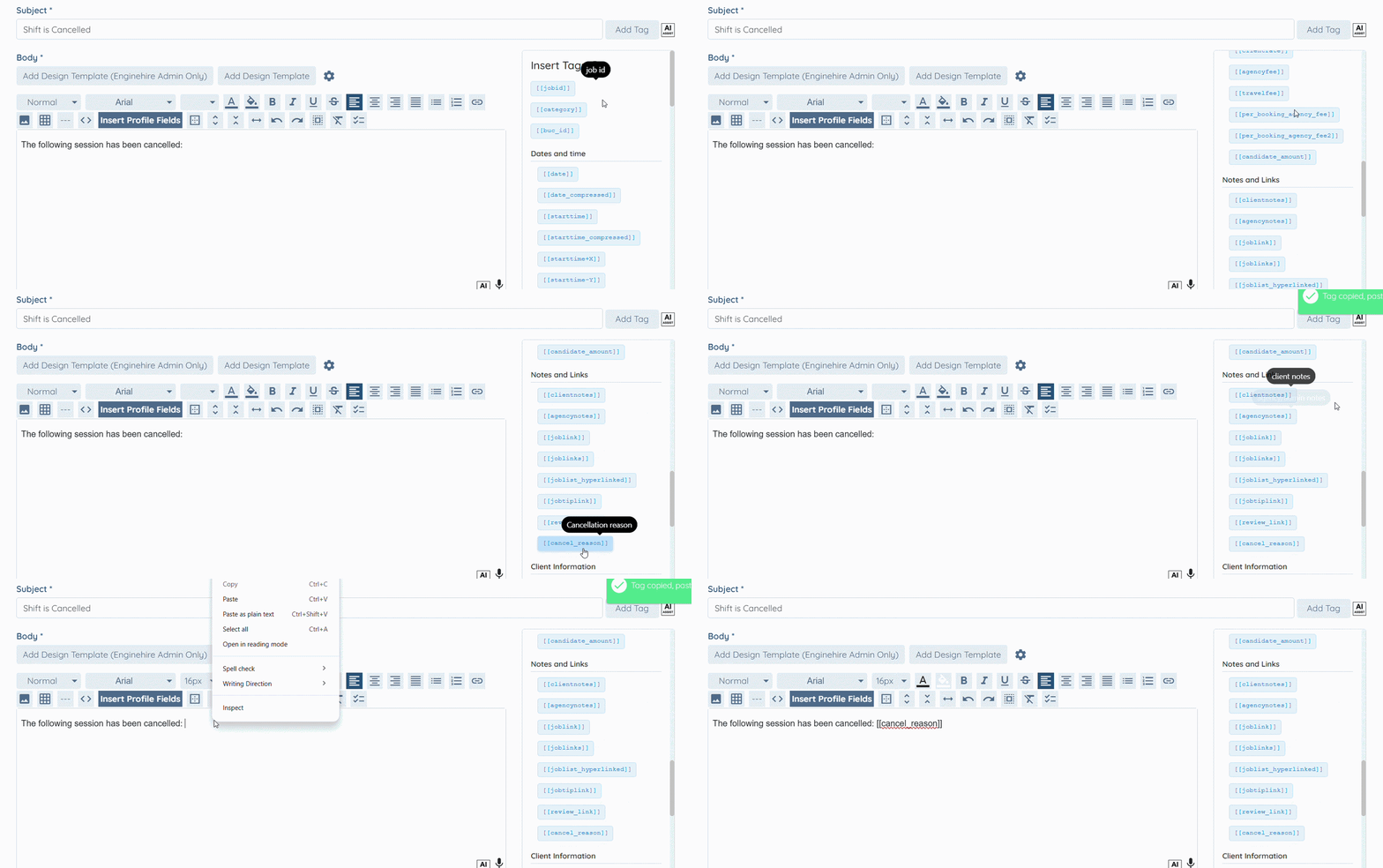
Step 4: Scroll down to the Notes and Links tags on the right-hand side of the email template body, click the [[cancel_reason]] tag to copy it, and then paste it into the email template body.
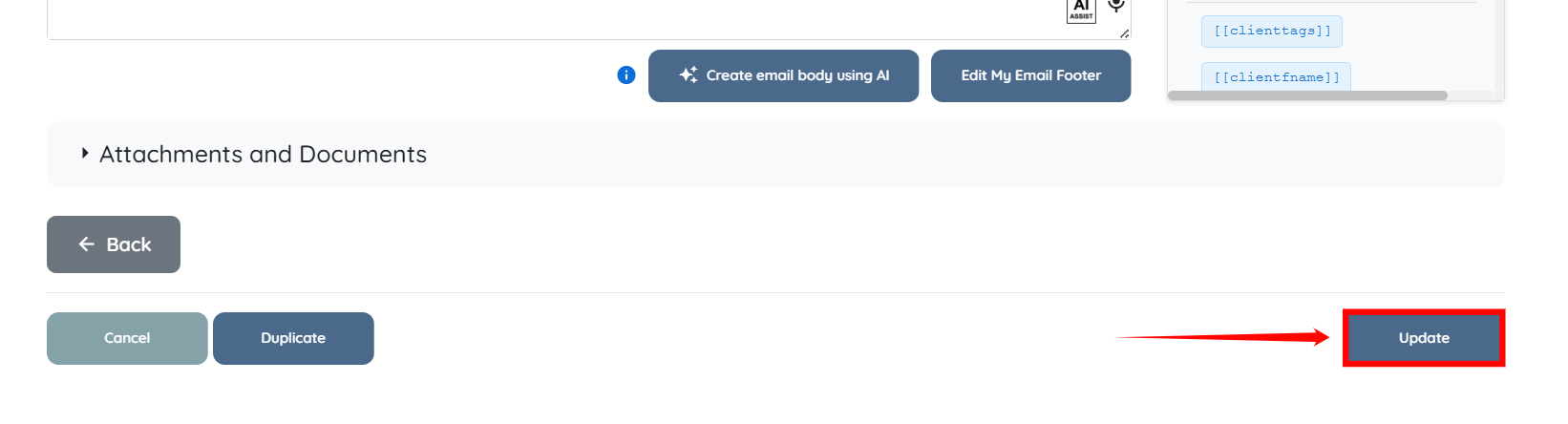
Step 5: Click the Update button to save the changes.